|
Version 5.33 |
RELEASE SUMMARY
The following is a table contains counts of the items affecting this release.
|
# |
Change Summary |
|
2 |
Release Requirements |
|
1 |
Known Issues |
|
1 |
Release Enhancements |
|
5 |
Release Fixes |
|
1 |
Schema Changes (Database Schema Tables Affected) |
|
5 |
Admin Changes |
|
0 |
Standard Reports Affected |
RELEASE REQUIREMENTS
Please read the following announcements regarding functionality and hardware/software changes for this release of MoversSuite.
IMPORTANT RELEASE REQUIREMENTS
MoversSuite is compatible with the following:
Microsoft Dynamics GP 2015 R2 (with ATIP Build 14.0.1)
Microsoft Dynamics GP ATIP Build 14.0.1
Refer to the following for information regarding additional requirements you may need to support Microsoft Dynamics GP 2015:
System Requirements for Microsoft Dynamics GP 2015
View the MoversSuite Compatibility topic for a list of products compatible with MoversSuite.
The following requirements are needed for this release:
Microsoft Dynamics GP 2013 R2 (with ATIP Build 12.0.23)
Microsoft Dynamics GP ATIP Build 12.0.23
Refer to the Hardware Requirements topic in our System Requirements for more information on the requirements for Microsoft Dynamics.
KNOWN ISSUES
The following issues are known problems that may affect your decision to upgrade to this version of MoversSuite. The following are not fixed for this release.
Citrix issue with phone number control
An issue that cannot be replicated is causing the phone numbers within the Shipper Contact Information section (Name, Address, Phone tab) to disappear and then reappear when a user clicks on that section, however, the user cannot edit them until they press Cancel (on the order) and then attempt to Edit again. (6409)
RELEASE ENHANCEMENTS
This section lists the enhancements made to MoversSuite for this release.
VIDEO: MoversSuite 5.33 Overview Video
Watch this video to see an overview of the changes we made at this release.
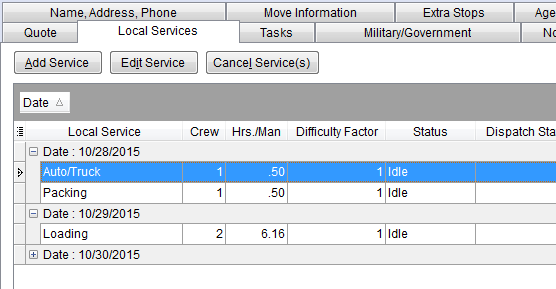
Local Services now a full function grid
The Local Services grid is now full-functioning, which means you can group, sort, filter, select visible columns, and more. Further, the state of the grid is saved, so the changes you make to the display remain the next time you access the tab.
Figure 5: Local Services tab
Refer to the Data Grids topic for more information on the features and function available through MoversSuite grids.
|
TECHNICAL NOTE |
|
With this change, MoversSuite also stores the state of the grid internally for each user. The data is stored within the SysuserGridState table, which is an internal use only table. Prior to this change, this information was stored to the registry of the client machine or server hosting MoversSuite. |
|
SUMMARY (7762) |
|
The Local Services tab now contains a full functioning grid. |
|
The following areas have been affected by this enhancement:
|
RELEASE FIXES
This section lists any fixes made to MoversSuite for this release.
General Fixes
Task Priority setting added to Add Task dialog
When adding or copying a task (Add Task), you now have the option to set the Task Priority. (7787)
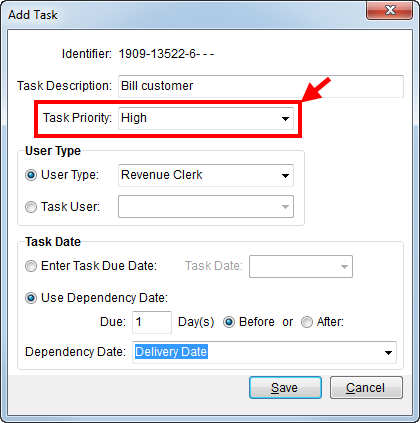
Figure 6: Add Task dialog
Refresh Tasks option moved
We moved the Refresh Tasks button within and in to be the lowest listed function on the right-side of the screen. Prior to this fix, the Set Priority option was the lowest and we found that this interrupt many of our customer’s workflow. (7788)
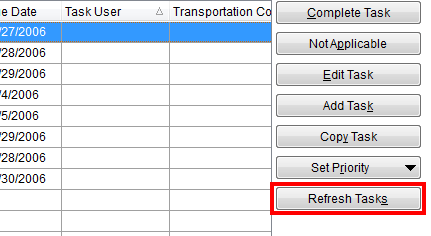
Figure 7: Refresh Tasks button
Payment Management Fixes
Previously generated payments showing incorrect balance
A display issue has been corrected that was causing the Payment Balance to be incorrect. MoversSuite was pulling data into the apply grid for transactions that were already generated, the transactions all posted correctly, but an incorrect amount displayed for the Payment Balance on the order. MoversSuite no longer pulls in data from Microsoft Dynamics GP if the detail item is posted or voided. (7636)
Revenue Entry Fixes
Auto commission no longer gives warning when commissionable party exists on multiple sub orders
Prior to this fix, revenue on an order with sub orders associated to it and the same commissionable party, i.e. salesperson, resulted in an error that auto commissions will results in more 100% commission. This error was due to the customer on the order not being verified when imported through a CSV Import. MoversSuite now verifies the imported customer and therefore allows commissionable parties to exist on multiple sub orders.
|
IMPORTANT |
|
With this change, the MssAPI service user will need MssGPExec rights to the appropriate company-specific Microsoft Dynamics GP database. Refer to User Setup for SQL Security for instructions. |
(7613, 7665)
Commissionable employees no longer show for archived orders
We corrected an issue that allowed users to select commissionable employees from archived sub-orders. This affected the list of Commissionable Employees and those available for commission assignment within Add Revenue Commission.
|
NOTE |
|
On non-archived orders, MoversSuite shows all commissionable employees for the current order and any associated order. It does not show commissionable employees for any archived order. On archived orders, MoversSuite shows all commissionable employees for the current order only. It does not show employees for any associated order, which are most likely archived as well. |
(7807)
SCHEMA CHANGES
The following link allows you to navigate through all MoversSuite tables and allows you to view field properties, such as type and maximum value size.
Interactive MoversSuite database schema (5.33)
|
Version 5.32 |
RELEASE SUMMARY
The following is a table contains counts of the items affecting this release.
|
# |
Change Summary |
|
2 |
Release Requirements |
|
1 |
Known Issues |
|
3 |
Release Enhancements |
|
7 |
Release Fixes |
|
7 |
Schema Changes (Database Schema Tables Affected) |
|
2 |
Admin Changes |
|
0 |
Standard Reports Affected |
RELEASE REQUIREMENTS
Please read the following announcements regarding functionality and hardware/software changes for this release of MoversSuite.
IMPORTANT RELEASE REQUIREMENTS
MoversSuite is compatible with the following:
Microsoft Dynamics GP 2015 R2 (with ATIP Build 14.0.1)
Microsoft Dynamics GP ATIP Build 14.0.1
Refer to the following for information regarding additional requirements you may need to support Microsoft Dynamics GP 2015:
System Requirements for Microsoft Dynamics GP 2015
View the MoversSuite Compatibility topic for a list of products compatible with MoversSuite.
The following requirements are needed for this release:
Microsoft Dynamics GP 2013 R2 (with ATIP Build 12.0.23)
Microsoft Dynamics GP ATIP Build 12.0.23
Refer to the Hardware Requirements topic in our System Requirements for more information on the requirements for Microsoft Dynamics.
KNOWN ISSUES
The following issues are known problems that may affect your decision to upgrade to this version of MoversSuite. The following are not fixed for this release.
Citrix issue with phone number control
An issue that cannot be replicated is causing the phone numbers within the Shipper Contact Information section (Name, Address, Phone tab) to disappear and then reappear when a user clicks on that section, however, the user cannot edit them until they press Cancel (on the order) and then attempt to Edit again. (6409)
RELEASE ENHANCEMENTS
This section lists the enhancements made to MoversSuite for this release.
VIDEO: MoversSuite 5.32 Overview Video
Watch this video to see an overview of the changes we made at this release.
Delete Files from Document Management
You can now remove documents through a right-click option within the Document Management Viewer.
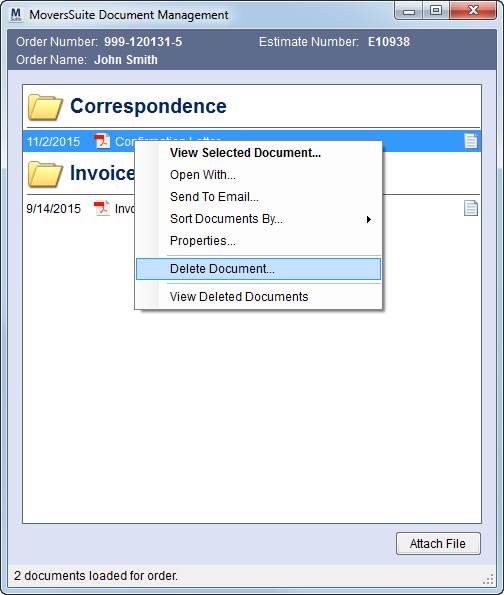
Figure 8: Document Management Viewer
We added this feature to allow your company to remove documents from the library for reasons such as the document was attached to the wrong order, the document contains sensitive information – such as credit card number, or the document is already liked linked to a different order.
Once the document is deleted, it cannot be recovered. A warning prompt appears to a user attempting to delete a file. It requires that the user selects a reason for deleting the document.
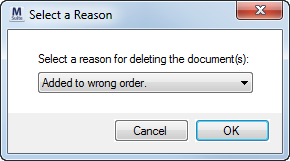
Figure 9: Select a Reason dialog
MoversSuite keeps a historical record of the document and provides you with the option to view the information on deleted files. This options is available through a right-click menu.
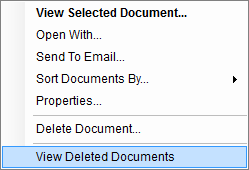
Figure 10: Right-click options available through the viewer
When viewing deleted files, MoversSuite indicates that you are in a mode where you can only view information on the deleted files. To view this information, open the Properties screen and new data capturing the reason for the delete, the MoversSuite user that deleted it, and the date and time that the delete occurred.
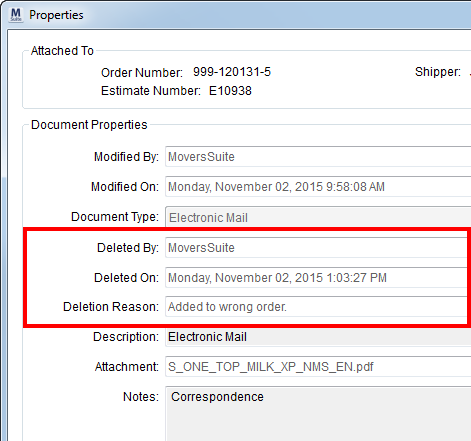
Figure 11: Properties screen
Administrators can assign values that users select from when deleting a file. The new Document Deletion Reason Setup allows your company to set what values a person can choose from for the reason behind deleting a file.
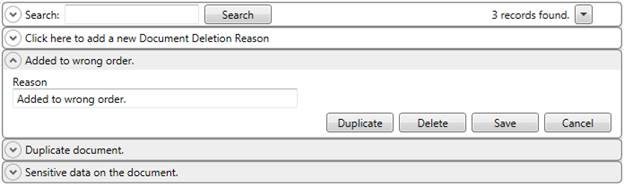
Figure 12: Document Deletion Reason Setup
|
TECHNICAL NOTE |
|
The files existing outside the MoversSuite domain cannot be deleted. An example of this is files linked to an external website through the viewer. |
|
SUMMARY (7602) |
|
Added Delete Document and View Deleted Documents to the righ-click menu within the Document Management Viewer. |
|
Fields added to the Properties screen to display delete information when screen is in View Deleted Documents mode. |
|
The following areas have been affected by this enhancement: Document Deletion Reason Setup
|
Processed Queue Service Message Files in Separate Folders
MoversSuite now provides you with a Queue Service Setup that allows your company to optionally create individual folders for each supported message type through the queuing services provided by MoversSuite.
Administrators can specify the directory path for the message files through the Export Path setting within Queue Service Setup.
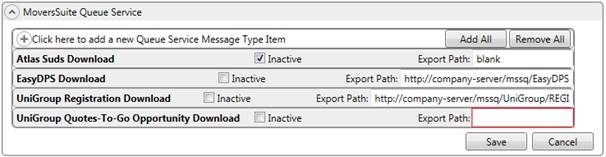
Figure 13: Queue Service Setup
|
SUMMARY (7744) |
|
Added Queue Service Setup. |
|
The following areas have been affected by this enhancement: Third Party Application Setup and Administration
|
Order History field list
updated
MoversSuite now tracks changes for the following fields through the Order History functionality:
|
Fields |
Description |
|
Estimate Number |
Estimate Number assigned to the order through the Name, Address, Phone tab |
|
Origin Address |
Moving From address assigned to the order through the Name, Address, Phone tab |
|
National Account Number |
National Account > Account number assigned to the order through the Billing Information tab |
|
Task Definition |
Task Definition assigned to the order through the Name, Address, Phone tab |
|
SUMMARY (7721) |
|
Fields added Order History Fields. |
|
The following areas have been affected by this enhancement:
|
RELEASE FIXES
This section lists any fixes made to MoversSuite for this release.
Dispatching Fixes
Apply branch security to edit services in Local Dispatch
Dispatchers must have “Full” branch security privileges to the Order Information module to be able to add or edit services associated to the branch of the service. MoversSuite now enforces this within Local Dispatch as a result of stored procedure error related to the “spServType Field ‘Units’ not found” error. (7723)
General Fixes
Order History no longer causing errors
We corrected issues regarding the Order History functionality. Now, the auditing process will operate quicker and will no longer show errors such as “There was a problem saving the current order…” and “Row cannot be located for updating…” (7751)
Track address changes made through EDI Invoicing
MoversSuite now tracks the destination address changes made through the EDI Confirmation dialog within Order History. (7752)
National Account can be changed
With recent changes to add an Inactive flag to the National Account, we inadvertently caused an issue in in place where you can choose to set the account by either name or number (By Number option). You can now change the Account field within the Billing Information and Billing Information (Revenue Entry) tabs. (7742)
Payment Management and Cash Receipts Fixes
Payment Refresh working immediately
An issue with the Refresh option within Apply by Service has been fixed. Now when a user presses Refresh, the changes it makes to clear any amount or adjustments made appear immediately in all other Payment Application areas, including the Apply by Service and Statement Import Detail screens. (7754)
Apply amount removed after order deletion
We corrected an issue where the amount applied to a cash receipt payment at the order level was not being cleared when the order was deleted from the payment. Now when an order is removed from a cash receipt payment, we clear out all statement details associated to the order for the payment. (7725)
Revenue Entry Fixes
Commissions can be added to existing revenue items
When adding a commission to an existing revenue item through the Add Item menu in Transactions, users received a program error related to amount fields not being set correctly. Now these amount fields are set correctly and users can add commissions to existing items. This issue did not affect commissions created through the Save & Add Commission option or those created through the auto-commissioning functionality. (7750)
SCHEMA CHANGES
The following link allows you to navigate through all MoversSuite tables and allows you to view field properties, such as type and maximum value size.
Interactive MoversSuite database schema (5.32)
|
Version 5.31 |
RELEASE SUMMARY
The following is a table contains counts of the items affecting this release.
|
# |
Change Summary |
|
2 |
Release Requirements |
|
1 |
Known Issues |
|
10 |
Release Enhancements |
|
10 |
Release Fixes |
|
14 |
Schema Changes (Database Schema Tables Affected) |
|
1 |
Admin Changes |
|
1 |
Standard Reports Affected |
RELEASE REQUIREMENTS
Please read the following announcements regarding functionality and hardware/software changes for this release of MoversSuite.
IMPORTANT RELEASE REQUIREMENTS
MoversSuite is compatible with the following:
Microsoft Dynamics GP 2015 R2 (with ATIP Build 14.0.1)
Microsoft Dynamics GP ATIP Build 14.0.1
Refer to the following for information regarding additional requirements you may need to support Microsoft Dynamics GP 2015:
System Requirements for Microsoft Dynamics GP 2015
View the MoversSuite Compatibility topic for a list of products compatible with MoversSuite.
The following requirements are needed for this release:
Microsoft Dynamics GP 2013 R2 (with ATIP Build 12.0.23)
Microsoft Dynamics GP ATIP Build 12.0.23
Refer to the Hardware Requirements topic in our System Requirements for more information on the requirements for Microsoft Dynamics.
KNOWN ISSUES
The following issues are known problems that may affect your decision to upgrade to this version of MoversSuite. The following are not fixed for this release.
Citrix issue with phone number control
An issue that cannot be replicated is causing the phone numbers within the Shipper Contact Information section (Name, Address, Phone tab) to disappear and then reappear when a user clicks on that section, however, the user cannot edit them until they press Cancel (on the order) and then attempt to Edit again. (6409)
RELEASE ENHANCEMENTS
This section lists the enhancements made to MoversSuite for this release.
VIDEO: MoversSuite 5.31 Overview Video
Watch this video to see an overview of the changes we made at this release.
Order History
A new Order History screen is available allowing you to view changes that affect key data on an order. The new screen is available through the new Order History option within the Tools Menu.
Data tracked for an order include what field changed, the value it changed to, the person or process that made the change, and when the change the occurred.
Visit the Order History topic for a complete list of data tracked within the Order History screen.
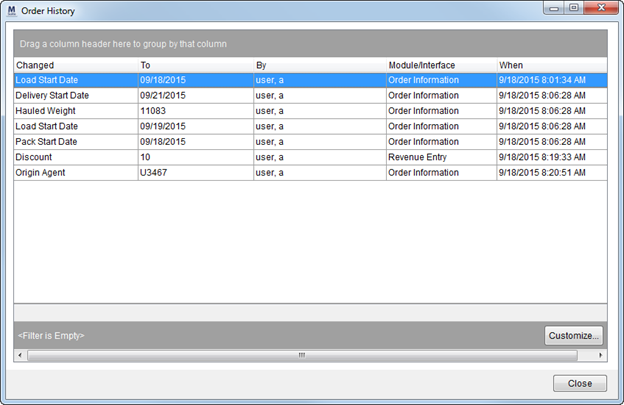
Figure 14: Order History screen.
|
TECHNICAL NOTES |
|
There is no security surrounding the Order History screen; every users has access to this screen. |
|
For all new orders created after this release is implemented, the Order History screen will capture the initial field values set for the order when it was created. |
|
Summary of Changes (7638) |
|
Order History screen added to track changes made to key data on an order. |
|
The following areas have been affected by this enhancement:
|
Import quote items as Revenue Groups
If you wish to import items from a quote and have them show up in the Transactions tab as a Revenue Group, then you now have the As Group option within Revenue Import, that when checked, instructs MoversSuite to create a revenue group (instead of a revenue item).
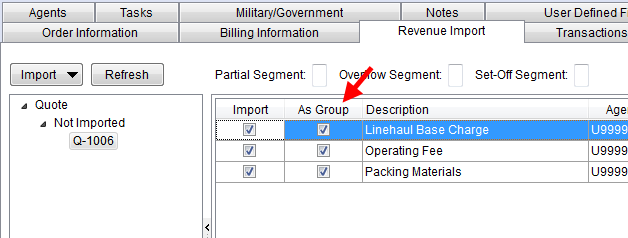
Figure 15: Revenue Import tab
|
Summary of Changes (7643) |
|
New As Group option within Revenue Import allows users to define items as a revenue group when imported into the Transactions tab. |
|
The following areas have been affected by this enhancement:
|
Transactions grid data preserved when changes are made
Prior to this release, if transactions were added, removed, or edited, the grid data collapsed all entries and lost focus on the selected record. Now when changes affect the Transactions grid, we preserve the state that the grid was in prior to the change, including highlighting the record that was selected before the change.
|
Summary of Changes (7649, 7707, 7708, 7709, 7711) |
|
The state of Transactions data grid is preserved after changes are made. |
|
When any revenue item, commission, third party item, etc. is deleted from an order, the Transactions data grid is refreshed the parent record for the removed item remains in focus. (7707, 7709) |
|
The application now retains focus on a revenue group when any changes affecting the group or any items belonging to the group occur. (7708) |
|
When an item or group is removed from the Transactions data grid, the focus of the grid (i.e. selected record) is placed on the adjacent record. (7711) |
|
The following areas have been affected by this enhancement:
|
More Save options added to Add/Edit Revenue Item
We replaced the Save & Close and Save & New options
within Add Revenue Item with a
single Save
button that, when pressed, produces a menu containing the
following options:
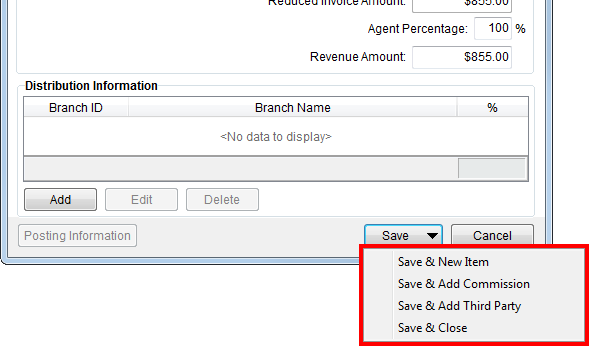
Figure 16: Add Revenue Item screen.
|
|
The Save button is a menu that produces the following options when clicked. |
|
Save & New Item |
Choose this option to save the revenue item you are currently on and open an empty Add Revenue Item screen. |
|
Save & Add Commission |
Choose this option to save the revenue item you are currently on and open an empty Add Revenue Commission screen. |
|
Save & Add Third Party |
Choose this option to save the revenue item you are currently on and open an empty Add Third Party Item (Revenue Entry) screen. |
|
Save & Close |
Choosing this option saves the changes to the revenue item you are currently working on and closes the screen, returning screen focus back to the Transactions tab. |
|
Summary of Changes (7648) |
|
New optins added to the Save button within Add Revenue Item. |
|
The following areas have been affected by this enhancement:
|
Task Prioritization
Tasks users now have the ability to prioritize tasks displaying in either the Tasks tab or within the Workflow tab within the Tasks module.
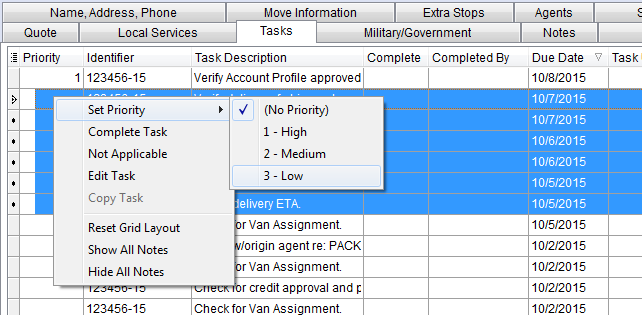
Figure 17: Tasks tab
A new column and option is available. The Priority column displays the current priority that you can change through the Set Priority option (available through the right-click menu and new button) on one or more selected tasks. With this new data, you can group, sort, and filter by priority allowing you to better manage a large list of to-do items.
The default task settings are maintained by administrators through Tasks Setup.
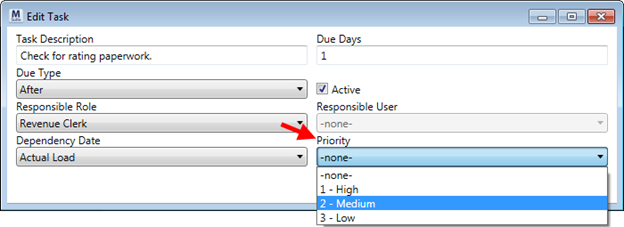
Figure 18: Edit Task dialog within Tasks Setup
The following Property values are available:
|
-none- (no priority assigned) |
|
1 – High |
|
2 – Medium |
|
3 - Low |
|
Summary of Changes (7646) |
|
New Priority column and Set Priority options available within the Tasks and Workflow tabs. |
|
Default Priority can be assigned to task to-do items through Tasks Setup. |
|
The following areas have been affected by this enhancement:
|
Shipment Status action to set SIT Out dates
Users can now set the SIT Origin Out Date and SIT Destination Out Date fields through the Set Shipment Status dialog.
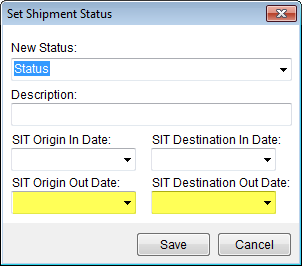
Figure 19: Set Shipment Status dialog
These two dates are available when assigned to status values through Shipment Status Setup and update corresponding actual dates within the SIT Information section.
|
Shipment Status Field |
Field Update |
|
SIT Destination Out Date |
Updates SIT Information > Destination > Out Date Actual |
|
SIT Origin Out Date |
Updates SIT Information > Origin > Out Date Actual |
|
Summary of Changes (7630) |
|
Users can set SIT Destination Out Date and SIT Origin Out Date through Set Shipment Status. |
|
Administrators can assign SIT Destination Out Date and SIT Origin Out Date to Action Items within Shipment Status Setup. |
|
The following areas have been affected by this enhancement:
|
Document File Path save to user settings
MoversSuite now stores the file path of the last saved document to the Document Management Viewer to the database for each user. Prior to this release, the file path was stored to the computer registry, which isolated the information to one environment. Now, the default file path that appears when a user attempts to add a path is always associated to their login record.
|
TECHNICAL NOTE |
|
The file location of the last accessed path is stored for a user within the Sysusersetting table within the MoversSuite database. |
|
Summary of Changes (7645) |
|
Last file path referenced by a user within Document Management Viewer is now saved to a new database table in MoversSuite. |
|
The following areas have been affected by this enhancement:
|
Fields added to the Tasks grids
The following fields were added to the data grids within the Tasks tab and within the Workflow tab, allowing users to sort, group, and filter on their respective values.
|
Fields |
Description |
|
Account Profile |
Account Profile assigned to the order through the Account Profile tab |
|
National Account |
National Account > Account assigned to the order through the Billing Information tab |
|
Summary of Changes (7629) |
|
The following areas have been affected by this enhancement:
|
Void services with a Work Ticket
Services with work tickets can now be voided. A service can be voided through the new, right-click option of “Void Work Ticket” within in the Dispatch Center. When a service with a Work Ticket is voided, all services associated to that ticket are also voided.
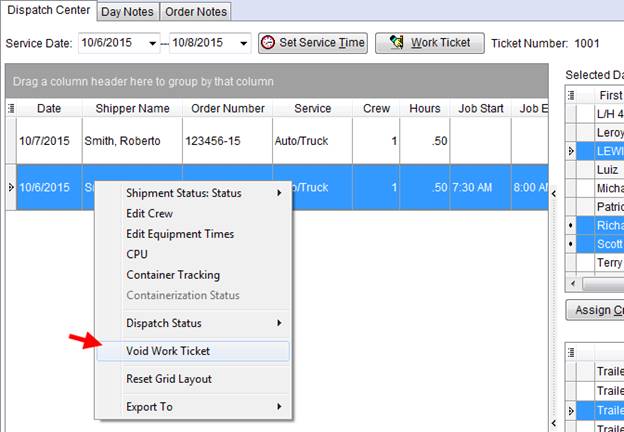
Figure 20: Dispatch Center
A voided services is removed from the Dispatch Center grid, but will remain visible within the Local Services tab. Voided services display with a Status of “Voided.” Voided services cannot be edited, cancelled, or re-sent to dispatch through Local Services.
A new option allows you to view a voided Work Ticket report. The new Work Tickets button is available to users within the Local Services tab. When a voided Work Ticket is produced, the word “VOID” appears prominently on the top of the report.
Voided services continue to display in the Work Tickets tab within Order Information (Revenue Entry) tab. You will, however, not be able to import revenue actuals (through the Import Actuals button within the Transactions tab).
|
Summary of Changes (7644) |
|
Voided On and Voided By fields added to Local Services grid. |
|
Void Work Ticket option added to the right-click options within the Dispatch Center grid. |
|
“VOID” appears at the top of voided work ticket when viewed. |
|
The following areas have been affected by this enhancement:
|
Fields added to Local Services and Local Dispatch grids
The following data fields were added to the data grid within the Local Services tab:
|
Fields |
Description |
|
Job Start |
Start time for the job assigned through Local Dispatch. |
|
Job End |
End time for the job assigned through Local Dispatch. |
|
Crew Names |
Crew members assigned to the job through Local Dispatch. Crew lead displays in bold font. |
The following fields were added to the data grids within the Requested Services screen and the Dispatch Center tab.
|
Field |
Description |
|
Coordinator |
Transportation Coordinator assigned to the order (Name, Address, Phone tab) is available in the data grid. |
|
Summary of Changes (7637) |
|
Fields added to the grids in Local Services, Dispatch Center and Requested Services. |
|
The following areas have been affected by this enhancement:
|
RELEASE FIXES
This section lists any fixes made to MoversSuite for this release.
Administration Fixes
Default Labor Type removed
When a Personnel Setup record was duplicated on a prior release of MoversSuite, the default Labor Type setting was removed from the original (copied from) record. Now, when a personnel record is duplicated by administrators, the original record remains unchanged. (7685)
Integration Fixes
Go to Order option added to Third Party error screen
You can now open the order associated to a third party error by using the new Go To Order option within the Third Party Application Error Management screen. This option is available by right-clicking on the record. (7690)
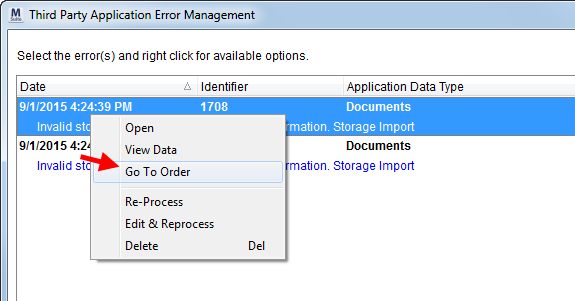
Figure 21: Third Party Application Error Management screen
Identifying SIRVA QLAB Lead Uploads
For those integrating with the SIRVA QLAB system, we have a change to the system that allows for easier identification of the process in error within the Third Party Application Error Management screen. As of this release, a new Application Data Type of “Qlab Lead Upload” will display when errors affecting a lead upload are encountered. Errors associated to a download from SIRVA QLAB will continue to list under the existing “Qlab Order Information” type.
A XLM System Data Type Map value of “Qlab Lead Upload” must be defined for the “Qlab” Interface within XML System Setup. MoversSuite provides an install script with this release that automatically adds this data type to the “Qlab” interface record, if one exists. (7691)
SIRVA QLAB Download Error 2010 Update
When the application receives Error 2010 during a download from the SIRVA QLAB system, it now contains the identifier necessary to identify and open the order associated to the error. (7692)
Import Leads from QLAB
MoversSuite now has the ability to import a Lead from SIRVA QLAB in addition to the SIRVA Opportunity import available on previous releases. Both the Lead and Opportunity are tracked, so that if a Lead does turn into an Opportunity, the application matches the information to the original Lead and updates MoversSuite accordingly.
|
TECHNICAL NOTE |
|
New XML System Setup requirements are needed to support Lead and Opportunity downloads. Refer to SIRVA QLAB Integration Setup and Administration for more information. |
(7722)
Invoicing Fixes
Improved Invoice Generation Locking
We improved the locking that protects an invoice from being deleted inadvertently when multiple users happen to be accessing the same invoice or draft. MoversSuite now produces additional errors when multiple users happen to be accessing the same invoice.
|
Error Code |
Error Description |
|
1215 |
Your draft invoice is being generated into an invoice by another user at this very moment. |
|
1216 |
Someone else is invoicing this order. Make sure you are the only person invoicing this order. Preview your invoice again before retrying. Proceed with caution. |
|
1217 |
A draft invoice has already been created for this order by another user. |
MoversSuite also has the following disclaimer in regards to invoicing.
|
WARNING |
|
Multiple users modifying/constructing different invoices on the same order at the same time is not supported. Only one user should create an invoice on an order at one moment in time, preview it and then generate or discard the draft. Anytime two or more users are working on an invoice on the same order at the same time is not guaranteed to work for either person. |
(5945)
Order Information Fixes
Job Costing calculations triggered when Bill Date is set
When the Bill Date on an order is set, MoversSuite now re-calculates the Gross Margin and Profit/Loss values within the Job Costing of an order based on the actual set. (7694)
Payment Management Fixes
Improved SQL error handling when generating payments
SQL errors encountered during the transaction generation process are now captured and the exceptions recorded to the Error Report Log. In the specific case that was brought to our attention, a manual Payment Management batch entered indicated that the statement was posted, however transaction were not actually generated. (7683)
Incorrect payment description
When a cash receipt payment is associated to an order and the order is deleted, the description for the payment is now updated. Prior to this fix, the payment description still indicated the deleted order within the Detail Processing tab. (7656)
Revenue Entry Fixes
Reduced Invoice Amount no long being rounded
An issue uncovered with the last release caused the Reduced Invoice Amount (computed on the Add Revenue Group screen) to round up to the nearest whole dollar amount. The application now calculates the accurate Reduced Invoice Amount. (7696)
SCHEMA CHANGES
The following link allows you to navigate through all MoversSuite tables and allows you to view field properties, such as type and maximum value size.
Interactive MoversSuite database schema (5.31)
|
Version 5.29 |
Printable release notes (5.29)
RELEASE SUMMARY
The following is a table contains counts of the items affecting this release.
|
# |
Change Summary |
|
2 |
Release Requirements |
|
1 |
Known Issues |
|
3 |
Release Enhancements |
|
3 |
Release Fixes |
|
0 |
Schema Changes (Database Schema Tables Affected) |
|
0 |
Admin Changes |
|
0 |
Standard Reports Affected |
RELEASE REQUIREMENTS
Please read the following announcements regarding functionality and hardware/software changes for this release of MoversSuite.
IMPORTANT RELEASE REQUIREMENTS
The following requirements are needed for this release:
Microsoft Dynamics GP 2013 R2
Microsoft Dynamics GP Build ATIP 12.0.23
Refer to the Hardware Requirements topic in our System Requirements for more information on the requirements for Microsoft Dynamics 2013.
KNOWN ISSUES
The following issues are known problems that may affect your decision to upgrade to this version of MoversSuite. The following are not fixed for this release.
Citrix issue with phone number control
An issue that cannot be replicated is causing the phone numbers within the Shipper Contact Information section (Name, Address, Phone tab) to disappear and then reappear when a user clicks on that section, however, the user cannot edit them until they press Cancel (on the order) and then attempt to Edit again. (6409)
RELEASE ENHANCEMENTS
This section lists the enhancements made to MoversSuite for this release.
VIDEO: MoversSuite 5.29.0 Overview Video
Watch this video to see an overview of the changes we made at this release.
Select and apply group functions to multiple Revenue Groups
You can now select multiple Revenue Groups within the Transactions tab and utilize the Group Functions on the selected groups, including the ability to add commissions and reductions for all revenue items listed for each group.
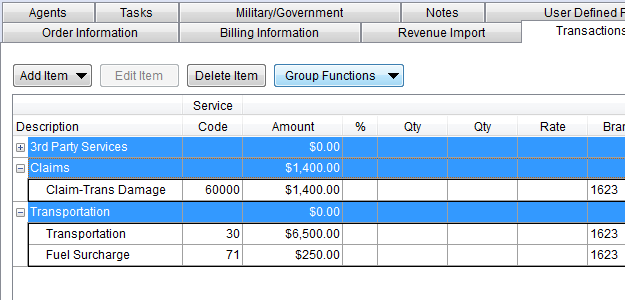
Figure 22: Transactions tab
|
Summary of Changes (7640) |
|
Users can now select multiple Revenue Groups and process Group Functions on all items associated to the groups within the Transactions tab. |
|
The following areas have been affected by this enhancement:
|
SIT Information added to UniGroup Import
The UniGroup Registration Send (REGI) now include SIT information the origin and destination SIT locations (refer to UniGroup Registration Downloads for more information on UniGroup imports).
The following data can be set within the Origin and Destination sections within SIT Information through a UniGroup Registration Send:
Authorization
Days
SIT In Date (Estimated)
SIT Out Date (Estimated)
Stored At (Agent)
|
Summary of Changes (7595) |
|
Several SIT Information fields added to UniGroup Registration Send. A new SIT Information section has been added to the UniGroup Registration Download Content topic documenting these fields. |
|
The following areas have been affected by this enhancement: UniGroup Registration Download Content
|
Improved Find using Invoice Number
When you search by Invoice Number, you will notice that the Invoice Number and Invoice Date columns automatically appear in the Find search results grid. Further, the grid sorts by the Invoice Date, listing the most recent invoices at the top.
When not searching by the Invoice Number criteria, the Invoice Number and Invoice Date do not appear in the grid.
This change affects Find screens utilizing the Order Information Search Criteria.
|
Summary of Changes (7586) |
|
Invoice Number and Invoice display within the Find search results when user searches by Invoice Number. |
|
The following areas have been affected by this enhancement: Order Information Search Criteria
|
RELEASE FIXES
This section lists any fixes made to MoversSuite for this release.
Integration Fixes
UniGroup Quotes to Go Download crating data updated
When crating information is included in a UniGroup Quotes to Go Local Estimate Download, we now set the dimensions to “0” (zero) if they are not specified. Prior to this release, if crating data was not specified, yet included in the download, the fields indicated “NaN”, which caused the import to fail. (7591)
Added ability to reprocess orders with third party UniGroup Memo Pad errors
We corrected an issue that occurred when a new order was imported containing Memo Pad errors. The errors were not cleared correctly, preventing the order from showing up as available to be reprocessed. Now, when these errors occur, the order remains in the Third Party Application Error Management screen to be reprocessed. (7589)
Quote Number column removed from Find results
You can only use the Find to search by a specific quote number, therefore it did not make sense to have the Quote Number display in the search results grid. The Quote Number column no longer appears in the search results of a Find. (7587)
SCHEMA CHANGES
NO SCHEMA CHANGES FOR THIS RELEASE
The following link allows you to navigate through all MoversSuite tables and allows you to view field properties, such as type and maximum value size.
Graphical View of the MoversSuite Database (5.29)
|
Version 5.28 |
Printable release notes (5.28)
RELEASE SUMMARY
The following is a table contains counts of the items affecting this release.
|
# |
Change Summary |
|
2 |
Release Requirements |
|
1 |
Known Issues |
|
2 |
Release Enhancements |
|
3 |
Release Fixes |
|
0 |
Schema Changes (Database Schema Tables Affected) |
|
0 |
Admin Changes |
|
0 |
Standard Reports Affected |
RELEASE REQUIREMENTS
Please read the following announcements regarding functionality and hardware/software changes for this release of MoversSuite.
IMPORTANT RELEASE REQUIREMENTS
The following requirements are needed for this release:
Microsoft Dynamics GP 2013 R2
Microsoft Dynamics GP Build ATIP 12.0.23
Refer to the Hardware Requirements topic in our System Requirements for more information on the requirements for Microsoft Dynamics 2013.
KNOWN ISSUES
The following issues are known problems that may affect your decision to upgrade to this version of MoversSuite. The following are not fixed for this release.
Citrix issue with phone number control
An issue that cannot be replicated is causing the phone numbers within the Shipper Contact Information section (Name, Address, Phone tab) to disappear and then reappear when a user clicks on that section, however, the user cannot edit them until they press Cancel (on the order) and then attempt to Edit again. (6409)
RELEASE ENHANCEMENTS
This section lists the enhancements made to MoversSuite for this release.
VIDEO: MoversSuite 5.28.0 Overview Video
Watch this video to see an overview of the changes we made at this release.
Save & New added to Add Revenue Group
Based on the increased need to establish more revenue groups to the system, MoversSuite now offers you the ability to quickly add a new group through the Save menu. This new menu appears at the bottom of the Add Revenue Group screen and provides the additional option of creating a new group.
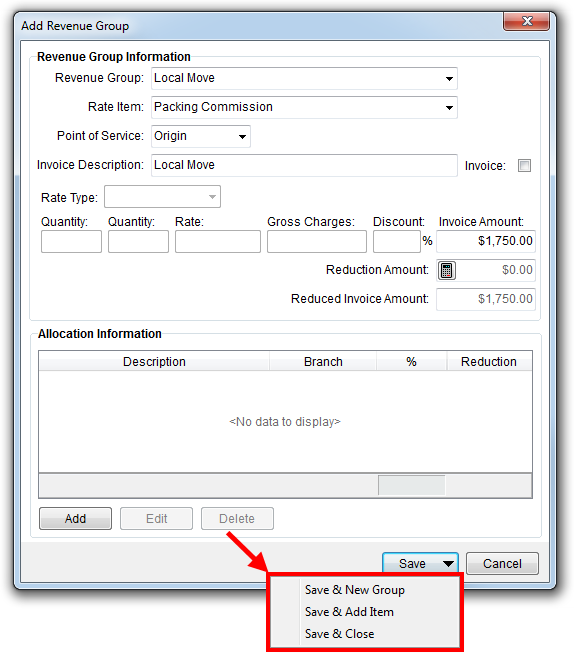
Figure 23: Add Revenue Group
Refer to the Save option description within the Add Revenue Group topic for usage and more information on these options.
|
Summary of Changes (7642) |
|
New Save menu added to Add Revenue Group. We replaced the Save & Close and Save & Add Item buttons and added the new option to Save & New Group. |
|
The following areas have been affected by this enhancement:
|
Selected services more visually apparent in Local Dispatch
We updated the way in which selected services appear within Local Dispatch. Now, when you have records selected within the main Dispatch Center grid, they remain highlighted in blue when you go to select crew and equipment.
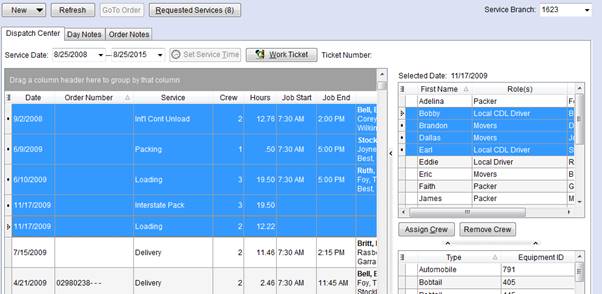
Figure 24: Dispatch Center
|
Summary of Changes (7584) |
|
Visual changes to improve appearance of selected records within the main Dispatch Center grid. |
|
The following areas have been affected by this enhancement:
|
RELEASE FIXES
This section lists any fixes made to MoversSuite for this release.
General Fixes
The Task Changed On Date now displays actual time of change
Prior to this release, when the Task Changed On Date was set it included the actual date of the change, but it also included the time as “12:00 AM” in the timestamp. In order to document the change more accurately, we now set the time of the actual change.
In the example below, the time of the change actually took place at 11:35 AM on August 25th.

Figure 25: Tasks tab
The Task Changed On Date appears within both the Tasks and Workflow tabs. (7568)
Integration Fixes
SIRVA Downloads: Multiple contacts on an extra stop no longer causing an error
MoversSuite does not support multiple contact records for an extra stop. When multiple contacts were included in a download from SIRVA, an error was thrown. To avoid the error and allow the download to process, we now reference the contact information from the first contact and ignore any others that may be associated to an extra stop. (5615)
Revenue Entry Fixes
Update to hold logic on advances
We updated the hold logic for advances. When generating advances, we check to see if there are commissions on the order for person being advanced. If there are commissions, then there is no hold on the advance. If no commissions do exist, then a hold is placed on the advance (7532).
SCHEMA CHANGES
NO SCHEMA CHANGES FOR THIS RELEASE
The following link allows you to navigate through all MoversSuite tables and allows you to view field properties, such as type and maximum value size.
Graphical View of the MoversSuite Database (5.28)
|
Version 5.27 |
Printable release notes (5.27)
RELEASE SUMMARY
The following is a table contains counts of the items affecting this release.
|
# |
Change Summary |
|
2 |
Release Requirements |
|
1 |
Known Issues |
|
5 |
Release Enhancements |
|
3 |
Release Fixes |
|
6 |
Schema Changes (Database Schema Tables Affected) |
|
1 |
Admin Changes |
|
0 |
Standard Reports Affected |
RELEASE REQUIREMENTS
Please read the following announcements regarding functionality and hardware/software changes for this release of MoversSuite.
IMPORTANT RELEASE REQUIREMENTS
The following requirements are needed for this release:
Microsoft Dynamics GP 2013 R2
Microsoft Dynamics GP Build ATIP 12.0.23
Refer to the Hardware Requirements topic in our System Requirements for more information on the requirements for Microsoft Dynamics 2013.
KNOWN ISSUES
The following issues are known problems that may affect your decision to upgrade to this version of MoversSuite. The following are not fixed for this release.
Citrix issue with phone number control
An issue that cannot be replicated is causing the phone numbers within the Shipper Contact Information section (Name, Address, Phone tab) to disappear and then reappear when a user clicks on that section, however, the user cannot edit them until they press Cancel (on the order) and then attempt to Edit again. (6409)
RELEASE ENHANCEMENTS
This section lists the enhancements made to MoversSuite for this release.
VIDEO: MoversSuite 5.27.0 Overview Video
Watch this video to see an overview of the changes we made at this release.
Select and cancel multiple services
You now have the ability to select multiple Local Services and cancel them. Prior to this change, you were only allowed to select and cancel one record at time.
Of note, you can only cancel non-dispatched services that are not associated to a work ticket.
In addition to this change, the data grid within the tab now displays the earliest services at the top of the listing.
|
Summary of Changes (7453) |
|
Users have the ability to select multiple records within the Local Services tab and cancel them (Cancel Service button) |
|
Services within the Local Services tab sort by the service date with the earliest (oldest) services at the top. |
|
The following areas have been affected by this enhancement:
|
No duplicate invoices on generated third party payables
When adding or changing third party payables, you are no longer allowed to enter (or re-use) an Invoice Number for a vendor that has already been generated. This change affects Change Invoice and Add Third Party Item.
Of note, you can have more than one third party invoice number for the same vendor as long as all are non-generated and are all for the same revenue branch as that of the order; these invoices will all be combined into one when imported into Dynamics GP.
|
Summary of Changes (7289, 7360, 5545, 6966, 7358) |
|
Prevent users from entering an Invoice Number that is already linked to generated transactions for the same vendor in Add Third Party Item and Change Invoice. |
|
Length of invoice numbers cannot exceed 20 characters within Change Invoice. |
|
When reversing or adjusting a thrid party payable and a unique invoice number is generated that exceeds 20 characters, then a format of “3RDYYYY9999999” is used to format the invoice. (7358) |
|
The following areas have been affected by this enhancement:
|
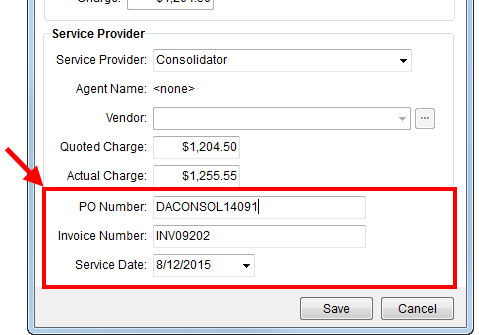
Add third party services from quotes
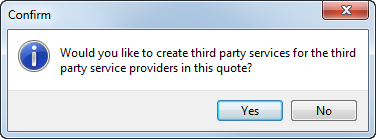
You now have additional fields available to you through the Add Quote screen allowing you to enter more information regarding a third party service. When you mark a quote as “Accepted,” you now receive a prompt to add third party items from the quote to the order.
New fields added to the screen include:
PO Number
Invoice Number
Service Date
|
Summary of Changes (7335) |
|
Fields added to Add Quote screen to assist in creating a third party item, if desired. |
|
When a quote is accepted and saved, users now receive a prompt asking to create a third party item on the order based on what is provided through the Add Quote screen. |
|
The following areas have been affected by this enhancement:
|
Refresh added to AR Balance Summary
Those of you working within the Summary tab in Revenue Entry now have the ability to refresh data within just the AR Balance Summary section. The Refresh option is available through a right-click menu. The Refresh updates data for all customer records displaying in the grid.
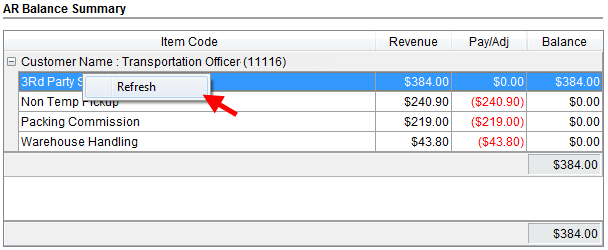
The Refresh button near top of the Revenue Entry window updates only order information, not AR data.
|
Summary of Changes (7440) |
|
Right-click option added to the AR Balance Summary section within the Summary tab allows users to refresh finanacial data within the section. |
|
The following areas have been affected by this enhancement:
|
Mark Reduction Template as inactive
Your company has the option to mark reduction templates as “Inactive.” The Reduction Template Setup now includes an “Inactive” flag can. When this flag is set, the template is not available for assignment to Reductions.
Administrators can also take advantage of the group select options to Inactivate Items Shown or Activate Items Shown. This feature allows the administrator to mark all records selected in the grid as inactive or to mark them all active; this feature is generally used in conjunction with the Advanced Search.
|
Summary of Changes (6850) |
|
Inactive flag added to the Reduction Template Setup. |
|
The following areas have been affected by this enhancement:
|
RELEASE FIXES
This section lists any fixes made to MoversSuite for this release.
Administration Fixes
Inactive personnel no longer available to profiles
Personnel marked as “Inactive” no longer appear in drop-down selectors within Account Profile Setup. (7405)
Customer Statement Fixes
Only summarized payments show on customer statements
Cash receipt payments now only display the summarized payment amount on Customer Statements. Prior to this release, individual items applied to multiple documents on the same invoice displayed multiple times, which was confusing when attempting to compare to the invoice amount for the order/invoice. (7652)
General Application Fixes
“View this Order…” option available only when single order is selected
The right-click option of “View this Order in the Single Order view” is now only available when a single record is selected within the Compare Orders tab within the Job Costing screen. (7457)
Payment Management Fixes
Statement Import no longer match on archived orders
When processing statement imports, the application no longer attempts to process an archived order. Prior to this fix, the import process threw an exception error when attempting to process archived orders. (7666)
SCHEMA CHANGES
The following link allows you to navigate through all MoversSuite tables and allows you to view field properties, such as type and maximum value size.
Graphical View of the MoversSuite Database (5.27)
|
Version 5.26 |
Printable release notes (5.26)
RELEASE SUMMARY
The following is a table contains counts of the items affecting this release.
|
# |
Change Summary |
|
4 |
Announcements |
|
1 |
Known Issues |
|
1 |
New Enhancements |
|
6 |
Admin Changes |
|
9 |
Fixes Made |
|
5 |
Database Schema Tables Affected |
|
1 |
Standard Reports Affected |
|
|
New Videos |
RELEASE ANNOUNCEMENTS
Please read the following announcements regarding functionality and hardware/software changes for this release of MoversSuite.
IMPORTANT RELEASE REQUIREMENTS
The following requirements are needed for this release:
Microsoft Dynamics GP 2013 R2
Microsoft Dynamics GP Build ATIP 12.0.23
Refer to the Hardware Requirements topic in our System Requirements for more information on the requirements for Microsoft Dynamics 2013.
KNOWN ISSUES EXIST FOR THIS RELEASE
Refer to the Known Issues section below
ADMIN CHANGES EXIST FOR THIS RELEASE
Refer to the Enhancements section below
SCHEMA CHANGES EXIST FOR THIS RELEASE
Refer to the Schema Changes Version 5.26 topic
KNOWN ISSUES
The following issues are known problems that may affect your decision to upgrade to this version of MoversSuite. The following are not fixed for this release.
Citrix issue with phone number control
An issue that cannot be replicated is causing the phone numbers within the Shipper Contact Information section (Name, Address, Phone tab) to disappear and then reappear when a user clicks on that section, however, the user cannot edit them until they press Cancel (on the order) and then attempt to Edit again. (6409)
RELEASE ENHANCEMENTS
This section lists the enhancements made to MoversSuite for this release.
VIDEO: MoversSuite 5.26.0 Overview Video
Watch this video to see an overview of the changes we made to MoversSuite 5.26.0.
Mark items as inactive
The ability for administrators to mark items as inactive has been extended to Accounts, Move Types, Task Definitions, Document Types, and Note Types.
The “Inactive” flag can now be set on records within the following setup areas:
|
Setup Area |
Additionally, individual task items for a task can be marked as inactive, allowing your company turn on and off individual tasks for a Task Definition or mark the entire Task Definition as inactive.
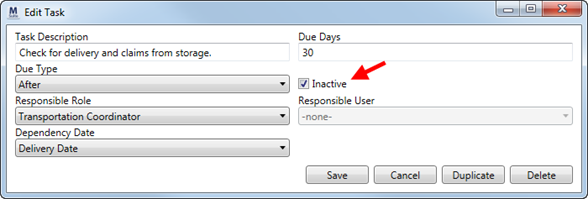
Figure 26: Edit Task dialog (Tasks Setup)
In regards to account records, if an account is marked as inactive and is encountered as part of a download, MoversSuite issues a warning instead of re-creating a duplicate account record.
Records marked as inactive do not show up as options within MoversSuite or MoversSuite Administration. They do, however, remain linked to any record that they were linked to prior to the change.
Administrators can also take advantage of the group select options to Inactivate Items Shown or Activate Items Shown. This feature allows the administrator to mark all records selected in the grid as inactive or to mark them all active; this feature is generally used in conjunction with the Advanced Search.
|
Summary of Changes (6867, 6857, 6874, 6875, 6873) |
|
Inactive flag added to the Account Setup, Document Type Setup, Move Type Setup, Note Type Setup, and Tasks Setup. |
|
Individual Task items can also be marked Inactive (within Tasks Setup). |
|
The following areas have been affected by this enhancement:
|
RELEASE FIXES
This section lists any fixes made to MoversSuite for this release.
Administration Fixes
“msuite” user no longer accessible
Access to the msuite users has been limited to only those user capable of logging in as this particular user. Note: This user record never counted towards MoversSuite licensing. (7513)
Dispatching Fixes
Estimate counts for local services now showing on dispatch grid
Container counts entered through Local Services now appear within the dispatching grids. Prior to this release, if container counts were added or updated through the Add/Edit Local Services dialog, the counts were not reflected within the Dispatch Center (only those for the order were showing up).
With this change, if a dispatcher updates the counts through the right-click option of “CPU,” they will be prompted to recalculate the hours of manpower needed for the service. If “Yes” is pressed, the application opens the Add Local Service dialog allowing users to perform the recalculation and verify the service.
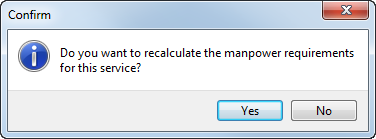
Figure 27: Confirmation dialog
(7496)
Integrations Fixes
Reprocess now available when hauling agent not found (Error 2017)
Users that encounter “The hauling agent was not found…” error (MoversSuite error #2017), typically through an UniGroup Dispatch Send, now have the option of reprocessing the send record through Third Party Application Error Management. (7592)
Order Information Fixes
Tasks cleared when Order Status automatically set to “Cancelled”
If the Order Status is set to “Cancelled” manually through the MSS Order Status field, MoversSuite clears all task set for the order. Now, MoversSuite also clears the tasks if the Order Status is set to “Cancelled” automatically when the Shipment Status changes. (7486)
Job Costing Revenue option renamed to “Manual Entry”
We change the Revenue option within the Job Costing screen from “From Manual Entry” to read just “Manual Entry.” The “From” text alludes to data being retrieved from somewhere, whereas this field always the user to enter their own amount. (7336)
Revenue Entry Fixes
Issues fixed with Microsoft Dynamics GP Build ATIP 12.0.23:
•Corrected shipper name refreshing issue on the MSS Transaction Inquiry
•Select Checks process modified to require restrictions
•Fixed issue where if multi-currency was turned on, then MSS APL transactions were being created without a currency being set
Reversing third party payables takes original transaction off of hold
When reversing third party payables, we now take the original transaction off of hold. The hold is removed for the same date and time that the original transaction was generated. Prior to this release, if a third party payable was reversed in MoversSuite, the reversal could not be completed on the Dynamics GP side since the item was still on hold. (7359)
AR Branch displays correctly
When an Unapplied Amount is entered for a different branch than that of the batch, the AR Branch now displays the new branch within the dialog. Prior to this release, the AR Branch did not update to reflect the imported/posted branch for the Unapplied Amount. (7576)
Recurring Billing Fixes
Order Number sort added to Recurring Billing
The report generated through the View Invoice option within Recurring Billing Management now displays and sorts by the Order Number. Prior to this release, only the invoice number was visible, causing extra work for personnel to locate the record data. (7537)
SCHEMA CHANGES
The following link allows you to navigate through all MoversSuite tables and allows you to view field properties, such as type and maximum value size.
Graphical View of the MoversSuite Database (5.26)
VIDEOS
NO NEW VIDEOS AVAILABLE FOR THIS RELEASE
|
Version 5.25.0 |
Printable release notes (5.25)
RELEASE SUMMARY
The following is a table contains counts of the items affecting this release.
|
# |
Change Summary |
|
4 |
Announcements |
|
2 |
Known Issues |
|
3 |
New Enhancements |
|
1 |
Admin Changes |
|
1 |
Fixes Made |
|
1 |
Database Schema Tables Affected |
|
|
Standard Reports Affected |
|
2 |
New Videos |
RELEASE ANNOUNCEMENTS
Please read the following announcements regarding functionality and hardware/software changes for this release of MoversSuite.
IMPORTANT RELEASE REQUIREMENTS
The following requirements are needed for this release:
Microsoft Dynamics GP 2013 R2
Microsoft Dynamics GP Build ATIP 12.0.17
|
Important |
|
SSRS Reports required to search for Order Number documents MoversSuite will load AR by Order Number and AP by Order Number SSRS reports during upgrade. However, if you have your own IT or Dynamics GP company manage Dynamics GP for you, you will need to load these two SSRS reports. |
Refer to the Hardware Requirements topic in our System Requirements for more information on the requirements for Microsoft Dynamics 2013.
KNOWN ISSUES EXIST FOR THIS RELEASE
Refer to the Known Issues section below
ADMIN CHANGES EXIST FOR THIS RELEASE
Refer to the Enhancements section below
SCHEMA CHANGES EXIST FOR THIS RELEASE
Refer to the Schema Changes Version 5.24 topic
KNOWN ISSUES
The following issues are known problems that may affect your decision to upgrade to this version of MoversSuite. The following are not fixed for this release.
SIRVA QLAB Upload: Some data not uploading, such as phone number information.
SSRS Reports required to search for Order Number documents
MoversSuite will load AR by Order Number and AP by Order Number SSRS reports during upgrade. However, if you have your own IT or Dynamics GP company manage Dynamics GP for you, you will need to load these two SSRS reports.
Citrix issue with phone number control
An issue that cannot be replicated is causing the phone numbers within the Shipper Contact Information section (Name, Address, Phone tab) to disappear and then reappear when a user clicks on that section, however, the user cannot edit them until they press Cancel (on the order) and then attempt to Edit again. (6409)
RELEASE ENHANCEMENTS
This section lists the enhancements made to MoversSuite for this release.
VIDEO: MoversSuite 5.25.0 Overview Video
Watch this video to see an overview of the changes we made to MoversSuite 5.25.0.
Data added to AR Collections Inquiry screen
You can now access the following data through the AR Collections Inquiry screen:
Bill Date
Purchase Order Number
Customer Name and Customer Number
Collector
|
Summary of Changes (7417, 7420, 7421, 7422, 7459) |
|
Data columns added to the AR Collections Inquiry screen. |
|
The following areas have been affected by this enhancement:
|
Job Costing under Tools menu
The Job Costing option has been moved to list under the Tools Menu. Prior to this release, Job Costing was under the Accounting Tools Menu.
With this change, the Job Costing module is available for assignment to Security Profile Setup records as its own security module. Refer to “Job Costing” within the Security Modules topic for more information. Note to Administrators: The “Job Costing” module need only be assigned once to any profile (Security Profile Setup) to activate its functionality.
|
Summary of Changes (7333) |
|
Job Costing moved to the Tools Menu. |
|
The following areas have been affected by this enhancement: Job Costing Setup and Administration
|
Mark Account Profile as inactive
Your company can now mark an Account Profile Setup record as inactive. A new Inactive flag is available through that allows administrators the ability to mark a record as inactive.
When the Inactive flag is checked, the profile is no longer available as an item that can be selected in MoversSuite (Account Profile tab).
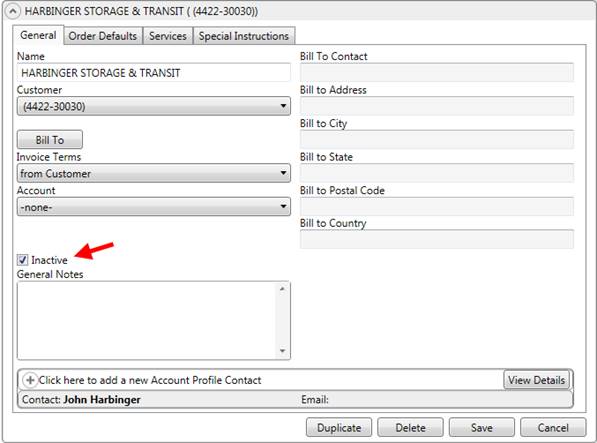
Figure 28: Account Profile Setup tab
Administrators can also take advantage of the group select options to Inactivate Items Shown or Activate Items Shown. This feature allows the administrator to mark all records selected in the grid as inactive or to mark them all active; this feature is generally used in conjunction with the Advanced Search.
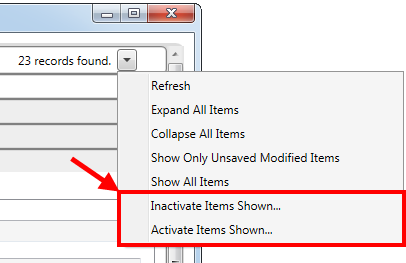
Figure 29: Options for multiple records selected
|
Summary of Changes (6868) |
|
Inactive flag added to the Account Profile Setup. |
|
The following areas have been affected by this enhancement:
|
RELEASE FIXES
This section lists any fixes made to MoversSuite for this release.
Integration Fixes
Permissions change on public queues
The install process now grants “Everyone” permissions to Send Message on the public queues. This change affects the Queue Service (MSMQ) and is only an issue if your company has migrated to Microsoft SQL Server 2012. Prior to this fix, those parties installing MoversSuite had to manually update the permissions. (7025)
SCHEMA CHANGES
The following link allows you to navigate through all MoversSuite tables and allows you to view field properties, such as type and maximum value size.
Graphical View of the MoversSuite Database (5.25)
VIDEOS
This video illustrates how you can reconcile AP and AR within Dynamics GP.
Discussed in this video is how to void AR within Dynamics GP.
WEBCAST: OP 200 Long Distance Dispatch I
This webcast covers, in detail, the Long Distance Dispatch module. Covered topics include the layout of the module, finding and displaying orders, setup information, order notes, self-haul request process, and more…
WEBCAST: OP 210 Long Distance Dispatch II
Included in this second of two webcasts on Long Distance Dispatch is the Current Driver Activity tab, what makes drivers available for trip assignment, assigning orders, advances, and standard reports provided by MoversSuite.
MORE INFORMATION
Here we have a few handy links to assist you.
Support
View our Support page for information on other releases, to log an incident, and more…
System Requirements
View the System Requirements topic for a list of hardware and software requirements for this release.
Product Suggestions
Have any thoughts on how we can make MoversSuite better? Please feel free to contribute using our Product Suggestions site.
Past Versions Information
See Past Versions Information for highlights of this and other releases.
|
Version 5.24.0 |
Click here to download printable release notes (5.24)
RELEASE SUMMARY
The following is a table contains counts of the items affecting this release.
|
# |
Change Summary |
|
3 |
Announcements |
|
3 |
Known Issues |
|
3 |
New Enhancements |
|
|
Admin Changes |
|
9 |
Fixes Made |
|
6 |
Database Schema Tables Affected |
|
|
Standard Reports Affected |
|
3 |
New Videos |
RELEASE ANNOUNCEMENTS
Please read the following announcements regarding functionality and hardware/software changes for this release of MoversSuite.
IMPORTANT RELEASE REQUIREMENTS
The following requirements are needed for this release:
Microsoft Dynamics GP 2013 R2
Microsoft Dynamics GP Build ATIP 12.0.17
|
Important |
|
SSRS Reports required to search for Order Number documents MoversSuite will load AR by Order Number and AP by Order Number SSRS reports during upgrade. However, if you have your own IT or Dynamics GP company manage Dynamics GP for you, you will need to load these two SSRS reports. |
Refer to the Hardware Requirements topic in our System Requirements for more information on the requirements for Microsoft Dynamics 2013.
KNOWN ISSUES EXIST FOR THIS RELEASE
Refer to the Known Issues section below
SCHEMA CHANGES EXIST FOR THIS RELEASE
Refer to the Schema Changes Version 5.24 topic
KNOWN ISSUES
The following issues are known problems that may affect your decision to upgrade to this version of MoversSuite. The following are not fixed for this release.
SIRVA QLAB Upload: Some data not uploading, such as phone number information.
SSRS Reports required to search for Order Number documents
MoversSuite will load AR by Order Number and AP by Order Number SSRS reports during upgrade. However, if you have your own IT or Dynamics GP company manage Dynamics GP for you, you will need to load these two SSRS reports.
Citrix issue with phone number control
An issue that cannot be replicated is causing the phone numbers within the Shipper Contact Information section (Name, Address, Phone tab) to disappear and then reappear when a user clicks on that section, however, the user cannot edit them until they press Cancel (on the order) and then attempt to Edit again. (6409)
RELEASE ENHANCEMENTS
This section lists the enhancements made to MoversSuite for this release.
VIDEO: MoversSuite 5.24.0 Overview Video
Watch this video to see an overview of the changes we made to MoversSuite 5.24.0.
SIRVA QLAB Download
Those of you who integrate with SIRVA systems can now take advantage of a new SIRVA QLAB Lead/Opportunity Download. This download automatically occurs based on certain events occurring on the SIRVA QLAB system, such as new lead, new opportunity, contact added, etc.
|
Summary of Changes (7495) |
|
SIRVA QLAB Lead/Opportunity Download now available. |
|
The following areas have been affected by this enhancement: Pass Thru Connector Setup and Administration Pass Thru Connector Upload Format SIRVA QLAB Lead/Opportunity Download
|
Enhancements to Duplicate Order functionality
The Create Duplicate Order functionality has been enhanced to provide you several more options when creating new orders.
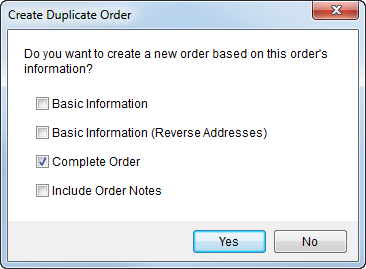
Figure 30: Create Duplicate Order dialog
The new options are described in the table below.
|
New Duplicate Order Option |
Description |
|
Basic Information |
When the new order is established only include the basic information of the copied order into the new. This include name, coordinator, salesperson, addresses, etc. It does not include move dates, weights, miles, etc. |
|
Basic Information (Reverse Addresses) |
This option is the same as Basic Information except that the Moving From and To addresses are switched. |
|
Complete Order |
This option is how the function worked before. It included all order information, such as the move dates, weights, miles, discounted linehaul, etc. |
Refer to Create Duplicate Order for a complete listing of what is included for each of these options.
|
Summary of Changes (7542) |
|
Options of Basic Information, Basic Information (Reverse Addresses), and Complete Order added to Create Duplicate Order. |
|
The following areas have been affected by this enhancement:
|
Enhancements to AR Collections Inquiry
Expand/Collapse options added to AR Collections Inquiry grid
We added three new options to the data grid within the AR Collections Inquiry screen. They include the ability to Expand All entries, Collapse All entries, and the option to Always Expand.
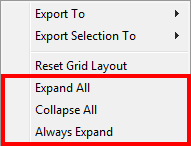
Figure 31: Right-click options within AR Collections Inquiry screen
|
Summary of Changes (7419) |
|
Expand All, Collapse All, and Always Expand options added to AR Collections Inquiry. |
|
The following areas have been affected by this enhancement:
|
Totals display within group header in AR Collections Inquiry grid
When grouping is effect, the totals for each group now display in-line with the group title (label) within the AR Collections Inquiry screen. This change will help those of you exporting the data grid and wish not to scroll to the bottom of the output to see the subtotal for a group.
Additionally, negative subtotal amounts will now display in red in this grid.
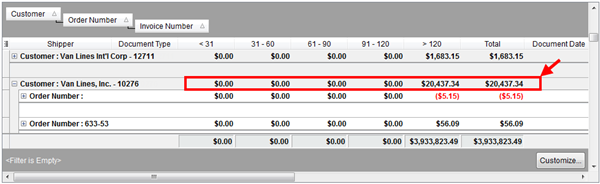
Figure 32: AR Collections Inquiry data grid
|
Summary of Changes (7423) |
|
Expand All, Collapse All, and Always Expand options added to AR Collections Inquiry. |
|
The following areas have been affected by this enhancement:
|
RELEASE FIXES
This section lists any fixes made to MoversSuite for this release.
Administration Fixes
Archived orders once a lead showing up in searches
Archived orders that were once a lead in MoversSuite are now included in the search to un-archive them. Prior to this release, the orders that were once leads did not show up in the search and therefore could not be un-archived. (7606)
Dispatching Fixes
Find search by Area working correctly
You can search by the From Area and To Area within the Find without error. Prior to this release, users received a “could not be bound” error when specifying either a From Area or a To Area in a search. (7585)
Integration Fixes
UniGroup Rating Send Conversion Error
We corrected an issue that was causing a data conversion error within the UniGroup Rating Send. (7577)
General Fixes
Copy task working in Tasks module
Users can now copy tasks within the Tasks module without receiving an error. Prior to this fix, users received a “DBGetToDoByID: Field ‘StartPack’ not found” error when attempting to copy a task. (7569)
Payment Management Fixes
List main order segments at the top of Payment Application
The Payment Application screen now displays the main order segment at the top of the screen above any P, O, S segments that may be associated to the payment as well. (7379)
Applied amounts recalculated when AR is refreshed
MoversSuite now recalculates the applied amounts when the AR is refreshed within Payment Application. (7566)
Revenue Entry Fixes
Unique invoice numbers for third party reversals/adjustments
Reversals and adjustments to third party payables were causing duplicate invoice numbers in Dynamics GP, which in turned created other issues in Dynamics GP. To alleviate issues, MoversSuite now creates unique invoice numbers for third party reversals and adjustments.
The format of the invoice number created for the third party items is as follows:
[ ORIGINAL INVOICE NUMBER ] + “/” + [ UNIQUE SEQUENCE NUMBER ]
|
Example |
|
If the original invoice number in MoversSuite is 99912356-16 and a third party adjustment is made on this invoice, then the application produces “99912356-16/1” for the first third party adjustment made on the original invoice number. |
|
Technical Note |
|
Table changes have been made for this project, including a new table storing the unique sequence number assigned to third party adjustments made for an order (ThirdPartyInvoicesSequence table). See Schema Changes Version 5.24 for more information. |
(7358)
Unable to edit Revenue Item with zero dollar amount
If a Revenue Item has a zero Revenue Amount and has generated commissions or third party payables entered against it, then MoversSuite prevents users from editing the item, i.e the item is in a read-only state. (7544)
Auto commissioning on main order segment
Prior to this release, if commissionable parties were assigned to any P, O, or S segments, then auto-commissioning did not occur for the main segment. With this release, auto-commissioning occurs on the main order segment whether there are commissionable parties on the P, O, or S segments or not. (7412)
SCHEMA CHANGES
The following link allows you to navigate through all MoversSuite tables and allows you to view field properties, such as type and maximum value size.
Graphical View of the MoversSuite Database (5.24)
VIDEOS
WEBCAST: AF 3150 Recurring Storage Billing
Webcast with quiz covering an in-depth look at MoversSuite storage billing.
WEBCAST: OP 200 Long Distance Dispatch I
Part I in a webcast series on Long Distance Dispatch. This webcast (with quiz) covers the basic layout and usage of the LDD module along with finding orders and processing self haul requests.
WEBCAST: OP 210 Long Distance Dispatch II
Second in the series on Long Distance Dispatch. The focus of this webcast is administrative tasks and setup along with advances to drivers and reports.
|
Version 5.23.0 |
Click here to download printable release notes (5.23)
RELEASE SUMMARY
The following is a table contains counts of the items affecting this release.
|
# |
Change Summary |
|
4 |
Announcements |
|
3 |
Known Issues |
|
3 |
New Enhancements |
|
2 |
Admin Changes |
|
12 |
Fixes Made |
|
2 |
Database Schema Tables Affected |
|
2 |
Standard Reports Affected |
|
|
New Videos |
RELEASE ANNOUNCEMENTS
Please read the following announcements regarding functionality and hardware/software changes for this release of MoversSuite.
IMPORTANT RELEASE REQUIREMENTS
The following requirements are needed for this release:
Microsoft Dynamics GP 2013 R2
Microsoft Dynamics GP Build ATIP 12.0.17
|
Important |
|
SSRS Reports required to search for Order Number documents MoversSuite will load AR by Order Number and AP by Order Number SSRS reports during upgrade. However, if you have your own IT or Dynamics GP company manage Dynamics GP for you, you will need to load these two SSRS reports. |
Refer to the Hardware Requirements topic in our System Requirements for more information on the requirements for Microsoft Dynamics 2013.
KNOWN ISSUES EXIST FOR THIS RELEASE
Refer to the Known Issues section below
ADMINISTRATION CHANGES EXIST FOR THIS RELEASE
Refer to the Enhancements and Fixes sections below
SCHEMA CHANGES EXIST FOR THIS RELEASE
Refer to the Schema Changes Version 5.23 topic
KNOWN ISSUES
The following issues are known problems that may affect your decision to upgrade to this version of MoversSuite. The following are not fixed for this release.
SIRVA QLAB Upload: Some data not uploading, such as phone number information.
SSRS Reports required to search for Order Number documents
MoversSuite will load AR by Order Number and AP by Order Number SSRS reports during upgrade. However, if you have your own IT or Dynamics GP company manage Dynamics GP for you, you will need to load these two SSRS reports.
Citrix issue with phone number control
An issue that cannot be replicated is causing the phone numbers within the Shipper Contact Information section (Name, Address, Phone tab) to disappear and then reappear when a user clicks on that section, however, the user cannot edit them until they press Cancel (on the order) and then attempt to Edit again. (6409)
RELEASE ENHANCEMENTS
This section lists the enhancements made to MoversSuite for this release.
VIDEO: MoversSuite 5.23.0 Overview Video
Watch this video to see an overview of the changes we made to MoversSuite 5.23.0.
Mark Local Service Types as inactive
Your company can now mark service types as inactive. When selecting a Service Type from the list in Add Local Service, you no longer see types marked as inactive; this frees up your company from appending the type with “ZZZ” or something similar to identify inactive types.
loc
A new administrative flag in Local Service Type Setup allows your company to mark a service as inactive.
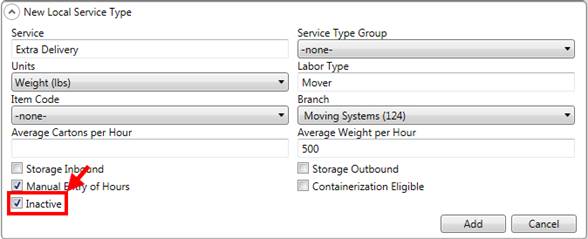
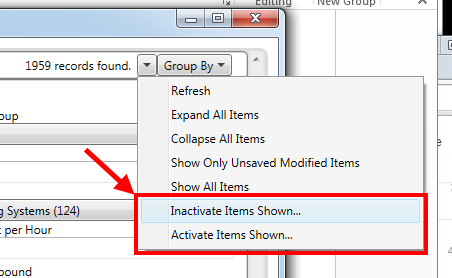
Administrators can also use the search in the Admin Tool to select records and mark them inactive or active en masse. Refer to the new Inactive Items Shown and Activate Items Shown options available from the mass edit tools drop down in Local Service Type Setup.
|
Summary of Changes (6879) |
|
Inactive flag added to Local Service Type Setup. |
|
The following areas have been affected by this enhancement:
|
Government employee email added to SIRVA upload request
When the GBL Number is set for the order, MoversSuite also includes the email address set for the order through the Name, Address, Phone tab. Refer to SIRVA Registration Upload for more information.
|
Summary of Changes (7512) |
|
Email address included on SIRVA Registration Upload requests. |
|
The following areas have been affected by this enhancement: SIRVA Registration Upload Content
|
SIT Information included in downloads
We completed the changes to include the SIT data in several integrations. The download from EasyDPS now includes several fields related to SIT, including the authorization number, authorization days, actual date in, etc. The SIT fields added to SIT Information for EasyDPS include:
Authorization
Days
In Date Actual
SIT Expiration
SIT Weight
We also capture the SIT contractor in a note.
We can also populate the SIT Discount field (SIT Information) on downloads from UniGroup and Atlas.
|
Summary of Changes (7459) |
|
Fields added to the EasyDPS Integration. (7460) |
|
SIT data added to Atlas Integration and UniGroup Downloads. (7470) |
|
The following areas have been affected by this enhancement: UniGroup Download Content by Application Location UniGroup Rating Download Contents UniGroup Rating Order Download Contents
|
RELEASE FIXES
This section lists any fixes made to MoversSuite for this release.
General/Administration Fixes
Order Archiving permissions issue
We corrected the permissions on the MSS00200 table so that inserts are performed correctly during an Order Archive. (7563)
Integrations Fixes
Multiple user IDs per interface and branch supported
MoversSuite now supports having different user IDs per interface and per branch. So, if your company exchanges data with more than one system where a user is mapped, they can also create mappings for other systems as well, such as QLAB and Atlas integrations on the same system.
Personnel Setup has been updated (within the Interface Mapping tab) to allow you to define multiple combinations based on the Interface and User ID for specific Labor Type. The Branch field has been added if your company needs to support multiple branches per interface and there is also a default that can be set.
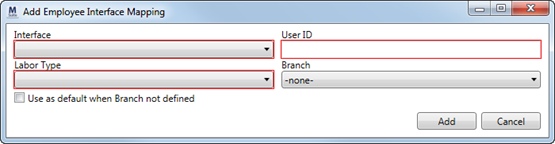
Figure 33: Employee Interface Mapping dialog
View the Interface Mappings section within the Personnel Setup topic for more information. (7565)
Atlas import errors corrected
We addressed several issues related to the Atlas Integration. The fix involved changing the way we import based on the sister agency status. (7448, 7451, 7515)
Remove agent and van number upon Shipment Status download
When a Shipment Status download from UniGroup removes the driver from an order, we now also clear the Hauling Agent and Van Number from the Agents tab as well. (7540)
Invalid Driver Number of “0” causing error
Users received an “An active, long distance hauling driver with this Driver Number not found in Personnel Setup. Driver number 0-“ error in the Third Party Application Error Management screen. This error is actually caused by one of the branches for the driver not having an agent assigned to it through Branch Setup. (7560)
Payment Management Fixes
Negative apply no longer increases amount remaining
Prior to this release, if a negative balance existed on the order in Payment Application and the user attempted to apply a positive amount at the order level, it actually increased the amount remaining to be applied. With this release, when the order balance is negative, the user will be required to apply at the document level. (7546)
Reporting Fixes
Storage Billing Summary Report fixed
The Storage Billing Summary Report now no longer displays billing items not in the specified date range and now includes the amount associated to storage billed on a daily basis (SIT). (5250)
AR Collections Report sorting correctly
The AR Collections Report now sorts correctly by the Order Number. Prior to this release, the reports sorted by the primary key of the order. (7425)
Revenue Entry Fixes
Edit commissions without error
An issue came up where an error was returned to a user attempting to edit a commission when the commissioned party was no longer associated to the order.
You can now edit a commission without receiving an error when the person being commission is no longer associated to the order or if the person is no longer has a commission plan assigned to them. The error returned prior to this fix was: Could not convert variant of type (Null) into type (Integer). (7350, 7159)
SCHEMA CHANGES
The following link allows you to navigate through all MoversSuite tables and allows you to view field properties, such as type and maximum value size.
Graphical View of the MoversSuite Database (5.23)
VIDEOS
NO NEW VIDEOS AVAILABLE FOR THIS RELEASE
|
Version 5.22.0 |
Click here to download printable release notes (5.22)
RELEASE SUMMARY
The following is a table contains counts of the items affecting this release.
|
# |
Change Summary |
|
4 |
Announcements |
|
4 |
Known Issues |
|
8 |
New Enhancements |
|
5 |
Admin Changes |
|
15 |
Fixes Made |
|
9 |
Database Schema Tables Affected |
|
- |
Standard Reports Affected |
|
- |
New Videos |
RELEASE ANNOUNCEMENTS
Please read the following announcements regarding functionality and hardware/software changes for this release of MoversSuite.
IMPORTANT RELEASE REQUIREMENTS
The following requirements are needed for this release:
Microsoft Dynamics GP 2013 R2
Microsoft Dynamics GP Build ATIP 12.0.17
|
Important |
|
SSRS Reports required to search for Order Number documents MoversSuite will load AR by Order Number and AP by Order Number SSRS reports during upgrade. However, if you have your own IT or Dynamics GP company manage Dynamics GP for you, you will need to load these two SSRS reports. |
Refer to the Hardware Requirements topic in our System Requirements for more information on the requirements for Microsoft Dynamics 2013.
KNOWN ISSUES EXIST FOR THIS RELEASE
Refer to the Known Issues section below
ADMINISTRATION CHANGES EXIST FOR THIS RELEASE
Refer to the Enhancements and Fixes sections below
SCHEMA CHANGES EXIST FOR THIS RELEASE
Refer to the Schema Changes Version 5.22 topic
KNOWN ISSUES
The following issues are known problems that may affect your decision to upgrade to this version of MoversSuite. The following are not fixed for this release.
SIRVA QLAB Upload: Some data not uploading, such as phone number information.
Multiple IDs per user per interface and branch not supported
MoversSuite is currently unable to support multiple interfaces that require different IDs per user and per branch. Therefore, if you are exchanging data with one system and currently have a user (such as a salesperson) that is mapped to one interface, then they cannot be included in an upload from QLAB, for example, for that same branch. IMPORTANT: SIRVA QLAB Lead Upload is not available at this time. (7565)
SSRS Reports required to search for Order Number documents
MoversSuite will load AR by Order Number and AP by Order Number SSRS reports during upgrade. However, if you have your own IT or Dynamics GP company manage Dynamics GP for you, you will need to load these two SSRS reports.
Citrix issue with phone number control
An issue that cannot be replicated is causing the phone numbers within the Shipper Contact Information section (Name, Address, Phone tab) to disappear and then reappear when a user clicks on that section, however, the user cannot edit them until they press Cancel (on the order) and then attempt to Edit again. (6409)
RELEASE ENHANCEMENTS
This section lists the enhancements made to MoversSuite for this release.
VIDEO: MoversSuite 5.22.0 Overview Video
Watch this video to see an overview of the changes we made to MoversSuite 5.22.0.
SIT Enhancements
Based on feedback from many of our customers, we’ve implemented several changes to improve the functionality of working with SIT in MoversSuite.
Change SIT to Perm Date to SIT Expiration
The label for the SIT to Perm Date field within SIT Information was confusion to many users. The real intent behind this field is to indicate the when the SIT period expires. This field is now labeled SIT Expiration. (7461)
New SIT Weight Fields
We added SIT Weight to both the Origin and Destination sections within SIT Information. (7462)
New SIT Discount Field
Your company can now track the discount that may apply to SIT. The new SIT Discount field is available from within SIT Information. The discount applies to SIT at both the origin and destination locations, therefore this new field lists under a new section titled, “Other.” (7077)
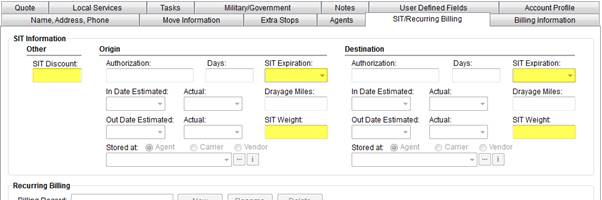
Figure 34: SIT/Recurring Billing tab
|
Summary of Changes (7459) |
|
New fields added to SIT Information. (7077, 7462) |
|
Renamed SIT to Perm Date to SIT Expiration (7461) |
|
The following areas have been affected by this enhancement:
|
Completed trip indicator added to Long Distance Dispatch
The data grid for the Current Driver Activity tab now includes a column that indicates completed trips. This column automatically appears when the Show All option is ticked and displays a checkmark in the column for all completed trips.
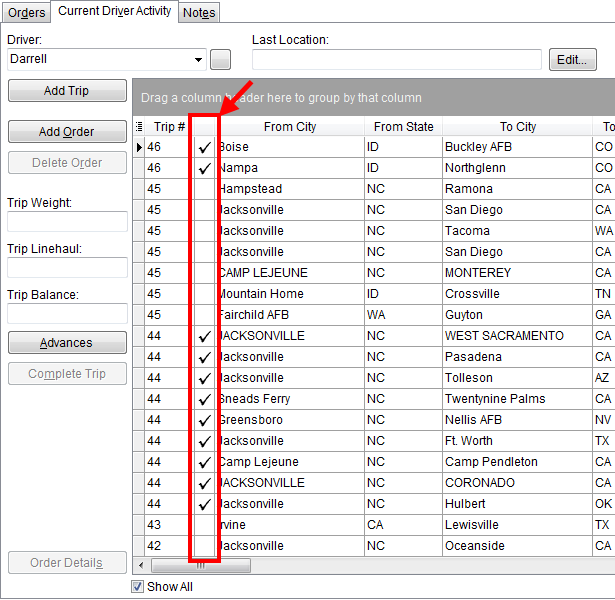
Figure 35: Current Driver Activity tab
|
Summary of Changes (7443) |
|
New data column appears within the Current Driver Activity data grid
when Show All is ticked. This column displays “ |
|
The following areas have been affected by this enhancement:
|
Change an Order Number
MoversSuite now provides the ability to change an Order Number provided that the order is not archived and no transactions have been generated. The new re-book process also provides the means to change all attributes set through the Book Order Information dialog, including the Branch.
Users with appropriate permissions can press Book Order to re-book an order and to access a re-book confirmation dialog. Note to administrators: a new security module of “Re-book Order” is assignable to Security Profile Setup records.
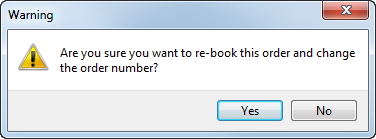
Figure 36: Re-book order confirmation
If “Yes” is pressed, then you can process the order as if it were not yet booked. For example, if the Order Number auto-generates for the selected Branch and Move Type, you would get the Book Order Information dialog where you can modify the Branch, Type of Move, etc. In essence, creating a new order using different parameters.
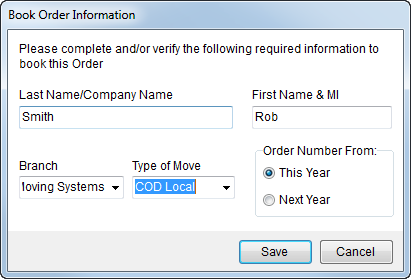
Figure 37: Book Order Information dialog
If the format of the Order Number is not auto-generated, such as on a foreign order, then you will get the Foreign Order Number. Of note, we titled this dialog “Re-book Order Number” for clarity.
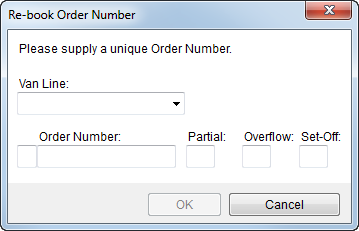
Figure 38: Re-book Order Number dialog
Notes are created each time an order is re-booked. The subject of this note is “Order Re-booked.”
|
Summary of Changes (7411) |
|
New re-book option available by pressing Book Order (see Book Order Information) that allows you to reprocess an order using different variables and generate or enter a different branch number. |
|
The following areas have been affected by this enhancement: Change a MoversSuite Order Number or Branch
|
Default Drive Time on Local Services
Your company can now define default drive time for one way local services. The default is based on the branch assigned to the local service and automatically defines the Hours Drive One Way value.
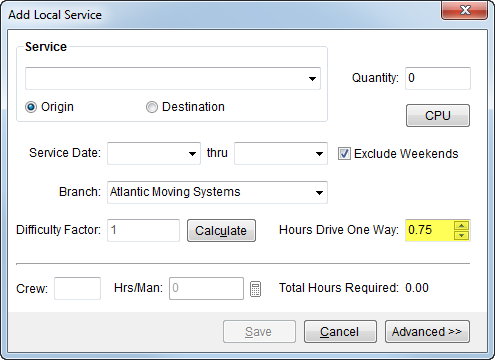
Figure 39: Add Local Service dialog
A new administrative setting has been added to Branch Setup allowing your company to set this default. Prior to this release, the Hours Drive One Way was a system-wide default of “.25.”
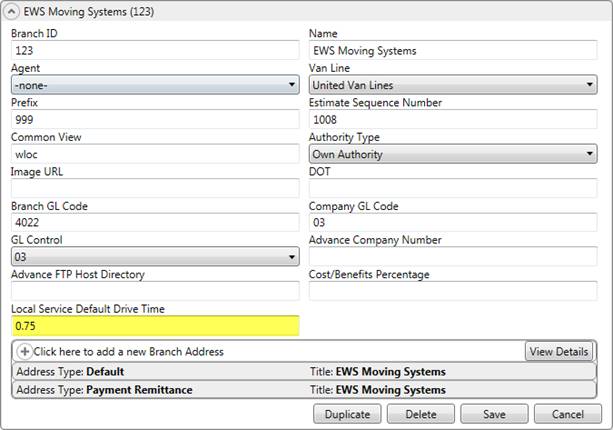
Figure 40: Branch Setup
Of note, if the Local Service Default Drive Time is not set, it continues to default to .25 (15 minutes) within MoversSuite.
|
Summary of Changes (7434) |
|
Default for drive time on a local service added to Branch Setup. |
|
The following areas have been affected by this enhancement: Local Dispatch Setup and Administration
|
Containerization Eligibility on Local Services
Available through Local Dispatch, dispatchers now have the ability to mark a service as being container eligible. One purpose for this feature is to indicate to crew to pack directly into containers, e.g. liftvans.
Dispatchers can see which services are eligible for containerization and set a status for containerization through new right-click options available through the Dispatch Center tab and the Requested Services screen.
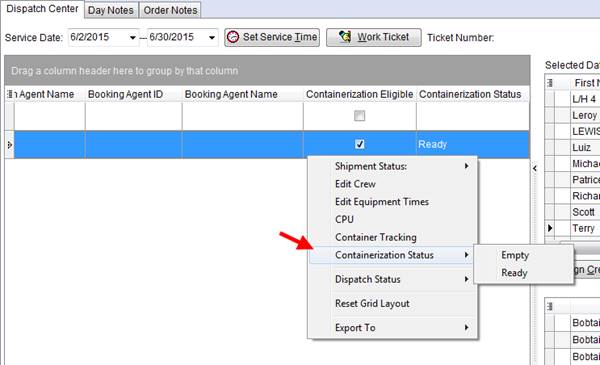
Figure 41: Right-click options through Dispatch Center
New administrative option of Containerization Eligible is available through Local Service Type Setup. When this option is ticked, the service shows as eligible for containerization and can have the status through the Dispatch Center tab and through the Requested Services screen. Define status values in the new Containerization Status Setup.
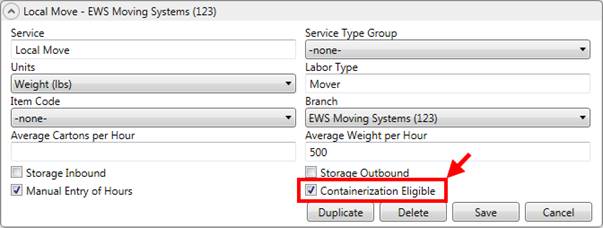
Figure 42: Local Service Type Setup
|
Summary of Changes (7435) |
|
Container Eligible and Container Status added to Dispatch Center and Requested Services. |
|
Container Status option added to Right-Click Options (Local Dispatch). |
|
The following areas have been affected by this enhancement: Right-Click Options (Local Dispatch)
|
Fields added to Tasks data grid
The following data is now available through the Tasks data grid:
Pack Date
Load Date
OA Coordinator
OA Agent
OA Agent Name
OA Contact
OA Phone
We added these fields to allow to prioritize your tasks by key move dates and to list the originating agent information for quick access.
|
Summary of Changes (7436) |
|
Several fields added to the data grid in Tasks. |
|
The following areas have been affected by this enhancement:
|
Warning added when generating transactions
MoversSuite provides a warning when the journal date is not in the same month as the delivery date.
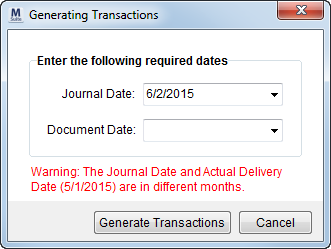
Figure 43: Generating Transactions
This warning only appears when Generating Transactions in Revenue Entry. It compares what is entered for the Journal Date to what is entered for the Actual Delivery Date (set through Move Information). If the Actual Delivery Date is not set or set but not in the same month and year as the Journal Date, then the warning is produced.
The intent behind this feature is providing a double check to the clerk that they are processing the order for the correct period.
|
Summary of Changes (7437) |
|
Warning added to Generating Transactions. |
|
The following areas have been affected by this enhancement:
|
Change of Order Status to clear dates and recalculate tasks
A new administrative setting instructs MoversSuite to clear key move dates and to recalculate Tasks upon an Order Status change. The new Clear Move Dates option is available through Order Status Setup that causes the application to clear out all move dates set through the Move Information tab, include Range, Preferred, Actual, and Other dates.

Figure 44: Order Status Setup screen
This feature also recalculates Tasks. Of note, manual dates added to tasks remain unchanged by the Clear Move Dates option.
The reason for this change is to remove due dates from unneeded tasks.
|
Summary of Changes (7438) |
|
Clear Move Dates option added to Order Status Setup. |
|
The following areas have been affected by this enhancement:
|
RELEASE FIXES
This section lists any fixes made to MoversSuite for this release.
General/Administration Fixes
Order Archive search includes all orders
When administrators would search for archived orders, any order that was a lead at one time were not showing up in their search results. Now all archived orders are searchable within search tools associated to the Order Archive. (7520)
Special Services invoicing options removed
Prior to this release, MoversSuite provided options to print specific invoices for Special Services orders, specifically for store roll out. Based on customer feedback, we deemed this functionality obsolete and have removed the following fields:
Removed from the Store Information tab:
Invoice Date
Invoice Number
Supplemental Invoices
Removed from the Tasks Setup under Task Groups:
Markup Percentage
Invoice Prefix
Invoice Number
Invoice By
The following System Report ID Setting values are no longer valid:
SSTR
STRK
(7241)
Cursor lands on Last Name/Company Name field on a new order
MoversSuite corrected an issue where the focus of the screen was lost when creating a new order, new account order, new foreign order, or new O/A order. Now when the Name, Address, Phone tab loads upon a new order, the cursor is placed within the Last Name/Company Name field. (7245)
Search by the last four digits of SSN
The ability to search by the last four digits of a SSN is available through the Find. The SSN field along with the masked portion of the SSN is available through the Order Information tab. Enter the last, four-digits of the person’s SSN to include in your search results.
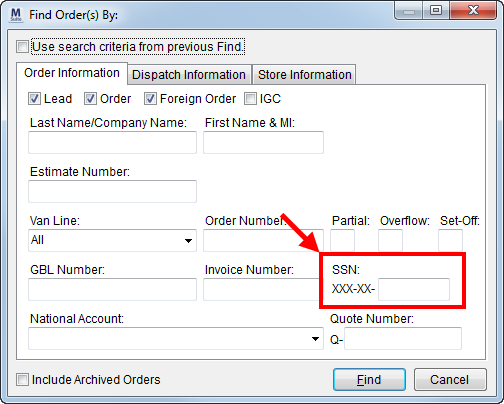
Figure 45: Find dialog
(7492)
Dispatching Fixes
Default Exclude Weekends option
We now default the Exclude Weekends option in Add Local Service to be ticked. This means that by default, the application does not create services for Saturday and Sunday when a date range is specified. (7320)
Self Haul Request now locked down
Once a Self Haul request has been submitted and the status set, only a dispatcher can change it. Prior to this release, other, non-dispatchers were able to change the status. (7191)
Trips dropdown now resets
MoversSuite now resets the trip list within the Move to Existing Trip option in Change Driver and Trips dialog when a user switches between the Keep Current Driver and Move Order To options. (7516)
Integration Fixes
Atlas Statement Import now sets SIT Date In
We now set the In Date Actual at both the Origin and Destination locations when instructed to by Atlas Statement Import. Additionally, if there is enough information, then we also set the SIT Expiration date as well (as visible in MoversSuite through the SIT/Recurring Billing tab). (7288)
Ignore Atlas order statements in error
MoversSuite was incorrectly reporting orders that were in error prior to being imported into MoversSuite. These errors displayed an Order Number of “D” or “DD” in the Third Party Application Error Management screen. These type of errors will no longer display in MoversSuite. (7401)
Payment Management and Cash Receipt Fixes
Over apply allowed
In certain cases, it may be necessary to apply to revenue on an order when the payment amount is zero. MoversSuite now allows you to over apply in these cases, such as when a negative unapplied amount is entered that creates a positive Payment Balance; this amount can now be applied to revenue even if the Payment Amount is zero. (7263)
Vendor Invoice Number now includes Order Number
The Order Number is now included in the Vendor Invoice Number for a Cash Out on a claim settlement. Prior to this release, only the unique invoice number showed when a user was making an AP Payment to a temporary vendor on the Cash Out; this caused confusion on the Dynamics GP side.
The format of the Vendor Invoice Number is as follows:
[ORDER NUMBER] + “/” + [INVOICE SEQUENCE NUMBER]
Example: U55555-15/3 for the third invoice on order U55555-15.
|
Technical Note |
|
The VendorInvoiceNumber field in the AcctTransactions and BATProcess is now 48 characters in length (increased from 21). |
(7347)
Partial Find on GBL Number Available
We corrected an issue with the Find evoked through Payment Application. User can now include partial values for the GBL Number and the application will include matches in the search results. Prior to this version, users had to enter the entire GBL Number in order to include corresponding records in the search results. (7314)
Order Number and Shipper name show in Statement Import Detail
“No Order” records associated to payment were causing the application to clear out the Order Number and Shipper that appeared at the top of the Statement Import Detail. Now, the application displays the Order Number and Shipper name associated to the first non-“No Order” record. In situations where there is only “No Order” items on the payment, the application displays order control and description from the statement detail. (7346)
Revenue Entry Fixes
Commissioned party name is consistently formatted
The name for a commissioned party differed between manually entered commissioned and those that were created automatically. The format is now consistent between all commission creation processes to be [FIRST NAME LAST NAME] format. (7220)
Weight-based commissions reference Hauled Weight
The Hauled Weight of an order is referenced for weight-based commissions. Prior to this release, the Billed Weight was referenced. (7389)
Commission Statements to only reference the Hauled Weight
The Commission Statement Report now correctly displays the Hauled Weight referenced for weight-based commissions. This report incorrectly showed the billed weight, even though in MoversSuite, weight-based commissions only reference the hauled weight of an order. (7389)
SCHEMA CHANGES
The following link allows you to navigate through all MoversSuite tables and allows you to view field properties, such as type and maximum value size.
Graphical View of the MoversSuite Database (5.22)
VIDEOS
NO NEW VIDEOS AVAILABLE FOR THIS RELEASE
|
Version 5.21.0 |
Click here to download printable release notes (5.21)
RELEASE SUMMARY
The following is a table contains counts of the items affecting this release.
|
# |
Change Summary |
|
4 |
Announcements |
|
4 |
Known Issues |
|
4 |
New Enhancements |
|
8 |
Fixes Made |
|
5 |
Database Schema Tables Affected |
|
1 |
Admin Changes |
|
- |
Standard Reports Affected |
|
- |
New Videos |
RELEASE ANNOUNCEMENTS
Please read the following announcements regarding functionality and hardware/software changes for this release of MoversSuite.
IMPORTANT RELEASE REQUIREMENTS
The following requirements are needed for this release:
Microsoft Dynamics GP 2013 R2
Microsoft Dynamics GP Build ATIP 12.0.17
|
Important |
|
SSRS Reports required to search for Order Number documents MoversSuite will load AR by Order Number and AP by Order Number SSRS reports during upgrade. However, if you have your own IT or Dynamics GP company manage Dynamics GP for you, you will need to load these two SSRS reports. |
Refer to the Hardware Requirements topic in our System Requirements for more information on the requirements for Microsoft Dynamics 2013.
KNOWN ISSUES EXIST FOR THIS RELEASE
Refer to the Known Issues section below
ADMINISTRATION CHANGES EXIST FOR THIS RELEASE
Refer to the Enhancements section below
SCHEMA CHANGES EXIST FOR THIS RELEASE
Refer to the Schema Changes Version 5.21 topic
KNOWN ISSUES
The following issues are known problems that may affect your decision to upgrade to this version of MoversSuite. The following are not fixed for this release.
SIRVA QLAB Upload: Some data not uploading, such as phone number information.
Multiple users per interface and branch not supported
MoversSuite is currently unable to support multiple interfaces that require different IDs per user and per branch. Therefore, if you are exchanging data with one system and currently have a user (such as a salesperson) that is mapped to one interface, then they cannot be included in an upload from QLAB, for example, for that same branch. IMPORTANT: SIRVA QLAB Lead Upload is not available at this time. (7565)
SSRS Reports required to search for Order Number documents
MoversSuite will load AR by Order Number and AP by Order Number SSRS reports during upgrade. However, if you have your own IT or Dynamics GP company manage Dynamics GP for you, you will need to load these two SSRS reports. (7002)
Citrix issue with phone number control
An issue that cannot be replicated is causing the phone numbers within the Shipper Contact Information section (Name, Address, Phone tab) to disappear and then reappear when a user clicks on that section, however, the user cannot edit them until they press Cancel (on the order) and then attempt to Edit again. (6409)
RELEASE ENHANCEMENTS
This section lists the enhancements made to MoversSuite for this release.
SIRVA QLAB Upload
The ability to take a lead in MoversSuite and upload it to SIRVA QLAB is now available through the new SIRVA QLAB Lead Upload service. This service is in addition to the current SIRVA sHub offerings allowing you to download an order registered in SIRVA into MoversSuite and to upload a MoversSuite order into SIRVA.
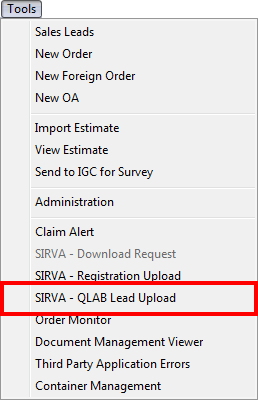
Figure 46: Tools menu
SIRVA QLAB Integration utilizes MoversConnect to send the lead to QLAB from MoversSuite.
|
Summary of Changes (7195) |
|
New add on service for SIRVA customers to send a lead from MoversSuite into QLAB. (7195) A new option is available from the allowing users to perform a SIRVA QLAB Lead Upload for qualified orders. (7294) |
|
Fields added to the Agents and Sales Lead Information tabs to support this SIRVA QLAB Integration. (7196) |
|
New API Queue to send messages from MoversSuite using a RESTful service to place these messages is the MoversSuite Message Queue, where a new QLAB poller will send these messages off to SIRVA QLAB. (7292, 7293) |
|
The following areas have been affected by this enhancement: MoversSuite Fields Referenced by SIRVA
|
Pass Thru Connector
A new connector is available allowing your company to send requests for MoversSuite data from external applications, i.e. your own custom web interfaces, etc. The new Pass Thru Connector takes JSON or XML input from your custom application and passes it through to MoversSuite where a lead or order can be established based on the input.
The Pass Thru Connector can also be used to simply retrieve data as well, such as dispatching data, order information, etc. It can also be used in conjunction with other connectors, such as EasyDPS, OIS, QLAB, etc., allowing your company to define custom applications to send instructions to MoversSuite from a single login point.
The Pass Thru Connector is defined in our cloud application, MoversConnect, and monitors the API Queue (added as part of the SIRVA QLAB Integration) for messages, which are in turn added to the standard MoversSuite XML pipeline.
|
Summary of Changes (7424) |
|
New Pass Thru Connector added to MoversConnect. |
|
The following areas have been affected by this enhancement:
|
Claims Customer Added to Van Line Statement Import
Your company can now set a Claims Customer for supported van lines. When importing claims statements, the application references the Claims Customer associated to the van line and processes the statement using this customer.
For non-claims statements and when the Claims Customer is not set, the application references the customer set for statement on the import. Note: When working through the statement and you change the type of non-claim item to a claim type, then the application continues to reference the customer included on the statement; it does not retrieve the Claims Customer set for the van line.
The customer can be changed manually through Payment Application.
|
Summary of Changes (7296) |
|
Claims Customer added to Van Line Setup. |
|
The following areas have been affected by this enhancement:
|
Order Details includes Agents and Account Profiles
The Order Details screen has been modified to include tabs for the Account Profiles and Agents.
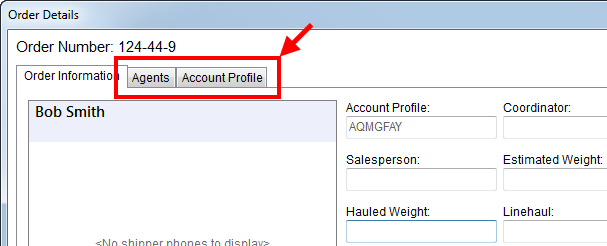
Figure 47: Order Details screen
Additionally, this screen is now its own unique executable, which means that you can have it open while working through order, revenue, dispatching, claims, and other processing functions in MoversSuite.
|
Summary of Changes (7308) |
|
Account Profiles and Agents tabs added to Order Details. |
|
The following areas have been affected by this enhancement:
|
RELEASE FIXES
This section lists any fixes made to MoversSuite for this release.
General/Administration Fixes
Changing document type causes duplicate Document Viewer listings
We corrected an issue where all documents displayed multiple times in the Document Management Viewer when the document type for any document was changed (through the Properties screen). (6626)
Dispatching Fixes
Advances not released on Shipment Status update of Order Status
Advances are staying on hold when Order Status is set to “Cancelled” through a Shipment Status update. Advances should be taken off of hold once the order is cancelled or voided. (7377)
Integration Fixes
Order Number included in Invoice Number in Military EDI View
The EDI Invoice (see Military EDI Views) has been updated to include the order number along with the invoice number. In a prior release, we changed the invoice number to be a stand-alone number not associated to the Order Number. New format for the Invoice Number included on the EDI Invoice view is the MoversSuite Order Number followed by a “/” and then the MoversSuite Invoice Number, e.g. “U123-2222-5/1234.” (7357)
Order Information Fixes
Date field renamed within Third Party Item dialog
The Date field within Add Third Party Item and Third Party Services has been renamed to Service Date. (7319)
Bill Date can be set on non-Dynamics GP systems without an error
An error was produced when the Bill Date of an order was set. This affected customer that do not use MoversSuite accounting and started to appear at MoversSuite 5.18.0 with the introduction of Job Costing. (7497)
Payment Management and Cash Receipt Fixes
Applying a cash receipt to documents created in GP not working
Payments applied to cash receipt (debit memo) created in Dynamics GP now apply correctly in GP. (7361)
Revenue Entry Fixes
Atlas Statement no longer mapping to a blank driver
There was a problem importing Atlas Statements. If “charge matching vendor” was checked then it would mistakenly map to a blank driver number. It would then create AP records for the vendor on all the payments. (7343)
Voucher number added to Dynamics GP Order Inquiry
With recent changes to the format of the document and voucher numbers generated in MoversSuite, it became difficult for users to discern between what was displaying as a document number versus a voucher number; since they both shared the same column. With this release, there is a separate Voucher Number column to alleviate any confusion. (7345)
SCHEMA CHANGES
The following link allows you to navigate through all MoversSuite tables and allows you to view field properties, such as type and maximum value size.
Graphical View of the MoversSuite Database (5.21)
VIDEOS
NO NEW VIDEOS AVAILABLE FOR THIS RELEASE
|
Version 5.20.0 |
Click here to download printable release notes (5.20)
RELEASE SUMMARY
The following is a table contains counts of the items affecting this release.
|
Release Item |
Count |
|
Announcements: |
4 |
|
Known Issues: |
4 |
|
New Enhancements: |
1 |
|
Admin Changes: |
- |
|
Fixes Made: |
6 |
|
Number of Tables Affected (Schema Changes): |
3 |
|
Standard Reports Affected: |
- |
|
New Videos: |
- |
RELEASE ANNOUNCEMENTS (4)
Please read the following announcements regarding functionality and hardware/software changes for this release of MoversSuite.
IMPORTANT RELEASE REQUIREMENTS
The following requirements are needed for this release:
Microsoft Dynamics GP 2013 R2
Microsoft Dynamics GP Build ATIP 12.0.17
|
Important |
|
SSRS Reports required to search for Order Number documents MoversSuite will load AR by Order Number and AP by Order Number SSRS reports during upgrade. However, if you have your own IT or Dynamics GP company manage Dynamics GP for you, you will need to load these two SSRS reports. |
Refer to the Hardware Requirements topic in our System Requirements for more information on the requirements for Microsoft Dynamics 2013.
KNOWN ISSUES EXIST FOR THIS RELEASE
Refer to the Known Issues section below
SCHEMA CHANGES EXIST FOR THIS RELEASE
Refer to the Schema Changes Version 5.20 topic
STANDARD REPORT CHANGES EXIST FOR THIS RELEASE
Refer to the Fixes section below
KNOWN ISSUES (4)
The following issues are known problems that may affect your decision to upgrade to this version of MoversSuite. The following are not fixed for this release.
Bill Date can be set on non-Dynamics GP systems without an error
An error was produced when the Bill Date of an order was set. This affected customer that do not use MoversSuite accounting and started to appear at MoversSuite 5.18.0 with the introduction of Job Costing. (7497)
Advances not released on Shipment Status update of Order Status
Advances are staying on hold when Order Status is set to “Cancelled” through a Shipment Status update. Advances should be taken off of hold once the order is cancelled or voided. (7377)
SSRS Reports required to search for Order Number documents
MoversSuite will load AR by Order Number and AP by Order Number SSRS reports during upgrade. However, if you have your own IT or Dynamics GP company manage Dynamics GP for you, you will need to load these two SSRS reports. (7002)
Citrix issue with phone number control
An issue that cannot be replicated is causing the phone numbers within the Shipper Contact Information section (Name, Address, Phone tab) to disappear and then reappear when a user clicks on that section, however, the user cannot edit them until they press Cancel (on the order) and then attempt to Edit again. (6409)
RELEASE ENHANCEMENTS (1)
This section lists the enhancements made to MoversSuite for this release.
MoversSuite 5.20.0 Overview Video
Watch this video to see an overview of the changes we made to MoversSuite 5.20.0.
Long Distance Dispatch Updates
Several enhancements to Long Distance Dispatch are included in this release. They include the ability to change the driver and trip, mark trips as complete, set driver location, and add trip comments.
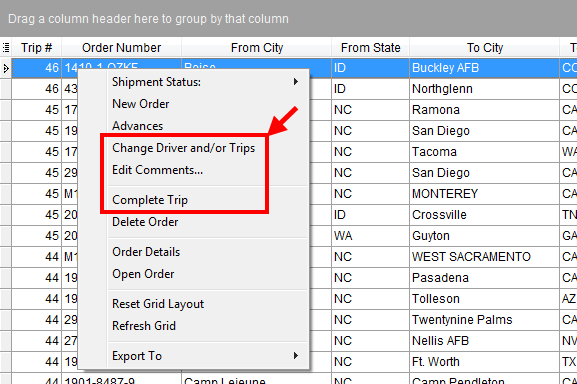
Figure 48: Right-click options in Current Driver Activity tab
Change Driver and Trips
We added a Change Driver and/or Trips option to the grids in Long Distance Dispatch. This opens a new dialog allowing you to assign or reassign drivers and/or trips for one or more selected orders. This option replaces the Change Trip functionality.
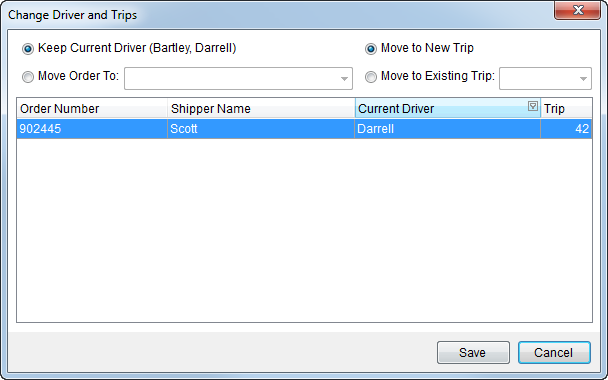
Figure 49: Change Driver and Trips dialog
Add Trip Comments
A new Edit Comments option allows you to enter and update comments for a specific trip. The contents of the comment display in a new Comments column available to you. You can enter up to 100 characters for the comment.
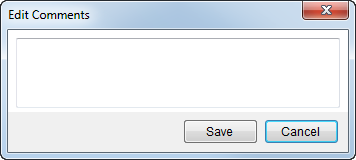
Figure 50: Edit Comments dialog
Complete Trip Option
Dispatchers can select one or more trips on the Current Driver Activity tab and mark them as complete using the new Complete Trip option. A warning dialog appears prompting the user to confirm the request.
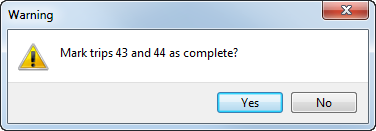
Figure 51: Complete trip confirmation prompt
Show All Option
Related to this change is the new Show All option added to the Current Driver Activity tab. As of this release, MoversSuite hides all completed trips. To view all trips, including those marked complete, then check this option.
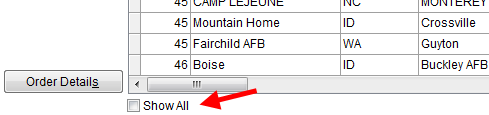
Figure 52: Show All option on Current Driver Activity tab
Set Driver Location
You can now set and view the last or current location of a driver along with their next assignment through the addition of the Last Location and Next Location fields within Current Driver Activity tab.

Figure 53: Last Location and Next Location on Current Driver Activity tab
Pressing Edit produces a new dialog where you can set the city, state, and date of the last and location.
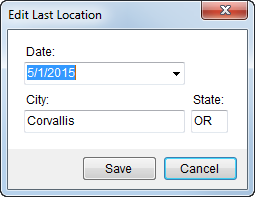
Figure 54: Edit Last Location dialog
Read more about these changes through the field descriptions available through Current Driver Activity and Orders.
|
Summary of Changes (7303) |
|
Added several right-click options to the Current Driver Activity and Orders tabs. (7305, 7306) |
|
Comments column added to the Current Driver Activity and Orders tabs. (7356) |
|
Last Location and Next Location settings added to the Current Driver Activity tab. (7307) |
|
Account Profile and Agents tabs have been added to the Order Details screen. (7308) |
|
The following areas have been affected by this enhancement: Right-Click Options (Long Distance Dispatch)
|
RELEASE FIXES (6)
This section lists any fixes made to MoversSuite for this release.
General/Administration Fixes
Archived Flag Shows in Find
The archive flag, which is “[A]” next to the Order Number, now displays correctly in the Find search results. (7415)
CPU button is in bold font throughout the application
The CPU button displays in bold font when data has been entered within the Containers, Packing and Unpacking (CPU) screen. This feature worked in some places, such as on the Move Information tab, now it works for all CPU buttons throughout the application. (6926)
Branch FID changed to Branch in Carrier Setup
The field that links a Carrier Setup (Military/Government) record to a Branch Setup record is now labeled as just “Branch.” (7413)
Payment Management and Cash Receipt Fixes
Removed orphan revenue rating records
We created a conversion script to remove RevenueRatingImportHeader records not associated to any order or archived order. This script runs automatically when installing this version of MoversSuite. The issue reported was duplicate records for the same order segment, where one order was new and the other archived. (7416)
Reporting Fixes
User Details List Report displays accurate user count
The User Details List Report now provides an accurate count of total number of users. Prior to this fix, the report listed each user for each assigned labor type, which it still does, but now only counts the user record once in the user count. (6827)
Dispatching Crew Call Sheet Report displays personnel correctly
The Dispatching Crew Call Sheet Report now lists personnel with multiple labor types correctly for the particular service. Prior to this release, the report displayed personnel for all labor types they link to instead of just the labor type associated to the service. (7024)
SCHEMA CHANGES (3)
The following link allows you to navigate through all MoversSuite tables and allows you to view field properties, such as type and maximum value size.
Graphical View of the MoversSuite Database (5.20)
VIDEOS (0)
NO NEW VIDEOS AVAILABLE FOR THIS RELEASE
|
Version 5.19.0 |
Click here to download printable release notes (5.19)
RELEASE SUMMARY
The following is a table contains counts of the items affecting this release.
|
Release Item |
Count |
|
Announcements: |
4 |
|
Known Issues: |
4 |
|
New Enhancements: |
2 |
|
Admin Changes: |
4 |
|
Fixes Made: |
6 |
|
Number of Tables Affected (Schema Changes): |
8 |
|
Standard Reports Affected: |
- |
|
New Videos: |
1 |
RELEASE ANNOUNCEMENTS (4)
Please read the following announcements regarding functionality and hardware/software changes for this release of MoversSuite.
IMPORTANT RELEASE REQUIREMENTS
The following requirements are needed for this release:
Microsoft Dynamics GP 2013 R2
Microsoft Dynamics GP Build ATIP 12.0.17
|
Important |
|
SSRS Reports required to search for Order Number documents MoversSuite will load AR by Order Number and AP by Order Number SSRS reports during upgrade. However, if you have your own IT or Dynamics GP company manage Dynamics GP for you, you will need to load these two SSRS reports. |
Refer to the Hardware Requirements topic in our System Requirements for more information on the requirements for Microsoft Dynamics 2013.
KNOWN ISSUES EXIST FOR THIS RELEASE
Refer to the Known Issues section below
SCHEMA CHANGES EXIST FOR THIS RELEASE
Refer to the Schema Changes Version 5.19 topic
ADMINISTRATION CHANGES EXIST FOR THIS RELEASE
Refer to the Enhancements section below
KNOWN ISSUES (4)
The following issues are known problems that may affect your decision to upgrade to this version of MoversSuite. The following are not fixed for this release.
Bill Date can be set on non-Dynamics GP systems without an error
An error was produced when the Bill Date of an order was set. This affected customer that do not use MoversSuite accounting and started to appear at MoversSuite 5.18.0 with the introduction of Job Costing. (7497)
Advances not released on Shipment Status update of Order Status
Advances are staying on hold when Order Status is set to “Cancelled” through a Shipment Status update. Advances should be taken off of hold once the order is cancelled or voided. (7377)
SSRS Reports required to search for Order Number documents
MoversSuite will load AR by Order Number and AP by Order Number SSRS reports during upgrade. However, if you have your own IT or Dynamics GP company manage Dynamics GP for you, you will need to load these two SSRS reports. (7002)
Citrix issue with phone number control
An issue that cannot be replicated is causing the phone numbers within the Shipper Contact Information section (Name, Address, Phone tab) to disappear and then reappear when a user clicks on that section, however, the user cannot edit them until they press Cancel (on the order) and then attempt to Edit again. (6409)
RELEASE ENHANCEMENTS (2)
This section lists the enhancements made to MoversSuite for this release.
VIDEO: MoversSuite 5.19.0 Overview
Watch this video to see an overview of the changes we made to MoversSuite 5.19.0.
Container Tracking
Learn the features and functions of the new Container Management screen by watching this video.
Use the new Container Management screen to track and manage the locations of your containers, vaults, liftvans, etc.
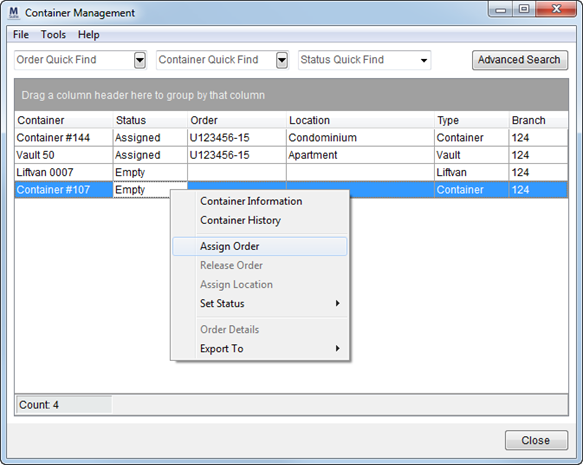
This centralized screen, available through the Tools menu, provides a quick access to all defined containers and allows you to readily identify their status, including which orders they might be assigned to.
As quick as a right-click, you can access information and a history of a container, set and remove order assignments, update the container status, and more.
Other right-click options include the ability to view the container information, see a history of assignments, and modify the orders assigned, to name just a few features.
You’ll also find the Container Tracking button within the Move Information tab and other places throughout the application allowing you to quickly retrieve container information on the particular order being viewed.
View the Container Management topic and watch the Container Tracking video for more information on this enhancement.
|
Summary of Changes (7266) |
|
New Container Management screen is available. |
|
New administrative setup to support Container Management includes the following: |
|
Recurring Billing Availability flag and Warehouse Location items added to Warehouse Setup. |
|
The following areas have been affected by this enhancement: Order Information (Revenue Entry) Order Information Search Criteria
|
Job Costing: Compare Orders
Watch this video featuring the new Compare Orders functionality that has been added to Job Costing.
In MoversSuite 5.18.0, introduce Job Costing for a Single Order. With this release you now have the ability to compare orders within the Job Costing screen. Open the new Compare Orders tab, build a search list based on Branch, Date Range, etc. and the screen provides all qualified orders complete with job costing data, such as Revenue, Cost, Profit/Loss, etc.
Quickly produce a report to a browser window or directly into a spreadsheet with the right-click options available from the Compare Orders data grid.
View the Job Costing topic or watch the Job Costing video the for more information on this enhancement.
|
Summary of Changes (7217) |
|
New Compare Orders tab added to the Job Costing screen. |
|
The following areas have been affected by this enhancement:
|
RELEASE FIXES (5)
This section lists any fixes made to MoversSuite for this release.
General/Administration Fixes
Name changed for all Data Views
The MoversSuite Data Views have had their name changed; we added a letter “V” in front of each view to make it clear what the stored procedure generates. (7383)
Dispatching Fixes
Cannot change branch on assigned services
Branch set for Local Services cannot be updated after the service has been dispatched, i.e. crew and/or equipment assignments made. (7380)
Fields added to Long Distance Dispatch grids
Fields have been added to the Current Driver Activity and Orders tabs within Long Distance Dispatch. We also rearranged the columns in these two areas to resemble each other a little better. (7283)
Integration Fixes
Error handling on EasyDPS adjusted
We made several improvements to the way the queue service handles files. These adjustments are to correct minimum retry timing, overwriting system message files, increased maximum retries, etc. (7384)
Payment Management & Cash Receipts Fixes
New batch with single entry no longer causing warning
Users received a “You must select a Payment Batch before you Add Details” warning/error when attempting to add details to a batch when only a single batch is in the list.
(6957)
Invoice Number search in Cash Receipts now returns results
A Find search on the Invoice Number field when adding orders to a cash receipt now returns the correct results. Prior to this release, searching on Invoice Number did not results; this only affected searches in Cash Receipts. (7338)
SCHEMA CHANGES (8)
The following link allows you to navigate through all MoversSuite tables and allows you to view field properties, such as type and maximum value size.
Graphical View of the MoversSuite Database (5.19)
VIDEOS (1)
Below are videos created during this release of MoversSuite.
Complete understanding on the functional usage of the Container Management screen can be found in this video.
|
Version 5.18.0 |
Click here to download printable release notes (5.18)
RELEASE SUMMARY
The following is a table contains counts of the items affecting this release.
|
Release Item |
Count |
|
Announcements: |
5 |
|
Known Issues: |
4 |
|
New Enhancements: |
6 |
|
Admin Changes (New Setup Added): |
7 (0) |
|
Fixes Made: |
18 |
|
Number of Tables Affected (Schema Changes): |
14 |
|
Standard Reports Affected: |
All |
|
New Videos: |
1 |
RELEASE ANNOUNCEMENTS (5)
Please read the following announcements regarding functionality and hardware/software changes for this release of MoversSuite.
IMPORTANT RELEASE REQUIREMENTS
The following requirements are needed for this release:
Microsoft Dynamics GP 2013 R2
Microsoft Dynamics GP Build ATIP 12.0.17
|
Important |
|
SSRS Reports required to search for Order Number documents MoversSuite will load AR by Order Number and AP by Order Number SSRS reports during upgrade. However, if you have your own IT or Dynamics GP company manage Dynamics GP for you, you will need to load these two SSRS reports. |
Refer to the Hardware Requirements topic in our System Requirements for more information on the requirements for Microsoft Dynamics 2013.
KNOWN ISSUES EXIST FOR THIS RELEASE
Refer to the Known Issues section below
SCHEMA CHANGES EXIST FOR THIS RELEASE
Refer to the Schema Changes Version 5.18 topic
ADMINISTRATION CHANGES EXIST FOR THIS RELEASE
Refer to the Enhancements section below
REPORT CHANGES EXIST FOR THIS RELEASE
Refer to the Fixes section below
KNOWN ISSUES (4)
The following issues are known problems that may affect your decision to upgrade to this version of MoversSuite. The following are not fixed for this release.
Bill Date can be set on non-Dynamics GP systems without an error
An error was produced when the Bill Date of an order was set. This affected customer that do not use MoversSuite accounting and started to appear at MoversSuite 5.18.0 with the introduction of Job Costing. (7497)
Advances not released on Shipment Status update of Order Status
Advances are staying on hold when Order Status is set to “Cancelled” through a Shipment Status update. Advances should be taken off of hold once the order is cancelled or voided. (7377)
SSRS Reports required to search for Order Number documents
MoversSuite will load AR by Order Number and AP by Order Number SSRS reports during upgrade. However, if you have your own IT or Dynamics GP company manage Dynamics GP for you, you will need to load these two SSRS reports. (7002)
Citrix issue with phone number control
An issue that cannot be replicated is causing the phone numbers within the Shipper Contact Information section (Name, Address, Phone tab) to disappear and then reappear when a user clicks on that section, however, the user cannot edit them until they press Cancel (on the order) and then attempt to Edit again. (6409)
RELEASE ENHANCEMENTS (6)
This section lists the enhancements made to MoversSuite for this release.
MoversSuite 5.18.0 Overview Video
Watch this video to see an overview of the changes we made to MoversSuite 5.18.0.
Job Costing
Learn the features and functions of the new Job Costing screen by watching this video.
Our initial offering of Job Costing is now available. With the new Job Costing window, available through the Accounting Tools Menu, dispatchers and other users can get a good idea of whether or not an order is anticipated to make or lose money. Using information from this screen, dispatchers can operate in a manner that can optimize revenue and communicate their findings with estimating and revenue personnel.
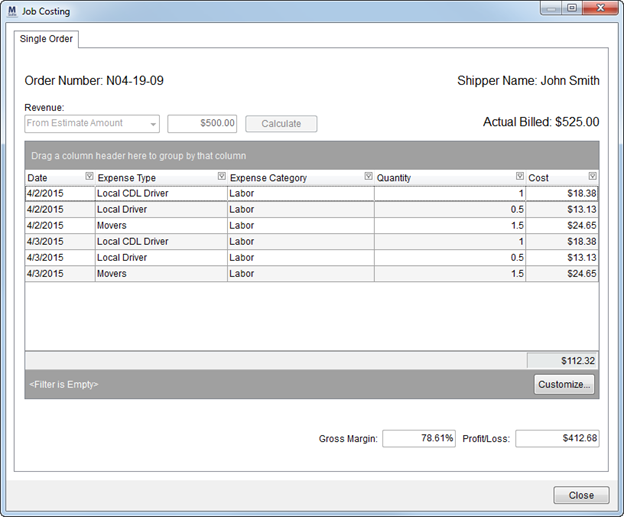
Figure 55: Job Costing screen
|
Summary of Changes (6542) |
|
New Job Costing window added. |
|
Average Hourly Wage added to Labor Type Setup. |
|
Average Cost added to Equipment Type Setup. |
|
Item Cost (each) added to Material Type Setup. |
|
Hourly Wage added to Labor Type Item definitions within Personnel Setup. |
|
Date added to the Add Third Party Item dialog to track when the third party item was actually created. |
|
Cost/Benefits Percentage added to Branch Setup. |
|
The following areas have been affected by this enhancement:
|
Exclude Weekends option added to Local Services
Users can now enter a service date range and choose to skip weekends that may fall within that date range. The new Exclude Weekends option is available through the Add Local Service dialog allow you to exclude weekends for service creation (checked, default) or to include services over the weekend (unchecked).
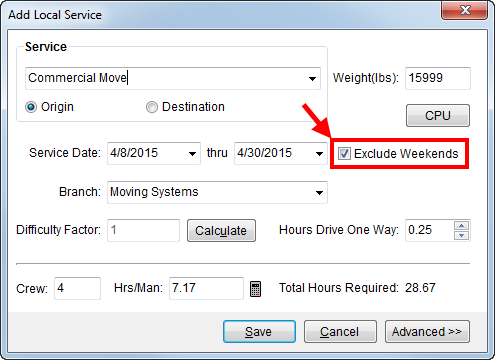
Figure 56: Add Local Service dialog
|
Summary of Changes (7179) |
|
Exclude Weekends option added to the Add Local Service dialog. |
|
The following areas have been affected by this enhancement:
|
National Account and Quote Number added to Find
You can now include National Account and a Quote Number in your searches using the Find.
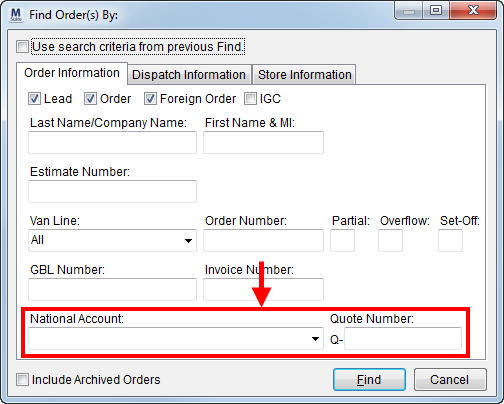
Figure 57: Find dialog
Additionally, the Quote Number and Order Status are now available within the Find search results grid.
When searching by National Account, you can select by the account name or identifier through the drop-down selector.
When searching by Quote Number, you must enter the exact quote number next to the “Q-“. Wild cards search do not work on this field. If there are multiple quotes for a single order, the Find will list each as its on record in the search results grid. For example, if there are two quotes on an order and both quotes qualify for the search, then the Find lists two records with the same Order Number.
|
Summary of Changes (6985) |
|
National Account and Quote Number search criteria option added to the Find dialog. |
|
Quote Number and Order Status are available within the selection grid in the Find dialog. |
|
The following areas have been affected by this enhancement: Order Information Search Criteria
|
Integration with EasyDPS
MoversSuite now integrates with EasyDPS to facilitate the transfer of military move data to and from MoversSuite that includes score information.
The new EasyDPS Integration utilizes MoversConnect to transfer data from EasyDPS to MoversSuite.
The Military/Government tab has been modified to store the scoring information that is available from EasyDPS.
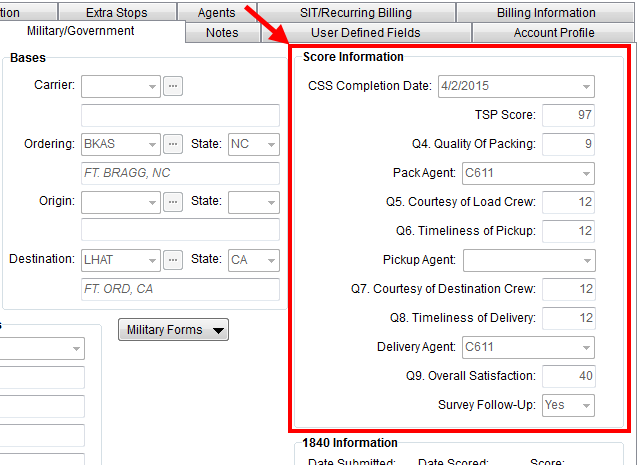
Figure 58: Score Information section on the Military/Government tab
|
Summary of Changes (7200) |
|
EasyDPS Integration added to retrieve scoring information on a military move. |
|
Scoring Information added to the Military/Government tab. |
|
You can now link commodities to interfaces through Commodity Type Setup (7281) |
|
Added Branch FID to Carrier Setup (Military/Government) to support order creation through EasyDPS Integration. (7278) |
|
The following areas have been affected by this enhancement: Carrier Setup (Military/Government) EasyDPS Integration Setup and Administration
|
Data Views Added
Fifteen data views have been added to MoversSuite. Data views provide quick access to MoversSuite data that is generally reference by an external application, such as Microsoft Excel.
View the MoversSuite Data Views topic for a list and description of each view along with additional information.
|
Summary of Changes (7180) |
|
MoversSuite Data Views added. |
|
The following areas have been affected by this enhancement:
|
MoversSuite Installer allows silent installs
The MoversSuite Installer now has the option to allow it to be ran in the background, or in silent mode. Options set in the configuration file will be assumed in use and not prompt the user. In the case of an error, the installer halts, writes information to a log file, and restores any changes it may have made.
(7239)
RELEASE FIXES (15)
This section lists any fixes made to MoversSuite for this release.
Collections Fixes
OK button now works in Customer Find through AR Credit & Collections
Prior to this release, the OK button did not open the selected record as designed and users had to double-click the customer within the data grid to open a selection.
With this release, the OK button opens the data for the customer selected in the Customer Find grid within the AR Credit & Collections module. (7310)
Integration Fixes
Distribution and TechMate imports not displaying correctly
Records for UniGroup Distribution Download were importing correctly through Revenue Import, however they do not show up in the Transactions grid. We also noticed that this was affecting imports from TechMate as well. (7327)
EDIInvoice View Updates
The following changes have been made to the EDIInvoice view available through Military EDI Invoice Integration:
Use the Rate on bulky items with a quantity of two or more (7020)
Corrected shiptoadd2 and shipfruser1 values (7021)
Set the totalweight value to the billed weight (not order weight) (7250)
EDI Confirmation dialog no confirms EDI Item Code, Description, and Point of Service
The EDI Confirmation now requires that the EDI Item, Description, and Point of Service fields be set for an invoice. Values for these fields come from the Customer EDI Item section within EDI Customer Setup and users can set/update these values when creating or modifying revenue or invoice items.
(7251)
We now update the Point of Service for a revenue line item when the invoice item is updated
Changes made to the Point of Service setting through Invoicing and through the EDI Confirmation are now reflected on the actual revenue item itself.
(7252)
Modified to check for wrong EDI Code and correct it during a van line download
In certain cases, UniGroup sends down the wrong EDI cod. We modified the download process to treat the military item code of “105B” as “105E” when importing unpacking accessorials.
(7253)
UniGroup Rating Send modified to handle more than two splits between weight and miles
An issue has been corrected that caused incorrect split haul calculations when more than two splits exist with mixed weight and miles splits.
(7178)
UniGroup Registration Send now imports trade show information
UniGroup now provides complete trade show information, so we modified the import process to include up to six booths per order (as specified in UniGroup).
(7101)
Transportation not discounted correctly on older UniGroup Rating Import orders
Changes made to correctly import Transportation with capacity adjustments is conflicting with orders on older contracts that are bound. We fixed this and now the Transportation amount on these orders is being discounted correctly.
(7339)
Local Services Fixes
Manually entered crew hours reset in Add Local Services
Crew and Hrs/Man that were manually
entered were being overwritten automatically when a Local Services record was edited. The calculations
behind the Crew, Hrs/Man, and Total Hours Required will only be updated for
manually entered values when calculate button ( ) is pressed. (7243)
Estimated hours for service recalculates after CPU changes
MoversSuite now updates the estimated number of hours on a service (Total Hours Required in Add Local Service) when the CPU counts are added or updated. (7317)
Payment Management & Cash Receipts Fixes
Negative amounts no longer applied on multiple documents
In a certain scenario a credit balance is being applied to when the cash receipt payment is auto applied in the Payment Application dialog. This appears when multiple documents exist for the same service/item code and the balance of the documents results in a credit. MoversSuite has been modified to no longer apply to negative amounts. (7341)
Invoice Number search through Cash Receipts not working
The Invoice Number search through the Associated Orders section is not working as intended; it is currently not searching for invoices from all sources. The Invoice Number field was added to the Find dialog through the Order Archive enhancement. (7329)
Payment Management modified to support older versions of the CSV file format
We modified the code that interprets the CSV fields to recognize older versions of the template. Prior to this fix, an error indicating that the customer number could not be found were encountered when transactions were generated on the import. (7227)
Order balance multiplied when multiple order segments exist on statement imports
When a van line statement imports for an order with multiple segments, the order balance is multiple by number of segments that exist for the record. This incorrect balance appears as the Balance within the Existing AR section and in Apply by Service dialog in Payment Application. (7316)
Invoice Number search in Cash Receipts now returns results
A Find search on the Invoice Number field when adding orders to a cash receipt now returns the correct results. Prior to this release, searching on Invoice Number did not results; this only affected searches in Cash Receipts. (7338)
Reporting Fixes
Updated Report Viewer to load large SSRS reports faster
A new Report Viewer is available which will improve load and runtime performance. There are also a few additional changes to the user interface (UI), such as a new color scheme. (7002)
Dispatching Work Ticket Report Error
An issue with the Dispatching Work Tickets Report was occurring when more than one work ticket with additional notes attached. (7225)
SCHEMA CHANGES (14)
The following link allows you to navigate through all MoversSuite tables and allows you to view field properties, such as type and maximum value size.
Graphical View of the MoversSuite Database (5.18)
VIDEOS (1)
Below are videos created during this release of MoversSuite.
Complete understanding on the functional usage of the Job Costing screen can be found in this video.
|
Version 5.16.1 |
Click here to download printable release notes (5.16)
RELEASE SUMMARY
The following is a table contains counts of the items affecting this release.
|
Release Item |
Count |
|
Announcements: |
3 |
|
Known Issues: |
7 |
|
New Enhancements: |
2 |
|
New Admin Setup Areas: |
0 |
|
Fixes Made: |
4 |
|
Number of Tables Affected (Schema Changes): |
3 |
|
Standard Reports Affected: |
0 |
|
New Videos: |
1 |
RELEASE ANNOUNCEMENTS (3)
Please read the following announcements regarding functionality and hardware/software changes for this release of MoversSuite.
IMPORTANT RELEASE REQUIREMENTS
The following requirements are needed for this release:
Microsoft Dynamics GP 2013 R2
Microsoft Dynamics GP Build ATIP 12.0.17
|
Important |
|
SSRS Reports required to search for Order Number documents MoversSuite will load AR by Order Number and AP by Order Number SSRS reports during upgrade. However, if you have your own IT or Dynamics GP company manage Dynamics GP for you, you will need to load these two SSRS reports. |
Refer to the Hardware Requirements topic in our System Requirements for more information on the requirements for Microsoft Dynamics 2013.
KNOWN ISSUES EXIST FOR THIS RELEASE
Refer to the Known Issues section (below)
SCHEMA CHANGES EXIST FOR THIS RELEASE
Refer to the Schema Changes Version 5.16 topic
KNOWN ISSUES (7)
The following issues are known problems that may affect your decision to upgrade to this version of MoversSuite. The following are not fixed for this release.
Order balance multiplied when multiple order segments exist on statement imports
When a van line statement imports for an order with multiple segments, the order balance is multiple by number of segments that exist for the record. This incorrect balance appears as the Balance within the Existing AR section and in Apply by Service dialog in Payment Application. (7316)
Transportation not discounted correctly on older UniGroup Rating Import orders
Changes made to correctly import Transportation with capacity adjustments is conflicting with orders on older contracts that are bound. The Transportation amount on these orders is no longer being discounted correctly. (7339)
Incorrect credit balance applied to cash receipt scenario in Payment Management
In a certain scenario a credit balance is being applied to when the cash receipt payment is auto applied in the Payment Application dialog. This appears when multiple documents exist for the same service/item code and the balance of the documents results in a credit. (7341)
Invoice Number search through Cash Receipts not working
The Invoice Number search through the Associated Orders section is not working as intended; it is currently not searching for invoices from all sources. The Invoice Number field was added to the Find dialog through the Order Archive enhancement. (7329)
Distribution and TechMate imports not displaying correctly
Records for UniGroup Distribution Download were importing correctly through Revenue Import, however they do not show up in the Transactions grid. We also noticed that this was affecting imports from TechMate as well. (7327)
SSRS Reports required to search for Order Number documents
MoversSuite will load AR by Order Number and AP by Order Number SSRS reports during upgrade. However, if you have your own IT or Dynamics GP company manage Dynamics GP for you, you will need to load these two SSRS reports.
Citrix issue with phone number control
An issue that cannot be replicated is causing the phone numbers within the Shipper Contact Information section (Name, Address, Phone tab) to disappear and then reappear when a user clicks on that section, however, the user cannot edit them until they press Cancel (on the order) and then attempt to Edit again. (6409)
RELEASE ENHANCEMENTS (2)
This section lists the enhancements made to MoversSuite for this release.
MoversSuite 5.16.1 Overview Video
Watch this video to see an overview of the changes we made to MoversSuite 5.16.1/
AR Collections Report Inquiry Screen
Learn the features and functions of the new AR Collections Inquiry screen by watching this video.
The AR Collections Report has been replaced by a new AR Collections Inquiry screen. This new screen allows you to set parameters, as you would on the report, and build a data grid. Once generated, you can customize the display and filter the results as desired using the full function features of the Data Grids.
Access to this new screen is through the AR Credit & Collections Report option available through the Accounting Tools Menu.
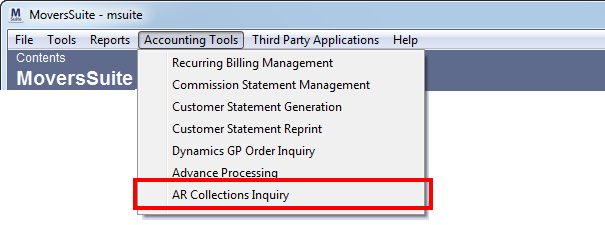
Figure 59: Accounting Tools menu
|
Note |
|
Additional security requirements are needed to access this report. Security Modules need to be assigned accordingly to grant user access to this new screen (the “AR Credit & Collections Report” module must be enabled and assigned to users through Security Profile Setup). |
|
Summary of Changes (7014) |
|
New AR Collections Inquiry screen replacing the AR Collections Report. |
|
The following areas have been affected by this enhancement:
|
Fields Added to Dispatching Grids
The following fields are now available within the Current Driver Activity and Orders grids in Long Distance Dispatch:
Booking Agent ID and Name
Shipper Name
The following fields are now available with the grids in Dispatch Center and Requested Services within Local Dispatch:
Hauling Agent ID
Hauling Agent Name
Origin Agent ID
Origin Agent Name
Destination Agent Name
Booking Agent ID
Booking Agent Name
|
Summary of Changes (5940, 5941) |
|
New fields added to popular data grids Local Dispatch in Long Distance Dispatch. |
|
The following areas have been affected by this enhancement:
|
RELEASE FIXES (4)
This section lists any fixes made to MoversSuite for this release.
General/Administration Fixes
Document/Voucher, Invoice, and Work Ticket Numbers Stored in Separate Database Table
The unique, system-wide sequence number referenced when generating accounting documents, invoices, work tickets, etc. is now stored in within the new SysNumber table.
This was done to prevent table locks and timeouts that may occur.
(7238)
Payment Management & Cash Receipts Fixes
Improved Performance when Loading Payments
We improved the speed of displaying orders in by only loading the number of orders that display on the screen at one time, instead of loading all orders that are attached to the payment; which was causing a significant performance issue.
(7223)
Progress Indicator Added
Users now receive a progress dialog when adding a large number of orders to a cash receipt payment and when importing items such as a statement files and CSV imports.
This change affects Payment Application, Cash Receipts, and all Statement Imports.
Users will receive a progress dialog when importing van line statements and CSV imports as a cash receipt through Payment Application.
(7224)
Check All/Uncheck Option Added When Selecting Orders on a Cash Receipt
A new right-click option allows you to check or uncheck all orders assigned to the cash receipt. Selecting Check All on the Associated Order(s) grid marks all records in the grid to be selected (linked) to the cash receipt. Likewise, Uncheck All removes unselects all orders.
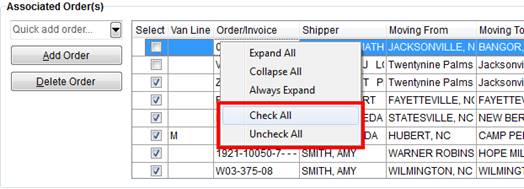
(5940)
SCHEMA CHANGES (3)
The following link allows you to navigate through all MoversSuite tables and allows you to view field properties, such as type and maximum value size.
Graphical View of the MoversSuite Database (5.16)
VIDEOS (1)
Below are videos created during this release of MoversSuite.
Complete understanding on the functional usage of the AR Collections Inquiry screen can be found in this video.
|
Version 5.15.0 |
Click here to download printable release notes (5.15)
RELEASE SUMMARY
The following is a table contains counts of the items affecting this release.
|
Release Item |
Count |
|
Announcements: |
5 |
|
Known Issues: |
7 |
|
New Enhancements: |
2 |
|
New Admin Setup Areas: |
1 |
|
New Fixes: |
11 |
|
Number of Tables Affected (Schema Changes): |
26 |
|
Standard Reports Affected: |
4 |
|
New Videos: |
2 |
RELEASE ANNOUNCEMENTS (5)
Please read the following announcements regarding functionality and hardware/software changes for this release of MoversSuite.
IMPORTANT RELEASE REQUIREMENTS
The following requirements are needed for this release:
Microsoft Dynamics GP 2013 R2
Microsoft Dynamics GP Build ATIP 12.0.16
|
Important |
|
SSRS Reports replace Order Number search MoversSuite will load AR by Order Number and AP by Order Number SSRS reports during upgrade. However, if you have your own IT or Dynamics GP company manage Dynamics GP for you, you will need to load these two SSRS reports. |
Refer to the Hardware Requirements topic in our System Requirements for more information on the requirements for Microsoft Dynamics 2013.
KNOWN ISSUES EXIST FOR THIS RELEASE
Refer to the Known Issues section (below)
SCHEMA CHANGES EXIST FOR THIS RELEASE
Refer to the Schema Changes Version 5.15 topic
|
Important |
|
Changes made to the database schema will affect custom invoices, work tickets, and other custom reports. |
ADMINISTRATION CHANGES EXIST FOR THIS RELEASE
Refer to the Enhancements section (below)
REPORT CHANGES EXIST FOR THIS RELEASE
Refer to the Enhancements section (below)
KNOWN ISSUES (7)
The following issues are known problems that may affect your decision to upgrade to this version of MoversSuite. The following are not fixed for this release.
Order balance multiplied when multiple order segments exist on statement imports
When a van line statement imports for an order with multiple segments, the order balance is multiple by number of segments that exist for the record. This incorrect balance appears as the Balance within the Existing AR section and in Apply by Service dialog in Payment Application. (7316)
Transportation not discounted correctly on older UniGroup Rating Import orders
Changes made to correctly import Transportation with capacity adjustments is conflicting with orders on older contracts that are bound. The Transportation amount on these orders is no longer being discounted correctly. (7339)
Incorrect credit balance applied to cash receipt scenario in Payment Management
In a certain scenario a credit balance is being applied to when the cash receipt payment is auto applied in the Payment Application dialog. This appears when multiple documents exist for the same service/item code and the balance of the documents results in a credit. (7341)
Invoice Number search through Cash Receipts not working
The Invoice Number search through the Associated Orders section is not working as intended; it is currently not searching for invoices from all sources. The Invoice Number field was added to the Find dialog through the Order Archive enhancement. (7329)
Distribution and TechMate imports not displaying correctly
Records for UniGroup Distribution Download were importing correctly through Revenue Import, however they do not show up in the Transactions grid. We also noticed that this was affecting imports from TechMate as well. (7327)
SSRS reports replace Order Number search
MoversSuite will load AR by Order Number and AP by Order Number SSRS reports during upgrade. However, if you have your own IT or Dynamics GP company manage Dynamics GP for you, you will need to load these two SSRS reports.
Citrix issue with phone number control
An issue that cannot be replicated is causing the phone numbers within the Shipper Contact Information section (Name, Address, Phone tab) to disappear and then reappear when a user clicks on that section, however, the user cannot edit them until they press Cancel (on the order) and then attempt to Edit again. (6409)
RELEASE ENHANCEMENTS (2)
This section lists the enhancements made to MoversSuite for this release.
Order Archiving
Watch the video on this new feature: Order Archive
Allowing customers the ability reuse order numbers has finally arrived. One of our biggest concerns has been how to provide your company the option to continue using the same order format, often required by van lines, that recycles every five to ten years or so. The answer we have for you is the ability to archive orders based on an administrative search. Once the archive is complete, your company is free to reuse order numbers as needed.
Archived orders remain on your system, so we’ve added a few features to MoversSuite so that you can retrieve and identify these orders.
|
Note |
|
We recommend archiving on a year-by-year basis, possibly archiving the year 2006 as early as October 2015. |
Here’s a list of what to expect with the Order Archive changes:
|
Summary of Changes (6541) |
|
One or more orders can be archived and un-archived at a time based on the new Order Archive screen in MoversSuite Administration. |
|
The Order Archive tool allows you to search and see which orders have been archived based on entered search criteria. |
|
Archiving resets both the Order Number and Estimate Number; un-archiving restores each. |
|
Orders with active Recurring Billing records cannot be archived (those with the Date Out not set). |
|
New orders assigned to the same Order Number as an archived order cause no issue when exchanging data with a van line. Only the new order is recognized. |
|
Revenue can be generated on archived orders. |
|
Claims can be added to and processed under archived orders. |
|
Order Numbers that are not in use can be un-archived |
|
Local Services cannot be assigned to archived orders nor can services be added to archived orders. However, services for archived orders are still active and can be assigned to crew and to a work ticket. |
|
You are unable to send local services to dispatch on archived orders. |
|
Notes document when an order is archived and un-archived. |
|
Notes can be added to archived orders. |
|
Archived orders are denoted by an “A” next to the Order Number throughout the application, including the Information Bar, Data Grids, Order Details, etc.
Figure 60: Archived order indicator
|
|
Order Details has been modified to show the date the order was archived.
Figure 61: Archived On date in Order Details
|
|
The Find allows you to include archived orders in your search; a new Include Archived Orders flag is now available in all Find dialogs. |
|
The Quick Find does not recognize archived orders. |
|
Imports into MoversSuite through Third Party Applications will rely on a primary key identifier (PriKey) to look up an order instead of matching on an Order Number/Estimate Number. |
|
Users are unable to import or export data to archived orders, i.e. archived orders are unlinked from all integrations. |
|
The Document Number generated in MoversSuite has a new format. The format now includes the originating source, e.g. “RV” for Revenue Entry, the four-digit year, and a sequential numeric identifier, e.g. 1, 2, 3, etc. Changes to custom development in Microsoft Dynamics GP to support the new numbering include a new Transaction by Order inquiry screen added to Sales and to Purchasing and searching now is by MSS Order Number, which has been added to all ATIP screens. For more information on the format, please see the Document Number topic. TECHNICAL NOTE: The Document Number is stored within the new SysNumber table. |
|
Invoices generated within MoversSuite no longer contain the Order Number. Instead, new invoice will consist of a company-wide sequential number, e.g. 1001, 2239, 9094, etc., instead of “Order Number/1,” “Order Number/2,” “Order Number/3,” etc. Standard reports provided by MoversSuite have been updated to include the Order Number. IMPORTANT: Custom reports, work tickets, invoices, etc. may need to be modified. TECHNICAL NOTE: The InvoiceSequence table is replaced by the new SysNumber table. |
|
Invoicing on an archived order can only occur through Invoices. |
|
The Find allow you to now search by Invoice Number. |
|
MoversSuite generated work tickets are now based on a company-wide sequential numbering scheme and no longer includes the Order Number. The new sequence begins with 1000. TECHNICAL NOTE: The ticket number is stored within the new SysNumber table. |
|
The Work Ticket Report has been modified to include the Order Number. |
|
Document Management lists all documents associated to a particular order segment (refer to Order Number Setup). Prior to this change, the application retrieved documents based on the entire order or estimate number. |
|
The MoversSuite integration with Microsoft Dynamics was updated for this project to list the Order Number as the Distribution Reference Number in GP. This change affects financial reporting. We added MSS Order No and Archive flag to several screens including the Apply Sales Documents and Receivables Transaction Inquiry screens. When the Archive flag is checked, only orders that are archived within MoversSuite are searched (based on what is entered for the MSS Order No field). We also added the ability to search by invoice number through the new MSS Invoice No field. The Branch, Invoice No, Invoice Date, and Shipper Name have been added to the detail filters.
Figure 62: Apply Sales Documents screen
Order No and Branch Code can also be found on the Edit Payables Check Batch and Edit Receivables Check Batch screens.
Figure 63: Edit Payables Check Batch screen A new report titled AR by Order Number is available allowing you to search by MoversSuite Order Number and click on a listed Document Number and view the receivables (through the Receivables Transaction Inquiry Zoom). |
|
The following areas have been affected by this enhancement: Special Services Invoices
|
Quotes to Go Local (Intra) Estimate Download (UniGroup)
Local estimates downloads from the UniGroup Quotes to Go system can now import into MoversSuite. Prior to this release MoversSuite allowed users to send leads to the UniGroup Quotes to System and download leads. Now users can import an estimate that create MoversSuite record that include carton data, rating information, and more from the UniGroup Message Queues. (7160)
The Quotes to Go download is part of a new integration involving MoversConnect, a cloud based (Azure) restful service that provides a seamless stream of data between UniGroup and MoversSuite. (6355)
|
Summary of Changes (7160, 6355) |
|
The new MoversConnect system allows users to download estimates from UniGroup’s Quotes to Go system. |
|
The following areas have been affected by this enhancement: UniGroup Quotes to Go Downloads UniGroup Quotes to Go Local Estimate Download UniGroup Quotes to Go Setup and Administration
|
RELEASE FIXES (11)
This section lists any fixes made to MoversSuite for this release.
General/Administration Fixes
Scrolling Error in the Admin Tool
There is no longer an error when scrolling through large data listings in , which was causing the application to return the following error:
Exception has been thrown by the target of an invocation. Nullable object must have a value.
(7004)
Location Type added to Order Details and Extra Stops
The Location Type has been added to the address listings in Order Details and as a data column within the Extra Stops data grid.
In Order Details, the Location Type, if set, displays with a field label of “Location Type.”
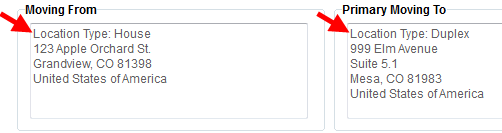
Figure 64: Location Type display on the Order Details screen
(7084)
Expanded Requested Dates in Order Details
We expanded the Requested Dates section on the Order Details screen to accommodate the times associated the move dates (set within Move Information).
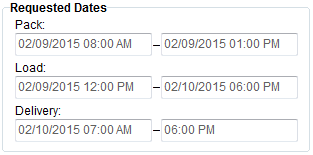
Figure 65: Requested Dates display on the Order Details screen
(7085)
Archived Order PriKey Stored in new Dynamics GP Table
A new MSS00200 table has been added to the integrated tables between MoversSuite and Microsoft Dynamics GP. This table stores the Orders.PriKey value for archived orders and will allow for more efficient searching within Dynamics GP.
(7213)
Integration Fixes
Handle Multiple Coordinators on an Atlas download
MoversSuite has been modified to handle multiple coordinators on the same Atlas download (refer to the Atlas Integration topic). Prior to this change, an error was returned if any of the coordinators on the import were not set on the order. Now, MoversSuite attempts to validate the transportation coordinator only if they are part of a Sequence record of “002.” Coordinators with a Sequence other than “002” are ignored.
Additionally, if the transportation coordinator is not valid, i.e. does not exist in MoversSuite, a warning is sent to the Third Party Application Error screen and MoversSuite continues processing the import.
(6634)
Local Dispatch Fixes
Remove Crew from Multiple Services Added
You can now select multiple services and remove one or more crew members and equipment at a time through the Dispatch Center grid. Prior to this release, dispatchers had to remove crew and equipment individually from each service. See Assign and Remove Crew for more information.
(7082)
Set Service Time for all Dispatched Crew and Equipment
Dispatchers can now set the service time for dispatched services. A new option of “Apply to Crew/Equipment)” is available through the Set Service Time dialog that, when checked (default), applies the times to all crew and equipment assigned/dispatched on the service.
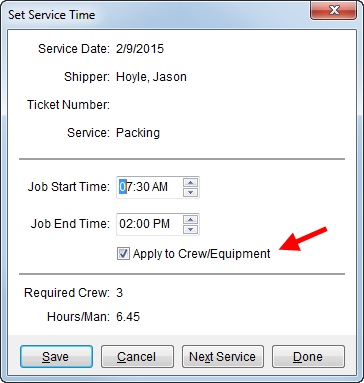
Figure 66: Set Service Time dialog
Prior to this release, service times on assigned/dispatched services were not updated with new times.
(7083)
Work Ticket label displays on report
Related to the Order Archiving enhancement made at this release, we added a “Work Ticket #” label to the standard Work Ticket Report to make this number readily identifiable. Note: The Work Ticket number displays just below the branch name on this report.
(7145)
Payment Management & Cash Receipts Fixes
Changes to Refresh AR feature in Payment Application
The Refresh AR option is available to the “No Order” through the right-click menu. Choosing this option updates the data within the Existing AR for the selected customer; prior to this release, the Refresh AR option refreshed all data for all customers associated to the payment. Refer to the field description within Payment Application for more information.
(7027)
Auto-Apply in Dynamics GP now handles Cash Receipt with Journal Entries
MoversSuite now sets the cash receipt number in lieu of the order number so that transactions for journal entries on cash receipts auto-apply in Dynamics GP. Prior to this release, these transactions would not auto-apply.
(7107)
Revenue Entry Fixes
More Effective Revenue Error Handling
We updated the way MoversSuite reports and handles errors during a revenue generation, storage billing, and statement creation. Prior to this release, Posting Information displayed though an error was encountered when generating transactions.
(7198)
SCHEMA CHANGES (26)
The following link allows you to navigate through all MoversSuite tables and allows you to view field properties, such as type and maximum value size.
Graphical View of the MoversSuite Database (5.15)
VIDEOS (2)
Below are videos created during this release of MoversSuite.
This video was developed for administrators on using the Order Archive tool in MoversSuite Administration, however, it provides a great overview of what all is impacted when an order is archived and un-archived.
Discussed in this video is the Find and Quick Find functions. This five minute video covers the basic usage of these two functions used to retrieve MoversSuite orders and includes a quiz to reinforce what you’ve learned.
|
Version 5.12.0 |
Click here to download release notes (5.12)
RELEASE ANNOUNCEMENTS
Please read the following announcements regarding functionality and hardware/software changes for this release of MoversSuite.
IMPORTANT RELEASE REQUIREMENTS
The following requirements are needed for this release:
Microsoft Dynamics GP 2013 R2
Microsoft Dynamics GP Build ATIP 12.0.7
Refer to the Hardware Requirements topic in our System Requirements for more information on the requirements for Microsoft Dynamics 2013.
KNOWN ISSUES EXIST FOR THIS RELEASE
Refer to the next section
KNOWN ISSUES
The following issues are known problems that may affect your decision to upgrade to this version of MoversSuite. The following are not fixed for this release.
Citrix issue with phone number control
An issue that cannot be replicated is causing the phone numbers within the Shipper Contact Information section (Name, Address, Phone tab) to disappear and then reappear when a user clicks on that section, however, the user cannot edit them until they press Cancel (on the order) and then attempt to Edit again. (6409)
RELEASE ENHANCEMENTS
This section lists the enhancements made to MoversSuite for this release.
NO ENHANCEMENTS AVAILABLE FOR THIS RELEASE
RELEASE FIXES
This section lists any fixes made to MoversSuite for this release.
General & Administration Fixes
Remove Web User from Personnel Setup
We now offer the ability for administrators to remove unwanted users from the Web Portal configuration tab within Personnel Setup.
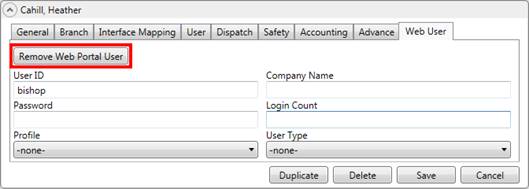
The new Remove Web Portal User function removes the particular user record defined within this Web User tab only.
(7076)
Payment Management & Cash Receipt Fixes
Division segment can exist anywhere in the GL number
Users within Divisions turned on can now select a GL in Payment Management where the division portion is anywhere within the GL number. Before this fix, we did not show all valid GL associated to a particular division because the division segment was not in the first segment of the GL number.
(7106)
SCHEMA CHANGES
NO SCHEMA CHANGES FOR THIS RELEASE
The following link allows you to navigate through all MoversSuite tables and allows you to view field properties, such as type and maximum value size.
Graphical View of the MoversSuite Database (5.12)
VIDEOS
Below are videos created during this release of MoversSuite.
International Orders Processing
We added a new video covering the basics of entering an international shipment through the MoversSuite International Orders module. It’s a little over five minutes long and offers a quiz.
|
Version 5.11.0 |
Click here to download release notes (5.11)
RELEASE ANNOUNCEMENTS
Please read the following announcements regarding functionality and hardware/software changes for this release of MoversSuite.
•IMPORTANT RELEASE REQUIREMENTS
The following requirements are needed for this release:
Microsoft Dynamics GP 2013 R2
Microsoft Dynamics GP Build ATIP 12.0.7
Refer to the Hardware Requirements topic in our System Requirements for more information on the requirements for Microsoft Dynamics 2013.
•KNOWN ISSUES EXIST FOR THIS RELEASE
Refer to the next section
KNOWN ISSUES
The following issues are known problems that may affect your decision to upgrade to this version of MoversSuite. The following are not fixed for this release.
Citrix issue with phone number control
An issue that cannot be replicated is causing the phone numbers within the Shipper Contact Information section (Name, Address, Phone tab) to disappear and then reappear when a user clicks on that section, however, the user cannot edit them until they press Cancel (on the order) and then attempt to Edit again. (6409)
RELEASE ENHANCEMENTS
This section lists the enhancements made to MoversSuite for this release.
NO ENHANCEMENTS AVAILABLE FOR THIS RELEASE
RELEASE FIXES
This section lists any fixes made to MoversSuite for this release.
Integrations Fixes
Agent API Updates
We updated the Agent API to verify that the vendor is valid within Microsoft Dynamics GP.
We also verify that no error returns if the Agent Name is left blank. Note: We still report an error when the Agent ID is missing or invalid.
(7104)
Payment Management & Cash Receipt Fixes
MoversSuite Cash Receipt creating MSSDOC
Cash receipts entered through MoversSuite and applied as Debit Memos in Microsoft Dynamics GP were creating MSSDOC records incorrectly.
(6987)
SCHEMA CHANGES
NO SCHEMA CHANGES FOR THIS RELEASE
The following link allows you to navigate through all MoversSuite tables and allows you to view field properties, such as type and maximum value size.
Graphical View of the MoversSuite Database (5.11)
VIDEOS
Below are videos created during this release of MoversSuite.
NO NEW VIDEOS FOR THIS RELEASE
|
Version 5.10.0 |
Click here to download release notes (5.10)
RELEASE ANNOUNCEMENTS
Please read the following announcements regarding functionality and hardware/software changes for this release of MoversSuite.
•IMPORTANT RELEASE REQUIREMENTS
The following requirements are needed for this release:
Microsoft Dynamics GP 2013 R2
Microsoft Dynamics GP Build ATIP 12.0.7
Refer to the Hardware Requirements topic in our System Requirements for more information on the requirements for Microsoft Dynamics 2013.
•KNOWN ISSUES EXIST FOR THIS RELEASE
Refer to the next section
•SCHEMA CHANGES EXIST FOR THIS RELEASE
Refer to the Schema Changes Version 5.10 topic
•ADMINISTRATION CHANGES EXIST FOR THIS RELEASE
Refer to the fixes below
•UPDATED CSV FILE EXIST FOR THIS RELEASE
Refer to the enhancements below. Download updated Generic CSV Import File Template
KNOWN ISSUES
The following issues are known problems that may affect your decision to upgrade to this version of MoversSuite. The following are not fixed for this release.
Citrix issue with phone number control
An issue that cannot be replicated is causing the phone numbers within the Shipper Contact Information section (Name, Address, Phone tab) to disappear and then reappear when a user clicks on that section, however, the user cannot edit them until they press Cancel (on the order) and then attempt to Edit again. (6409)
RELEASE ENHANCEMENTS
This section lists the enhancements made to MoversSuite for this release.

Advanced Import Auto Apply
You can now set auto apply rules for statement imports from a van line or through the CSV import.
Payment Application users can now access Import Auto Apply Options through the Options menu from the screen toolbar.
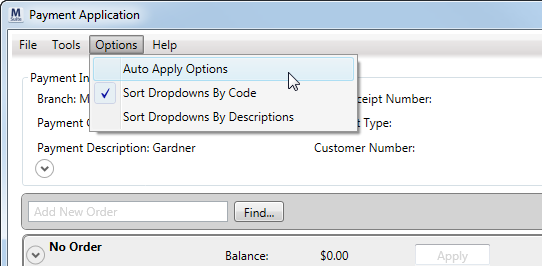
Figure 67: Auto Apply Options in Payment Application
This opens the new Import Auto Apply Options dialog allowing you to turn on auto apply for revenue and/or payables imported into MoversSuite.
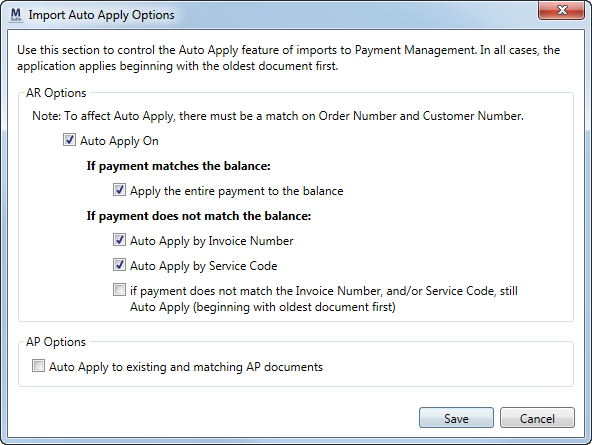
Figure 68: Import Auto Apply Options window
You also have the ability to update these options when performing the actual import. The import allows you to override the options set through Payment Application for a single import.
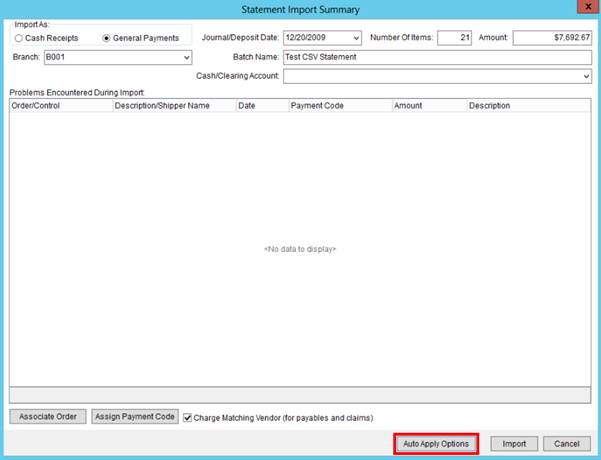
Figure 69: Statement Import Summary
View the Import Auto Apply Options topic for more explanation on these settings.
The standard, provided CSV Import (see Generic Import File Format) has been modified to include an Auto Apply flag. When this field is set, it allows users to the ability to access the Auto Apply Options through the Statement Import Summary dialog.
The CSV file also contains two new fields: The Customer Number and the Invoice Number.
Please view the Import Auto Apply Options topic and watch the 5.10.0 overview video for more information.
|
Summary of Changes (5209) |
|
Import Auto Apply Options added. |
|
The following areas have been affected by this enhancement: Statement Import Summary (Generic Import)
|
RELEASE FIXES
This section lists any fixes made to MoversSuite for this release.
Claims Fixes
Able to select the correct Liable Person
You can now assign a Liable Person through Liability and Chargeback that has more than one Labor Type set for their Personnel Setup record. Prior to this fix, users were unable to select the correct person from the drop-down menu for the Liable Person selector.
(7061)
Revenue Entry Fixes
EDI Item check added
An option has been added to EDI Customer Setup that forces users through the EDI Confirmation dialog to verify the EDI Item. This change is due to having multiple options available for certain EDI Items.
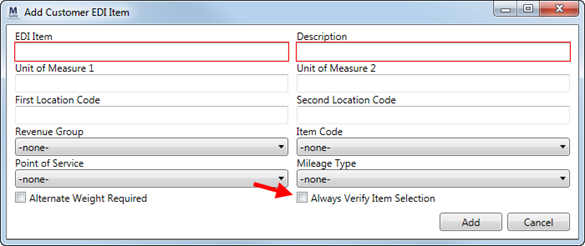
Figure 70: Add Customer EDI Item dialog
Checking the Always Verify Item Selection flag in requires a user to verify that particular item when generating EDI invoices.
(7019)
EDI Invoice view updated
The Invoice View, which is part of Military EDI Views, has been modified to display the correct extendedtaxamt value for bulky items with a quantity exceeding one.
(7020)
We also made changes to have shiptoadd2 display the origin base code and shipfruser1 now displays the base code.
(7021)
SCHEMA CHANGES
The following link allows you to navigate through all MoversSuite tables and allows you to view field properties, such as type and maximum value size.
Graphical View of the MoversSuite Database (5.10)
VIDEOS
Below are videos created during this release of MoversSuite.
MoversSuite Overview for 5.10.0
|
Version 5.09.0 |
Click here to download release notes (5.09)
RELEASE ANNOUNCEMENTS
Please read the following announcements regarding functionality and hardware/software changes for this release of MoversSuite.
•IMPORTANT RELEASE REQUIREMENTS
The following requirements are needed for this release:
Microsoft Dynamics GP 2013 R2
Microsoft Dynamics GP Build ATIP 12.0.7
MoversSuite is compatible with Microsoft SQL Server 2014 (6949)
Refer to the Hardware Requirements topic in our System Requirements for more information on the requirements for Microsoft Dynamics 2013.
•KNOWN ISSUES EXIST FOR THIS RELEASE
KNOWN ISSUES
The following issues are known problems that may affect your decision to upgrade to this version of MoversSuite. The following are not fixed for this release.
Citrix issue with phone number control
An issue that cannot be replicated is causing the phone numbers within the Shipper Contact Information section (Name, Address, Phone tab) to disappear and then reappear when a user clicks on that section, however, the user cannot edit them until they press Cancel (on the order) and then attempt to Edit again. (6409)
RELEASE ENHANCEMENTS
This section lists the enhancements made to MoversSuite for this release.
Finds Added to Dynamics GP Order Inquiry
You now can quickly lookup and retrieve recently accessed orders using the Quick Find within Dynamics GP Order Inquiry.
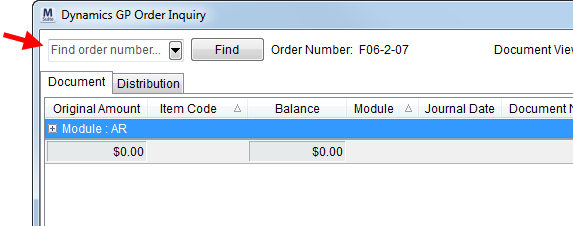
Figure 71: Dynamics GP Order Inquiry
And, we added the Find to this window as well for advanced searches.
Please view the Find and Quick Find topics for more information.
|
Summary of Changes (7039) |
|
Quick Find and Find added to Dynamics GP Order Inquiry. |
|
The following areas have been affected by this enhancement: |
RELEASE FIXES
This section lists any fixes made to MoversSuite for this release.
Payment Management & Cash Receipts Fixes
Auto apply on an invoice with negative items working correctly
Negative items associated to service codes for an invoice were not showing in the Apply by Service dialog. These items, therefore were not included when auto-applying at the Invoice Level, causing the Payment Balance to be non-zero when it appeared that all payments were satisfied. This Payment Application issue has been corrected.
(6803)
Revenue Entry Fixes
Dynamics GP Order Inquiry correctly loads displayed order
The now loads and displays the correct order. Prior to this release, the window did not display the data associated to any subsequent orders selected, i.e. window displayed correctly the first time but not for any subsequent orders.
(7038)
No more error when a commission is associated to a revenue distribution
Users in Revenue Entry receive the following error when attempting to edit a commission that is associated to a revenue distribution:
Could not convert variant of type (Null) into type (Integer)
This issue has been resolved with this version of MoversSuite.
(7028)
SCHEMA CHANGES
NO SCHEMA CHANGES FOR THIS RELEASE
The following link allows you to navigate through all MoversSuite tables and allows you to view field properties, such as type and maximum value size.
Graphical View of the MoversSuite Database (5.09)
VIDEOS
Below are videos created during this release of MoversSuite.
NO VIDEOS EXIST FOR THIS RELEASE
|
Version 5.08.0 |
Click here to download release notes (5.08)
RELEASE ANNOUNCEMENTS
Please read the following announcements regarding functionality and hardware/software changes for this release of MoversSuite.
•IMPORTANT RELEASE REQUIREMENTS
The following requirements are needed for this release:
Microsoft Dynamics GP 2013 R2
Microsoft Dynamics GP Build ATIP 12.0.7
MoversSuite is compatible with Microsoft SQL Server 2014 (6949)
Refer to the Hardware Requirements topic in our System Requirements for more information on the requirements for Microsoft Dynamics 2013.
•KNOWN ISSUES EXIST FOR THIS RELEASE
KNOWN ISSUES
The following issues are known problems that may affect your decision to upgrade to this version of MoversSuite. The following are not fixed for this release.
Error when a commission is associated to a revenue distribution
Users in Revenue Entry receive the following error when attempting to edit a commission that is associated to a revenue distribution:
Could not convert variant of type (Null) into type (Integer)
(7028)
Citrix issue with phone number control
An issue that cannot be replicated is causing the phone numbers within the Shipper Contact Information section (Name, Address, Phone tab) to disappear and then reappear when a user clicks on that section, however, the user cannot edit them until they press Cancel (on the order) and then attempt to Edit again. (6409)
RELEASE ENHANCEMENTS
This section lists the enhancements made to MoversSuite for this release.
Agent API
MoversSuite offers an API allowing third party applications the ability to view, update, and even add MoversSuite agent records.
Please view the Agent API topic for more information.
|
Summary of Changes (6663) |
|
New API provides third party customers the ability to view, update, and add Agent Setup records. |
|
The following areas have been affected by this enhancement:
|
RELEASE FIXES
This section lists any fixes made to MoversSuite for this release.
General/Administrative Fixes
Increase the speed of the Personnel Merge
We modified the indexes on the MoversSuite database to enhance the performance of Merging Personnel Records. The updated indexing allows the merge function to locate data quicker. (6984)
Payment Management & Cash Receipts Fixes
No defaulting the 1099 flag on payables
We no longer default the 1099 flag on payables. This includes payables created manually or those automatically created through an import. Prior to this release, the 1099 flag was set or not set depending on what was set for the vendor in Microsoft Dynamics GP. (6983)
Modify default Branch on Unapplied Amounts
Prior to this release, we defaulted the branch on unapplied amounts to the branch of the payment (in Payment Application). This has been changed. If the payment is a cash receipt, we default the branch (and division, if using) to the branch of the order. If the payment is not for an order, the branch of the payment is the default.
If the payment is not a cash receipt, the branch defaults to that of the payment.
Prior to this release, we defaulted the Branch (and Division, if using) on Unapplied Amounts for a cash receipt to that of the payment itself. This has been changed to set the Branch to the branch set for the order, if the cash receipt is associated to an order. If the cash receipt is not associated to an order, then it defaults to that of the payment. (6992)
Display orders in the way they were added to a payment
Orders in Payment Application now list in the order in which they were added to the payment, with the most recently added orders appearing at the bottom of the payment. Prior to this release, the orders listed by Order Number. (6993)
Payment Amount can be a zero amount
We modified to allow for a zero Payment Amount and zero Payment Balance amount in Payment Application. Prior to this release, if you added a payment that netted to a zero balance or the payment itself was zero, then the following error appeared:
You must enter a payment amount.
This affected those of you working through a statement and encountered an order with a Payment Amount of zero; you were prevented from processing the payment.
You can now enter a zero dollar Payment Amount. (6994)
Updated script to identify incorrect transactions
The script designed to identify transactions with multiple Unapplied Amounts being added and released with MoversSuite 5.04.1 has been corrected. (6911, 6986)
Revenue Entry Fixes
Error generating storage on certain personnel/labor type combinations
Users running storage billing encountered an error when a user record was assigned multiple commissionable labor types. For example, if the same person was assigned to an order as the Salesperson and the OA Surveyor and both were commissionable (as defined within Personnel Setup), then the following error was returned when generating billing:
More than 1 record found in ICCommissions for the commissioned sysuser. Unable to generate the expense account.
Users running storage billing will no longer receive this error when multiple roles on the order are commissionable. (6939)
SCHEMA CHANGES
NO SCHEMA CHANGES FOR THIS RELEASE
The following link allows you to navigate through all MoversSuite tables and allows you to view field properties, such as type and maximum value size.
Graphical View of the MoversSuite Database (5.08)
VIDEOS
Below are videos created during this release of MoversSuite.
NO VIDEOS EXIST FOR THIS RELEASE
|
Version 5.06.0 |
Click here to download release notes (5.06)
RELEASE ANNOUNCEMENTS
Please read the following announcements regarding functionality and hardware/software changes for this release of MoversSuite.
•IMPORTANT RELEASE REQUIREMENTS
The following requirements are needed for this release:
Microsoft Dynamics GP 2013 R2
Microsoft Dynamics GP Build ATIP 12.0.7
Refer to the Hardware Requirements topic in our System Requirements for more information on the requirements for Microsoft Dynamics 2013.
•DATABASE SCHEMA IS AFFECTED BY THIS RELEASE
•ADMINISTRATIVE CHANGES AFFECT THIS RELEASE
•KNOWN ISSUES EXIST FOR THIS RELEASE
KNOWN ISSUES
The following issues are known problems that may affect your decision to upgrade to this version of MoversSuite. The following are not fixed for this release.
Citrix issue with phone number control
An issue that cannot be replicated is causing the phone numbers within the Shipper Contact Information section (Name, Address, Phone tab) to disappear and then reappear when a user clicks on that section, however, the user cannot edit them until they press Cancel (on the order) and then attempt to Edit again. (6409)
RELEASE ENHANCEMENTS
This section lists the enhancements made to MoversSuite for this release.
Mark Agent records as Inactive
Administrators can now search for and mark an Agent Setup record as “Inactive.” Doing so prevents them from being selected on drop-downs in MoversSuite. Orders that the agent was assigned to prior to being marked as inactive will process as if the agent was still active.
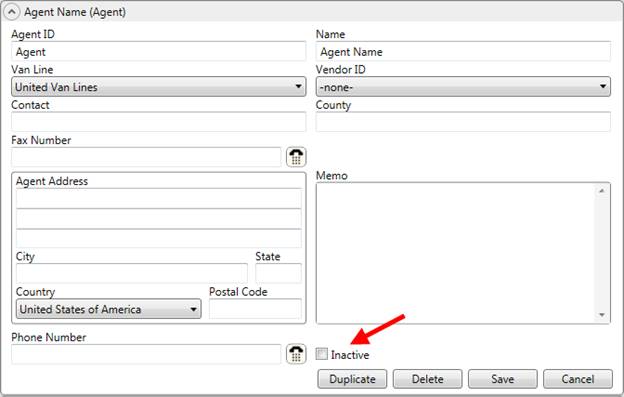
Figure 72: Agent Setup screen
The Inactive flag is also available when searching for Agent Setup records within MoversSuite Administration.
|
Summary of Changes (6665) |
|
Inactive flag added to Agent Setup. |
|
The following areas have been affected by this change:
|
Van Line included in Agent Information dialog
You can now view the van line affiliation to an agent through the Agent Information dialog.
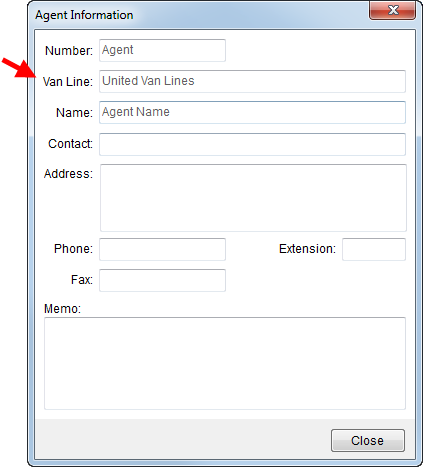
Figure 73: Agent Information dialog
|
Summary of Changes (6943) |
|
Van Line associated to an agent now appears within Agent Information. |
|
The following areas have been affected by this change:
|
RELEASE FIXES
This section lists any fixes made to MoversSuite for this release.
Dispatching & Local Services Fixes
Timeout error
We corrected an issue where users were getting a “Query timeout expired” error when a certain number of commissionable crew members were assigned to a particular order. (6970)
Integrations Fixes
Revised Third Party Error Message
The wording of the error messages encountered when the agent on an imported record has been marked as inactive has been modified. Prior to this fix the messages indicated that the agent record could not be found, now they’ll indicate that the “…agent has been marked inactive…” (6968)
Payment Management & Cash Receipts
Cash receipt batches created in Payment Management not available in Cash Receipts module
You can now create a cash receipt batch and payment through Payment Management and now these batches are also visible within the Cash Receipts module; this is needed to allow editing to occur through both Cash Receipts and Payment Management modules. (6936)
Disable the ability to edit van line statements through Payment Application
We no longer allow payments imported into MoversSuite to be edited. With recent changes made to allow cash receipts to be edited through Payment Application we inadvertently allowed imported records to be edited as well. You can still edit CSV Import files. (6933)
Description no longer required in Payment Application
Prior to this release, the Description setting was required when adding or editing a payment. You can now add and edit a payment within Payment Application without setting the Description field. (6934)
Payment Amount not in focus
Now when you add or edit a payment within Payment Application, the screen focus is on the Payment Amount field. On prior releases, the screen focus was on another field even though Payment Amount is the first setting. (6935)
Adjusted Address field alignment in Edit mode within Payment Application
We corrected a field alignment issue where the bottom of the address box in Payment Application (visible when viewing the entire customer information) did not line up with adjacent fields. (6937)
SCHEMA CHANGES
Schema changes for this release can be found by clicking on the following link. These changes may affect custom reports and other custom development.
The following link allows you to navigate through all MoversSuite tables and allows you to view field properties, such as type and maximum value size.
Graphical View of the MoversSuite Database (5.06)
VIDEOS
Below are videos created during this release of MoversSuite.
|
Version 5.05.0 |
Click here to download release notes (5.05)
RELEASE ANNOUNCEMENTS
Please read the following announcements regarding functionality and hardware/software changes for this release of MoversSuite.
•IMPORTANT RELEASE REQUIREMENTS
The following requirements are needed for this release:
Microsoft Dynamics GP 2013 R2
Microsoft Dynamics GP Build ATIP 12.0.7
Refer to the Hardware Requirements topic in our System Requirements for more information on the requirements for Microsoft Dynamics 2013.
•DATABASE SCHEMA IS AFFECTED BY THIS RELEASE
•KNOWN ISSUES EXIST FOR THIS RELEASE
KNOWN ISSUES
The following issues are known problems that may affect your decision to upgrade to this version of MoversSuite. The following are not fixed for this release.
Cash receipt batches created in Payment Management not available in Cash Receipts module
You can now create a cash receipt batch and payment through Payment Management, however these batches are not visible within the Cash Receipts module; this is needed to allow editing to occur through both Cash Receipts and Payment Management modules. (6936)
Citrix issue with phone number control
An issue that cannot be replicated is causing the phone numbers within the Shipper Contact Information section (Name, Address, Phone tab) to disappear and then reappear when a user clicks on that section, however, the user cannot edit them until they press Cancel (on the order) and then attempt to Edit again. (6409)
RELEASE ENHANCEMENTS
This section lists the enhancements made to MoversSuite for this release.
Add Cash Receipts from within Payment Management
When adding a new batch to Payment Management, you now have the option to create a cash receipt batch or a general payment batch. Prior to this release, when you created a new batch, it was only for general payments.
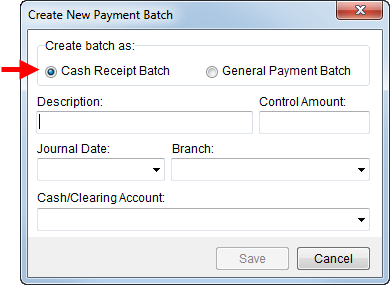
You can now add a cash receipt directly from Payment Management. We’ve enhanced the functionality behind the Add button on the Detail Processing tab to open the new Add New Payment screen. Using this screen you can easily create a cash receipt as well as define a manual payment.
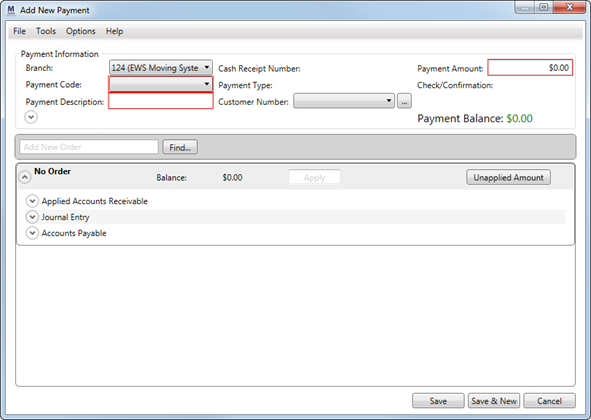
Figure 74: Payment Application screen in Add New Payment mode
This screen replaces the Add Wizard. You can set the branch,
payment, customer, payment amount, etc. You can also press access and update
more information by pressing the expand button ( ).
).
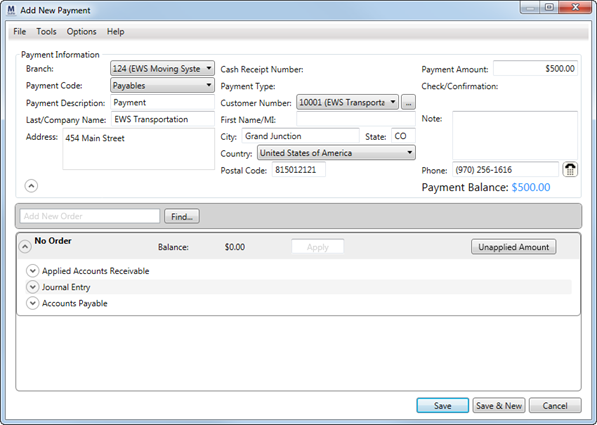
Figure 75: Payment Application screen in Add New Payment mode showing additional information
Just like in Cash Receipts, the shipper and customer information can be updated. Once the record is saved, you also have the ability to right-click in the Payment Information section and choose to Edit or Void the receipt.
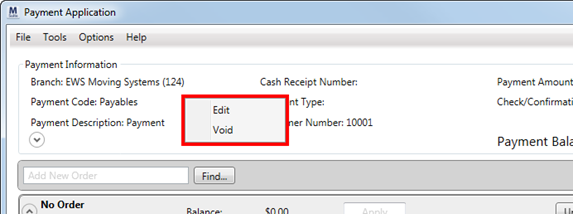
Figure 76: Add Local Service dialog
|
Summary of Changes (6756, 4880, 5196) |
|
Create a cash receipt batch through the New button in Payment Management. |
|
Cash receipts can be added directly to a batch through the Add button from the Detail Processing tab; prior to this release, the Add button opened the Add Wizard allowing users to create a detail statement line manually. |
|
Add Wizard has been replaced by opening the Payment Application screen in Add New Payment mode. |
|
You can Edit and Void a payment by clicking in the Payment Information section. Note: imported statement items cannot be edited. |
|
The following areas have been affected by this change:
|
Move Type added to Local Dispatch grids
The dispatching grids in Local Dispatch now have the move type available to them. This fields displays the Type of Move set for the order through Move Information.
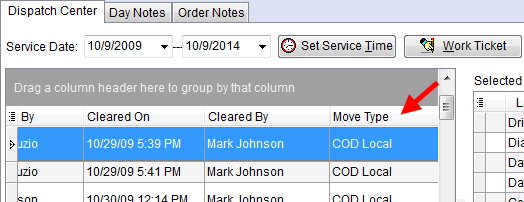
Figure 77: Move Type in Dispatch Center tab in Local Dispatch
|
Summary of Changes (6904) |
|
Move Type added to Dispatch Center and Requested Services grids. |
|
The following areas have been affected by this change:
|
RELEASE FIXES
This section lists any fixes made to MoversSuite for this release.
Order Information Fixes
Changing branch on local service zeros out Weight
We found and fixed an issue where the Weight of a local service was being cleared when switching between branches (in Add Local Service). (6909)
Crew hours not updating
The crew service hours need to recalculate based on the quantities updated through the CPU function (in Add Local Service). (6931)
CPU counts only saved for last service in spread
We noticed that CPU counts for local services were only being saved on the last service when a date spread was set when adding local services. If a date spread of 10/1 through 10/3 was entered, no CPU counts set for the service display for 10/1 and 10/2. (6927)
Payment Management & Cash Receipts Fixes
Imported statement payments not sorting correctly
Recent changes to combine similar payment items has caused an issue with sorting of the items (as managed through the Apply by Service dialog). (6802)
SCHEMA CHANGES
Schema changes for this release can be found by clicking on the following link. These changes may affect custom reports and other custom development.
The following link allows you to navigate through all MoversSuite tables and allows you to view field properties, such as type and maximum value size.
Graphical View of the MoversSuite Database (5.05)
VIDEOS
Below are videos created during this release of MoversSuite.
Overview of MoversSuite 5.05.0
|
Version 5.04.1 |
Click here to download release notes (5.04)
RELEASE ANNOUNCEMENTS
Please read the following announcements regarding functionality and hardware/software changes for this release of MoversSuite.
IMPORTANT RELEASE REQUIREMENTS
The following requirements are needed for this release:
•Microsoft Dynamics GP 2013 R2
•Microsoft Dynamics GP Build ATIP 12.0.7
NOTE: Refer to the Hardware Requirements topic in our System Requirements for more information on the requirements for Microsoft Dynamics 2013.
ADMINISTRATION CHANGES EXIST FOR THIS RELEASE
DATABASE SCHEMA IS AFFECTED BY THIS RELEASE
KNOWN ISSUES EXIST FOR THIS RELEASE
KNOWN ISSUES
The following issues are known problems that may affect your decision to upgrade to this version of MoversSuite. The following are not fixed for this release.
CPU counts only saved for last service in spread
We noticed that CPU counts for local services were only being saved on the last service when a date spread was set when adding local services. If a date spread of 10/1 through 10/3 was entered, no CPU counts set for the service display for 10/1 and 10/2. (6927)
Citrix issue with phone number control
An issue that cannot be replicated is causing the phone numbers within the Shipper Contact Information section (Name, Address, Phone tab) to disappear and then reappear when a user clicks on that section, however, the user cannot edit them until they press Cancel (on the order) and then attempt to Edit again. (6409)
RELEASE ENHANCEMENTS
This section lists the enhancements made to MoversSuite for this release.
Branch Selector Added to Local Services
You can now edit the Branch field for a service (see Add Local Service). A new selector has been added allowing you to modify the branch of a service until it has been assigned to crew/equipment or a work ticket generated for it.
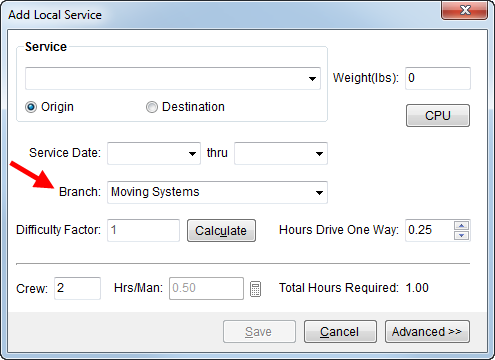
Figure 78: Add Local Service dialog
|
Note |
|
Changing the branch affects other fields in the Add Local Service dialog. For example, changing the Branch field resets the Service field and possibly the counts and weights associated to that service. The service will not change if a matching service for the new branch is found. Services are defined and linked to branches through Local Service Type Setup. |
|
Summary of Changes (6741) |
|
Added the ability to select a Branch directly from the Add Local Service dialog. Prior to this release, you could only set the branch when adding a new service. |
|
The following areas have been affected by this change:
|
Set CPU Counts on Local Services
You can now set and manage counts on local services. A new CPU option is available when adding or editing services through allowing you to set the estimated containers, packing and unpacking counts (see Containers, Packing and Unpacking (CPU)).
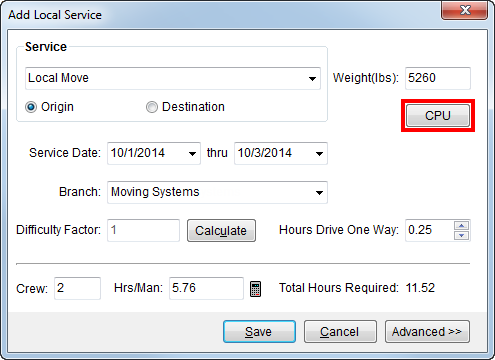
With this change, we also updated the Containers, Packing and Unpacking (CPU) dialog to include an option that imports the counts already set a the order level into the counts for the service and we added an option to clear the grid.
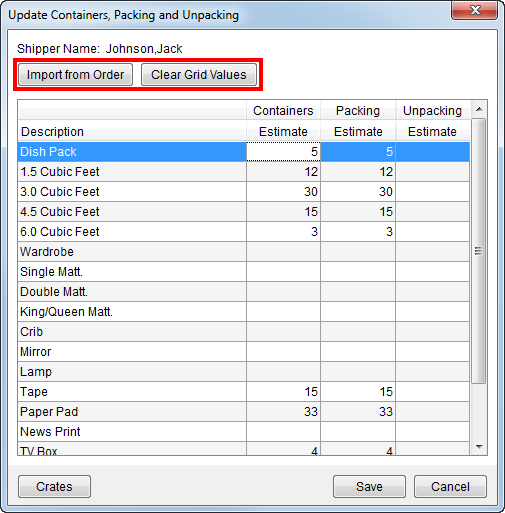
Figure 79: Update Containers, Packing and Unpacking dialog
Estimates set for the service are available for assign actuals to in Local Dispatch and import as revenue through the Transactions tab.
The Crating Information screen has been updated to allow you to document crate data at the order and/or service level, as well. The new option of Import from Order has also been added to this screen allowing you to import crate data set at the order level through the CPU button on Move Information.
|
Summary of Changes (6743) |
|
Added the ability to enter estimated counts for each service of an order. Prior to this release, counts only existed at the order level. Now they’re available at the order level, through Move Information, and through a CPU button on each service (see Add Local Service). |
|
The button label in has changed to |
|
Crating data can now be defined at the service level as well as for the order. A new Import from Order button has been added to Move Information; a new Delete All |
|
The following areas have been affected by this change: Update Containers, Packing and Unpacking
|
Add Customer Selector to Cash Receipts
You can now optionally select a customer to link to a cash
receipt. Options in the updated Customer Information section in Cash Receipts allow you to enter
the customer by name or by number or use the Customer Find ( ) to locate them.
Figure 80: Customer Information section in Cash Receipts
Once a customer is selected, the Associated Order(s) section automatically displays any customer orders with an open AR balance. You can check the Select box to link the appropriate order items to the cash receipt. Only those select here will be linked to the cash receipt when the record is saved.
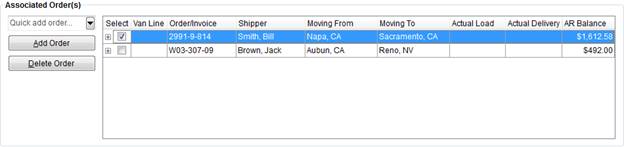
Figure 81: Associated Order(s) section in Cash Receipts
|
Note |
|
Changing the Customer of a receipt removes any selection made to the Associated Orders. |
|
You still have the ability to add and remove orders from being associated to the receipt. |
Another added feature is the ability to edit what displays for the customer. You are free to change the name, address, phone number, etc.
A saved cash receipt can be edited. Prior to this release you were unable to change certain fields, such as the Payment Type and Amount. Cash receipts can now be modified up until it is in process in Payment Management or has been printed.
|
Summary of Changes (6705, 6706, 6708, 6713) |
|
Added the ability to lookup a customer associated to a cash receipt. |
|
Once a customer is selected, the Associated Order(s) list all orders for the customer with open AR. Selected orders can be applied to within Payment Management. |
|
Customer data can be edited. |
|
Cash receipts can be modified as long as the batch is any status other than “In Process,” “Posted,” or “Voided.” |
|
New field allows you to Select which orders to associate. |
|
New field displaying the AR Balance for the orders listed under Associated Order(s). |
|
The following areas have been affected by this change:
|
Apply to AR transactions not existing in MoversSuite (6467)
You can now apply to AR from Microsoft Dynamics GP (GP documents). The application now makes positive AR transactions available as line items for the order within the Existing AR grid in Payment Application.
|
Summary of Changes (6467) |
|
AR created in Microsoft Dynamics GP is now available to apply to a payment. |
|
The following areas have been affected by this change:
|
View and apply to existing payables (5194)
With this release, you can now apply payables created in Microsoft Dynamics GP to a payment. These payables appear within the Accounts Payables section in Payment Application automatically when associated to the order and vendor.
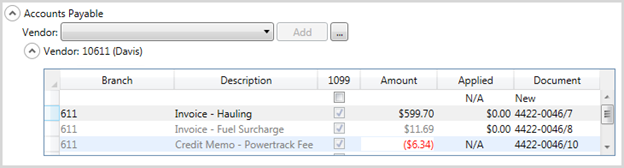
Figure 82: Accounts Payable section
Additionally, any payables with a positive amount for a vendor not associated to an order display in the “No Order” section.
|
Notes |
|
AP transactions generated in GP that are on hold are not available and will not be visible in the AP grids. |
|
AP transactions generated in GP cannot be deleted; the right-click option of “Remove” is grayed-out. They can be duplicated, though. |
The payable summary line has been modified to accommodate these changes, as well.

Figure 83: Vendor summary statement example
|
Summary of Changes (5194) |
|
You can now view and apply payables created in Dynamics GP to payments in MoversSuite; transactions on hold will not be available. |
|
These payables can be applied to and duplicated, but they cannot be deleted. |
|
Summary line at the top level of the Accounts Payable section displays more data. |
|
New columns of Applied and Document display in the payables section, allowing you to view the document number associated to generated payables and allowing you to apply an amount to the payment. Payables created within the Payment Application screen displays “N/A” in the Applied column and “New” in the Document column. These columns update once accounting transactions have been generated for them in Microsoft Dynamics GP. |
|
The following areas have been affected by this change:
|
Multiple file attachment improvements made to Document Management
We improved Document Management by allowing you to add multiple documents through the Attach feature; on prior releases, you could add multiple files using the drag-and-drop feature.
When adding multiple documents either through drag-and-drop or through the Attach button, you can take advantage of a new option allowing you to Apply Document Properties to All selected documents. When this flag is checked in the Attach File dialog, the Document Type, Description, and Notes, will be set for all subsequent documents included in the attachment. Note: The Cancel All is available allowing you to cancel all documents from being loaded into the viewer.
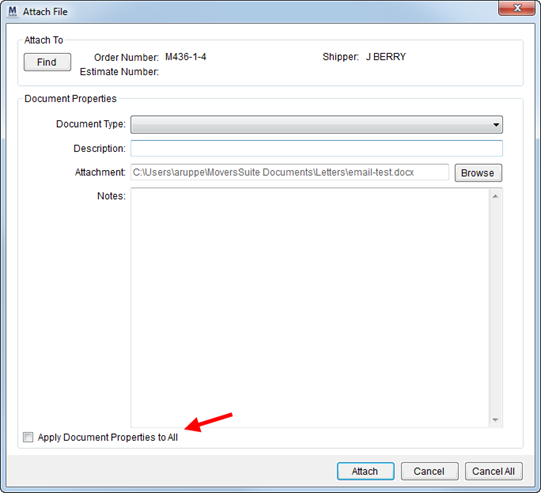
Figure 84: Attach File dialog
|
Summary of Changes (6717) |
|
The ability to add multiple documents at a time is now available through the Attach button in the Document Viewer. |
|
New option of Apply Document Properties to All added to the Attach File dialog. |
|
The following areas have been affected by this change:
|
Revenue Entry Work Tickets Improvements
Crew names assigned to a work ticket now display within the Work Tickets listing in Revenue Entry. You can also take advantage of new right-click option allowing you view and print work tickets from this grid.
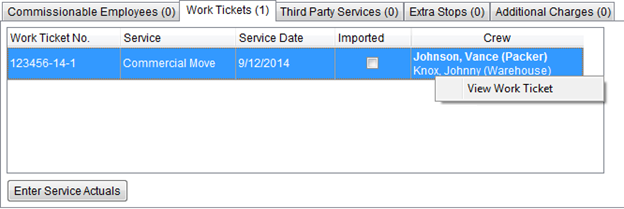
Figure 85: Work Tickets listing in Revenue Entry
|
Summary of Changes (6736) |
|
Crew listing and right-click option of View Work Ticket added to the Work Tickets tab on the Order Information tab in Revenue Entry. |
|
The following areas have been affected by this change: Order Information (Revenue Entry)
|
AR Balance Summary includes Customer number
The customer number now displays along with the customer in the AR Balance Summary section within the Summary tab in Revenue Entry. This helps identify the exact customer account involved with the transactions.
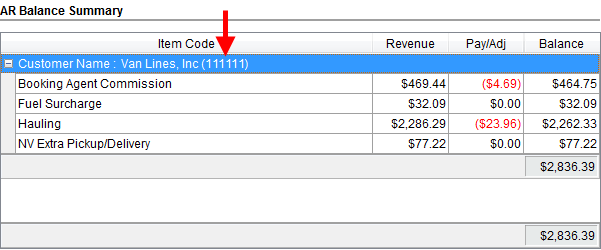
Figure 86: AR Balance Summary in Summary tab
|
Summary of Changes (6737) |
|
Customer Number added to the AR Balance Summary listing |
|
The following areas have been affected by this change:
|
Quick Find added to Claims
We added the Quick Find to the Claims modules. This feature allows you to quickly retrieve a known order or recently worked order for fast processing.
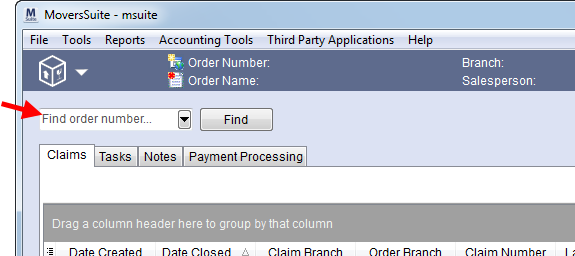
Figure 87: Quick Find in Claims
Selecting an order in the Quick Find populates the main data grid, just as what occurred when using the regular Find.
|
Summary of Changes (6744) |
|
Quick Find added to the Claims module |
|
The following areas have been affected by this change:
|
RELEASE FIXES
This section lists any fixes made to MoversSuite for this release.
General/Administration Fixes
Increased field size of the Bill To Contact in Account Profile Setup
We increased the field size of the Bill To Contact from 30 characters to 61 in Account Profile Setup to match what is set in Microsoft Dynamics GP. (6334)
Name change for role in profile setup
The Payment Management Code profile in Admin Profile Setup has been change to Statement Payment Code to match the actual setup option under the Accounting and Financial Services menu (Statement Payment Code Setup). (6781)
Integrations Fixes
Atlas import no long overwrites Contract
We corrected an issue where the Contract of a MoversSuite order was being overwritten on an import from Atlas when the Billing Code was included. With this release, if the Contract is already set in MoversSuite it is not overwritten. (6797)
Unable to download SIRVA orders
Users were unable to download some SIRVA orders when the salesperson associated to the download had more than one labor type set (in Personnel Setup). (6899)
Unknown exception occurred importing a SIRVA order
An issue with multiple personnel mappings on a person associated to the order was causing this error:
An error occurred while importing the downloaded order: an unknown exception occurred while importing the order.
(6896)
SIRVA statement import multiplying some payments
When importing a SIRVA statement from a text file, some payments were duplicating and even triplicating. (6916)
Order Information Fixes
Valuation not referencing the Estimated Weight
Valuation amount computed based on weight was referencing the Hauled Weight of an order only. The application now references the Estimated Weight of an order when the Hauled Weight is not available. (6147)
|
Notes |
|
Hauled Weight and Estimated Weight are managed for the order within Move Information and Billing Information (Revenue Entry). |
|
Valuation amount is computed within Move Information and Claim Detail. |
Large files added to Document Management caused misleading error
Document Management can only handle files up to 18 megabytes (MB) in size. If this maximum is exceeded the error returned was misleading. Now this error reads as, “Sorry, this document is too big. You cannot upload a file that is more than 18 megabytes.” (6704)
Payment Management & Cash Receipts Fixes
Only MoversSuite created documents available as No Order receivables
Only MoversSuite created documents display in the Existing AR section for the “No Order” listing in Payment Application. The AR for the “No Order” should auto-populate with all non-MoversSuite created documents. (6899)
Authority not set on Debit Memo
We found that the authority was not being set on debit memo transactions associated to cash receipt applied to a journal entry through Payment Application. This causes items to show up as AR when aging by authority. (6891)
Existing payables not showing under No Order
In a prior release, we added the ability to view and use payables created in Microsoft Dynamics GP. One of the features that was not working correctly was to display AP items with a balance and with no MoversSuite order associated to them under the appropriate vendor of the No Order section. These payables now display correctly in Payment Application. (6900)
Incorrect transactions generated
A Payment Application issue has been fixed that was causing incorrect transaction to be generated on cash receipts when applied and unapplied amounts went across multiple branches. (6911)
Zero AP balances showing in Payment Application
Payables with a zero amount were being pulled in for the selected vendor (within the Accounts Payable section in Payment Application). This has been fixed to only show payables with a positive amount. (6919)
Error exception when applying a payment by service code
An issue has been corrected that threw the following error when applying to multiple service codes through the Apply by Service dialog:
Exception: Exception has been thrown by the target of an invocation.
This error is related to recent changes made to bring in existing AR and AP into MoversSuite to be included in the apply payment process. (6920)
Duplicate payables listing
Related to recent changes to include payables from Dynamics GP into MoversSuite to be included in the payment apply process, we found and fixed an issue that was causing duplicate payables to display in the Account Payable section in the Payment Application. (6925)
Upward adjustment on a payment causing error
In Payment Application, an error is returned in the specific case where a payment is received with an amount that is greater than the invoice amount and an upward adjustment is performed to take payment back to a zero balance. The error returned is “Applied amount cannot exceed the remaining positive AR balance on this invoice.” (6799)
Unable to edit a Cash Receipt Batch
In a prior release, we modified how a Cash Receipts batch is handled in Payment Management. Inadvertently, we also restricted the ability for a person to edit the batch, specifically to move a cash receipt to a voided batch.
We modified the application to allow a batch to be edited any time up until it is voided (status of “Voided”).
Of note, you can also edit a cash receipt until it has been printed or has a status of “In Process” or “Voided.” (6890)
Payable 1099 flag reverting change when other lines changed
If the 1099 flag is changed on a payable in the Accounts Payable section in Payment Application and a payable is added or deleted, or if another line is changed, the 1099 flag change was not being saved. The state of any changed line is now not affected by changes made to other lines in this section. (6700)
Revenue Entry Fixes
Error running MS Order Transactions report
The MS Order Transactions Report was returning an error from a sub-report. This issue was related to the changes made to allow multiple labor types on personnel records. (6886)
Increase field size of driver and salesperson names when generating transactions
The driver and salesperson fields on transactions generated in MoversSuite have been increased to 43 characters (44 including space) to match what is expected in Microsoft Dynamics GP. (6786)
Tasks Fixes
Task User stripped from
merged personnel records
With the advent of the ability to merge personnel records (see Merging Personnel Records), the Task User on tasks only displays for the primary record of the merge; tasks from records merged into the primary record no longer have the Task User set for them. With this release, merging users no longer removes them as a task user. (6908)
Unable to set multiple-digit
dependency date on copied tasks
Prior to this release, if a task based on a dependency date was copied, you could only enter the number of digits set for the number of days due on or before the dependency date, i.e. due date was five days after the Actual Load date, you could only enter a single-digit number (you were prevented from enter 10 or higher. This is issue is resolved with this release. (6757)
Roles column added to Task User drop-down selectors
With the change to add support for multiple role assignments to a user’s personnel record, we also needed to display these multiple roles when selecting or assigning a Task User. With this release, there is a new Roles column allowing you to view the assignments for users when selecting a Task User either to view their to-do listing from the Workflow tab or when adding or editing a task.
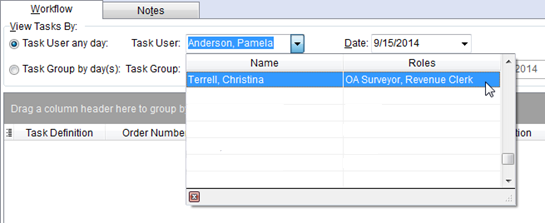
Figure 88: Task User selector in Tasks
If a user has multiple Labor Types (roles) assigned to their record, the Roles column displays each assignment. If the user has multiple personnel records, they list as individual users, i.e. separate task users. (6778)
SCHEMA CHANGES
Schema changes for this release can be found by clicking on the following link. These changes may affect custom reports and other custom development.
The following link allows you to navigate through all MoversSuite tables and allows you to view field properties, such as type and maximum value size.
Graphical View of the MoversSuite Database (5.04)
VIDEOS
Below are videos created during this release of MoversSuite.
Overview of MoversSuite 5.04.0
|
Version 5.02.0 |
Click here to download release notes (5.02)
RELEASE ANNOUNCEMENTS
Please read the following announcements regarding functionality and hardware/software changes for this release of MoversSuite.
IMPORTANT RELEASE REQUIREMENTS
The following requirements are needed for this release:
•Microsoft Dynamics GP 2013 R2
•Microsoft Dynamics GP Build ATIP 12.0.7
NOTE: Refer to the Hardware Requirements topic in our System Requirements for more information on the requirements for Microsoft Dynamics 2013.
ADMINISTRATION CHANGES EXIST FOR THIS RELEASE
DATABASE SCHEMA IS AFFECTED BY THIS RELEASE
KNOWN ISSUES EXIST FOR THIS RELEASE
KNOWN ISSUES
The following issues are known problems that may affect your decision to upgrade to this version of MoversSuite. The following are not fixed for this release.
Task User stripped from merged personnel records
With the advent of the ability to merge personnel records (see Merging Personnel Records), the Task User on tasks only display for the primary record of the merge; tasks from records merged into the primary record no longer have the Task User set for them. (6908)
Only MoversSuite created documents available as No Order receivables
Only MoversSuite created documents display in the Existing AR section for the “No Order” listing in Payment Application. The AR for the “No Order” should auto-populate with all non-MoversSuite created documents. (6899)
Unable to edit a Cash Receipt Batch
In a prior release, we modified how a Cash Receipts batch is handled in Payment Management. Inadvertently, we also restricted the ability for a person to edit the batch, specifically to move a cash receipt to a voided batch. (6890)
Upward adjustment on a payment causing error
In Payment Application, an error is returned in the specific case where a payment is received with an amount that is greater than the invoice amount and an upward adjustment is performed to take payment back to a zero balance. The error returned is “Applied amount cannot exceed the remaining positive AR balance on this invoice.” (6799)
Citrix issue with phone number control
An issue that cannot be replicated is causing the phone numbers within the Shipper Contact Information section (Name, Address, Phone tab) to disappear and then reappear when a user clicks on that section, however, the user cannot edit them until they press Cancel (on the order) and then attempt to Edit again. (6409)
RELEASE ENHANCEMENTS
This section lists the enhancements made to MoversSuite for this release.
NO ENHANCEMENTS EXIST FOR THIS RELEASE
RELEASE FIXES
This section lists any fixes made to MoversSuite for this release.
General/Administration Fixes
Merge/Cancel buttons in wrong order in Merge Personnel
The Merge and Cancel buttons were in the wrong order, which was causing some confusion since the application generally has the Cancel option to the right. The order of these buttons in the Merge Personnel dialog (see Merging Personnel Records) has been corrected to list Merge on the left and Cancel on the right. (6761)
Hide System Type in event type setup areas
The System Type checkbox was appearing when defining new Equipment Event Type Setup and Personnel Event Type Setup records. The System Type flag is used internally by MoversSuite. (6426)
Integrations Fixes
UniGroup AOM Registration Send can blank out phone numbers
UniGroup AOM Registrations Sends that do not include the phone number will no longer blank out existing phone numbers on the order (refer to UniGroup Downloads). (6468)
Claims Fixes
Task due date not set on certain dependency date type
The Due Date for a claim (visible within the main Claim grid and within Claim Detail) was not being set on tasks associated to the Claim Settlement Assigned to Vendor Date dependency date (see Task Dependency Dates). (6755)
Payment Management Fixes
Auto Apply for invoices not working for some scenarios
Negative items associated to service codes for an invoice were not showing in the Apply by Service dialog. These items, therefore were not included when auto-applying at the Invoice Level causing the Payment Balance to be non-zero when it appeared that all payments were satisfied. This Payment Application issue has been corrected. (6803)
Payment Balance not correct after upward adjust to fully applied Service Code Item
When an upward adjustment was made to a fully applied item, the Payment Balance was not correct. The Payment Balance now updates correctly at all times (see Payment Application). (6793)
CSV Import not apply when driver number exceeds seven characters
The application was not automatically applying to a vendor's account on a CSV Import when the driver number exceeded seven characters. The Driver Number field has been increased to accommodate the largest possible driver number (15 characters; refer to the Driver Number filed in the Dispatch tab of Personnel Setup). (6504)
Payment Management and Revenue Entry Fixes
Reversals to commissions in MoversSuite causing incorrect Commission Statement
Adjustments and reversals to commissions through MoversSuite were causing the Commission Statement to display incorrect data. MoversSuite was creating extra apply to documents that caused this problem; MoversSuite has been modified to no longer include incorrect apply to documents. (6787)
Reversing transactions already posted in Dynamics GP not apply to original transaction
Recent changes to our ATIP integration with Microsoft Dynamics GP allowed for the process to handle multiple applies. However, if transaction that was already posted in Dynamics GP is reversed and then imported back into MoversSuite, the new transaction does not affect the original transaction. This issue has been corrected in this version of MoversSuite. (6775)
Tasks Fixes
Update Tasks to better utilize recent Labor Type changes
The drop-down when selecting a Task User now displays each user along with their Role, which displays the role or roles assigned to the user through the Labor Type assignment within their Personnel Setup record.
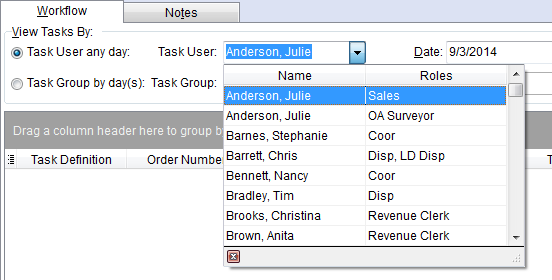
Figure 89: Task User menu in Tasks module
If a user has multiple Roles, then each assigned role displays in the Roles column, such as the “Barrett, Chris” record in the above example (Fig. 1). If the user has separate personnel records, then they display for each record they have, such as the “Anderson, Julie” records above. (6762)
SCHEMA CHANGES
Schema changes for this release can be found by clicking on the following link. These changes may affect custom reports and other custom development.
The following link allows you to navigate through all MoversSuite tables and allows you to view field properties, such as type and maximum value size.
Graphical View of the MoversSuite Database (5.02)
VIDEOS
Below are videos created during this release of MoversSuite.
NO NEW VIDEOS FOR THIS RELEASE
|
Version 5.01.1 |
Click here to download release notes (5.01)
RELEASE ANNOUNCEMENTS
Please read the following announcements regarding functionality and hardware/software changes for this release of MoversSuite.
IMPORTANT RELEASE REQUIREMENTS
The following requirements are needed for this release:
•Microsoft Dynamics GP 2013 R2
•Microsoft Dynamics GP Build ATIP 12.0.7
NOTE: Refer to the Hardware Requirements topic in our System Requirements for more information on the requirements for Microsoft Dynamics 2013.
ADMINISTRATION CHANGES EXIST FOR THIS RELEASE
DATABASE SCHEMA IS AFFECTED BY THIS RELEASE
KNOWN ISSUES EXIST FOR THIS RELEASE
KNOWN ISSUES
The following issues are known problems that may affect your decision to upgrade to this version of MoversSuite. The following are not fixed for this release.
Task User stripped from merged personnel records
With the advent of the ability to merge personnel records (see Merging Personnel Records), the Task User on tasks only display for the primary record of the merge; tasks from records merged into the primary record no longer have the Task User set for them. (6908)
Upward adjustment on a payment causing error
In Payment Application, an error is returned in the specific case where a payment is received with an amount that is greater than the invoice amount and an upward adjustment is performed to take payment back to a zero balance. The error returned is “Applied amount cannot exceed the remaining positive AR balance on this invoice.” (6799)
Citrix issue with phone number control
An issue that cannot be replicated is causing the phone numbers within the Shipper Contact Information section (Name, Address, Phone tab) to disappear and then reappear when a user clicks on that section, however, the user cannot edit them until they press Cancel (on the order) and then attempt to Edit again. (6409)
RELEASE ENHANCEMENTS
This section lists the enhancements made to MoversSuite for this release.
Report Groups Added
Custom groups are now available for categorizing the Reports Menu. Your company can define any number of report groups and assign specific reports to this menu through the new Report Group Setup. For example, all reports related to Local Dispatch can be placed in a group titled, “Dispatch.”
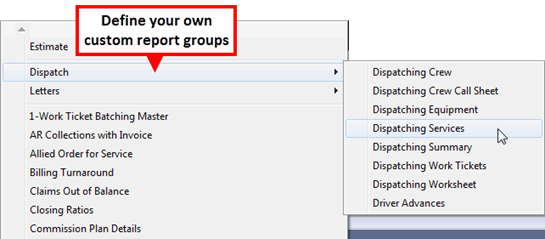
Figure 90: Groups in Reports Menu
Report Groups are visible to all users, however, report access remains specific to each Report Profile (see Report Profile Setup).
Related to this change is the ability to offer more reports through the Print Label button in Name, Address, Phone. We replaced the System Report IDs of “HLAB” and “OLAB” with “LABL.”
CHANGE SUMMARY (6413):
The following have been added or modified:
Standard Report and Document Listing
Recall Previous Find Values
User can now retrieve the search criteria values used from a prior search. The Use search criteria from previous Find option is available in all Find dialogs and when checked, automatically fills in the values of the last successful search.
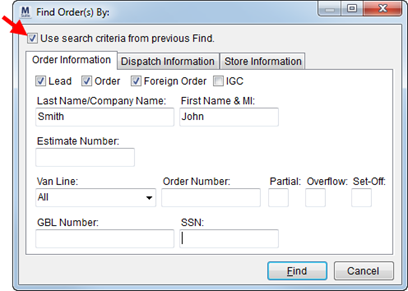
Figure 91:Find Order(s) By dialog
CHANGE SUMMARY (6603):
The following have been added or modified:
Payment Management:
Remove Single Letter Payment Codes
We removed all reliance on single letter M, C, and P codes to indicate the payment type. New payment codes and setup are now referenced by statement import process and within Payment Management. The default Payment Codes provided by MoversSuite are:
Claim (known as “C” prior to this change)
Payable (“P”)
Receivable (“M”)
Several places were modified to allow room for the entire Payment Code and remove any reference to M, C, and P codes. These screens include Split Statement, Detail Processing, and Payment Application (6315, 6240).
We updated the Payment Management Type Mapping Setup to include the ability to define different Payment Codes (other than “Claim,” “Payable,” and “Receivable.”) and to define mappings that link these Payment Code values to particular external applications, such as van lines (6399). All existing mappings will be converted from the old setup to the new Statement Payment Code Setup.
An additional option allows administrators the ability to automatically set the vendor based on the driver included on the statement. This flag is titled Always Attach Driver and when set for an interface mapping instructs the application to set the vendor based on the imported driver (6474). Note: The Charge Matching Vendors option must be set in order for this functionality to work (see Statement Import Summary).
CHANGE SUMMARY (6315, 6240, 6399, 6474):
The following have been added or modified:
Payment Management:
Claims Processing Option Removed
The Claim Processing menu has been removed from the right-click options in Payment Management (6452).
Payment Management:
Show Invoices Option Removed
Show Invoices option in Payment Application was causing performance issues when attempting to display a large number of items. This option has been removed. Now only items with a balance display in the Applied Accounts Receivable and other sections in this screen.
CHANGE SUMMARY (6515):
The following have been added or modified:
Payment Management & Revenue Entry:
Invoice Option Added to Document View in Dynamics GP Order Inquiry
The Dynamics GP Order Inquiry now provides a “Invoice” option within the Document View option. With the Invoice view selected, the data grid displays each invoice for the order along with all items associated to the invoice.
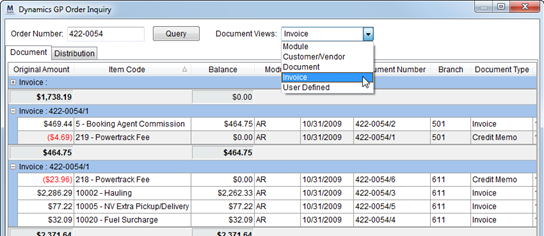
Figure 92: Dynamics GP Order Inquiry
CHANGE SUMMARY (6518):
The following have been added or modified:
Payment Management:
Allow Upward Adjustment by Service Code
Users can now over apply at the Service Code Level in Apply by Service, i.e. the Applied amount can exceed the Balance. Prior to this release, only downward adjustments were allowed (6395).
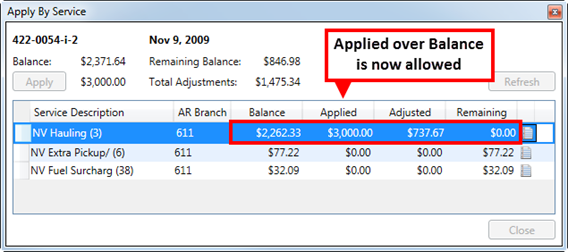
Figure 93: Apply by Service dialog
CHANGE SUMMARY (6395):
The following have been added or modified:
Payment
Management:
Process True Cash Receipts
Users can now process true cash receipts through Payment Application. A new administrative setup allows users to define a clearing account specific to all payment apply processing (see Payment Management Clearing Account Setup).
CHANGE SUMMARY (4881):
The following have been added or modified:
Payment Management Clearing Account Setup
Payment Management:
Allow Over Apply of Payment
Users can apply more than the payment amount using any combination of transactions as long as the resulting payment balance is zero (0). For instance, if over applying a payment to accounts receivables results in a negative Payment Balance, a user must create journal entries and/or payable entries to get the balance to a zero amount.
CHANGE SUMMARY (5297):
The following have been added or modified:
Payment Management:
Summarize Payments on UniGroup Statement Import
We now summarize all payments (receivables) for an order imported from UniGroup. For each order, a single payment is created for all line items that map to a Payment Code associated to a “Receivable;” all negative and positive items are combined into one single entry; the Statement Import Detail screen lists each individual item comprising the payment amount.
Auto apply functions as it did prior to this release by applying all positive payment amounts for a particular service code up to the balance on the service code or the AR balance.
CHANGE SUMMARY (6578):
The following have been added or modified:
RELEASE FIXES
This section lists any fixes made to MoversSuite for this release.
NO RELEASE FIXES
SCHEMA CHANGES
Schema changes for this release can be found by clicking on the following link. These changes may affect custom reports and other custom development.
The following link allows you to navigate through all MoversSuite tables and allows you to view field properties, such as type and maximum value size.
Graphical View of the MoversSuite Database (5.01)
Videos
Below are videos created during this release of MoversSuite.
This video details the changes made to MoversSuite at version 5.01.1 including administrative setup and usage of Report Groups, Payment Management Enhancements that allow upward adjustments, over apply of payments, and more.
|
Version 5.00.0 |
Click here to Download Release Notes
RELEASE ANNOUNCEMENT
Please read the following announcements regarding functionality and hardware/software changes for this release of MoversSuite.
IMPORTANT RELEASE REQUIREMENTS
The following requirements are needed for this release:
•Microsoft Dynamics GP 2013 R2 (Service Pack 2)
•Microsoft Dynamics GP Build ATIP 12.0.6
NOTE: Refer to the Hardware Requirements topic in our System Requirements for more information on the requirements for Microsoft Dynamics 2013.
ADMINISTRATION CHANGES EXIST FOR THIS RELEASE
DATABASE SCHEMA IS AFFECTED BY THIS RELEASE
REPORTS ARE AFFECTED BY THIS RELEASE
KNOWN ISSUES
The following issues are known problems that may affect your decision to upgrade to this version of MoversSuite. The following are not fixed for this release.
There are issues with phone number rankings in Shipper Contact Information section (on the Name, Address, Phone tab) not setting correctly through Citrix (6409).
RELEASE ENHANCEMENTS
Click here to watch the MoversSuite 5.00.0 Overview
This section lists the enhancements made to MoversSuite for this release.
Support for Multiple Labor Types per User
In past versions of MoversSuite, a person could only be assigned to one labor type (or role). In many companies a person can have several roles. Further, a person may need to be commissioned differently based on their role.
To overcome the restriction of assigning a single labor type to a person, a company had to create multiple personnel records for a given person.
With this version, MoversSuite allows a company to assign multiple labor types to one personnel record. Only one record to manage! Further, we’ve added a merge option so that administrators can locate all personnel records and combine them into a single record.
The following are the highlights of the enhancement made to support multiple labor types per user.
Administrators can assign multiple labor types to an individual Personnel Setup record. They can also mark one to be the default for auto-assignment function in Local Dispatch.
New phone control provides a more efficient way to manage employee phone numbers.
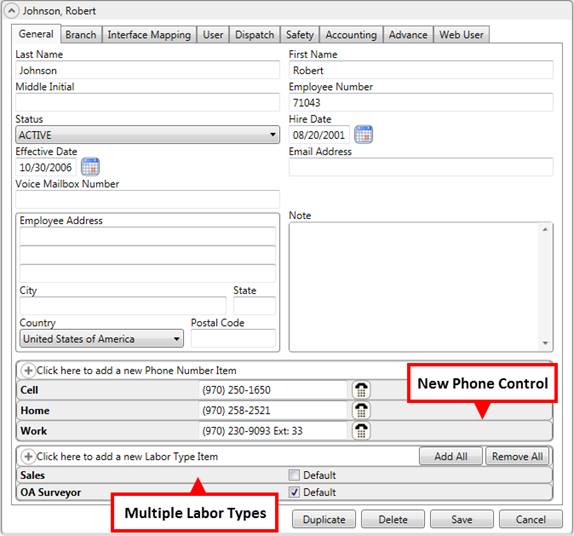
Figure 94: Personnel Setup - General tab
Administrators can assign labor types to each interface the employee maps to for external systems (refer to Interface Mapping tab under Personnel Setup)
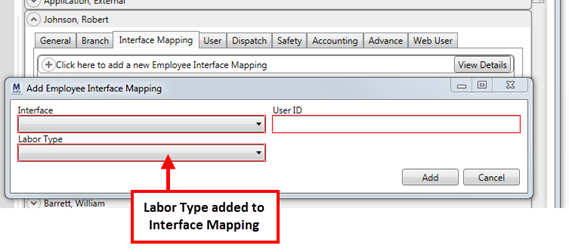
Figure 95: Personnel Setup – Add Employee Interface Mapping
Vendor identification can be assigned to each role (Labor Type) the person associates to under the Accounting tab.
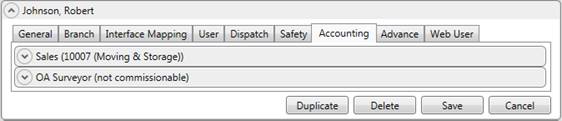
Figure 96: Personnel Setup - Accounting tab
With this change, the Labor Type associated to the person receiving a commission, or who displays as a Commissionable Employees, shows along with their name. Hover over the commission listing in the Transactions grid to see the name and Labor Type. The Labor Type also shows next to the person when adding or modifying commission (refer to the Person field in Add Revenue Commission).
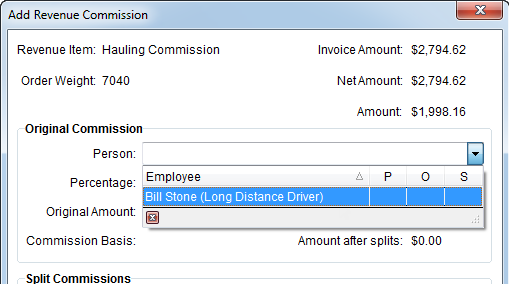
Figure 97: Add Revenue Commission
In Local Dispatch, the “Assign Crew” right-click options transforms into “Assign As” allowing dispatchers to choose the appropriate role for the assignment. We now list the Role(s) set for the crew member as well; previously this column was titled, “Type.”
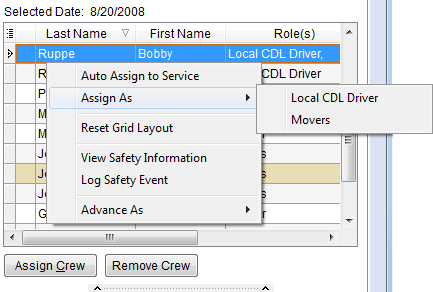
Figure 98: Local Dispatch - Assign As option
Additionally, in the Edit/Assign Crew screen, they’ll have the option to modify the role, as well.
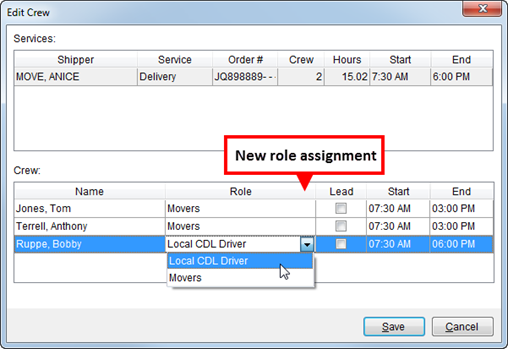
Figure 99: Local Dispatch - Edit Crew
New “Advance As” option replaces “Advance Management” when multiple labor types exist that can draw an advance from.
Figure 100: Local Dispatch - Advance As option
Labor Type also displays next to the employee within the Commissionable Employees section in Revenue Entry.
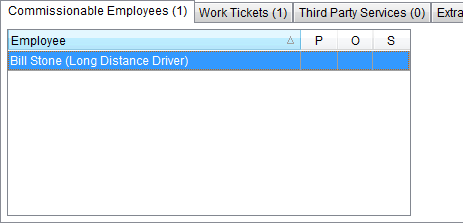
Figure 101: Revenue Entry - Commissionable Employee tab
The size of the Note attached to a Personnel Setup record is now unlimited in size. On prior versions the Note was limited to 60 characters.
The Employee Commission Plans Report has been modified to reference the vendor associated to an employee and new Labor Type mapping tables.
Merging Personnel Records
Merging personnel records is optional. MoversSuite does not merge any of your personnel records, however we do provide a function in MoversSuite Administration that allows you to merge all records selected in a search. For example, administrators can open Personnel Setup, search for all records for “John Smith”, and the select the Merge Items Shown option.
A prompt displays requesting which record is to be the primary record; all other listed records are merged into the primary record. The merge tool takes all data and updates the primary record and removes all other records.
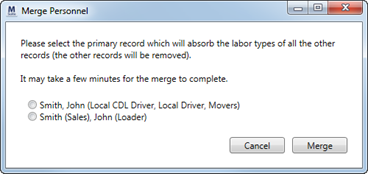
Figure 102: Merge Personnel dialog
All data is merged into one Personnel Setup record. The merge tool combines Branch and Interface Mapping data into one listing. All Safety events from all merged records will be available on the primary record.
Before merging, we recommend that you identify the primary or base record and update this record’s information from all those you’re merging with.
Refer to Merging Personnel Records topic for merge procedures.
CHANGE SUMMARY (4716):
The following have been added or modified:
Employee Commission Plans Report
Order Information (Revenue Entry)
Right-Click Options (Local Dispatch)
RELEASE FIXES
This section lists any fixes made to MoversSuite for this release.
Claims Fixes
Field Label Change on Claim Find
The label reading “Actual Date Created” in the Find evoked through Claims was incorrect. It actually refers to the “Actual Claim Received” date in Claim Detail. This label now reads correctly (see Claim Information Search Criteria) (6655).
General Fixes
MoversSuite Versioning Format Updated
MoversSuite version numbering format has been updated to 5.00.0, with the “5” being the major release, the “00” being the minor release, and the last “0” being for incremental releases that may come out in between minor releases.
We provide a release every two weeks, therefore future numbering will be as follows:
5.00.0
5.01.0
5.02.0 and so on.... (6727)
Revenue Entry Fixes
No Longer Importing Rate on a Rating Send if No Quantities
Prior to this release, MoversSuite imported the rate on UniGroup Rating Send regardless of whether the quantities were not included in the send. The issue appeared when invoicing. The rate was set but listed zero for the quantities. Now the rate is only set when there are quantities associated to it (6644).
SCHEMA CHANGES
Schema changes for this release can be found by viewing the Schema Changes Version 5.00 topic. These changes may affect custom reports.
Click here for a graphical interpretation of the MoversSuite database schema (5.00).
Videos
Below are videos created during this release of MoversSuite.
This video details the changes made to MoversSuite at version 5.00.0, including administrative setup and usage of multiple Labor Types, using the merge tool to combine personnel records, and touches on the fixes made at this release.
Using the Merge Items Shown option within MoversSuite Administration is covered in this video.
|
Version 4.100 |
Announcements
Please read the following announcements regarding functionality and hardware/software changes for this release of MoversSuite.
NO ANNOUNCEMENTS MADE AT THIS RELEASE
NOTE: Refer to the Hardware Requirements topic in our System Requirements for more information on the requirements for Microsoft Dynamics 2013.
Known Issues
The following issues are known problems that may affect your decision to upgrade to this version of MoversSuite. The following are not fixed for this release.
There are issues with phone number rankings in Shipper Contact Information section (on the Name, Address, Phone tab) not setting correctly through Citrix (6409).
Release Enhancements
This section lists the enhancements made to MoversSuite for this release.
NO ENHANCEMENTS MADE AT THIS RELEASE
Release Fixes
This section lists any fixes made to MoversSuite for this release.
General Fixes
SQL Exception on Advances to Newly Added Employee
An SQL exception appeared when generating advance transactions for a newly added employee. The exception was a result of missing permissions to the ItemTableType entry. The MssExec role, which is part of MoversSuite User Setup for SQL Security, has been updated to include the EXECUTE permissions to the ItemTableType entry (6703).
Revenue Clerk not set when Duplicating Orders
An issue with the Create Duplicate Order function not populating the Revenue Clerk is now fixed (6432).
Schema Changes
This section lists any database changes that occurred at this release. These changes may0 affect custom reports.
NO SCHEMA CHANGES FOR THIS RELEASE
Click here for a graphical interpretation of the MoversSuite database schema (4.100).
|
Version 4.98 |
Announcements
Please read the following announcements regarding functionality and hardware/software changes for this release of MoversSuite.
NO ANNOUNCEMENTS MADE AT THIS RELEASE
NOTE: Refer to the Hardware Requirements topic in our System Requirements for more information on the requirements for Microsoft Dynamics 2013.
Known Issues
The following issues are known problems that may affect your decision to upgrade to this version of MoversSuite. The following are not fixed for this release.
There are issues with phone number rankings in Shipper Contact Information section (on the Name, Address, Phone tab) not setting correctly through Citrix (6409).
Release Enhancements
This section lists the enhancements made to MoversSuite for this release.
NO ENHANCEMENTS MADE AT THIS RELEASE
Release Fixes
This section lists any fixes made to MoversSuite for this release.
Administration Fixes
Hide Disabled Configurations from Administrators
Administrators will only see functionality their company has appropriate privileges to access. Prior to this release, administrators were able to see configuration screens and settings that were inactive at a company-level (6516).
AR Credit & Collections Fixes
Unable to Read Dollar Amount in Aging Graph
The dollar amount for each date range group is no longer the same color as the bar representing it. Prior to this release, users were unable to read the amounts in the AR Aging Graph in the Customer Information section (5740).
Payment Management Fixes
Wildcard Search Character Now Works Correctly in GL Account Find
The percent character % wildcard now works on the front end of value when searching accounts in the GL Account Find. For example, if searching for “clearing” somewhere in the description of a GL account, you can enter “%clearing” and list of all entries containing that word display. This works for the GL Number as well, e.g. “%-1001-155”.
Prior to this release, the % wildcard only worked in the GL field when searching for GL or Description records (6610).
Tasks Fixes
Duplicate Tasks Generated in Error
An issue has been corrected where duplicate task items were created when a manually added task (“free” task) was associated to a new extra stop or job (6669).
Schema Changes
This section lists any database changes that occurred at this release. These changes may0 affect custom reports.
NO SCHEMA CHANGES FOR THIS RELEASE
Click here for a graphical interpretation of the MoversSuite database schema (4.98).
Videos
Below are videos created during this release of MoversSuite.
NO NEW VIDEOS FOR THIS RELEASE
|
Version 4.96 |
Announcements
Please read the following announcements regarding functionality and hardware/software changes for this release of MoversSuite.
NO ANNOUNCEMENTS MADE AT THIS RELEASE
NOTE: Refer to the Hardware Requirements topic in our System Requirements for more information on the requirements for Microsoft Dynamics 2013.
Known Issues
The following issues are known problems that may affect your decision to upgrade to this version of MoversSuite. The following are not fixed for this release.
There are issues with phone number rankings in Shipper Contact Information section (on the Name, Address, Phone tab) not setting correctly through Citrix (6409).
Users unable to read amount on the aging graph in AR Credit & Collections due to the bar being the same color as the amount (5740).
Release Enhancements
This section lists the enhancements made to MoversSuite for this release.
NO ENHANCEMENTS MADE AT THIS RELEASE
Release Fixes
This section lists any fixes made to MoversSuite for this release.
Installations/Conversions Fixes
Shorter MoversSuite Installer Name
MoversSuite installer file has been renamed to reference a shortened version number instead of the longer version that included the full build number. With this fix, the name of the installer file is in the format of “MoversSuiteN.NN_ClientSetup”, where N.NN is the shortened MoversSuite version number, e.g. “4.96” (6605).
Users can Change Installation Location of the MoversSuite Client
Users can now change the installation location of the MoversSuite client. Prior to this release, users were unable to modify the Destination Folder as it pertained strictly to the location of the MoversSuite Administration location. A recent change prevented users from changing the Destination Folder for the install location of the MoversSuite client. With this release, users can change the location of the MoversSuite client location (in MoversSuite Setup).
The location of MoversSuite Administration now exists as a subfolder (specifically named “MoversSuite Admin”) within the location set for the MoversSuite client (6608).
Integrations Fixes
Missing Detail/Payments on Atlas Statement Import
Issue with missing details on an Atlas statement import has been resolved. Atlas payments without distributions were inappropriately merged with payments that have no distribution (and summarized by order). MoversSuite has been modified to not include any payment without distributions when summarizing by order in the Statement Import Detail (6607, 6643).
Schema Changes
This section lists any database changes that occurred at this release. These changes may0 affect custom reports.
NO SCHEMA CHANGES FOR THIS RELEASE
Click here for a graphical interpretation of the MoversSuite database schema (4.96).
Videos
Below are videos created during this release of MoversSuite.
NO NEW VIDEOS FOR THIS RELEASE
|
Version 4.94 |
Announcements
Please read the following announcements regarding functionality and hardware/software changes for this release of MoversSuite.
NO ANNOUNCEMENTS MADE AT THIS RELEASE
NOTE: Refer to the Hardware Requirements topic in our System Requirements for more information on the requirements for Microsoft Dynamics 2013.
Known Issues
The following issues are known problems that may affect your decision to upgrade to this version of MoversSuite. The following are not fixed for this release.
There are issues with phone number rankings in Shipper Contact Information section (on the Name, Address, Phone tab) not setting correctly through Citrix (6409).
Users unable to read amount on the aging graph in AR Credit & Collections due to the bar being the same color as the amount (5740).
Release Enhancements
This section lists the enhancements made to MoversSuite for this release.
NO ENHANCEMENTS MADE AT THIS RELEASE
Release Fixes
This section lists any fixes made to MoversSuite for this release.
Revenue Entry Fixes
When a commission or third party amount is adjusted down, the resulting transaction now has Apply To document created. Prior to this fix, no Apply To document was created for commissions or third party transactions (6366). Note: Microsoft Dynamics GP 2013 and ATIP Version 12.0.2 required for this fix. See the Announcements (above).
Schema Changes
This section lists any database changes that occurred at this release. These changes may0 affect custom reports.
NO SCHEMA CHANGES FOR THIS RELEASE
Click here for a graphical interpretation of the MoversSuite database schema (4.94).
Videos
Below are videos created during this release of MoversSuite.
Watch this video to learn more about our Online Help with a focus on finding the topics you need to.
Visit our Support page or see the Video Training topic for more videos.
|
Version 4.92 |
Known Issues
The following issues are known problems that may affect your decision to upgrade to this version of MoversSuite. The following are not fixed for this release.
There are issues with phone number rankings in Shipper Contact Information section (on the Name, Address, Phone tab) not setting correctly through Citrix (6409).
Users unable to read amount on the aging graph in AR Credit & Collections due to the bar being the same color as the amount (5740).
Release Enhancements
NO ENHANCEMENTS MADE AT THIS RELEASE
Release Fixes
Revenue Entry Fixes
MoversSuite takes advances off hold only when commissions are paid to the employee (vendor) that received the advance. Prior to this change, any revenue generated on an order would remove any advances (6513). See Holds on Advances for more information).
Schema Changes
The following table contains the database changes made at this release. These changes may affect custom reports.
NO SCHEMA CHANGES FOR THIS RELEASE
Click here for a graphical interpretation of the MoversSuite database schema (4.92).
|
Version 4.90 |
Known Issues
There are issues with phone number rankings in Shipper Contact Information section (on the Name, Address, Phone tab) not setting correctly through Citrix (6409).
Users unable to read amount on the aging graph in AR Credit & Collections due to the bar being the same color as the amount (5740).
Release Enhancements
The following enhancements to MoversSuite are available in this version of MoversSuite.
Refresh Added to Revenue Entry
A refresh option is now available in Revenue Entry. Pressing Refresh updates the open order with the latest data from MoversSuite and Microsoft Dynamics GP. Order Personnel is updated as well.
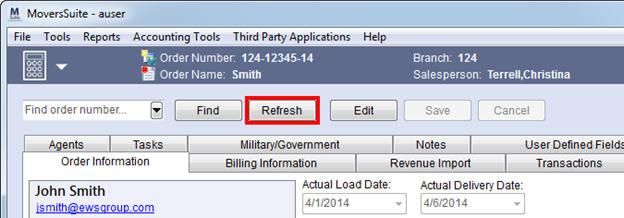
Figure 103: Refresh added to Revenue Entry
CHANGE SUMMARY (6482):
The following have been added/modified:
Fields Added to Local Dispatch Grids
The following data fields are now available in Dispatch Center, Local Services, and Requested Services:
|
New Field |
Description |
|
Created On |
Displays the date and time the service was created through Add Local Service along with the name of the MoversSuite user that created it. |
|
Created By | |
|
Submitted On |
Date and time the service was sent to dispatch along with the name of the person that submitted it, which can be the dispatcher that created the service through Add Local Service or the person that performed a Send to Dispatch. |
|
Submitted By | |
|
Cleared On |
The date and time the service was cleared along with the name of the dispatcher that cleared the service through Requested Services displays. |
|
Cleared By | |
|
Last Edited |
If the service was edited (through Add Local Service), then the date and time and the name of the person that last edited the service displays. |
|
Last Edited By |
CHANGE SUMMARY (6489):
The following have been added/modified:
Release Fixes
Payment Management Fixes
A negative, and incorrect, unapplied amount was being set when pressing Clear within the Unapplied Amount menu (in Payment Application). With this release, the Unapplied Amount is set correctly when Clear is pressed (6581).
Schema Changes
The following table contains the database changes made at this release. These changes may affect custom reports.
NO SCHEMA CHANGES FOR THIS RELEASE
Click here for a graphical interpretation of the MoversSuite database schema (4.90).
|
Version 4.88 |
Known Issues
The following issues are known problems that may affect your decision to upgrade to this version of MoversSuite. The following are not fixed for this release.
An incorrect Unapplied Amount was computed when the Clear button was pressed (in the Unapplied Amount drop-down in Payment Application). This resulted in the application creating an invalid debit memo along with the correct payment/credit memo (6581).
There are issues with phone number rankings in Shipper Contact Information section (on the Name, Address, Phone tab) not setting correctly through Citrix (6409).
Users unable to read amount on the aging graph in AR Credit & Collections due to the bar being the same color as the amount (5740).
Release Enhancements
NO ENHANCEMENTS MADE AT THIS RELEASE
Release Fixes
General/Administrative Fixes
User receives an out of memory error adding or updating the Customer field on multiple Account Profile Setup records at the same time (5560).
Move Management Fixes
The Find in Long Distance Dispatch only checks the Hauled Weight of an order when searching for records. The search should include the Estimated Weight of an order as well.
The “Hauled Weight” label in the Dispatch Information tab of the Find has been changed to “Weight” and the search now includes checking the Estimated Weight of an order if the Hauled Weight is not set.
See Dispatch Information Search Criteria for more information (6481).
Revenue Entry Fixes
Negative rates now populate on Add Revenue Item and Add Revenue Group screens. Before this fix only positive rates defined in Rate Plan Setup would show when adding and modifying revenue items/groups (6488).
The application automatically sets the weight referenced for rating calculations on quotes when the Rate Type is “100-Weight.” The applications checks the Billed Weight of the order first to set the rating weight. If Billed Weight is not set, then the application checks the Hauled Weight and then checks the Estimated Weight last. Once a weight is found, it is pulled into the rating data for the item.
Refer to Rate Type Setup and Add Quote for more information (6121).
Schema Changes
The following table contains the database changes made at this release. These changes may affect custom reports.
NO SCHEMA CHANGES FOR THIS RELEASE
Click here for a graphical interpretation of the MoversSuite database schema (4.88).
|
Version 4.86 |
Announcements
.NET Framework 4.5 Required
.NET Framework 4.5 is required for this release and will need to be installed on any computer and server running MoversSuite. View information and download this update through the following link:
http://www.microsoft.com/en-us/download/details.aspx?id=30653
See MoversSuite Compatibility for a list of supported applications and System Requirements for a list of hardware and software requirements for this release.
PowerShell 3.0 Required
PowerShell 3.0 is required on the server where the deploy tool is installed, typically the SQL server. Click the following link to download PowerShell 3.0:
http://www.microsoft.com/en-us/download/details.aspx?id=34595
See MoversSuite Compatibility for a list of supported applications and System Requirements for a list of hardware and software requirements for this release.
Microsoft Dynamics GP 2013 Compatibility
MoversSuite is compatible with Microsoft Dynamics GP 2013.
See MoversSuite Compatibility for a list of supported applications and System Requirements for a list of hardware and software requirements for this release.
Microsoft SQL2005 No Longer Supported
Microsoft SQL2005 is not supported.
See MoversSuite Compatibility for a list of supported applications and System Requirements for a list of hardware and software requirements for this release.
Known Issues
The following issues are known problems that may affect your decision to upgrade to this version of MoversSuite. The following are not fixed for this release.
An incorrect Unapplied Amount was computed when the Clear button was pressed (in the Unapplied Amount drop-down in Payment Application). This resulted in the application creating an invalid debit memo along with the correct payment/credit memo (6581).
There are issues with phone number rankings in Shipper Contact Information section (on the Name, Address, Phone tab) not setting correctly through Citrix (6409).
Users unable to read amount on the aging graph in AR Credit & Collections due to the bar being the same color as the amount (5740).
Release Highlights
This section features the improvements we’ve made to MoversSuite at this release.
New Payment Application Screen in Payment Management
A new screen is available to process payments within the Payment Management. Pressing Apply from the Detail Processing tab accesses the new Payment Application screen; this screen replaces the Wizard screens used prior to this release.
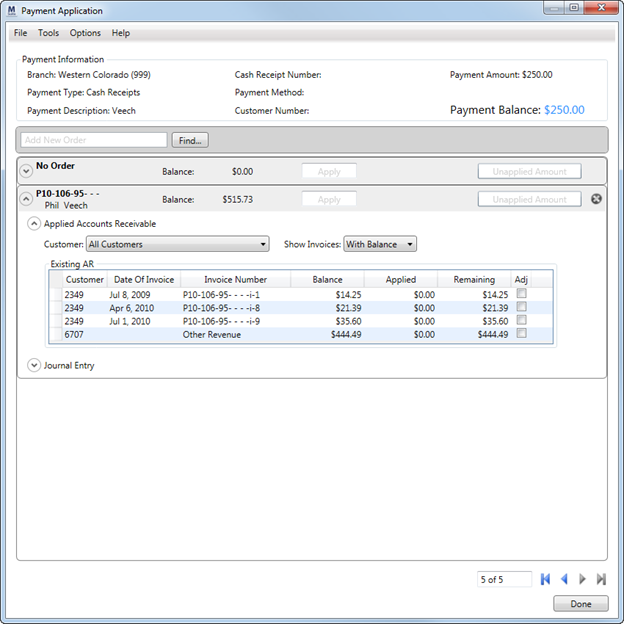
Figure 104: Payment Application screen
Refer to the Payment Application topic and the following videos for operating instructions and field/function descriptions.
View the Payment Management product page for videos and more information on the changes we made.
CHANGE SUMMARY (Ref #5188.4.64):
The following have been modified:
Statement Import Summary (Generic Import)
Commission Plan Effective Dates
Effective dates have been added to MoversSuite commission plans. Administrators can define which plan details are in effect based on a set effective date range and compared to a particular MoversSuite move date, as defined by the Effective Date Basis set for the Commission Plan Setup record.
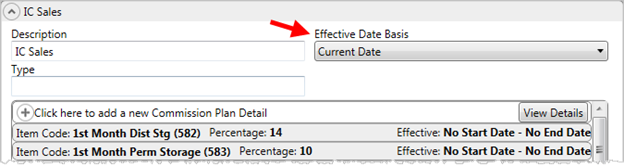
Figure 105: Commission Plan Setup
The effective date range can apply to each detail record associated to a plan through the Commission Plan Details set for each Commission Plan Setup record.
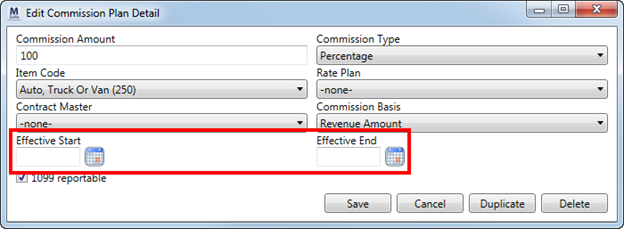
Figure 106: Commission Plan Detail record
By default, all existing plans will be in effect, i.e. there is no starting or ending date assigned to the details of each plan. It’s up to each company to assign dates, if desired.
Please refer to the Commission Plan Setup section for detailed information.
Additionally, personnel records have also been modified to allow for multiple commission plans per employee. Each plan can be assigned to an effective date range, as well.
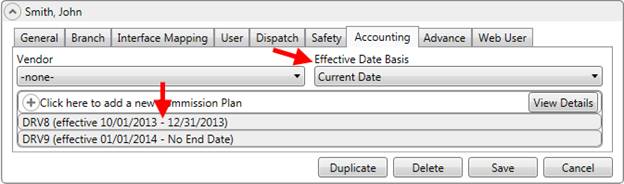
Figure 107: Effective date fields in Personnel Setup
With these changes, a company can define different commission percentages (contracts) to be in effect based on date ranges assigned to each commission plan and on each commissionable employee.
The Commission Plan Details Report and Employee Commission Plans Report were updated to display the effective date range.
CHANGE SUMMARY (Ref #4431.4.66, #5949.4.68, #6110.4.72):
The following have been modified:
Commission Plan Details Report
Employee Commission Plans Report
Transactions Generated Dialog for Revenue Entry
Prior to this release, an information-only dialog appeared when transactions were generated. This dialog listed the number of transactions generated. Now, this dialog has been updated to prompt the user to update the Bill Date and Order Status for the MoversSuite order, as well.
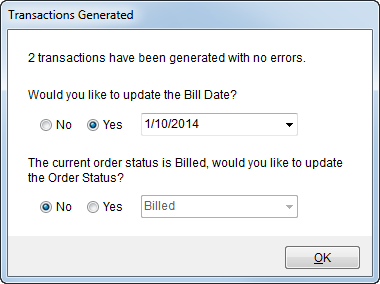
Figure 108: Transactions Generated dialog
CHANGE SUMMARY (Ref #6107.4.74):
The following have been added or modified:
Auto Ranking of Phone Numbers
MoversSuite automatically ranks newly added phone numbers within the Shipper Contact Information section.
CHANGE SUMMARY (Ref #5994.4.62):
The following have been modified:
Order Information (Revenue Entry)
Safety Fields Added
Several new safety fields have been added. They include the following fields administered through Personnel Safety Setup and visible within Safety Information.
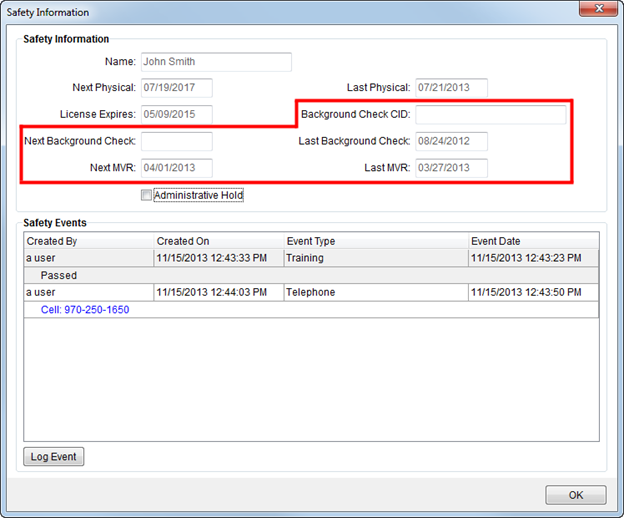
Figure 109: New fields on Safety Information screen
New Safety Field Descriptions
|
Background Check CID |
The Certified Identification (CID) provided by this employee that was provided for background verification. |
|
Next Background Check |
The date of the next scheduled background check for this employee displays. |
|
Last Background Check |
Last date a background checked was performed on this employee. |
|
Next MVR |
Date of the next Motor Vehicle Report (MVR) for this employee. |
|
Last MVR |
Date of the last MVR for this employee. |
The Personnel Expirations Report has been update to display Next MVR Date and Next Background Check.
Refer to Safety Information for detailed description for more information.
CHANGE SUMMARY (Ref #6026.4.66, Ref #6136.4.72):
The following have been modified:
Task Performance Update
We’ve modified the Tasks system by improving the speed in which tasks display. This change affects both the Workflow and Tasks tab.
CHANGE SUMMARY (Ref #5969.4.72):
The following have been modified:
Transportation Coordinator updated on Atlas Download
The Atlas Download has been updated to import and set the Transportation Coordinator of an order when the CSR Information is included.
CHANGE SUMMARY (Ref #6027.4.80):
The following have been modified:
Sorting added to the Store Information grid
The data grid that lists the job information in Store Information tab has been modified to include the ability to sort the data by one or more data columns.
CHANGE SUMMARY (Ref #6288.4.80):
The following have been modified:
Icons Added to MoversSuite User Interface
We’ve added icons to represent the MoversSuite modules in order to provide a quick visual reference. Our intent is for you to locate the desired module faster. Building upon this, we redesigned the application to display this icon in place of the module title in the Information Bar as well, which also doubles as a drop-down menu for even faster access to modules available to users.
Access the drop-down by clicking the icon or by using the shortcut of Ctrl+G. Using this shortcut enables the hotkeys, i.e. “O” for Order Information, allowing you to quickly jump to a different module.
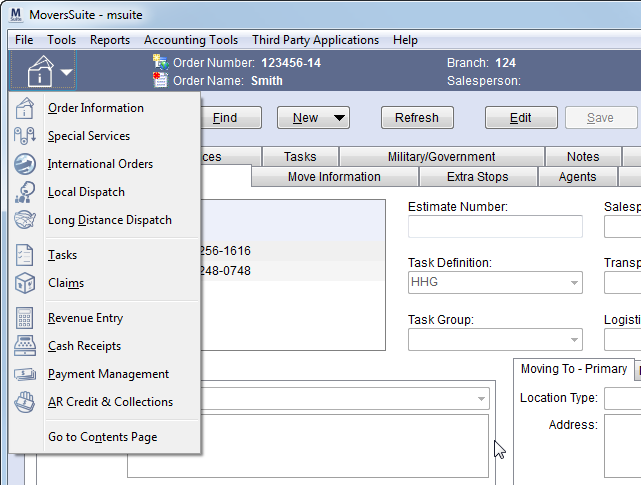
Figure 110: MoversSuite navigation drop-down menu
An additional keyboard shortcut of Ctrl+H directs the user back to the Contents Screen.
The Go To menu no longer exists. Functions that were listed under this menu are listed under the Tools Menu.
Refer to the MoversSuite Application topic for more information.
CHANGE SUMMARY (Ref #6137.4.82):
The following have been added or modified:
Claims Improvements
The Claims Detail screen has been updated to list the number of Days Open. The calculation of this field has been modified to display the number of days difference between the Actual Claim Received date and the Actual Closed to Customer date or the current day, if the Actual Closed to Customer date is not set.
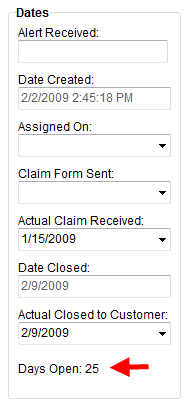
The Claims data grid now includes the following fields:
•Claim Form Sent
•Actual Claim Received
•Closed to Customer (actual)
The Find in Claims now includes
•Actual Date Created range
•Actual Date Closed range
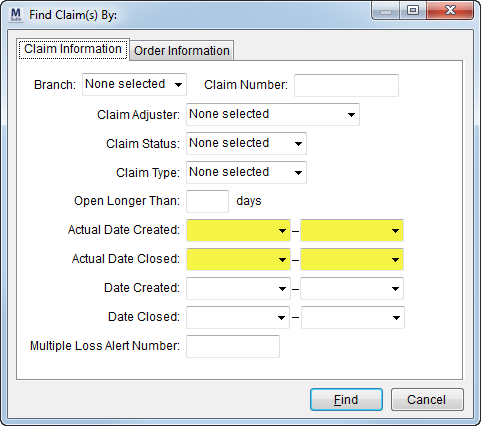
CHANGE SUMMARY (Ref #6287.4.82):
The following have been added or modified:
Claim Information Search Criteria
View the Payment Management product page for videos and more information on the changes we made.
Videos
MoversSuite Version 4.86 Overview
Overview of the enhancements made to MoversSuite in Version 4.86.
Overview of the functions and usage of the new Payment Application screen.
Navigating Payment Application
Using shortcuts and hotkeys to work in Payment Application screen without a mouse.
AR Credit & Collections: Basic Functionality & Usage
In-depth video on all functions of the AR Credit & Collections module and some great workflow suggestions as well.
This video covers the basics of using the Document Management system and includes TransDocs Integration. This is a beginner level course.
Release Fixes
Claims Fixes
The Task Dependency Dates of “Claim Created On” is now populating correctly (6225).
Prior to this release, a user was able to select “Temporary” vendors the Vendor list in Settlement Entry. Now, only “Active” vendors display and can be selected (6156).
Document Management Fixes
We modified the Document Management Viewer to load documents incrementally to avoid timeout errors. Before this fix, the viewer returned an error when attempting to attach a large amount of documents for an order (5822).
Sending an email from the Document Management Viewer no longer causes an overflow error (6200).
General/Administrative Fixes
Login username is now 32 characters long and the password can be up to 64 characters and now both match what is set within Personnel Setup (5748).
Entering percentage values within is now standardized and intrinsic, i.e. you can easily enter “10.5” for 10.5% (6318).
License key decryption issue was causing a “Login failed for user…” This has been corrected and better error messaging has been provided (6153).
All complete GL Number entries are validated within the Admin Tool. This change affects the following setup areas (6427):
Payment Management Posting Account Setup
System-defined event types for Equipment Event Type Setup and Personnel Event Type Setup (those with the System Type flag set) are now hidden and cannot be modified (6426).
A mismatch on the Equipment Number to the Van Number setting was causing an error in Personnel Setup. The field size of the Van Number has been updated to store 12 characters, which matches the Equipment Number assignable through the Dispatch tab (6403).
Roles are no longer available in Admin Profile Setup when the Security Module is not activated (6478).
Integration Fixes
Discount percentage is now included on a download from Atlas. Prior to this change, MoversSuite was updating the incorrect discount field (5988).
Survey Date no longer cleared out on UniGroup Registration uploads (6030).
If the email is not included on a download, it no longer blanks out the email of the order (6192).
When the Target Application of a UniGroup Rating download is “BL”, MoversSuite no longer overwrites (updates) any load, pack, or delivery dates set for the order (6248).
The Atlas Statement Import process has been updated to recognize a different field in the statement to identify the service codes being imported. Additionally, multiple payments for the same order will be grouped together into a single payment (6231).
Installation/Conversions Fixes
Conversion issue with empty phone numbers on an order has been resolved (6124).
A pre-conversion script requires the Shipper Phone Type of “Additional Phone Contact” exist. This change ensures that it exists prior to running the script (6130).
The deploy process was interpreting the reports folder as case-sensitive. It now ignores the case when locating the reports folder (6230).
During the upgrade, we were reinstalling the config.xml file for the “ThirdParty” menu. So, any custom entries made to this file were overwritten. We have modified the install process to not overwrite this file, however, the changes for this upgrade will overwrite it on the first upgrade with this change; after this first upgrade, the config.xml file not be overwritten by the upgrade process.
Additionally, we will include in the upgrade a default.xml file that you can use to recover with it. It contains the basic configurations set upon initial setup. The default.xml file is update (reinstalled) during each upgrade (5579).
Invoicing Fixes
The Invoice Report option now displays a default setting when only one invoice is defined (as “REVI” System Report ID type set in Report Setup). Prior to this fix, if a single report option was available then it did not automatically display unless the customer was an EDI customer (see Military EDI Invoice Integration for more information) (5560)
Prior to this release, if an error occurred in the Sales Tax Integration generation process, then the transaction table remained locked and prevented the transaction(s) in error to not rollback correctly. This issue has been corrected (6158)
MoversSuite displays a warning if EDI Item Code 28A or 28B are on a Military EDI Invoice Integration order with no Extra Stops (6326)
New Alternate Weight field added for Military EDI Invoice Integration. This field is required when the new Alternate Weight Required flag is set in EDI Customer Setup. Alternate Weight is managed through Billing Information (Revenue Entry) and is included as part of the Military EDI Views (6327).
Apostrophes are removed from EDI data prior to be included as part of the Military EDI Views (6328).
Move Management Fixes
Driver information on a Shipment Status correctly updates when imported into MoversSuite. Prior to this change, manually setting the Shipment Status caused the import process not to update Driver Information (6001).
Recurring Billing Fixes
You can now change the customer billing address for generated billing records (refer to the Bill to Address field in Billing Record) (5995).
Report Fixes
The Payment Management Van Line Distributions Report has been modified to always show the selected Journal Entry account on both positive and negative amounts; GL account on vendor payables no longer display (6306).
An issue with the count being off for the number of orders displayed in the “Vendor Summary” section of the Commission Statement Report has been addressed (6109).
The Payment Management Van Line Distributions Report now displays both positive and negative amounts for Journal Entry transactions and also shows the GL account on vendor payables (6306).
We updated the Billing Turnaround Report to accept all Authority Types. Prior to this release, the report only showed data for the Authority Types of “Van Line” and “Own Authority”) (5287).
An issue occurred where logic wasn’t executed because the user pressed Tab instead of Enter in Add Revenue Group; specifically auto-reductions did not appear. Now, any movement away from a set field will evoke appropriate logic (6286).
Fixed an issue where duplicate voucher number were being generated on third party transactions (5999).
Revenue Entry Fixes
An issue occurred where logic wasn’t executed because the user pressed Tab instead of Enter in Add Revenue Group; specifically auto-reductions did not appear. Now, any movement away from a set field will evoke appropriate logic (6286).
Fixed an issue where duplicate voucher number were being generated on third party transactions (5999).
We corrected the Net Amount on manual commissions. Prior to this release, the Net Amount on manual commissions was incorrect when the revenue item contained a distribution causing the calculation of the commission to be off (see the Net Amount field in Add Revenue Commission) (6032).
Blank spaces for an invoice number associated to a third-party payable was causing issues with Dynamics GP (5798).
Third-party invoice numbers cannot exceed 20 characters. Prior to this fix, invoice numbers exceeding the 20-character limit were causing exceptions when generating transactions (5545).
Revenue items with zero amounts that are associated to posted third party payable/commission items will have certain fields be read only. Prior to this release, users could create a revenue item for no dollar amount assigned to you and create and post items associated to this revenue items, such as flat commissions, then users could change the branch and regenerate transactions causing an out-of-balance situation (5938).
Entering percentage values within is now standardized and intrinsic, i.e. you can easily enter “10.5” for 10.5% (6318).
Task Fixes
Undo Complete now resets the date/time Completed and Completed BY fields (5938).
Labor type titles exceeding 16 characters in length were causing an error when a task was edited (6071).
The “Show All” option now functions correctly when the date selected is something other than the current day (6226).
Task User is now assigned correctly. Prior to this fix, if the responsible person was assigned before the Task Definition was set or if the task was manually added (through the Add or Copy functions), then application assigned the user based on who was logged in and not necessarily the responsible role (6228).
Task due dates are now updated when data is updated or new order is created. Specifically, when certain events occur such as setting dates in SIT/Recurring Billing, the application ensures that all tasks are updated accordingly (6245).
Tasks now generate when existing Dependency Dates are associated to Extra Stops or Jobs on the order (6251).
Tasks for orders that have either Extra Stops or Local Services associated to them were not being updated. Options in the right-click menu in the Tasks and Workflow tabs are now aligned with the functions that display on the right side of each tab. Several data fields have been renamed in the data grids (6264).
The issues of the Tasks grids not being refreshed after a task is completed and cursor jumping to another task after any task is marked complete have been fixed (6106).
Users can now set the Task User when editing a task (6272).
Schema Changes
Schema changes for this release can be found by viewing the Schema Changes Version 4.86 topic. These changes may affect custom reports.
Click here for a graphical interpretation of the MoversSuite database schema (4.86).
|
Version 4.58 |
Known Issues
IMPORTANT: Tasks will not work if your company has Labor Type in Personnel Setup that exceed 16 characters in length (Ref. #6071).
Release Enhancements
Phone Number Rankings
We updated the Shipper Contact Information to allow users to set the priority on phone numbers entered.
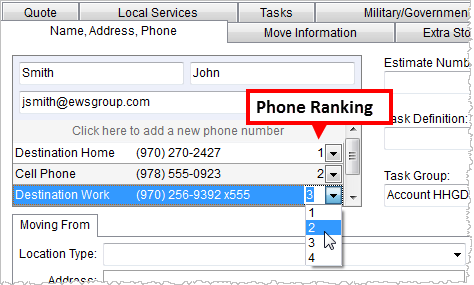
In edit mode, users can click on the ranking selector ( ) and select a number to indicate
the importance of the phone number. The lower the number, the higher the
ranking; a rank of “1” displays at the top of the list. This display
automatically sorts upon each selection and the rankings are preserved when Save
is pressed.
) and select a number to indicate
the importance of the phone number. The lower the number, the higher the
ranking; a rank of “1” displays at the top of the list. This display
automatically sorts upon each selection and the rankings are preserved when Save
is pressed.
The top five phone numbers display in Shipper Contact when not in edit mode.
Additionally, the top four phone numbers listed appear on the following reports:
•Dispatching Services
•Long Distance Work Ticket
•Work
Ticket
Bookmarks for custom phone types are now available. Create custom bookmarks by placing “pt” followed by the Phone Type; this works for the standard phone types as well, e.g. “ptOriginHome.”
Watch the following video to understand these changes better:
CHANGE SUMMARY (Ref #5922.4.56):
The following have been modified:
Long Distance Work Ticket Report
Order Information (Revenue Entry)
Special Services Work Ticket Report
Tasks Right-Click Menu
Right-click menus have been added to the grids in Tasks and Workflow. The new menu makes each function available to the user in addition to functions that will show or hide all task notes.
CHANGE SUMMARY (Ref #5477.4.56):
The following have been modified:
Release Fixes
Claims Fixes:
Adding a claim record with tasks was causing an application error (5993).
External Application Fixes:
We now update the van and driver information on a UniGroup Registration Send (UniGroup Downloads) with an AOM Shipment Status update (5970).
Report Fixes:
The following reports were updated to include the correct shipper phone number:
•MS Order Transactions
•Unigroup HHG BOL and Freight Bill
•Unigroup Special Services BOL
•Dispatching Crew
•Dispatching Equipment
•Dispatching Services
•Long Distance Work Ticket
•Special Services Work Ticket
•Gov DD1840 Delivery Out
•Gov DD1840
•Gov DD619
•Gov DD619-1
•Work Ticket
Additionally, the following reports display the top four listed phone numbers for the shipper:
•Dispatching Services
•Special Services Work Ticket
•Long Distance Work Ticket
•Work Ticket
(5944, 5923, 5924)
Release Videos
Click on the link above to watch this informative video on using the Shipper Contact Information (phone numbers, emails) in MoversSuite. This video also includes references for reports affected, administration setup, and Bookmarks.
We’ve updated the Tasks video to include all the great new features added in recent versions of MoversSuite. Please click on the link above to watch this video designed for the beginner and intermediate user-level. It covers the features and functions of the Tasks and Workflow tab, as well as some best practices to make your process more efficient.
Feel free to take the quiz associated to this video to see how well you paid attention!
Schema Changes
Schema changes for this release can be found by viewing the Schema Changes Version 4.58 topic. These changes may affect custom reports.
Click here for a graphical interpretation of the MoversSuite database schema (4.58).
|
Version 4.54 |
Release Highlights:
•Save & Add Item Function Added to Revenue Group Screen
•New Dates Added to Claims
•Order Information in Revenue Entry Updated
•SIT Out Date Updated on UniGroup Downloads
•Import of Actual Amount on UniGroup Rating Sends
•Set Actual Discounted Linehaul based on UniGroup Rating Send Type
•Default Miles Available in Revenue Entry
•Fields Added to Several Data Grids
•Users Can Add a Note to a Task
•Task Improvements: Updated Edit Task
•Show All added to Workflow
Fixes:
•Additional Phone Info added to clipboard data on new leads/orders
•Bottom Line Discount applies correctly on items imported for Work Ticket
•All Work Tickets display in Revenue Entry
•Original Due Date on Tasks not being overwritten
•Add task note no longer overwrites others
•Task performance issue has been corrected
•Error was occurring when an order with tasks was cancelled or voided
•Close button unavailable for Customer Statements
•Name updated correctly for PSI:Capture documents imported into MoversSuite
•MoversSuite is now fully certified by Avalara
•EDI Confirmation now includes Extra Stop address
•MoversSuite certified by Avalara for Sales Tax Integration
•Address validation logic added to Sales Tax Integration
•Additional setup values added to Avalara Interface Setup
•Only US addresses validated by Sales Tax Integration
•Users can open letter documents again
•Automatic Email Service working
•Add-back revenue being removed on group remove reductions
•Original Due Date in Tasks is being set correctly
|
Version 4.46 |
Release Highlights:
Enhancements:
•New dates added to Claims
•Order Information in Revenue Entry Updated
•SIT Out Date Updated on UniGroup Downloads
•Import of Actual Amount on UniGroup Rating Sends
•Set Actual Discounted Linehaul based on UniGroup Rating Send Type
•Default Miles Available in Revenue Entry
•Fields Added to Several Data Grids
•Users can Add a Note to Task
Fixes:
•Hauling Agent must be present to overwrite MoversSuite data on a UniGroup Rating Send
•Error clearing out Point of Service field
•Error import documents on Windows Server 2012 is corrected
|
Version 4.44 |
Release Highlights:
Enhancements:
•Shipper Contact Information added
•Undo complete/NA tasks
•Additional fields added to Tasks
•Advanced Interfund
Fixes:
•An issue that caused the import process to fail on SharePoint documents when multiple services exist for a Work Ticket has been corrected.
•The shipper name in the contact form (Name, Address, Phone) now displays ampersands correctly.
•When adding or copying a task, the User Type in Add Task was not be set.
•Save button was disabled when a task due date was manually entered in Add Task.
•An issue where we imported the county field values incorrectly during a SIRVA Download Request has been corrected
•Load dates are now being set correctly during a UniGroup Rating Send.
•MoversSuite now recognizes a Dispatch Status of “0”
•MoversSuite was returning an error when attempting to send an advance to Comdata when the FTP directory was empty.
•All orders created through the Atlas SUDS Order Download will be associated to a van line.
•Invoice notes will only be available for invoicing when the note is for an EDI Customer.
•Trip Weight in Long Distance Dispatch will now be computed based on Estimated Weight if the Hauled Weight of the order is not set; the application checks the Hauled Weight first and if it’s not set, then the Estimated Weight is referenced.
•Errors found in a report subroutine (subMSTransactionsGrid) have been fixed. This subroutine affects MS Order Transactions Report and MS Transactions by Order Report.
•We updated all reports to reference the Estimated Weight of the order if the Hauled Weight is not set
•The Other Phone Information field has been removed from the Name, Address, Phone tab and from several reports as well.
•The application now builds account transactions for a billing run using the AR Branch instead of the branch associated to the warehouse.
•The application now pulls in the Estimated Weight of the order for ratings on local service request based on a weight value (see Add Local Service).
•Attempting to adjust a third party item that has been invoiced was causing an error. This has been fixed.
•We fixed an issue where a Revenue Group with the Invoice flag set was not automatically being included on the invoice.
•An issue where the incorrect GL was set for third-party payables on Distribution Sends has been corrected.
|
Version 4.36 |
Release Highlights:
Enhancements:
•We added a Manager Cap Amount setting to Advance Setup. This field allows a manager to advance up to the amount set for the cap. This applies to each advance and not to each order or trip.
•The Move Type Group field is now a required setting within Move Type Setup. Additionally, a default group of “Not Mapped” has been provided by MoversSuite.
•Sales Tax Integration Added.
•Payee Code Required for EDI Invoices
•Invoice Note on Line Items
•Location Added to Point of Service
Fixes:
•Issue with the incorrect phone numbers and Discounted Linehaul being referenced by the Atlas SUDS Order Download have been corrected
•The contact email address has been added to the Atlas SUDS Order Download. The Email field within the Name, Address, Phone tab will be populated during the import.
•Date conversion issue that affected date fields through an Atlas SUDS Order Download has been corrected.
•MoversSuite no longer generates a Self Haul update on an Atlas SUDS Order Download.
•Ratings imported on own authority orders are now available for invoicing; prior to this change, ratings for own authority orders did not show within New Complete Invoice since there was no vanline code associated to the order.
•Rating Send will now ignore weight fields that come in blank from UniGroup.
|
Version 4.30 |
Release Highlights:
General Enhancements:
•Administration Tool Redesign
•User Password Change
•Document API Service
•Atlas Integration Added
•Military EDI Invoice Integration Added
Move Management Enhancements:
•Shipment Status Added
•Refresh Added to Long Distance Dispatch
•New Haul As Option
•Reassign Task to Different User
•Enhanced Duplicate Order Functionality
•ETA and Assigned On Dates Added
•Origin and Destination Agents Added to Dispatch
Payment Management Enhancements:
•Enhanced Statement Import
Revenue Entry Enhancements:
•Ratings Added to Revenue Group
•Allocation Percentage Set within Revenue Import Grid
•Changes to Third Party Payables
•Reduce a Reduction by Other Reductions
•New Mileage Fields
•New Weight Fields
Connections Enhancements:
•Actual Load Date included in UniGroup Dispatch Download
•Tariff/Rate included in UniGroup Registration Download
•Fields Added to XML Import Process
•Rating Data Added to UniGroup Rating Send
•Custom Microsoft Dynamics GP Updates
Fixes:
•Document Management Viewer Error
•Dispatch Note Expanded
|
Version 4.6 |
Release Highlights:
Enhancements:
•Quotes to Go Opportunity Download
•SIRVA Registration Upload Includes Full Pack Indicator
Fixes:
•We corrected an issue where the application produced an error when the New Customer field was cleared out in the Chargeback Apply.
•We now default the AR Division as we do for the AR Branch. For revenue imports from a van line, the AR Branch and Division default to what is set for the revenue item in the Revenue Branch and Division fields. When importing revenue under own authority or when manually entering revenue, we default the AR Branch and Division based on the Branch and Division set for the order.
•We fixed an issue where the reduction add back items contained the wrong AR Branch and Division when inter-company (own authority) was in effect.
•A field overlapping issue that occurred when the Order Information (Revenue Entry) tab expanded has been fixed.
|
Version 4.4 |
Release Highlights:
Enhancements:
•Agent Percentage by Authority
•AR Branch on Transactions
•Clear and Decline Multiple Services at a Time
•Customer on Revenue Import
•Customer on Transactions
•Default Authority
•Email Added to Sales Lead Screen
•Multiple-Select Claim Items
•Quotes to Go Upload
•Reductions Updates
•Support of Microsoft Dynamics GP 2010
•TransDocs Upload Supports PDF Documents
Fixes:
•Branch of the order must match one of the branches assigned to the employee before they can be assigned to the order when applying an Account Profile. Prior to this release, branch assignment was ignored when an Account Profile was assigned to an order.
•Military Information screen was displaying the incorrect Origin and Destination bases in Claims.
•An issue where no Invoice Header and Payment Remittance data would appear on Customer Statements if the Default Branch of the user references a branch with no Contact information has been corrected.
•The Document Management Viewer no longer produces an error when attempting to load documents for an order that with more than two segments associated to it.
•Branch column added to the data grid in both Document and Distribution tabs in Dynamics GP Order Inquiry.
•Hotkeys assigned to all screen functions throughout the application.
•Renamed the Container/Liftvan/Airbox Information to Container/Lift Van/Airbox Information.
•Labels were not reverting back correctly when user switched Transport Mode between “Air” and “Sea” types and then cancelled the edit within Shipping Information.
•An issue where not all available revenue was displaying in the left selection grid in New Complete Invoice and New Supplemental Invoice has been fixed. See Invoicing for more information.
•An Local Dispatch issue where a user double-clicks on crew or equipment column headings automatically assigned the top record displayed in the grid has been fixed.
•An issue where a new trip created through the right-click option of Change Trip (Alt+C) from within the Current Driver Activity tab disappears has been fixed.
•The text of the tool tips for buttons to access the Carrier Information and Base Information in Bases section of Military/Government has been set.
•Order numbers are no longer allowed certain characters that have the potential to cause problems elsewhere in MoversSuite or through an interfacing application.
•The Apply Wizard in Payment Management was incorrectly displaying branches with no posted revenue.
•An ampersand (‘&’) in the Service Provider for Claim Items was displaying as an underscore (‘_’).
•An issue with the user being unable to save, print, or email from within the Report Viewer has been fixed. This occurred when running Reporting Services 2008 R2.
•MS Order Transactions report was producing a “sub report cannot be shown” error.
•Fixed a condition in the BAT process that produced a 1041 error
•The Save & New option was restricting user access to enter Gross Charges or an Invoice Amount directly within Add Revenue Item.
•An issue with the name of the Vendor not displaying after the user selected a record using the Vendor Find has been corrected. Refer to Add Third Party Item for more information.
•We added the Shipment Type field to the Order Information (Revenue Entry) tab.
•Edit Commission locking issue has been fixed.
•The country code from SIRVA was causing download failures since it contains more data than the MoversSuite Country Code allows. The country code was removed from the download process since it’s not needed.
•Users can now sort by column heading when making a selection within the Stored at field within the SIT Information screen.
•An issue has been fixed where users with read only access to Recurring Billing were unable view storage items.
•A billing item is links to a billing run that is in an error state, the application disabled the View buttons in Billing Items and the New button to create a new Billing Record. The application was modified to not disable these two functions when associated to a billing run in error.
•Net reductions from a rating send now import as an Invoice Amount; due to the van line computing the net reduction as gross amount less discounts, i.e. the invoiced amount.

 ” when at trip is complete.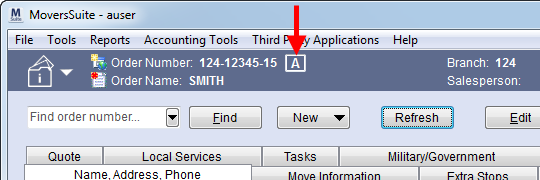
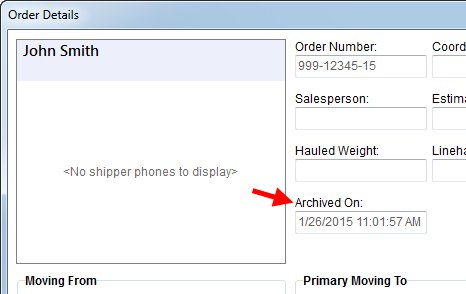
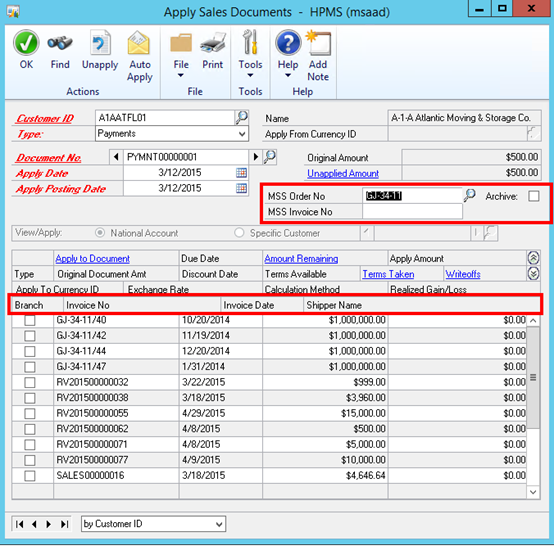
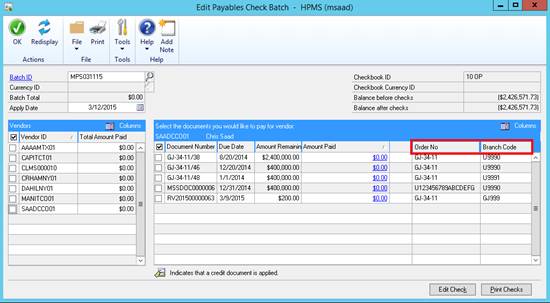
 in many places including