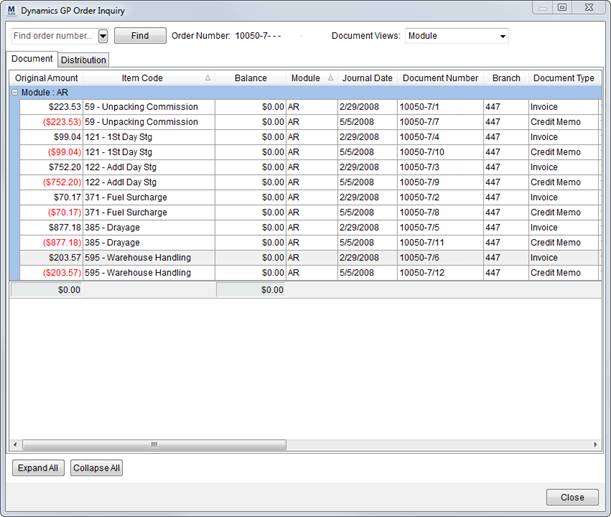
The Dynamics GP Order Inquiry displays posting information for and order based on data from Microsoft Dynamics GP. Users can access the screen through the Tools Menu.
The screen contains data related to MoversSuite documents within the Document tab and displays distribution data from Microsoft Dynamics GP within the Distribution tab.
Figure 43: Dynamics GP Order Inquiry screen
Users can export the data that displays within the grid through the right-click option of Export To.
By default, the screen will display data for the order currently accessed by the user. A user can switch to another order by entering a different Order Number and pressing Query. If no record exists within the Microsoft Dynamics GP database, then user will receive a warning indicating such.
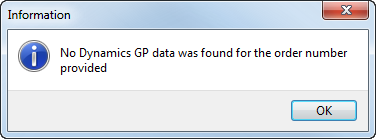
Figure 44: No data in Microsoft Dynamics GP warning
The following table describes the functions available within the screen.
|
Function |
Description |
|
|
Quick Find and Order History (Alt+Q) Start typing the Order Number you want to display and after three characters a list of matching records appears. Use the % wildcard to skip unknown portions of the order you’re looking for. Press the drop-down button ( See Quick Find for more information.. |
|
|
Find (Alt+F) |
|
Document/Distribution Views
|
Document/Distribution Views Depending on which tab you have open, use this control to filter the data being viewed. Refer to Document and Distribution for more information. |
|
Document |
Document tab View Dynamics GP document information for the selected order. Refer to Document for more information. |
|
Distribution |
Distribution tab View Dynamics GP distribution information for the selected order. Refer to Distribution for more information. |
|
|
Expand All (Alt+E) This function expands all groups that display in the data grid. |
|
|
Collapse All (Alt+O) This function collapses all groups that display in the data grid. |
|
|
Close This function closes the screen. |

 ) to view a list of recently accessed
orders.
) to view a list of recently accessed
orders.


