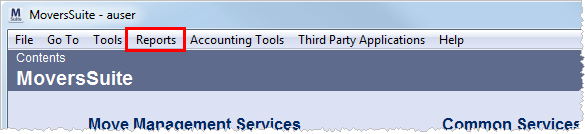
Reports defined in Report Setup and assigned to users will be available through the Reports menu option.
Figure 4: Reports menu option
The Reports menu is a scrollable list of executable
reports available to the user based on their Report Profile in Personnel Setup. This list
features an upper section containing system-generated documents, a Letters
sub-menu, and list of standard reports that can be categorized by defining Report Group Setup records. A
scroll option allows the user to navigate up ( ) and down (
 ) in the list.
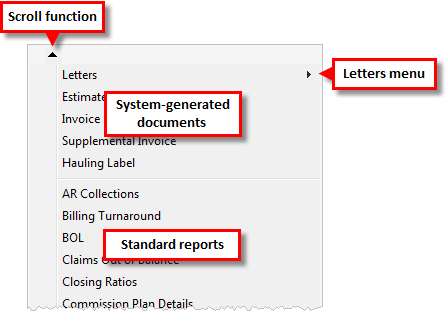
Figure 5: Reports menu
System-generated documents and Letters documents generally report data for a single, order record open within the application. System-generated documents will viewed through the Report Viewer or Microsoft Word depending on the source file, whereas users will view Letters typically containing Bookmarks through Microsoft Word.
Standard reports generate output using the Report Viewer.
RELATED TOPICS: