Keyboard shortcut: Alt+A
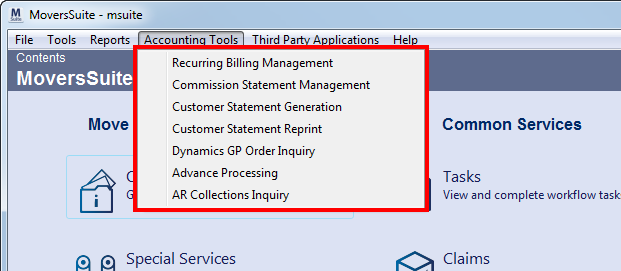
The Accounting Tools menu contains a list of tools specific to accounting functions.
Figure 118: Accounting Tools menu
The following table describes the options available within the Accounting Tools menu.
|
Option |
Description |
|
Recurring Billing Management |
Recurring Billing Management (Alt+A+R) Opens the Recurring Billing Management screen where a user can view past billing invoices and generate a new billing run. |
|
Commission Statement Management |
Commission Statement Management (Alt+A+C) Opens the Commission Statement Management where a user can view past commission statement runs and generate new ones. |
|
Customer Statement Generation |
Customer Statement Generation (Alt+A+S) Opens the Generate Statement screen where users can generate new statements for customer billing. See Customer Statements for more information. |
|
Customer Statement Reprint |
Customer Statement Reprint (Alt+A+U) This function opens the Reprint Statements screen allowing a user to view details of previous customer statement runs and statements. |
|
Dynamics GP Order Inquiry |
Dynamics GP Order Inquiry (Alt+A+D) This function opens the Dynamics GP Order Inquiry screen allowing a user to view document and distribution data from Microsoft Dynamics GP for a specific order. |
|
Advance Processing |
Advance Processing (Alt+A+A) Opens the Advance Processing screen where a user with appropriate security privileges can generate advance transaction. |
|
AR Collections Inquiry |
AR Collections Inquiry (Alt+O) Selecting this option opens the AR Collections Inquiry window allowing you to view collections data on one or more customers at a time, and more. |