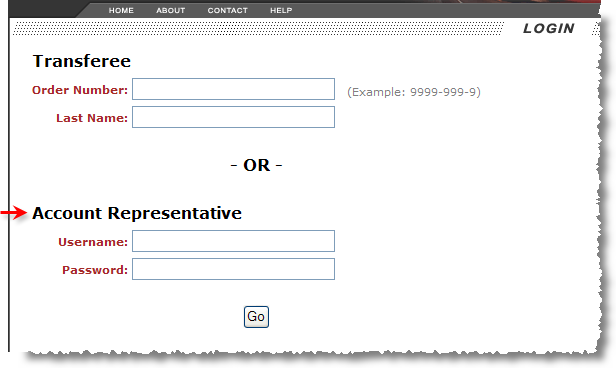
Account representatives require login credentials to access orders associated to their particular company.
Figure 10: Login page
Account representatives will access one of three search options upon login. The search option available is based on the User Type set within the Web User Setup (see Customer Web Portal Setup and Administration). Each search returns slightly different search results and output options. The following search options are available (each described in more detail within their own section):
By pressing Go, the application will produce search results. The Query Results page that displays differ based on search type, as well. Hyperlinks appear in blue or purple, underlined font allowing a user to view specific details on a particular record.
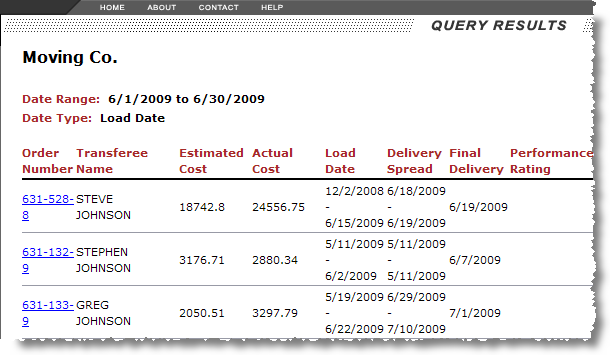
Figure 11: Query Results page
All search result pages contain a Download option.

Figure 12: Download option from any search page
This option will prompt the user to open or save the output of the search results as a Comma Separated Values (CSV) file. The application used to access the download file is dependent on application server settings.
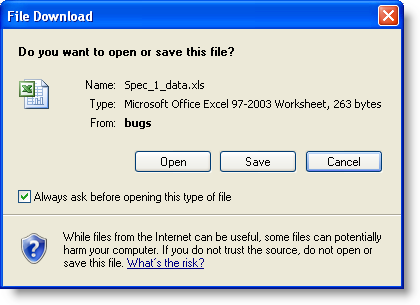
Figure 13: File Download dialog
Note:
The download files are located on the application server as specified through the FileLocation setting established in the global configuration file. Refer to Global File Setup for more information.
Account representatives can also create leads and notes using the Customer Web Portal. Refer to New Order and Customer Web Portal Notes for specifics.