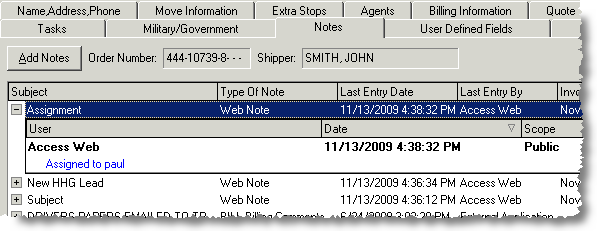
Account representatives will have access to notes created through the Customer Web Portal. Notes with a Scope of Public will be accessible through both MoversSuite and the Customer Web Portal. New notes created in the portal will only be marked with a Scope of Public.
Figure 30: MoversSuite Notes tab
Notes can be created for household goods and electronic moves, depending on the user type assigned to the user. See Customer Web Portal Setup and Administration for details.
Users will have access to the Work with Notes option when viewing a particular household goods or electronics move order.
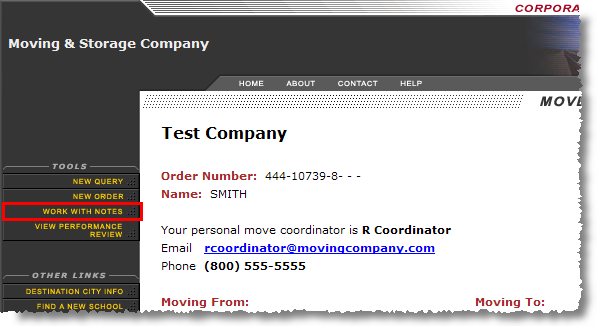
Figure 31: Work with Notes option
The Notes page appears when the Work with Notes option is evoked. The Notes pages will display all notes associated to the order that are marked with a Scope of Public.
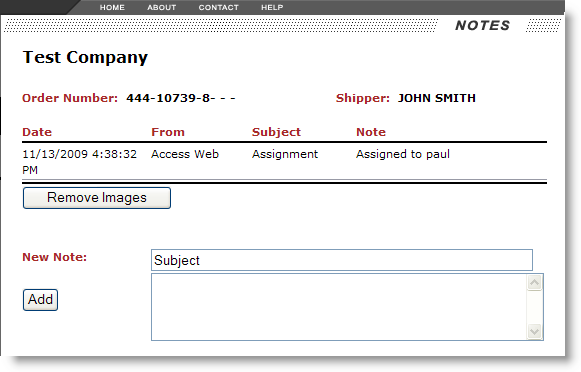
Figure 32: Notes page
New notes can be added by entering a s subject and the body of the message and pressing Add. When a note is added, the coordinator assigned to the account will receive an email message containing the following properties:
|
Email Property |
Set to the following for a new note |
|
From |
“NewNote” |
|
To |
Email address associated to the coordinator set through the Email address within Personnel Setup. |
|
Subject |
“A New Note Has Been Added” |
|
Message |
“A new note has been added by a web user for order number” followed by the Order Number. |