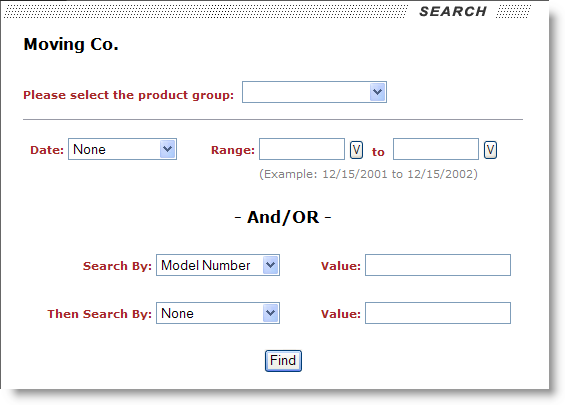
Account representatives assigned a to view electronics moves will be able to search for orders based on a product group, move or install date, and/or by other store data.
Figure 18: Electronics move search page
Search options available for a User Type of Electronics are described in the table below. These search options can be used individually, such as just selecting a product group and pressing Find, or they can be used in conjunction to produce a narrow result set.
|
Field |
Description |
|
Product Group |
Select a product group from the available list. Product groups are associated to the order through the Task Group field in Name, Address, Phone. Task Group is a subset of a Task Definition assigned to an account representative through their Profile setting (see Customer Web Portal Setup and Administration). |
|
Date |
Select a type of date to base the date range search on. The Date value can be one of the following: Load Date This option will return all records for the selected date range based on the start and ending Load Dates set in Move Information that are not in “Cancelled” or “Voided” state.
Delivery Date This option will return all records for the selected date range based on the start and ending Delivery Dates set in Move Information that are not in “Cancelled” or “Voided” state.
Install Date This option will return all records for the selected date range based on the Install Date set in Store Information that are not in “Cancelled” or “Voided” state.
Book Date This option will return all records for the selected date range based on the Booked date (in Move Information) of orders that are not in “Cancelled” or “Voided” state.
|
|
Range |
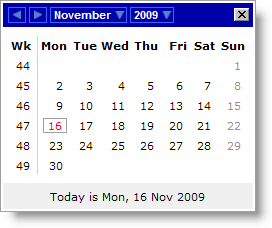
Enter a range of dates to be used to retrieve records on based on the selected Date type value. Users can press the calendar button (
Figure 19: Calendar selector Once a date is selected in the calendar, the application will place the date formatted a MM/DD/CCYY in the corresponding range value. |
|
Search By/Then Search By |
Select a MoversSuite field to search by followed by the actually Value to be used to search by.
Customer Name This option will search for Value matches within the Store Name field within Store Information of a Special Services order.
Serial Number This option will search for Value matches within the Client Job Number field within Store Information of a Special Services order.
Model Number This option will search for Value matches within the Fixture Number field within Store Information of a Special Services order.
|
The search results will display in the Job / Location Information page.
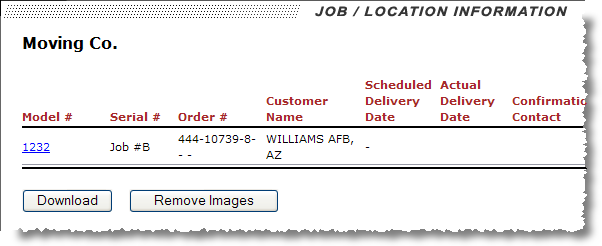
Figure 20: Job/Location Information page
Clicking on the model number link will access the specific shipping information for the electronics move.
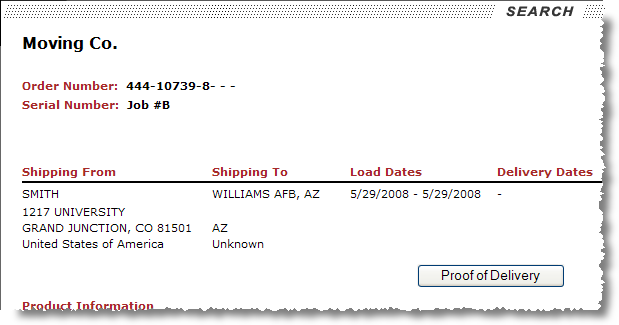
Figure 21: Electronic moves detail page
A Proof of Delivery option allows the user to access a particular POD file as specified through a Customer Specific field set through the User Defined Fields tab. Refer to the Customer Web Portal Setup and Administration for more information and setup.
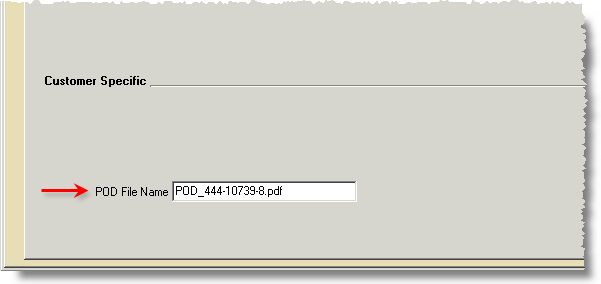
Figure 22: Proof of Delivery file name specification
Refer to the Electronics Data section for field descriptions.
 ) to access a calendar where a date can
be selected.
) to access a calendar where a date can
be selected.