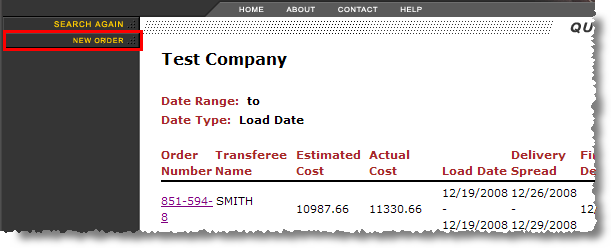
Available with account representative login is the option to create a lead in MoversSuite. The New Order option will appear in a household goods search result page (Query Results) and through the Move Information page. This option is only available for portal users that are accessing household goods orders (see the User Type setting under Customer Web Portal Setup and Administration).
Figure 26: New Order option
Selecting the New Order option will direct a user to the New Order screen where they can enter the basic lead data and press Submit to create the lead in MoversSuite.
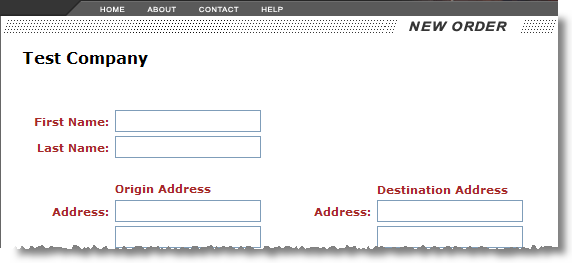
Figure 27: New Order page
A confirmation message will appear once the lead has been created in MoversSuite.
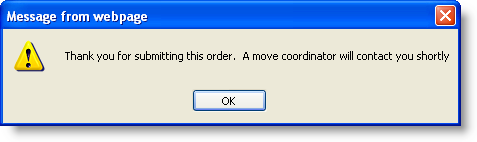
Figure 28: Lead creation confirmation dialog
An email message will be sent to the email listed for the user logged into the portal, typically a coordinator assigned to the account.
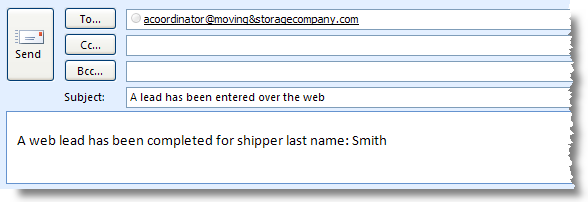
Figure 29: Sample email generated for a new household goods order lead
The email message will contain the following properties:
|
Email Property |
Set to the following for a new household goods order lead |
|
From |
“WebOrderEntered” |
|
To |
Email address associated to the logged in account representative as set through Email field within Personnel Setup. |
|
Subject |
“A lead has been entered over the web” |
|
Message |
“A web lead has been completed for shipper last name:” followed by the Last Name/Company Name field value set within Move Information. |
The table below lists fields set when a lead is created through the Customer Web Portal.
|
New Order Fields |
Location in MoversSuite |
|
First Name |
First Name/MI in Name, Address, Phone |
|
Last Name |
Last Name/Company Name in Name, Address, Phone |
|
Origin Address |
Moving From > Address in Name, Address, Phone |
|
Destination Address |
Moving To - Primary > Address in Name, Address, Phone |
|
Origin Phone |
Moving From > Home Phone and Work Phone in Name, Address, Phone |
|
Destination Phone |
Moving To - Primary > Home Phone and Work Phone in Name, Address, Phone |
|
Storage and Days |
System Specific (field #5*) in User Defined Fields |
|
Autos and Number |
System Specific (field #6*) in User Defined Fields |
|
Crates and Number |
System Specific (field #7*) in User Defined Fields |
|
W/D/I |
System Specific (field #8*) in User Defined Fields |
|
Pack Dates |
Pack Dates (in Range) in Move Information |
|
Load Dates |
Load Dates (in Range) in Move Information |
|
Delivery Dates |
Delivery Dates (in Range) in Move Information |
|
Notes |
Notes (notes with a Scope of “Public” only) |
*-User defined fields are unique to each system. Refer to the Customer Web Portal Setup and Administration for more information.
A note will be attached to the new lead with a type of Web Note and will be visible through the Notes tab.