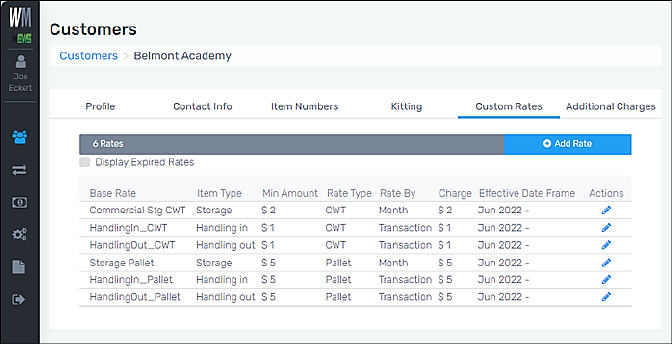
Customers > Click on a customer > Custom Rates tab
Set Custom Rates for a Custom on this tab. Base Rate, Item Type, and Rate Type options which list are based on what is set within Administration > Base Rate. Expired Rates can be viewed by checking the “Display Expired Rates” box.
Edit an existing rate for a Customer by clicking the blue pen under “Actions.” From the “Edit Base Rate” screen, edit as needed and click Save.
RELATED INFORMATION
Custom Rates Tab
FOR RELATED TABS
Additional Charges Tab (Customers)