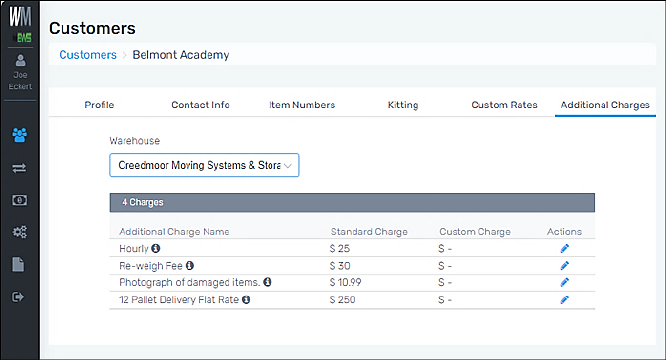
Customers > Click on a customer > Additional Charges tab
Additional Charges are set within Additional Charges Tab (Warehouses). To see the Additional Charges that will be applied to a Customer, from the Additional Charges tab within Customers, select a Warehouse from the dropdown. Once clicked, if there are Additional Charges set for that Warehouse, they will list here. These charges are editable by clicking the blue pen under “Actions.” These charges are initially set based on what set is for the Warehouse under Administration > Warehouses > Additional Charges.
RELATED INFORMATION
Add Additional Charges to Customer
FOR RELATED TABS