Administration > Base Rates
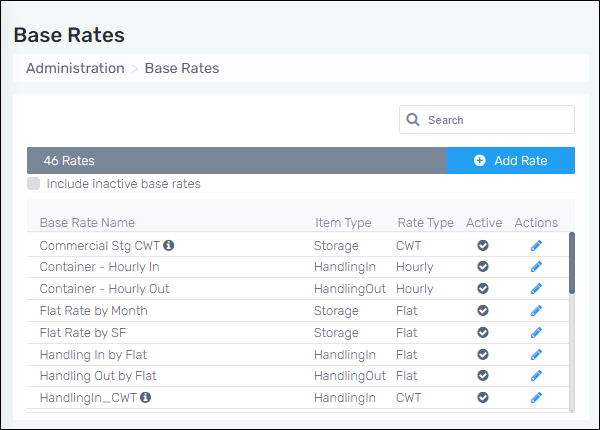
This tab shows all the billing rate methods the company may bill any customer for Storage, Handling In, and Handling Out activity. This is what will display on MSWhse invoices. Check the “Include inactive base rates” box to include those in the list. Likewise, uncheck the box to remove them.
Figure 10: Base Rates tab
To edit any Base Rate:
Administration > Base Rates
To edit any base rate, click on the blue pencil (right side of the screen). Proceed to make any updates on the Edit Base Rate screen and save.
To add a new Base Rate:
Administration > Base Rates
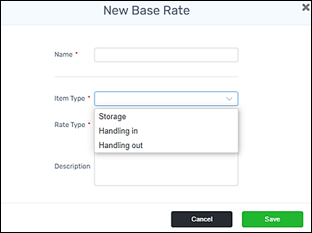
Click on the blue “ + Add Rate” button. From the Add Base Rate screen, enter the name of the base rate. Choose the item type of rate - Storage, Handling In, or Handling Out. Choose the Rate type (example: pallet, cwt, double pallet, each, etc.) Click Save.