A Task is a work item related to an order and assigned to personnel. Dates associated to an order drive when the tasks are due and tasks can be added manually through the Tasks tab or through the Workflow tab or they can be automatically linked to an order through a Task Definition.
A Task Definition, set within Name, Address, Phone and Claims, is a template that, when applied to an order, creates task items with specific due dates and assigned users based on order-related data, such as the Load Date and Transportation Coordinator.
Tasks regenerate when the Task Definition changes and conditionally when the Order Status changes, either directly through the MSS Order Status field or through Shipment Status change (see Shipment Status History). Task also regenerate when an order is copied through the Create Duplicate Order function and when the profile changes on an order through the Account Profile tab.
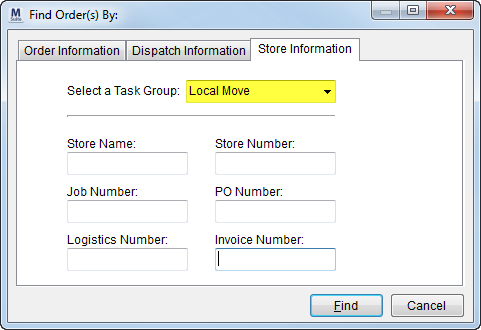
A Task Group is a subset of a Task Definition (also set in Name, Address, Phone and Claims) and aids in filtering search results by its assignment to an order, i.e. Task Group is a category within a Task Definition. See Store Information Search Criteria for more information.
Figure 12: Task Group search
The Task Group controls which orders account representatives can view within the Customer Web Portal. See Customer Web Portal Setup and Administration for details.
The Task List report can be used to see all defined Task Definitions along with specific tasks that are created when the definition is assigned.
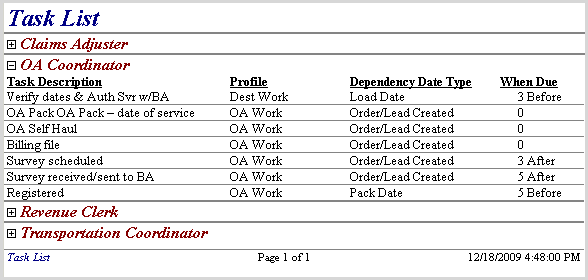
Figure 13: Task List report