

|
Version 2018 R19 |
|
RELEASE DATE: 9/10/2018
Are you aware of what triggers a sales tax audit?
Read through the information in the following link to learn more: What Triggers a Sales Tax Audit. Please reach out to our Sales Team if you wish to learn more about Avalara.
RELEASE SUMMARY
The following is a table contains counts of the items affecting this release.
|
# |
Change Summary |
|
1 |
New Product Features |
|
|
Release Enhancements |
|
11 |
Release Fixes |
|
2 |
Schema Changes (tables affected) |
|
|
Admin Changes |
|
|
Standard Reports Affected |
Release Hyperlinks:
Access our Product Feedback Site
System Requirements for this Release
View the Schema Changes for this Release
See Highlights for All Releases
RELEASE FEATURES
This section provides details on the improvements made to MoversSuite.
Data Updates for Proposed
Customer Portal
In anticipation of a customer portal that allows your national accounts access to their orders along with a few other features, such as adding their own users to have access to account information, we are rolling out a few changes at a time in anticipation of having a customer portal complete in an upcoming release of MoversSuite.
The following changes have been made in this first iteration of development towards a customer portal (followed by detailed information on each change):
•Shipment Information now distinguishes between Product Details managed from within MoversSuite and those From Van Line.
•Product Details include Model Number, Serial Number, and Auto Fill Description option.
•The order Find now includes Model Number, Serial Number, and Description from Product Details as search options.
•Description sent as part of an UniGroup Special Services Uploads has been updated.
•Shipment Details option added to Order Details screen.
Shipment Information Updates
The Shipment Information screen, available through the Shipping Details button found on various screens and tabs including Move Information, now provides two tabs: A Product Details tab allowing you to manage specific equipment for the shipment and a From Van Line tab that records the most current import from a van line, e.g. UniGroup Registration Downloads.
Product Details of an order are not updated or overwritten as part of download. The information is now separated into what can be uploaded (Product Details tab) and what has been downloaded (From Van Line tab).
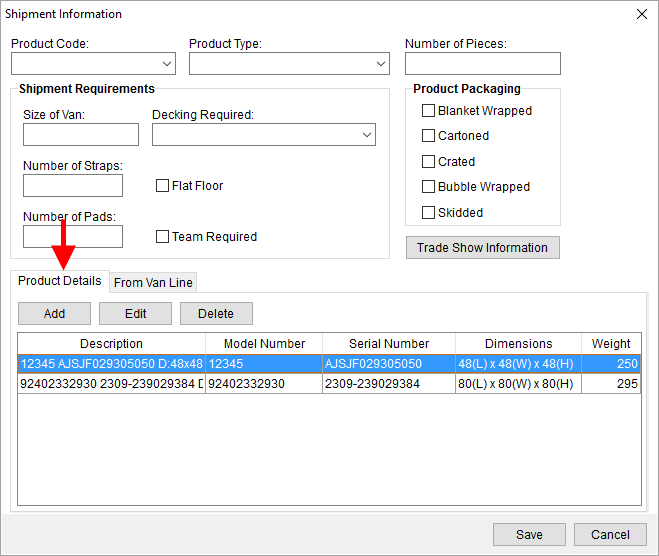
Figure 1: Shipment Information screen
The Product Details tab provides the ability to manage products for the order. This information can be included in a van line upload, such as the UniGroup Special Services Upload.
The Add and Edit buttons reference an updated Add Product Information dialog, which includes a few additional fields and options. NOTE: This dialog was previously named Add Shipment Information.
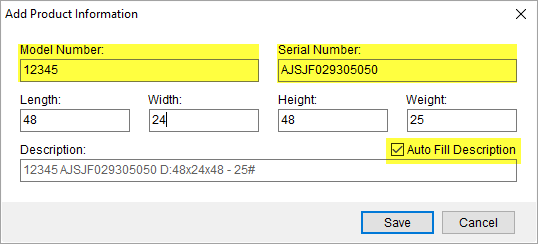
Figure 2: Add Product Information dialog
You now have fields to capture the Model Number and Serial Number of the item. You can enter up to 20 characters for the Model Number and 36 for the Serial Number.
Also new to this release is the option to Auto Fill Description. When checked, the application automatically generates a Description based on data entered for all fields. The format of the auto-generated field is as follows (Figure 2):
Model Number + " " + Serial Number + " " + D:LengthxWidthxHeight + “ - “ + Weight#
The format of the Description is what is included in the uploads sent to UniGroup. This is discussed further within the UniGroup Special Services Updates section below.
If the Auto Fill Description flag is not checked, then the Description is a free-form field (up to 80 characters).
When product data is received from a van line, this information is recorded within a new From Van Line tab. This read-only data includes the Description and Dimensions for included products.
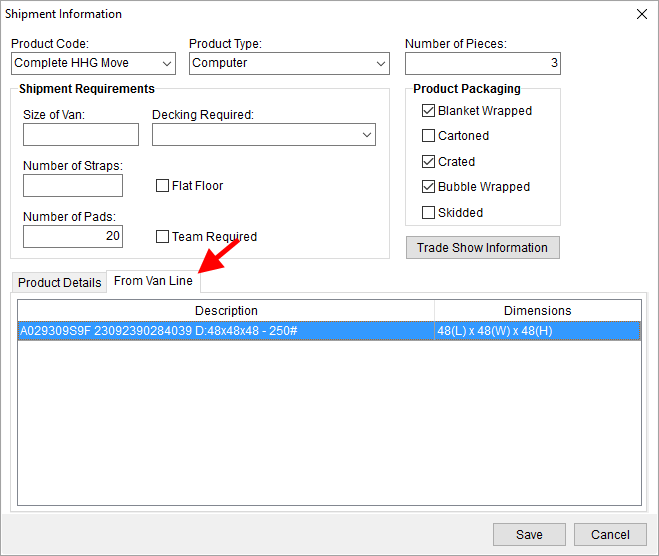
Figure 3: Shipment Information with From Van Line tab open
UniGroup Special Services Updates
UniGroup Special Services Upload sends an updated Equipment Description from each item listed within the Product Details tab within Shipment Information. The Equipment Description for an Electronic Safegaurd shipment (Commodity mapping to an External Code of ELEC within Commodity Type Setup) now includes the same information outlined for the Auto Fill Description feature described above. This information includes the new Model Number and Serial Number data.
Of note, if any of the individual components of the description are missing, then the Auto Fill Description function truncates the Description, if the Model Number is not set, then the value does not display in the Description (Figure 4).
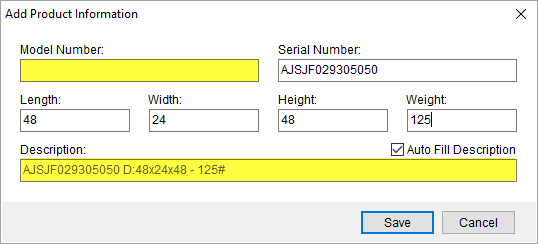
Figure 4: Shipment Information w/o Model Number
For all other shipment types (Commodity that maps to DISP or SCOM), the application only sends the Description and Weight, which can include the data from other fields provided that the Auto Fill Description is checked. The format of the product description in these shipments is:
Description + “ - “ + Weight#
The size of the Description sent to UniGroup is limited to 76 characters. Therefore, some information is truncated to accommodate this size restriction. On Electronic Safeguard shipments (Commodity mapping to ELEC), the application first removes data from the Description (assumes that Auto Fill Description flag is not checked). If the field is still too long, then the Model Number is removed. If it is still too long after these changes, then the Weight is removed.
Similarly, for other shipment types, the application includes only the Description and the Weight. If the value is larger than 76 characters, then the Description is truncated to fit the restriction (assumes that the Auto Fill Description flag is not checked).
NOTE: The Description of the item stored in MoversSuite is not altered. Only the Description sent to UniGroup may be truncated if over the size requirement.
Refer to the Shipment Description section within the UniGroup Special Services Upload Contents topic for more information on the data included in a send.
The Equipment Description returned from the UniGroup Registration Download may also include the Model Number and Serial Number information. See UniGroup Registration Download Content for details.
Order Find Updates
The Model Number, Serial Number, and/or the Description referencing data pulled from the Shipment Information screen are available to include in your order Find. This search criteria lists within the Product Information section within the Logistics Information Search Criteria data (previously named Store Information Search Criteria).
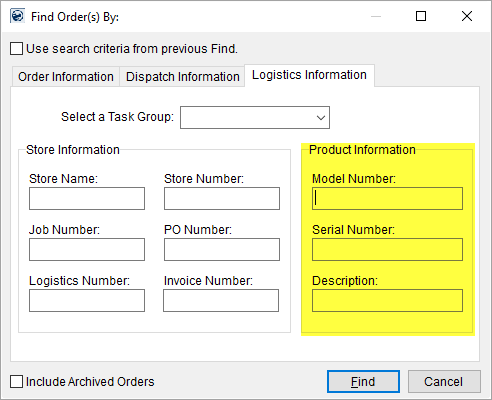
Figure 5: Logistics Information tab within the Find
Order Details Updates
The Order Details screen now allows you to view Shipment Information data through the Shipping Details option.
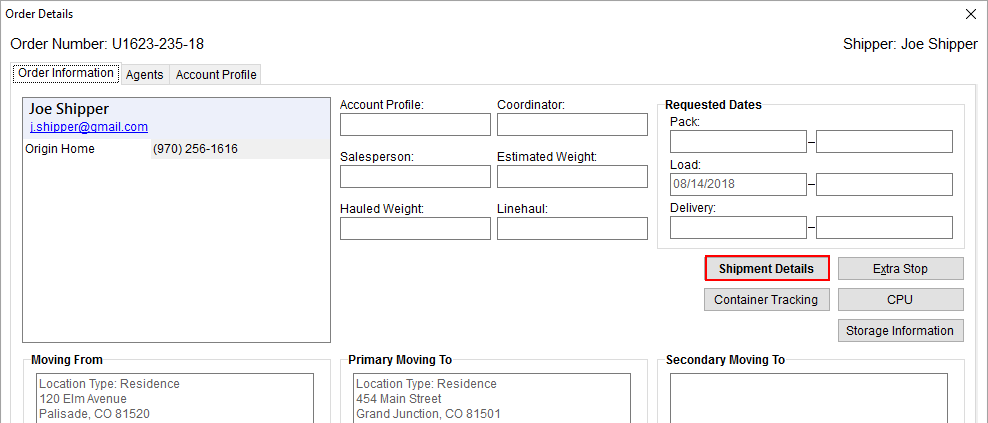
Figure 6: Order Details screen
Refer to the UniGroup Special Services Upload topic for more information.
|
SUMMARY (5001, 5154, 5158) |
|
UniGroup Special Services Upload Contents and UniGroup Registration Download Content updated. |
|
Shipment Information updated to include tabs for Product Details and From Van Line. |
|
Add Product Information updated to Model Number, Serial Number, and Auto Fill Description. Screen previously named Add Shipment Information. |
|
Logistics Information Search Criteria A replaces Store Information Search Criteria with a new Product Information search section. |
|
The following areas have been affected by this change: Logistics Information Search Criteria UniGroup Registration Download Content UniGroup Special Services Upload Contents UniGroup Upload Setup and Administration Schema Changes Version 2018R19
|
RELEASE FIXES
This section lists any fixes made to MoversSuite.
General Application
Type of characters allowed in Username updated
When creating or updating the Username for employees (User ID set through Personnel Setup), the characters allowed within the Username have been updated.
The following is a list of accepted special characters ALLOWED in the User ID:
•All printable American Standard Code for Information Interchange (ASCII) characters from ASCII 33 through ASCII 126, excluding ASCII 32 (space) and ASCII 92 (backslash)
The following characters are NOT ALLOWED in the User ID:
•Any ASCII control or extended characters, which includes all characters before ASCII 33 and after ASCII 126.
•Spaces (leading, embedded, or trailing spaces) (ASCII 32)
•Backslash (\) (ASCII 92)
Refer to the following link for a list of ASCII codes: https://theasciicode.com.ar/
This change is due in response to authentication errors received by users with a space in their Username. Subprocesses, such as Forms Designer and MoversSuite Email, do not allow spaces and other invalid characters. Therefore, if a user has issues connecting to a subprocess, then their Username must be updated. Further, anytime a change is made to their Personnel Setup record, the User ID (Username) will be validated and may need to be updated prior to saving the record.
Refer to the User ID field description within Personnel Setup for more information. (5152)
MoversSuite blue screen no longer expands to fit entire window
An issue related to screen scaling on some machines has been corrected. The issue was that when display settings were larger than 100%, then the blue bar of MoversSuite expanded to fit the entire screen rendering the application unusable until the display scaling was adjusted back to 100%. (3705)
Atlas Integration
Salesperson not updated if already set
If the Salesperson is already set on an Atlas order, any subsequent downloads will not update the setting. (5091)
Enterprise BI
View updates include the following:
The ServiceDate field within the LocalDispatchGrid view is now available as a date type field instead of a varchar. (5140)
ServiceType (Local Service Description) added to the CrewActuals view. (5141)
GrossLinehaul added to the AccountTransactions and OrderInformation views. (5142)
The following fields were added to the MilitaryGovernment view:
CustomerName
ActualLoadDate
ActualDeliveryDate
ShipmentType
BillDate
(5143)
CustomerName added to the RevenueEntry view. (5144, 5157)
Refer to Enterprise BI Views for more information.
Revenue Entry
Vendor name showing again for third party payables
Within the Transactions grid, when you hover over the description of a third-party payable, the application now produces a tool tip containing the name of the vendor. In the releases since, and including, 2018 R10, the tool tip displayed the ID number instead of the name; the ID is already provided as a separate column within the data grid. This change also affects the MS Order Transactions Report, which now displays the vendor name within the Description field. (5106)
SCHEMA CHANGES
Database changes for this release are visible through the following topic:
Schema Changes Version 2018R19
The following links allows you to navigate through all MoversSuite tables and data views and allows you to view field properties, such as type and maximum value size, etc.
MoversSuite Database Tables (2018R19)
MoversSuite Document Database Tables (2018R19)
MoversSuite Data Views (2018R19)
RELEASE REQUIREMENTS
Please refer to the following information regarding the hardware and software required to support MoversSuite and related systems.
View the MoversSuite System Compatibility topic for a list of products that are compatible with MoversSuite.
Refer to the System Requirements section for a complete list of hardware and software requirements.
Browser Security Requirements for Credit Card Payments
With recent changes to support TLS 1.2 encryption protocol enforced by the credit card and banking industries, your internet browser must support TSL 1.2 encryption to process Electronic and Online Payments. Refer to the Browser Security Settings topic for more information on this requirement on how to test your browser.
MSCrew 2.0 Requires MoversSuite 2018 R10 or Higher
The MSCrew Version 2.0 requires that MoversSuite be on Version 2018 R10 or higher to support the changes included with the latest mobile application. More information will come in future updates of MoversSuite as the rollout date for MSCrew Version 2.0 nears.
New MoversSuite WebApiService
An additional web service will run after you upgrade to Version 2018 R09 of MoversSuite or later version. The new service is titled “WebApiService –“ followed by your company name. If you have issues connecting to the API service after you upgrade, verify that this, and other MoversSuite services, are running on your application server.
Microsoft SQL Server 2008 and SQL Server 2008 R2 Compatibility
With version 2017 R11 of MoversSuite, the development environment of MoversSuite is no longer compatible with Microsoft SQL Server 2008 or SQL Server 2008 R2.
As of May 22, 2017, the lowest compatible database server hosting MoversSuite will be Microsoft SQL Server 2012. IMPORTANT: If you wish to upgrade to MoversSuite 2017 R11 or a later version of MoversSuite, your company must, at minimum, have Microsoft SQL Server 2012 or higher (see the Microsoft SQL Server 2016 Compatibility announcement).
Of note, being current on the latest versions of the hardware and software for our development environment allows us to provide better security, better support, and a better MoversSuite user experience. Please refer to our System Requirements for more information on the hardware and software compatible with MoversSuite.
Contact our EWS Support team to discuss migration options.
Windows Domain Authentication to log into MoversSuite
With the release of MoversSuite Version 2017 R08 is the ability to open MoversSuite by using the credentials you enter when logging into your Windows environment. MoversSuite references the user identity associated to your Windows account to retrieve your MoversSuite login information. Then, when you launch MoversSuite or MoversSuite Administration, it opens without you having to enter your MoversSuite username and password.
IMPORTANT: If your company is not utilizing Windows Domain Authentication, then you will be unable to upgrade to version 2017 R08 or later. (8638)
IBM MQ Client 8.0.0.5
For all UniGroup agents, UniGroup requires IBM MQ Client 8.0.0.5. If you upgrade on your own and want to download this latest version of IBM MQ Client, then you can do so through this link: http://www-01.ibm.com/support/docview.wss?uid=swg24037500#1.
Microsoft SQL Server 2016 Compatibility
As of MoversSuite 2017 R04, the MoversSuite development environment is compatible with Microsoft SQL Server 2016.
Refer to our System Requirements for more information on the hardware and software compatible with MoversSuite.
Please contact our EWS Sales team to discuss upgrade options.
Microsoft Windows Server 2016 Compatibility
As of MoversSuite 2017 R04, MoversSuite is compatible with Microsoft Windows Server 2016.
Refer to our System Requirements for more information on the hardware and software compatible with MoversSuite.
Please contact our EWS Sales team to discuss upgrade options.
Dynamics GP Requirements
MoversSuite is compatible with the following:
Microsoft Dynamics GP 2016 R2 (with ATIP Build 16.0.2)
Microsoft Dynamics GP 2015 R2 (with ATIP Build 14.0.1)
Microsoft Dynamics GP 2013 R2 (with ATIP Build 12.0.23)
Refer to the following for information regarding additional requirements you may need to support Microsoft Dynamics GP:
System Requirements for Microsoft Dynamics GP 2016
System Requirements for Microsoft Dynamics GP 2015
KNOWN ISSUES
The following issues are problems that may affect your decision to upgrade to this version of MoversSuite. The following issue is not resolved for this release.
Screen scaling not available with MoversSuite
With the advances in screen size and resolution, many underlying applications are not able to deal with all the variations in configurations available to the variety of high definition (HD) screens. Due to this limitation, MoversSuite cannot scale as desired in all situations. Many of you may have purchased HD monitors and have seen issues such as not being able to read field labels, etc.
Until there is a better solution to scaling, EWS Group recommends that if you experience scaling problems with the MoversSuite application keep the size of your application to 100% and change the resolution as desired.
On Windows machines, you can verify and/or update the display settings as follows:
1. Right-click somewhere on your desktop and select Display Settings
2. Set the Change the size of text, apps, and other items to 100%.
3. Click on Apply to save the changes.
4. Click on Advanced display settings.
5. Make changes to the Resolution as needed.
6. Click on Apply to save the changes.
7. Close the screen by pressing the X in the upper right-hand corner of the screen.
UPDATE:
With the release of MoversSuite 2018 R15, a solution has been implemented to address many of the issues involving scaling. (3705, 4114)
Citrix issue with phone number control
An issue that cannot be replicated is causing the phone numbers within the Shipper Contact Information section (Name, Address, Phone tab) to disappear and then reappear when you click on that section, however, the user cannot edit them until they press Cancel (on the order) and then attempt to Edit again. (6409)
|
Version 2018 R18 |
|
RELEASE DATE: 8/27/2018
Are you aware of what triggers a sales tax audit?
Read through the information in the following link to learn more: What Triggers a Sales Tax Audit. Please reach out to our Sales Team if you wish to learn more about Avalara.
RELEASE SUMMARY
The following is a table contains counts of the items affecting this release.
|
# |
Change Summary |
|
|
New Product Features |
|
|
Release Enhancements |
|
3 |
Release Fixes |
|
|
Schema Changes (tables affected) |
|
|
Admin Changes |
|
|
Standard Reports Affected |
Release Hyperlinks:
Access our Product Feedback Site
System Requirements for this Release
View the Schema Changes for this Release
See Highlights for All Releases
RELEASE FIXES
This section lists any fixes made to MoversSuite.
Divisions
Division setting no longer being cleared
The Division setting is no longer cleared after you set this field and then click elsewhere in the application. The cause of the problem was related to a Microsoft change that affected version .NET Framework 4.7.2 (or newer). (5139)
Payment Management
Auto applying across multiple branches works for imported items
When items import from a van line statement for the same Service Code but for different branches, the application now applies each item to the correct branch. (4900)
Recurring Billing & Storage
Error handling improvement
When errors occurring during a storage billing run, the application ensures that only one invoice is created no matter how often a failed storage run is restarted. Ensuring that only one invoice is created assists in avoiding issues with deferrals and auto-commissions. (4663)
SCHEMA CHANGES
Database changes for this release are visible through the following topic:
NO SCHEMA CHANGES FOR THIS RELEASE
The following links allows you to navigate through all MoversSuite tables and data views and allows you to view field properties, such as type and maximum value size, etc.
MoversSuite Database Tables (2018R18)
MoversSuite Document Database Tables (2018R18)
MoversSuite Data Views (2018R18)
RELEASE REQUIREMENTS
Please refer to the following information regarding the hardware and software required to support MoversSuite and related systems.
View the MoversSuite System Compatibility topic for a list of products that are compatible with MoversSuite.
Refer to the System Requirements section for a complete list of hardware and software requirements.
Browser Security Requirements for Credit Card Payments
With recent changes to support TLS 1.2 encryption protocol enforced by the credit card and banking industries, your internet browser must support TSL 1.2 encryption to process Electronic and Online Payments. Refer to the Browser Security Settings topic for more information on this requirement on how to test your browser.
MSCrew 2.0 Requires MoversSuite 2018 R10 or Higher
The MSCrew Version 2.0 requires that MoversSuite be on Version 2018 R10 or higher to support the changes included with the latest mobile application. More information will come in future updates of MoversSuite as the rollout date for MSCrew Version 2.0 nears.
New MoversSuite WebApiService
An additional web service will run after you upgrade to Version 2018 R09 of MoversSuite or later version. The new service is titled “WebApiService –“ followed by your company name. If you have issues connecting to the API service after you upgrade, verify that this, and other MoversSuite services, are running on your application server.
Microsoft SQL Server 2008 and SQL Server 2008 R2 Compatibility
With version 2017 R11 of MoversSuite, the development environment of MoversSuite is no longer compatible with Microsoft SQL Server 2008 or SQL Server 2008 R2.
As of May 22, 2017, the lowest compatible database server hosting MoversSuite will be Microsoft SQL Server 2012. IMPORTANT: If you wish to upgrade to MoversSuite 2017 R11 or a later version of MoversSuite, your company must, at minimum, have Microsoft SQL Server 2012 or higher (see the Microsoft SQL Server 2016 Compatibility announcement).
Of note, being current on the latest versions of the hardware and software for our development environment allows us to provide better security, better support, and a better MoversSuite user experience. Please refer to our System Requirements for more information on the hardware and software compatible with MoversSuite.
Contact our EWS Support team to discuss migration options.
Windows Domain Authentication to log into MoversSuite
With the release of MoversSuite Version 2017 R08 is the ability to open MoversSuite by using the credentials you enter when logging into your Windows environment. MoversSuite references the user identity associated to your Windows account to retrieve your MoversSuite login information. Then, when you launch MoversSuite or MoversSuite Administration, it opens without you having to enter your MoversSuite username and password.
IMPORTANT: If your company is not utilizing Windows Domain Authentication, then you will be unable to upgrade to version 2017 R08 or later. (8638)
IBM MQ Client 8.0.0.5
For all UniGroup agents, UniGroup requires IBM MQ Client 8.0.0.5. If you upgrade on your own and want to download this latest version of IBM MQ Client, then you can do so through this link: http://www-01.ibm.com/support/docview.wss?uid=swg24037500#1.
Microsoft SQL Server 2016 Compatibility
As of MoversSuite 2017 R04, the MoversSuite development environment is compatible with Microsoft SQL Server 2016.
Refer to our System Requirements for more information on the hardware and software compatible with MoversSuite.
Please contact our EWS Sales team to discuss upgrade options.
Microsoft Windows Server 2016 Compatibility
As of MoversSuite 2017 R04, MoversSuite is compatible with Microsoft Windows Server 2016.
Refer to our System Requirements for more information on the hardware and software compatible with MoversSuite.
Please contact our EWS Sales team to discuss upgrade options.
Dynamics GP Requirements
MoversSuite is compatible with the following:
Microsoft Dynamics GP 2016 R2 (with ATIP Build 16.0.2)
Microsoft Dynamics GP 2015 R2 (with ATIP Build 14.0.1)
Microsoft Dynamics GP 2013 R2 (with ATIP Build 12.0.23)
Refer to the following for information regarding additional requirements you may need to support Microsoft Dynamics GP:
System Requirements for Microsoft Dynamics GP 2016
System Requirements for Microsoft Dynamics GP 2015
KNOWN ISSUES
The following issues are problems that may affect your decision to upgrade to this version of MoversSuite. The following issue is not resolved for this release.
Screen scaling not available with MoversSuite
With the advances in screen size and resolution, many underlying applications are not able to deal with all the variations in configurations available to the variety of high definition (HD) screens. Due to this limitation, MoversSuite cannot scale as desired in all situations. Many of you may have purchased HD monitors and have seen issues such as not being able to read field labels, etc.
Until there is a better solution to scaling, EWS Group recommends that if you experience scaling problems with the MoversSuite application keep the size of your application to 100% and change the resolution as desired.
On Windows machines, you can verify and/or update the display settings as follows:
8. Right-click somewhere on your desktop and select Display Settings
9. Set the Change the size of text, apps, and other items to 100%.
10. Click on Apply to save the changes.
11. Click on Advanced display settings.
12. Make changes to the Resolution as needed.
13. Click on Apply to save the changes.
14. Close the screen by pressing the X in the upper right-hand corner of the screen.
UPDATE:
With the release of MoversSuite 2018 R15, a solution has been implemented to address many of the issues involving scaling. (3705, 4114)
Citrix issue with phone number control
An issue that cannot be replicated is causing the phone numbers within the Shipper Contact Information section (Name, Address, Phone tab) to disappear and then reappear when you click on that section, however, the user cannot edit them until they press Cancel (on the order) and then attempt to Edit again. (6409)
|
Version 2018 R17 |
|
RELEASE DATE: 8/13/2018
Are you aware of what triggers a sales tax audit?
Read through the information in the following link to learn more: What Triggers a Sales Tax Audit. Please reach out to our Sales Team if you wish to learn more about Avalara.
RELEASE SUMMARY
The following is a table contains counts of the items affecting this release.
|
# |
Change Summary |
|
1 |
New Product Features |
|
1 |
Release Enhancements |
|
1 |
Release Fixes |
|
1 |
Schema Changes (tables affected) |
|
1 |
Admin Changes |
|
|
Standard Reports Affected |
Release Hyperlinks:
Access our Product Feedback Site
System Requirements for this Release
View the Schema Changes for this Release
See Highlights for All Releases
RELEASE FEATURES
This section lists new functionality added to MoversSuite.
Additional Information included in the UniGroup Special
Services Upload 
Some changes were made along with fields being added to the UniGroup Special Services Upload. The following sections list each field affected by these changes for the following tabs:
Refer to the following topics for field and setup information:
UniGroup Special Services Upload
UniGroup Special Services Upload Contents
UniGroup Upload Setup and Administration
Name, Address, Phone
Location Type
The Location Type set for the Moving From and Moving To – Primary addresses within the Name, Address, Phone tab is now included in the upload. The selected values on the order must match to supported UniGroup codes, which map to the UniGroup interface through Address Location Type Setup. The following codes are those currently supported for the UniGroup Special Services Upload:
|
External Code |
Description |
|
01 |
Residence |
|
02 |
Business |
|
03 |
Storage-in-Transit |
|
04 |
Permanent Storage |
|
05 |
Pier to tradeshow |
|
06 |
Warehouse or Drayage Co. |
|
07 |
Other than listed |
|
08 |
Agent warehouse |
|
09 |
G11 (origin addresses only) |
In the Address Location Type Setup example below, the External Code of 01 is referenced to indicate a Residence location on the UniGroup system.
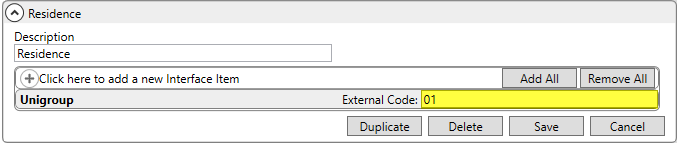
Figure 1: Address Location Type sample record
Salesperson
The upload process now recognizes the Salesperson set within the Name, Address, Phone tab based on the User ID set within the Interface Mapping tab within Personnel Setup. The User ID referenced is the one established for the employee within UniGroup.
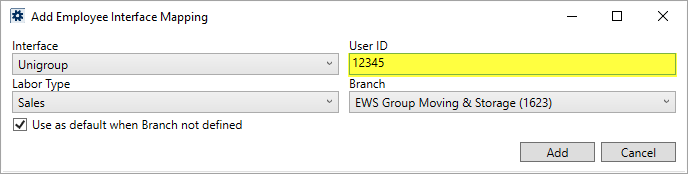
Figure 2: Add Employee Interface Mapping dialog from within Personnel Setup
On prior releases, the employee number was referenced.
Additionally, a Subsidiary Code is included for the Salesperson to identify their van line affiliation based on the Default Branch set within Personnel Setup. Therefore, for each supported Salesperson, verify that their User ID and Default Branch are set accordingly.
Move Information
Valuation and Valuation Per Pound
Valuation data set within the Move Information tab is now included in the UniGroup Special Services Upload. This information includes the valuation code that is mapped to the UniGroup interface through Valuation Setup and the actual rated amount set within the Per Pound field.
The available codes for the UniGroup Special Services Upload include the following, which are established within Valuation Setup:
|
External Code |
Description |
|
G |
No Deductible |
|
A |
$250 Deductible |
|
B |
$500 Deductible |
The example below highlights an External Code of G for No Deductible.
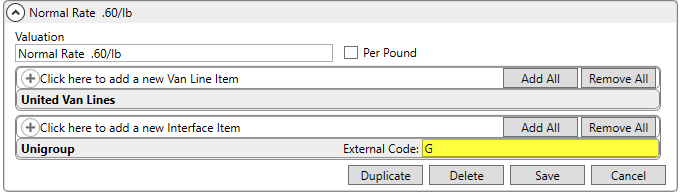
Figure 3: Valuation Setup
The Per Pound values are defined within Valuation Per Pound Setup.
Equipment Size and Description
The UniGroup Special Services Upload process also includes the equipment specified within the Shipment Details feature within the Move Information tab. Specifically, the Description, Length, Width, and Height values for each record are included. Enter this data through the Add Shipment Informationdialog available from within Shipment Information screen.
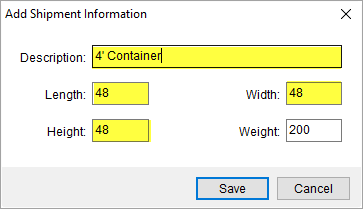
Figure 4: Add Shipment Information dialog
Agents
Origin, Destination, and Hauling Agents
The van line affiliation, which is referenced as the Subsidiary Code in UniGroup, is included in the upload for the Origin, Destination, and Hauling Agent on the order.
Van Number
The Van Number of the agent is now included in the upload.
Billing Information
Section
The Section code set within the Billing Information tab is now included in the upload.
Refer to the UniGroup Special Services Upload topic for more information.
|
SUMMARY (4963) |
|
UniGroup Special Services Upload updated. |
|
The following areas have been affected by this change: UniGroup Special Services Upload UniGroup Special Services Upload Contents UniGroup Upload Setup and Administration
|
Additional Columns and Display Options added to Capacity
Planning
Capacity Planning has been improved to include additional columns, which break out the capacity information into total, used, and available categories. Capacity Planning also includes administrative options to adjust which columns are visible along with the ability to customize column labels.
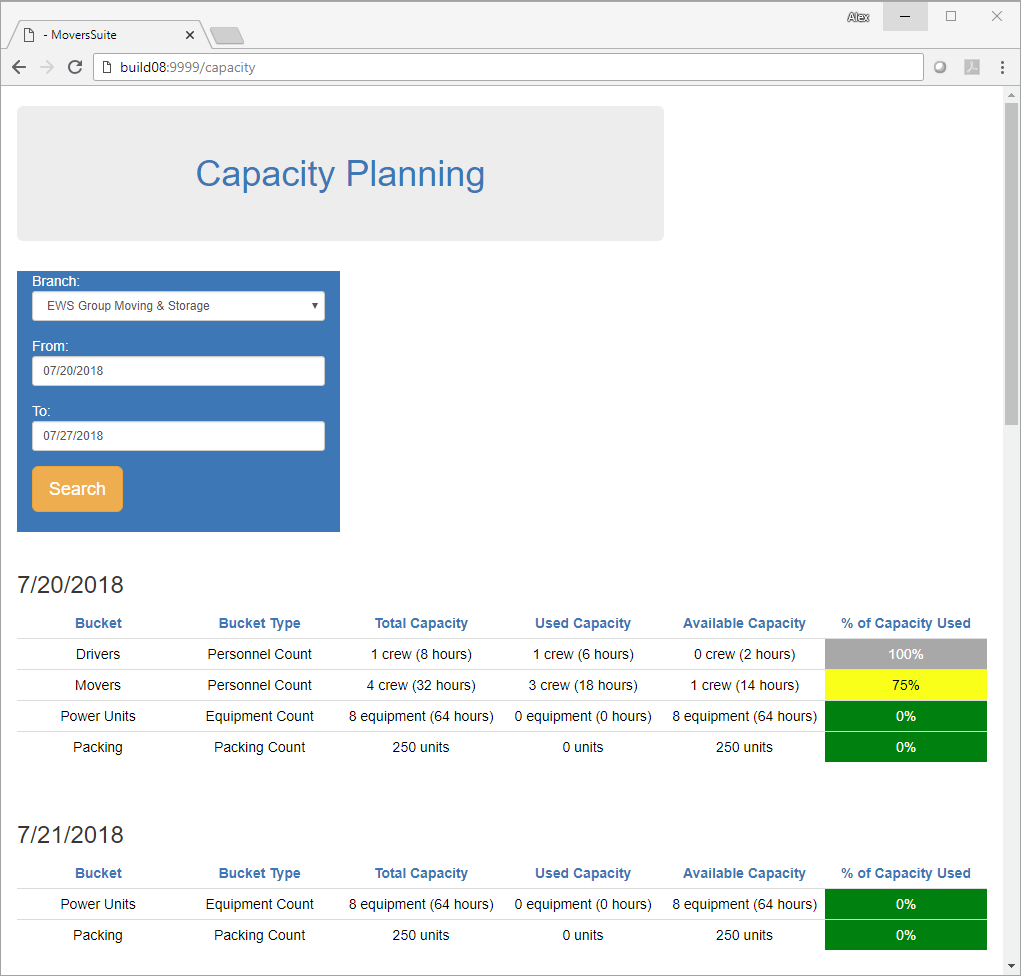
Figure 5: Capacity Planning
The new columns include Total Capacity and Used Capacity. Providing these columns allows you to view a total snapshot company capacity.

Figure 6: Sample daily capacity record
Additionally, a new administrative setup area allows you to customize the display to suit your needs. Listing under the Operations category, the Capacity Display Settingssetup allows you to determine which columns are visible along with providing titles for each column.
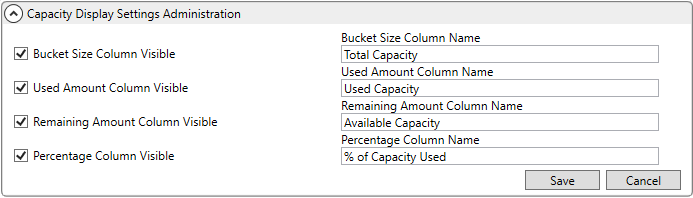
Figure 7: Capacity Display Settings
Refer to the Capacity Planning and Capacity Planning Setup topics for more on setup information.
|
SUMMARY (5138) |
|
Total Capacity and Used Capacity columns added to Capacity Planning. |
|
The following areas have been affected by this change: |
RELEASE FIXES
This section lists any fixes made to MoversSuite.
MoversSuite Email
Subject line updates when switching orders
When opening a new MoversSuite Email message through the Tools Menu, the application now references the correct order number on the Subject line. On prior releases, the Subject line retained only the initial order set when the email was opened through the Tools Menu. (5121)
SCHEMA CHANGES
Database changes for this release are visible through the following topic:
Schema Changes Version 2018R17
The following links allows you to navigate through all MoversSuite tables and data views and allows you to view field properties, such as type and maximum value size, etc.
MoversSuite Database Tables (2018R17)
MoversSuite Document Database Tables (2018R17)
MoversSuite Data Views (2018R17)
RELEASE REQUIREMENTS
Please refer to the following information regarding the hardware and software required to support MoversSuite and related systems.
View the MoversSuite System Compatibility topic for a list of products that are compatible with MoversSuite.
Refer to the System Requirements section for a complete list of hardware and software requirements.
Browser Security Requirements for Credit Card Payments
With recent changes to support TLS 1.2 encryption protocol enforced by the credit card and banking industries, your internet browser must support TSL 1.2 encryption to process Electronic and Online Payments. Refer to the Browser Security Settings topic for more information on this requirement on how to test your browser.
MSCrew 2.0 Requires MoversSuite 2018 R10 or Higher
The MSCrew Version 2.0 requires that MoversSuite be on Version 2018 R10 or higher to support the changes included with the latest mobile application. More information will come in future updates of MoversSuite as the rollout date for MSCrew Version 2.0 nears.
New MoversSuite WebApiService
An additional web service will run after you upgrade to Version 2018 R09 of MoversSuite or later version. The new service is titled “WebApiService –“ followed by your company name. If you have issues connecting to the API service after you upgrade, verify that this, and other MoversSuite services, are running on your application server.
Microsoft SQL Server 2008 and SQL Server 2008 R2 Compatibility
With version 2017 R11 of MoversSuite, the development environment of MoversSuite is no longer compatible with Microsoft SQL Server 2008 or SQL Server 2008 R2.
As of May 22, 2017, the lowest compatible database server hosting MoversSuite will be Microsoft SQL Server 2012. IMPORTANT: If you wish to upgrade to MoversSuite 2017 R11 or a later version of MoversSuite, your company must, at minimum, have Microsoft SQL Server 2012 or higher (see the Microsoft SQL Server 2016 Compatibility announcement).
Of note, being current on the latest versions of the hardware and software for our development environment allows us to provide better security, better support, and a better MoversSuite user experience. Please refer to our System Requirements for more information on the hardware and software compatible with MoversSuite.
Contact our EWS Support team to discuss migration options.
Windows Domain Authentication to log into MoversSuite
With the release of MoversSuite Version 2017 R08 is the ability to open MoversSuite by using the credentials you enter when logging into your Windows environment. MoversSuite references the user identity associated to your Windows account to retrieve your MoversSuite login information. Then, when you launch MoversSuite or MoversSuite Administration, it opens without you having to enter your MoversSuite username and password.
IMPORTANT: If your company is not utilizing Windows Domain Authentication, then you will be unable to upgrade to version 2017 R08 or later. (8638)
IBM MQ Client 8.0.0.5
For all UniGroup agents, UniGroup requires IBM MQ Client 8.0.0.5. If you upgrade on your own and want to download this latest version of IBM MQ Client, then you can do so through this link: http://www-01.ibm.com/support/docview.wss?uid=swg24037500#1.
Microsoft SQL Server 2016 Compatibility
As of MoversSuite 2017 R04, the MoversSuite development environment is compatible with Microsoft SQL Server 2016.
Refer to our System Requirements for more information on the hardware and software compatible with MoversSuite.
Please contact our EWS Sales team to discuss upgrade options.
Microsoft Windows Server 2016 Compatibility
As of MoversSuite 2017 R04, MoversSuite is compatible with Microsoft Windows Server 2016.
Refer to our System Requirements for more information on the hardware and software compatible with MoversSuite.
Please contact our EWS Sales team to discuss upgrade options.
Dynamics GP Requirements
MoversSuite is compatible with the following:
Microsoft Dynamics GP 2016 R2 (with ATIP Build 16.0.2)
Microsoft Dynamics GP 2015 R2 (with ATIP Build 14.0.1)
Microsoft Dynamics GP 2013 R2 (with ATIP Build 12.0.23)
Refer to the following for information regarding additional requirements you may need to support Microsoft Dynamics GP:
System Requirements for Microsoft Dynamics GP 2016
System Requirements for Microsoft Dynamics GP 2015
KNOWN ISSUES
The following issues are problems that may affect your decision to upgrade to this version of MoversSuite. The following issue is not resolved for this release.
Screen scaling not available with MoversSuite
With the advances in screen size and resolution, many underlying applications are not able to deal with all the variations in configurations available to the variety of high definition (HD) screens. Due to this limitation, MoversSuite cannot scale as desired in all situations. Many of you may have purchased HD monitors and have seen issues such as not being able to read field labels, etc.
Until there is a better solution to scaling, EWS Group recommends that if you experience scaling problems with the MoversSuite application keep the size of your application to 100% and change the resolution as desired.
On Windows machines, you can verify and/or update the display settings as follows:
15. Right-click somewhere on your desktop and select Display Settings
16. Set the Change the size of text, apps, and other items to 100%.
17. Click on Apply to save the changes.
18. Click on Advanced display settings.
19. Make changes to the Resolution as needed.
20. Click on Apply to save the changes.
21. Close the screen by pressing the X in the upper right-hand corner of the screen.
UPDATE:
With the release of MoversSuite 2018 R15, a solution has been implemented to address many of the issues involving scaling. (3705, 4114)
Citrix issue with phone number control
An issue that cannot be replicated is causing the phone numbers within the Shipper Contact Information section (Name, Address, Phone tab) to disappear and then reappear when you click on that section, however, the user cannot edit them until they press Cancel (on the order) and then attempt to Edit again. (6409)
|
Version 2018 R16 |
|
RELEASE DATE: 7/30/2018
Are you aware of what triggers a sales tax audit?
Read through the information in the following link to learn more: What Triggers a Sales Tax Audit. Please reach out to our Sales Team if you wish to learn more about Avalara.
RELEASE SUMMARY
The following is a table contains counts of the items affecting this release.
|
# |
Change Summary |
|
1 |
New Product Features |
|
1 |
Release Enhancements |
|
|
Release Fixes |
|
1 |
Schema Changes (tables affected) |
|
|
Admin Changes |
|
|
Standard Reports Affected |
Release Hyperlinks:
Access our Product Feedback Site
System Requirements for this Release
View the Schema Changes for this Release
See Highlights for All Releases
RELEASE FEATURES
This section lists new functionality added to MoversSuite.
Support for PEAK Rates Added
for UniGroup Rating Send 
When accessorials import into MoversSuite from a UniGroup Rating Send, the application now recognizes PEAK rates and applies alternate rates based on an alternate Item Code that is established on your system.
NOTE: This change affects Rating Sends only and is not available on Distribution Sends.
MoversSuite now interprets an Accessorial Description Code of P included in the Rating Send to identify those accessorials that qualify for PEAK rates. If you wish MoversSuite to apply PEAK rates from Rating Sends, then you can establish additional Item Codes under the same Service Code and specify 999 for the Van Line Service Code set within Item Code Setup.
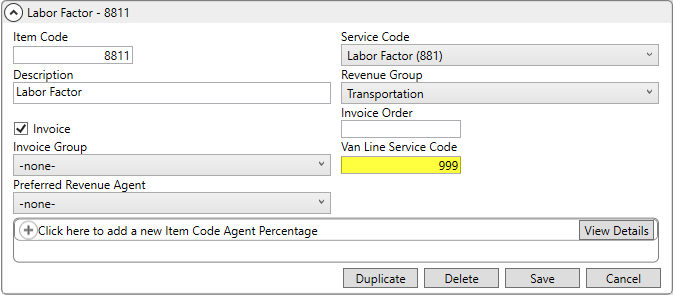
Figure 1: Item Code Setup (PEAK rate Item Code)
The example Item Code record above (Figure 1) is a duplicate of the one below (Figure 2). They both are referenced by the UniGroup Rating Send process, however, if the accessorial type indicates a PEAK rate, then information on the above Item Code is referenced when imported. The above Item Code is referenced within the Transactions grid, as well.
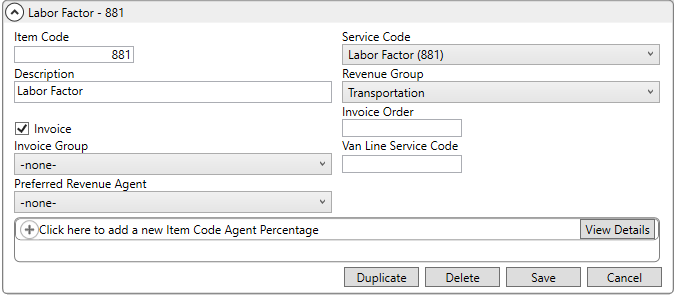
Figure 2: Item Code Setup (original record)
If no PEAK rate is indicated or if no duplicate Item Code is established, then rates for the original Item Code are referenced.
Refer to the UniGroup PEAK Rates topic for more on setup information.
|
SUMMARY (5134) |
|
UniGroup Rating Send process now supports PEAK rates. |
|
The following areas have been affected by this change: UniGroup Download Setup and Administration UniGroup Rating Download Contents
|
RELEASE ENHANCEMENTS
This section lists improvements made to MoversSuite.
Full SSN is no longer stored
within MoversSuite
MoversSuite no longer stores the full Social Security Number (SSN) within its database. The Military/Government tab has been updated to only allow the entry of the last four digits of the SSN.
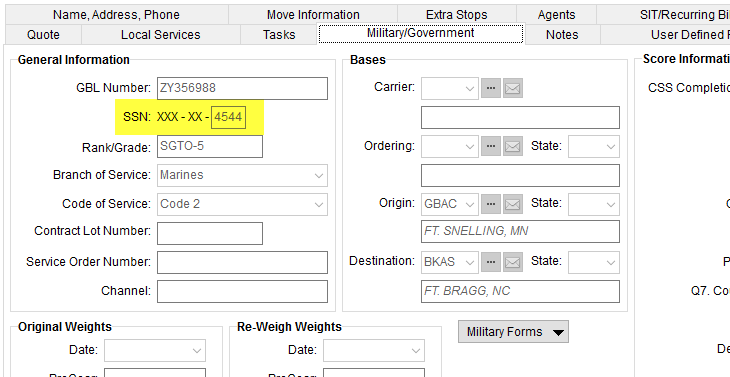
Figure 3: Military/Government tab
As part of the upgrade process, a script is executed that replaces all SSN values with a formatted value that displays only the last four digits, e.g. XXX-XX-1234 shows in the database. This script also stores the last four digits of each SSN within the new MilitaryOrder.SsnLast4 field.
Newly entered SSN values are stored in the MilitaryOrder table as follows (using the example from Figure 3):
SSNNumber stores a value of XXX-XX-4544
SsnLast4 stores a value of 4544
All imports, such as the EasyDPS Integration Download, have been updated to only import the last four digits of an SSN.
|
SUMMARY (5114) |
|
SSN field within the Military/Government tab and all import processes updated to only store last four digits. |
|
The following areas have been affected by this change: Schema Changes Version 2018R16
|
RELEASE FIXES
This section lists any fixes made to MoversSuite.
NO FIXES MADE IN THIS RELEASE
SCHEMA CHANGES
Database changes for this release are visible through the following topic:
Schema Changes Version 2018R16
The following links allows you to navigate through all MoversSuite tables and data views and allows you to view field properties, such as type and maximum value size, etc.
MoversSuite Database Tables (2018R16)
MoversSuite Document Database Tables (2018R16)
MoversSuite Data Views (2018R16)
RELEASE REQUIREMENTS
Please refer to the following information regarding the hardware and software required to support MoversSuite and related systems.
View the MoversSuite System Compatibility topic for a list of products that are compatible with MoversSuite.
Refer to the System Requirements section for a complete list of hardware and software requirements.
Browser Security Requirements for Credit Card Payments
With recent changes to support TLS 1.2 encryption protocol enforced by the credit card and banking industries, your internet browser must support TSL 1.2 encryption to process Electronic and Online Payments. Refer to the Browser Security Settings topic for more information on this requirement on how to test your browser.
MSCrew 2.0 Requires MoversSuite 2018 R10 or Higher
The MSCrew Version 2.0 requires that MoversSuite be on Version 2018 R10 or higher to support the changes included with the latest mobile application. More information will come in future updates of MoversSuite as the rollout date for MSCrew Version 2.0 nears.
New MoversSuite WebApiService
An additional web service will run after you upgrade to Version 2018 R09 of MoversSuite or later version. The new service is titled “WebApiService –“ followed by your company name. If you have issues connecting to the API service after you upgrade, verify that this, and other MoversSuite services, are running on your application server.
Microsoft SQL Server 2008 and SQL Server 2008 R2 Compatibility
With version 2017 R11 of MoversSuite, the development environment of MoversSuite is no longer compatible with Microsoft SQL Server 2008 or SQL Server 2008 R2.
As of May 22, 2017, the lowest compatible database server hosting MoversSuite will be Microsoft SQL Server 2012. IMPORTANT: If you wish to upgrade to MoversSuite 2017 R11 or a later version of MoversSuite, your company must, at minimum, have Microsoft SQL Server 2012 or higher (see the Microsoft SQL Server 2016 Compatibility announcement).
Of note, being current on the latest versions of the hardware and software for our development environment allows us to provide better security, better support, and a better MoversSuite user experience. Please refer to our System Requirements for more information on the hardware and software compatible with MoversSuite.
Contact our EWS Support team to discuss migration options.
Windows Domain Authentication to log into MoversSuite
With the release of MoversSuite Version 2017 R08 is the ability to open MoversSuite by using the credentials you enter when logging into your Windows environment. MoversSuite references the user identity associated to your Windows account to retrieve your MoversSuite login information. Then, when you launch MoversSuite or MoversSuite Administration, it opens without you having to enter your MoversSuite username and password.
IMPORTANT: If your company is not utilizing Windows Domain Authentication, then you will be unable to upgrade to version 2017 R08 or later. (8638)
IBM MQ Client 8.0.0.5
For all UniGroup agents, UniGroup requires IBM MQ Client 8.0.0.5. If you upgrade on your own and want to download this latest version of IBM MQ Client, then you can do so through this link: http://www-01.ibm.com/support/docview.wss?uid=swg24037500#1.
Microsoft SQL Server 2016 Compatibility
As of MoversSuite 2017 R04, the MoversSuite development environment is compatible with Microsoft SQL Server 2016.
Refer to our System Requirements for more information on the hardware and software compatible with MoversSuite.
Please contact our EWS Sales team to discuss upgrade options.
Microsoft Windows Server 2016 Compatibility
As of MoversSuite 2017 R04, MoversSuite is compatible with Microsoft Windows Server 2016.
Refer to our System Requirements for more information on the hardware and software compatible with MoversSuite.
Please contact our EWS Sales team to discuss upgrade options.
Dynamics GP Requirements
MoversSuite is compatible with the following:
Microsoft Dynamics GP 2016 R2 (with ATIP Build 16.0.2)
Microsoft Dynamics GP 2015 R2 (with ATIP Build 14.0.1)
Microsoft Dynamics GP 2013 R2 (with ATIP Build 12.0.23)
Refer to the following for information regarding additional requirements you may need to support Microsoft Dynamics GP:
System Requirements for Microsoft Dynamics GP 2016
System Requirements for Microsoft Dynamics GP 2015
KNOWN ISSUES
The following issues are problems that may affect your decision to upgrade to this version of MoversSuite. The following issue is not resolved for this release.
Screen scaling not available with MoversSuite
With the advances in screen size and resolution, many underlying applications are not able to deal with all the variations in configurations available to the variety of high definition (HD) screens. Due to this limitation, MoversSuite cannot scale as desired in all situations. Many of you may have purchased HD monitors and have seen issues such as not being able to read field labels, etc.
Until there is a better solution to scaling, EWS Group recommends that if you experience scaling problems with the MoversSuite application keep the size of your application to 100% and change the resolution as desired.
On Windows machines, you can verify and/or update the display settings as follows:
22. Right-click somewhere on your desktop and select Display Settings
23. Set the Change the size of text, apps, and other items to 100%.
24. Click on Apply to save the changes.
25. Click on Advanced display settings.
26. Make changes to the Resolution as needed.
27. Click on Apply to save the changes.
28. Close the screen by pressing the X in the upper right-hand corner of the screen.
UPDATE:
With the release of MoversSuite 2018 R15, a solution has been implemented to address many of the issues involving scaling. (3705, 4114)
Citrix issue with phone number control
An issue that cannot be replicated is causing the phone numbers within the Shipper Contact Information section (Name, Address, Phone tab) to disappear and then reappear when you click on that section, however, the user cannot edit them until they press Cancel (on the order) and then attempt to Edit again. (6409)
|
Version 2018 R15 |
|
RELEASE DATE: 7/16/2018
Are you aware of what triggers a sales tax audit?
Read through the information in the following link to learn more: What Triggers a Sales Tax Audit. Please reach out to our Sales Team if you wish to learn more about Avalara.
RELEASE SUMMARY
The following is a table contains counts of the items affecting this release.
|
# |
Change Summary |
|
1 |
New Product Features |
|
1 |
Release Enhancements |
|
3 |
Release Fixes |
|
9 |
Schema Changes (tables affected) |
|
2 |
Admin Changes |
|
|
Standard Reports Affected |
Release Hyperlinks:
Access our Product Feedback Site
System Requirements for this Release
View the Schema Changes for this Release
See Highlights for All Releases
RELEASE FEATURES
This section lists new functionality added to MoversSuite.
Fuel Surcharge Support has
been Added to Rating
Your company now has the option to add a fuel surcharge based on current fuel prices. You can set the current price in a new Fuel Cost Setup found under the Accounting and Financial category.
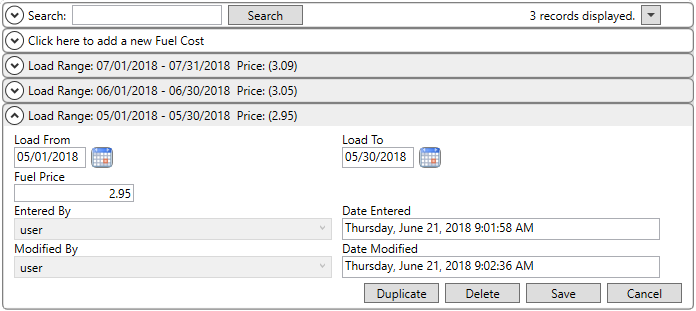
Figure 1: Fuel Cost Setup
Phase in fuel prices by establishing effective dates based on the Load Date of the move. In the example above, the Fuel Price is $2.95 per gallon and applies to any move loaded in the month of May 2018.
The specific fuel surcharge percentages are applied through a Rate Matrix that you can establish on your system. In the following example, a percentage rate of 11.5% is applied to the Fuel Cost of $2.95 (reference the highlighted row within Figure 2).
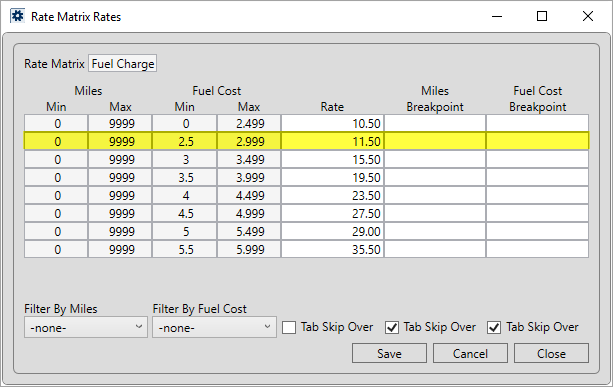
Figure 2: Sample Rates table within Rate Matrix Setup
The percentage shows when calculating a rate established that
references a fuel charge matrix. To continue along with our example, the
application retrieves the rate of 11.5% based on the $2.95 price that was
retrieved for the Load Date of the order. The rate is applied to the linehaul
amount that you manually enter to compute a charge of $517.50. You can see the
fuel price that was referenced to pull in the rate through the Edit Advanced Rating Basis
feature available by clicking on the  button within the Rate field (Figure
3).
button within the Rate field (Figure
3).
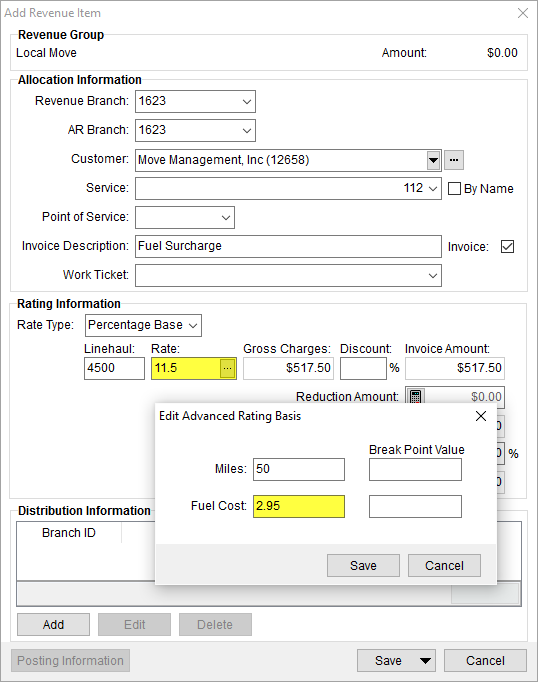
Figure 3: Add Revenue Item with Edit Advanced Rating Basis exposed
The above is example illustrates a basic setup of the Fuel Surcharge feature. You can view the Fuel Surcharge topic for more detailed examples and information on how you can set up this feature to work for your environment.
|
SUMMARY (4945, 5123) |
|
Fuel Surcharge added to rating. |
|
Fuel Cost Setup added. |
|
New option of FuelCost added to the X Range and Y Range options within Rate Matrix Setup. |
|
The following areas have been affected by this change: Schema Changes Version 2018R15
|
RELEASE ENHANCEMENTS
This section lists improvements made to MoversSuite.
Point to Point Rating
Includes Sea Ports 
The option to specify a seaport to include in Point to Point Rating is available with this release. Rate Plan Setup has been updated to offer an Air/Ocean Ports option (previously this was Airport) through the Point to Point Type setting.
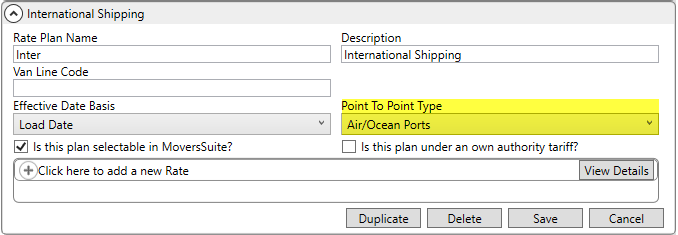
Figure 4: Rate Plan Setup
When the Point to Point Type is set to Air/Ocean Ports, you can then link the plan to apply rates based on one or both Origin Air/Ocean Port and/or Destination Air/Ocean Port entries when adding and updating records through the Add Rate screen (Figure 5).
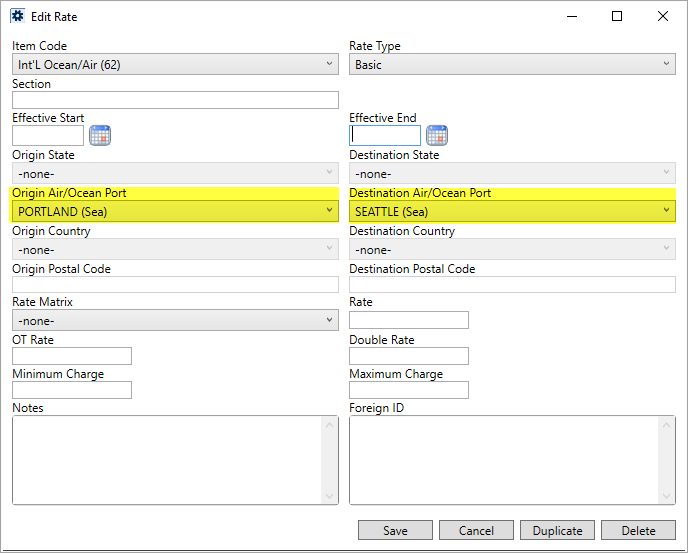
Figure 5: Rate item within Rate Plan Setup
The selector for each field now includes ports associated to Sea and Air transport types, defined within Port Setup.
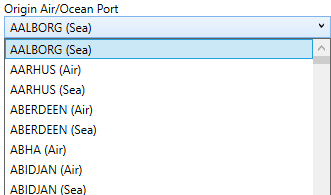
Figure 6: Origin Air/Ocean Port drop-down
Point to Point Rating references these settings to determine which rate is in effect. Refer to Point to Point Rating for more information.
|
SUMMARY (5109, 5128) |
|
Airport changed to Air/Ocean Ports within the Point to Point Type field within Rate Plan Setup. |
|
Origin Airport and Destination Airport settings in Add Rate changed to Origin Air/Ocean Port and Destination Air/Ocean Port and now list all Port Setup records. |
|
The following areas have been affected by this change:
|
RELEASE FIXES
This section lists any fixes made to MoversSuite.
General Application
Scaling of Login screen no longer filling the screen
A scaling issue related to the screen being filled by the MoversSuite “Blue Bar” upon login has been corrected. The issue occurred on some machines when scaling of larger than 100% was in effect. Of note, this issue is part of other unresolved issues related to scaling. Refer to the Known Issues section for this release for more information. (3705)
Account Profile
Special Instructions updated when the profile is changed
When you change the Account Profile on an order, the application also resets the Special Instructions. If the new profile does not contain any Special Instructions, then the Special Instructions are cleared from the order. (5113)
Atlas Integration
Check Actual Load Date if Actual Residence Pickup Date not available
The Atlas SUDS Order Download process now sets the Actual Load Date in MoversSuite to the ActualLoadDate value from the download if the ActualResPkupDate is not set. (5057)
Cash Receipts
Customer no longer pre-populates on new receipts
The Customer on a new cash receipt no longer pre-populates in Cash Receipts. You now must select the Customer you want and then add associated orders to the receipt. Having the Customer automatically populate caused extra work to clear and re-add the same customer to get the correct list of associated orders. (5070)
SCHEMA CHANGES
Database changes for this release are visible through the following topic:
Schema Changes Version 2018R15
The following links allows you to navigate through all MoversSuite tables and data views and allows you to view field properties, such as type and maximum value size, etc.
MoversSuite Database Tables (2018R15)
MoversSuite Document Database Tables (2018R15)
MoversSuite Data Views (2018R15)
RELEASE REQUIREMENTS
Please refer to the following information regarding the hardware and software required to support MoversSuite and related systems.
View the MoversSuite System Compatibility topic for a list of products that are compatible with MoversSuite.
Refer to the System Requirements section for a complete list of hardware and software requirements.
Browser Security Requirements for Credit Card Payments
With recent changes to support TLS 1.2 encryption protocol enforced by the credit card and banking industries, your internet browser must support TSL 1.2 encryption to process Electronic and Online Payments. Refer to the Browser Security Settings topic for more information on this requirement on how to test your browser.
MSCrew 2.0 Requires MoversSuite 2018 R10 or Higher
The MSCrew Version 2.0 requires that MoversSuite be on Version 2018 R10 or higher to support the changes included with the latest mobile application. More information will come in future updates of MoversSuite as the rollout date for MSCrew Version 2.0 nears.
New MoversSuite WebApiService
An additional web service will run after you upgrade to Version 2018 R09 of MoversSuite or later version. The new service is titled “WebApiService –“ followed by your company name. If you have issues connecting to the API service after you upgrade, verify that this, and other MoversSuite services, are running on your application server.
Microsoft SQL Server 2008 and SQL Server 2008 R2 Compatibility
With version 2017 R11 of MoversSuite, the development environment of MoversSuite is no longer compatible with Microsoft SQL Server 2008 or SQL Server 2008 R2.
As of May 22, 2017, the lowest compatible database server hosting MoversSuite will be Microsoft SQL Server 2012. IMPORTANT: If you wish to upgrade to MoversSuite 2017 R11 or a later version of MoversSuite, your company must, at minimum, have Microsoft SQL Server 2012 or higher (see the Microsoft SQL Server 2016 Compatibility announcement).
Of note, being current on the latest versions of the hardware and software for our development environment allows us to provide better security, better support, and a better MoversSuite user experience. Please refer to our System Requirements for more information on the hardware and software compatible with MoversSuite.
Contact our EWS Support team to discuss migration options.
Windows Domain Authentication to log into MoversSuite
With the release of MoversSuite Version 2017 R08 is the ability to open MoversSuite by using the credentials you enter when logging into your Windows environment. MoversSuite references the user identity associated to your Windows account to retrieve your MoversSuite login information. Then, when you launch MoversSuite or MoversSuite Administration, it opens without you having to enter your MoversSuite username and password.
IMPORTANT: If your company is not utilizing Windows Domain Authentication, then you will be unable to upgrade to version 2017 R08 or later. (8638)
IBM MQ Client 8.0.0.5
For all UniGroup agents, UniGroup requires IBM MQ Client 8.0.0.5. If you upgrade on your own and want to download this latest version of IBM MQ Client, then you can do so through this link: http://www-01.ibm.com/support/docview.wss?uid=swg24037500#1.
Microsoft SQL Server 2016 Compatibility
As of MoversSuite 2017 R04, the MoversSuite development environment is compatible with Microsoft SQL Server 2016.
Refer to our System Requirements for more information on the hardware and software compatible with MoversSuite.
Please contact our EWS Sales team to discuss upgrade options.
Microsoft Windows Server 2016 Compatibility
As of MoversSuite 2017 R04, MoversSuite is compatible with Microsoft Windows Server 2016.
Refer to our System Requirements for more information on the hardware and software compatible with MoversSuite.
Please contact our EWS Sales team to discuss upgrade options.
Dynamics GP Requirements
MoversSuite is compatible with the following:
Microsoft Dynamics GP 2016 R2 (with ATIP Build 16.0.2)
Microsoft Dynamics GP 2015 R2 (with ATIP Build 14.0.1)
Microsoft Dynamics GP 2013 R2 (with ATIP Build 12.0.23)
Refer to the following for information regarding additional requirements you may need to support Microsoft Dynamics GP:
System Requirements for Microsoft Dynamics GP 2016
System Requirements for Microsoft Dynamics GP 2015
KNOWN ISSUES
The following issues are problems that may affect your decision to upgrade to this version of MoversSuite. The following issue is not resolved for this release.
Screen scaling not available with MoversSuite
With the advances in screen size and resolution, many underlying applications are not able to deal with all the variations in configurations available to the variety of high definition (HD) screens. Due to this limitation, MoversSuite cannot scale as desired in all situations. Many of you may have purchased HD monitors and have seen issues such as not being able to read field labels, etc.
Until there is a better solution to scaling, EWS Group recommends that if you experience scaling problems with the MoversSuite application keep the size of your application to 100% and change the resolution as desired.
On Windows machines, you can verify and/or update the display settings as follows:
29. Right-click somewhere on your desktop and select Display Settings
30. Set the Change the size of text, apps, and other items to 100%.
31. Click on Apply to save the changes.
32. Click on Advanced display settings.
33. Make changes to the Resolution as needed.
34. Click on Apply to save the changes.
35. Close the screen by pressing the X in the upper right-hand corner of the screen.
(3705, 4114)
Citrix issue with phone number control
An issue that cannot be replicated is causing the phone numbers within the Shipper Contact Information section (Name, Address, Phone tab) to disappear and then reappear when you click on that section, however, the user cannot edit them until they press Cancel (on the order) and then attempt to Edit again. (6409)
RELATED TOPICS
|
Version 2018 R14 |
|
RELEASE DATE: 7/2/2018
NOTICE: Are you aware of what triggers a sales tax audit?
Read through the information in the following link to learn more: What Triggers a Sales Tax Audit. Please reach out to our Sales Team if you wish to learn more about Avalara.
RELEASE SUMMARY
The following is a table contains counts of the items affecting this release.
|
# |
Change Summary |
|
1 |
New Product Features |
|
|
Release Enhancements |
|
2 |
Release Fixes |
|
1 |
Schema Changes (tables affected) |
|
|
Admin Changes |
|
|
Standard Reports Affected |
Release Hyperlinks:
Access our Product Feedback Site
System Requirements for this Release
View the Schema Changes for this Release
See Highlights for All Releases
RELEASE FEATURES
This section lists new functionality added to MoversSuite.
Imported Revenue Indicator
Added to Enter Actuals
Prior to this release, the only indication that a service has been imported into Revenue Entry is that the fields within the screen were locked down and you were prevented from adjusting actuals on a local move. This caused time loss and frustration. To improve the awareness that revenue has been imported for a service, an indicator now displays within the Enter Actuals screen.
If IMPORTED displays below the Service Date within the Enter Actuals screen, then the service has been imported into Revenue Entry through the Import Actuals function.
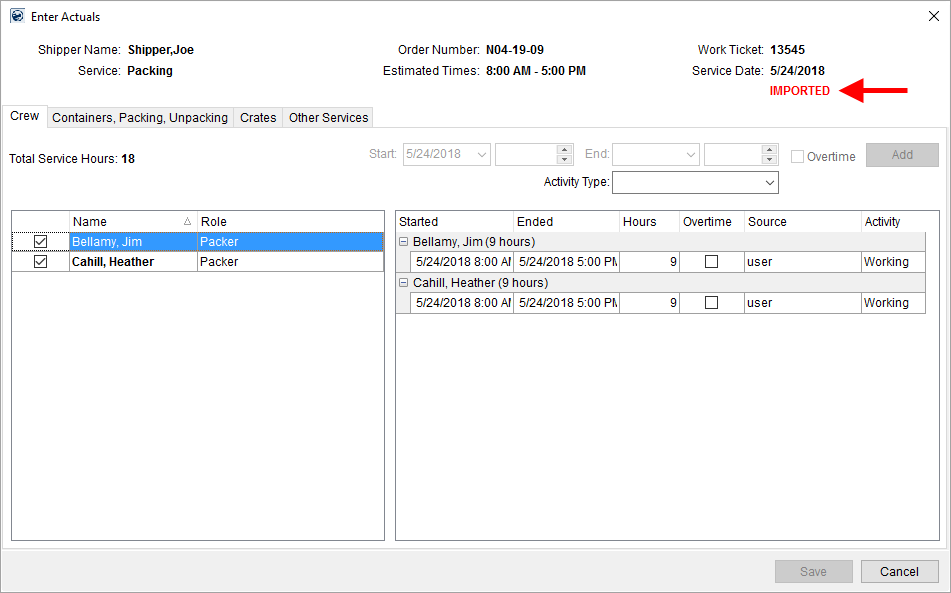
Figure 1: Enter Actuals
Refer to Enter Actuals and to Import Actuals for more information.
|
SUMMARY (4958) |
|
IMPORTED indicator added to Enter Actuals. |
|
The following areas have been affected by this change:
|
RELEASE FIXES
This section lists any fixes made to MoversSuite.
Capacity Planning
Voided and Cancelled services not included in planning
The Capacity Planning feature no longer includes services that are Cancelled or those that are Void. (5093)
Invoicing
Invoicing locking added
Invoicing locking has been added to the system to prevent multiple people from updating the same invoice draft.
If a person is accessing an invoice draft, it is considered locked by that person. Anyone attempting to open a locked invoice receives a warning. The warning provides the name of the person that is working on the invoice followed by, “…is currently working on an invoice draft for this order.”
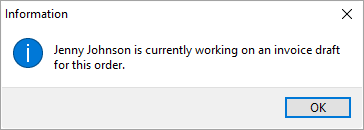
Figure 2: Multiple user access warning
Please note that if a user has multiple sessions open and attempts to open the same invoice draft that they already have open in another session, then they will also receive this warning.
If there is a session error while a person is working on an invoice, i.e. hung session, then an administrator can clear the lock through a new Invoice Lock option within the Admin Tool. The option lists under the Accounting & Financial Services category and allows you to Delete the lock placed on an invoice draft.
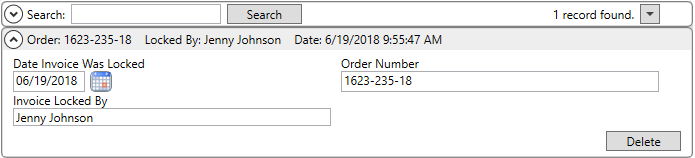
Figure 3: Invoice Lock
When an Invoice Lock is deleted by an administrator, then the event is logged in Order History. It lists under a new Changed category titled Invoice Lock. The To description also indicates the name of the person that the lock was deleted for, e.g. “(Deleted lock that was created by Jenny Johnson).”
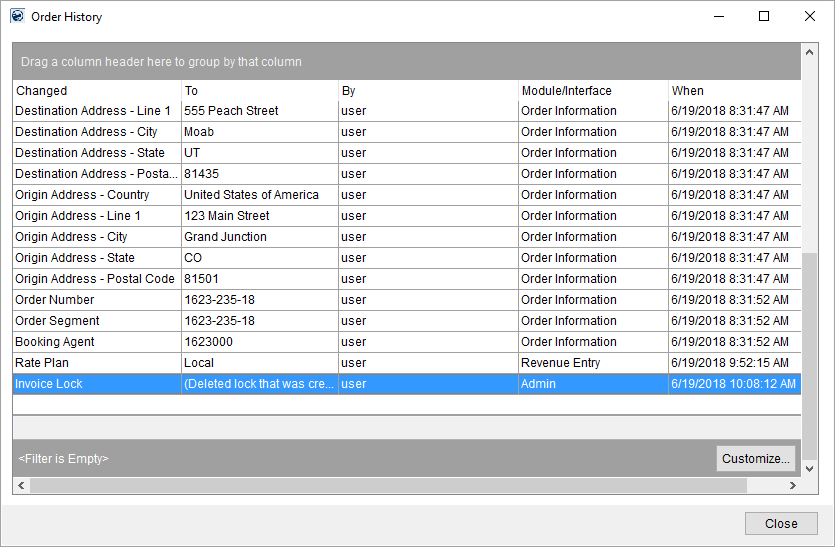
Figure 4: Order History
Providing the lock also corrected an Avalara issue related to voiding invoices with groups attached. Refer to the Sales Tax Integration topic for more information.
(5075)
SCHEMA CHANGES
Database changes for this release are visible through the following topic:
Schema Changes Version 2018R14
The following links allows you to navigate through all MoversSuite tables and data views and allows you to view field properties, such as type and maximum value size, etc.
MoversSuite Database Tables (2018R14)
MoversSuite Document Database Tables (2018R14)
MoversSuite Data Views (2018R14)
RELEASE REQUIREMENTS
Please refer to the following information regarding the hardware and software required to support MoversSuite and related systems.
View the MoversSuite System Compatibility topic for a list of products that are compatible with MoversSuite.
Refer to the System Requirements section for a complete list of hardware and software requirements.
Browser Security Requirements for Credit Card Payments
With recent changes to support TLS 1.2 encryption protocol enforced by the credit card and banking industries, your internet browser must support TSL 1.2 encryption to process Electronic and Online Payments. Refer to the Browser Security Settings topic for more information on this requirement on how to test your browser.
MSCrew 2.0 Requires MoversSuite 2018 R10 or Higher
The MSCrew Version 2.0 requires that MoversSuite be on Version 2018 R10 or higher to support the changes included with the latest mobile application. More information will come in future updates of MoversSuite as the rollout date for MSCrew Version 2.0 nears.
New MoversSuite WebApiService
An additional web service will run after you upgrade to Version 2018 R09 of MoversSuite or later version. The new service is titled “WebApiService –“ followed by your company name. If you have issues connecting to the API service after you upgrade, verify that this, and other MoversSuite services, are running on your application server.
Microsoft SQL Server 2008 and SQL Server 2008 R2 Compatibility
With version 2017 R11 of MoversSuite, the development environment of MoversSuite is no longer compatible with Microsoft SQL Server 2008 or SQL Server 2008 R2.
As of May 22, 2017, the lowest compatible database server hosting MoversSuite will be Microsoft SQL Server 2012. IMPORTANT: If you wish to upgrade to MoversSuite 2017 R11 or a later version of MoversSuite, your company must, at minimum, have Microsoft SQL Server 2012 or higher (see the Microsoft SQL Server 2016 Compatibility announcement).
Of note, being current on the latest versions of the hardware and software for our development environment allows us to provide better security, better support, and a better MoversSuite user experience. Please refer to our System Requirements for more information on the hardware and software compatible with MoversSuite.
Contact our EWS Support team to discuss migration options.
Windows Domain Authentication to log into MoversSuite
With the release of MoversSuite Version 2017 R08 is the ability to open MoversSuite by using the credentials you enter when logging into your Windows environment. MoversSuite references the user identity associated to your Windows account to retrieve your MoversSuite login information. Then, when you launch MoversSuite or MoversSuite Administration, it opens without you having to enter your MoversSuite username and password.
IMPORTANT: If your company is not utilizing Windows Domain Authentication, then you will be unable to upgrade to version 2017 R08 or later. (8638)
IBM MQ Client 8.0.0.5
For all UniGroup agents, UniGroup requires IBM MQ Client 8.0.0.5. If you upgrade on your own and want to download this latest version of IBM MQ Client, then you can do so through this link: http://www-01.ibm.com/support/docview.wss?uid=swg24037500#1.
Microsoft SQL Server 2016 Compatibility
As of MoversSuite 2017 R04, the MoversSuite development environment is compatible with Microsoft SQL Server 2016.
Refer to our System Requirements for more information on the hardware and software compatible with MoversSuite.
Please contact our EWS Sales team to discuss upgrade options.
Microsoft Windows Server 2016 Compatibility
As of MoversSuite 2017 R04, MoversSuite is compatible with Microsoft Windows Server 2016.
Refer to our System Requirements for more information on the hardware and software compatible with MoversSuite.
Please contact our EWS Sales team to discuss upgrade options.
Dynamics GP Requirements
MoversSuite is compatible with the following:
Microsoft Dynamics GP 2016 R2 (with ATIP Build 16.0.2)
Microsoft Dynamics GP 2015 R2 (with ATIP Build 14.0.1)
Microsoft Dynamics GP 2013 R2 (with ATIP Build 12.0.23)
Refer to the following for information regarding additional requirements you may need to support Microsoft Dynamics GP:
System Requirements for Microsoft Dynamics GP 2016
System Requirements for Microsoft Dynamics GP 2015
KNOWN ISSUES
The following issues are problems that may affect your decision to upgrade to this version of MoversSuite. The following issue is not resolved for this release.
Screen scaling not available with MoversSuite
With the advances in screen size and resolution, many underlying applications are not able to deal with all the variations in configurations available to the variety of high definition (HD) screens. Due to this limitation, MoversSuite cannot scale as desired in all situations. Many of you may have purchased HD monitors and have seen issues such as not being able to read field labels, etc.
Until there is a better solution to scaling, EWS Group recommends that if you experience scaling problems with the MoversSuite application keep the size of your application to 100% and change the resolution as desired.
On Windows machines, you can verify and/or update the display settings as follows:
36. Right-click somewhere on your desktop and select Display Settings
37. Set the Change the size of text, apps, and other items to 100%.
38. Click on Apply to save the changes.
39. Click on Advanced display settings.
40. Make changes to the Resolution as needed.
41. Click on Apply to save the changes.
42. Close the screen by pressing the X in the upper right-hand corner of the screen.
Citrix issue with phone number control
An issue that cannot be replicated is causing the phone numbers within the Shipper Contact Information section (Name, Address, Phone tab) to disappear and then reappear when you click on that section, however, the user cannot edit them until they press Cancel (on the order) and then attempt to Edit again. (6409)
|
Version 2018 R13 |
|
RELEASE DATE: 6/18/2018
NOTICE: Are you aware of what triggers a sales tax audit?
Read through the information in the following link to learn more: What Triggers a Sales Tax Audit. Please reach out to our Sales Team if you wish to learn more about Avalara.
RELEASE SUMMARY
The following is a table contains counts of the items affecting this release.
|
# |
Change Summary |
|
2 |
New Product Features |
|
1 |
Release Enhancements |
|
5 |
Release Fixes |
|
8 |
Schema Changes (tables affected) |
|
1 |
Admin Changes |
|
1 |
Standard Reports Affected |
Release Hyperlinks:
Access our Product Feedback Site
System Requirements for this Release
View the Schema Changes for this Release
See Highlights for All Releases
RELEASE FEATURES
This section lists new functionality added to MoversSuite.
Port Codes Now Map to External Application Codes
To better associate a port to an external interface when exchanging data, you can now establish interface mappings for ports associated to International Orders records.
Specifically, you can link a Port Setup record to an External Code supported by an external application, such as UniGroup International.
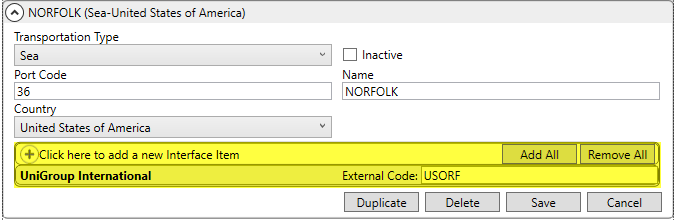
Figure 1: Port Setup
In addition, the UniGroup International Download and UniGroup International Upload processes now reference the port mappings when exchanging data.
To assist you in managing Port Setup records, a script containing all port codes supported by UniGroup is available through the upgrade process. The Post-UniGroupInternationalPorts.sql script adds all Port Codes supported by UniGroup that do not already exist on your system. Refer to the Port Setup information within the UniGroup International Data Mapping Setup topic for details on establishing supported codes to your system.
An Inactive flag is now available for Port Setup records, as well. Check this flag to hide the record from selection within MoversSuite and from import processes. Refer to the Port Setup topic for details.
|
SUMMARY (5055) |
|
Interface Item section added to Port Setup. |
|
The following areas have been affected by this change: UniGroup International Data Mapping Setup
|
Rate Source Stored for EDI Billing
Two new fields added to the MoversSuite database now store the rating information of an item:
RateSource
This field stores the type of rating being referenced as either Rates or RateMatrixRate. Rates references rating details associated to a Rate Plan Setup record, whereas RateMatrixRate references a Rate Matrix Setup record. The specific record is identified within the RateSourceRecord field.
RateSourceRecord
References the primary table identifier based on the RateSource. If the RateSource is Rates, then this field references the primary key of the Rates table (Rates.RPriKey). If the RateSource is RateMatrixRate, then this field references the primary key of the RateMatrixRate table (RateMatrixRate.RateMatrixRateID).
These two fields are found in each of the following tables:
BillingMajorItem
BillingMinorItem
InvoiceDetail
InvoiceGroup
QuoteDetail
QuoteGroup
Refer to the Rate Source topic for more information.
View table information for this release through the following hyperlink:
http://www.ewsgroup.com/moverssuite/schema/ms-tables-2018R13/MoversSuite2/Tables/Tables.html
|
SUMMARY (4944) |
|
The application now internally stores the rating reference linked to revenue items. |
|
The following areas have been affected by this change: Schema Changes Version 2018R13
|
RELEASE ENHANCMENTS
This section lists new functionality added to MoversSuite.
Capacity Planning now
Utilizes Common View
Prior to this release, only services and assignments associated to just the selected Branch displayed within Capacity Planning. Now, when you select a Branch, the page displays data for all branches associated to the same Dispatching Common View associated to the selected branch.
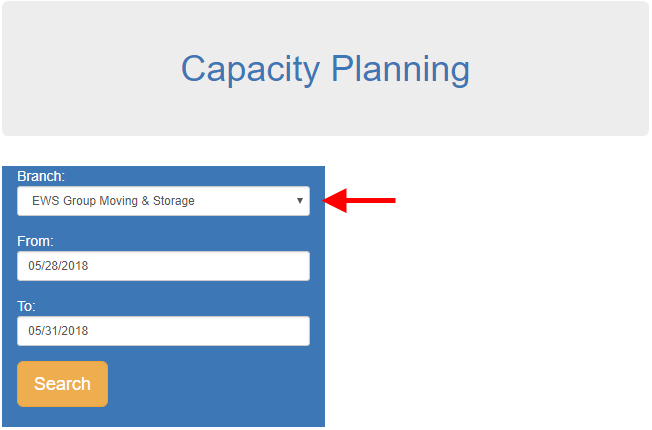
Figure 2: Capacity Planning header and search parameters
The Branch selection within the Capacity Planning page now works in the same way the Service Branch does within the Dispatch Center tab.
Refer to the Capacity Planning topic for more information.
|
SUMMARY (5080) |
|
The Branch selector within Capacity Bucket Setup now includes all common branches. |
|
The following areas have been affected by this change:
|
RELEASE FIXES
This section lists any fixes made to MoversSuite.
Enterprise BI
Email address from Orders added to reporting view
When viewing information through Enterprise BI, you can now access the Orders.Email field. This field corresponds to the email set on an order through the Name, Address, Phone tab. (5095)
Local Dispatch
Apply Times to All includes
Reporting fields
The Apply Times to All function available from within the Assign Crew screen, now updates the Report and Report To columns, when changes are made. For example, if you change the Report time to 8:45 and then use the right-click option to Apply Times to All, then the Report time updates for all listed personnel.
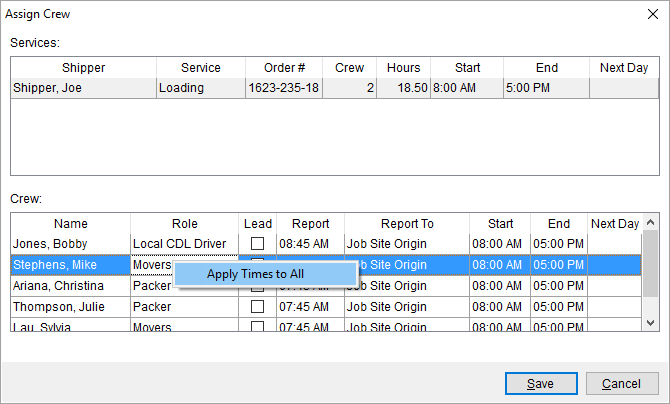
Figure 3: Assign Crew screen
(4989, 5099)
MoversSuite API Service
Processing Limit Increased for API Services
The request processing limit has been increased to 100 from two to allow the MoversSuite API Service to handle a larger volume of request at one time. The lower limit was causing a bottleneck in performance which caused the API to appear that it was not processing. (5107)
Office & Industrial
Dispatch note no longer displays on O&I Work Ticket
The Work Ticket (O&I) Report no longer displays the data from a Dispatch Note (created through the Send to Dispatch function). This information is not referenced by personnel on an Office & Industrial order. (5058)
SCHEMA CHANGES
Database changes for this release are visible through the following topic:
Schema Changes Version 2018R13
The following links allows you to navigate through all MoversSuite tables and data views and allows you to view field properties, such as type and maximum value size, etc.
MoversSuite Database Tables (2018R13)
MoversSuite Document Database Tables (2018R13)
MoversSuite Data Views (2018R13)
RELEASE REQUIREMENTS
Please refer to the following information regarding the hardware and software required to support MoversSuite and related systems.
View the MoversSuite System Compatibility topic for a list of products that are compatible with MoversSuite.
Refer to the System Requirements section for a complete list of hardware and software requirements.
Browser Security Requirements for Credit Card Payments
With recent changes to support TLS 1.2 encryption protocol enforced by the credit card and banking industries, your internet browser must support TSL 1.2 encryption to process Electronic and Online Payments. Refer to the Browser Security Settings topic for more information on this requirement on how to test your browser.
MSCrew 2.0 Requires MoversSuite 2018 R10 or Higher
The MSCrew Version 2.0 requires that MoversSuite be on Version 2018 R10 or higher to support the changes included with the latest mobile application. More information will come in future updates of MoversSuite as the rollout date for MSCrew Version 2.0 nears.
New MoversSuite WebApiService
An additional web service will run after you upgrade to Version 2018 R09 of MoversSuite or later version. The new service is titled “WebApiService –“ followed by your company name. If you have issues connecting to the API service after you upgrade, verify that this, and other MoversSuite services, are running on your application server.
Microsoft SQL Server 2008 and SQL Server 2008 R2 Compatibility
With version 2017 R11 of MoversSuite, the development environment of MoversSuite is no longer compatible with Microsoft SQL Server 2008 or SQL Server 2008 R2.
As of May 22, 2017, the lowest compatible database server hosting MoversSuite will be Microsoft SQL Server 2012. IMPORTANT: If you wish to upgrade to MoversSuite 2017 R11 or a later version of MoversSuite, your company must, at minimum, have Microsoft SQL Server 2012 or higher (see the Microsoft SQL Server 2016 Compatibility announcement).
Of note, being current on the latest versions of the hardware and software for our development environment allows us to provide better security, better support, and a better MoversSuite user experience. Please refer to our System Requirements for more information on the hardware and software compatible with MoversSuite.
Contact our EWS Support team to discuss migration options.
Windows Domain Authentication to log into MoversSuite
With the release of MoversSuite Version 2017 R08 is the ability to open MoversSuite by using the credentials you enter when logging into your Windows environment. MoversSuite references the user identity associated to your Windows account to retrieve your MoversSuite login information. Then, when you launch MoversSuite or MoversSuite Administration, it opens without you having to enter your MoversSuite username and password.
IMPORTANT: If your company is not utilizing Windows Domain Authentication, then you will be unable to upgrade to version 2017 R08 or later. (8638)
IBM MQ Client 8.0.0.5
For all UniGroup agents, UniGroup requires IBM MQ Client 8.0.0.5. If you upgrade on your own and want to download this latest version of IBM MQ Client, then you can do so through this link: http://www-01.ibm.com/support/docview.wss?uid=swg24037500#1.
Microsoft SQL Server 2016 Compatibility
As of MoversSuite 2017 R04, the MoversSuite development environment is compatible with Microsoft SQL Server 2016.
Refer to our System Requirements for more information on the hardware and software compatible with MoversSuite.
Please contact our EWS Sales team to discuss upgrade options.
Microsoft Windows Server 2016 Compatibility
As of MoversSuite 2017 R04, MoversSuite is compatible with Microsoft Windows Server 2016.
Refer to our System Requirements for more information on the hardware and software compatible with MoversSuite.
Please contact our EWS Sales team to discuss upgrade options.
Dynamics GP Requirements
MoversSuite is compatible with the following:
Microsoft Dynamics GP 2016 R2 (with ATIP Build 16.0.2)
Microsoft Dynamics GP 2015 R2 (with ATIP Build 14.0.1)
Microsoft Dynamics GP 2013 R2 (with ATIP Build 12.0.23)
Refer to the following for information regarding additional requirements you may need to support Microsoft Dynamics GP:
System Requirements for Microsoft Dynamics GP 2016
System Requirements for Microsoft Dynamics GP 2015
KNOWN ISSUES
The following issues are problems that may affect your decision to upgrade to this version of MoversSuite. The following issue is not resolved for this release.
Screen scaling not available with MoversSuite
With the advances in screen size and resolution, many underlying applications are not able to deal with all the variations in configurations available to the variety of high definition (HD) screens. Due to this limitation, MoversSuite cannot scale as desired in all situations. Many of you may have purchased HD monitors and have seen issues such as not being able to read field labels, etc.
Until there is a better solution to scaling, EWS Group recommends that if you experience scaling problems with the MoversSuite application keep the size of your application to 100% and change the resolution as desired.
On Windows machines, you can verify and/or update the display settings as follows:
43. Right-click somewhere on your desktop and select Display Settings
44. Set the Change the size of text, apps, and other items to 100%.
45. Click on Apply to save the changes.
46. Click on Advanced display settings.
47. Make changes to the Resolution as needed.
48. Click on Apply to save the changes.
49. Close the screen by pressing the X in the upper right-hand corner of the screen.
Citrix issue with phone number control
An issue that cannot be replicated is causing the phone numbers within the Shipper Contact Information section (Name, Address, Phone tab) to disappear and then reappear when you click on that section, however, the user cannot edit them until they press Cancel (on the order) and then attempt to Edit again. (6409)
|
Version 2018 R12 |
|
RELEASE DATE: 6/4/2018
NOTICE: Are you aware of what triggers a sales tax audit?
Read through the information in the following link to learn more: What Triggers a Sales Tax Audit. Please reach out to our Sales Team if you wish to learn more about Avalara.
RELEASE SUMMARY
The following is a table contains counts of the items affecting this release.
|
# |
Change Summary |
|
1 |
New Product Features |
|
|
Release Enhancements |
|
7 |
Release Fixes |
|
1 |
Schema Changes (# of database tables affected) |
|
1 |
Admin Changes |
|
|
Standard Reports Affected |
RELEASE LINKS
This section provides quick links to commonly referenced release subjects.
|
Link |
Description |
|
Watch a short video highlighting the changes we have made to MoversSuite at this version. | |
|
View current release information through a PDF document. | |
|
Read up on the requirements for this version of MoversSuite. | |
|
Check out our Support page to read about the latest MoversSuite release and find links to other useful information. | |
|
See what other MoversSuite customers are requesting for changes to the MoversSuite application and submit your own suggestions. | |
|
Past Versions Information |
Look through a list of changes made to all other versions of MoversSuite. |
|
This page provides a quick rundown of changes made at each version. | |
|
Access a list of overview videos for each release. | |
|
Pull up the database changes we made at various releases. |
RELEASE REQUIREMENTS
Please refer to the following information regarding the hardware and software required to support MoversSuite and related systems.
View the MoversSuite System Compatibility topic for a list of products that are compatible with MoversSuite.
Refer to the System Requirements section for a complete list of hardware and software requirements.
Browser Security Requirements for Credit Card Payments
With recent changes to support TLS 1.2 encryption protocol enforced by the credit card and banking industries, your internet browser must support TSL 1.2 encryption to process Electronic and Online Payments. Refer to the Browser Security Settings topic for more information on this requirement on how to test your browser.
MSCrew 2.0 Requires MoversSuite 2018 R10 or Higher
The MSCrew Version 2.0 requires that MoversSuite be on Version 2018 R10 or higher to support the changes included with the latest mobile application. More information will come in future updates of MoversSuite as the rollout date for MSCrew Version 2.0 nears.
New MoversSuite WebApiService
An additional web service will run after you upgrade to Version 2018 R09 of MoversSuite or later version. The new service is titled “WebApiService –“ followed by your company name. If you have issues connecting to the API service after you upgrade, verify that this, and other MoversSuite services, are running on your application server.
Microsoft SQL Server 2008 and SQL Server 2008 R2 Compatibility
With version 2017 R11 of MoversSuite, the development environment of MoversSuite is no longer compatible with Microsoft SQL Server 2008 or SQL Server 2008 R2.
As of May 22, 2017, the lowest compatible database server hosting MoversSuite will be Microsoft SQL Server 2012. IMPORTANT: If you wish to upgrade to MoversSuite 2017 R11 or a later version of MoversSuite, your company must, at minimum, have Microsoft SQL Server 2012 or higher (see the Microsoft SQL Server 2016 Compatibility announcement).
Of note, being current on the latest versions of the hardware and software for our development environment allows us to provide better security, better support, and a better MoversSuite user experience. Please refer to our System Requirements for more information on the hardware and software compatible with MoversSuite.
Contact our EWS Support team to discuss migration options.
Windows Domain Authentication to log into MoversSuite
With the release of MoversSuite Version 2017 R08 is the ability to open MoversSuite by using the credentials you enter when logging into your Windows environment. MoversSuite references the user identity associated to your Windows account to retrieve your MoversSuite login information. Then, when you launch MoversSuite or MoversSuite Administration, it opens without you having to enter your MoversSuite username and password.
IMPORTANT: If your company is not utilizing Windows Domain Authentication, then you will be unable to upgrade to version 2017 R08 or later. (8638)
IBM MQ Client 8.0.0.5
For all UniGroup agents, UniGroup requires IBM MQ Client 8.0.0.5. If you upgrade on your own and want to download this latest version of IBM MQ Client, then you can do so through this link: http://www-01.ibm.com/support/docview.wss?uid=swg24037500#1.
Microsoft SQL Server 2016 Compatibility
As of MoversSuite 2017 R04, the MoversSuite development environment is compatible with Microsoft SQL Server 2016.
Refer to our System Requirements for more information on the hardware and software compatible with MoversSuite.
Please contact our EWS Sales team to discuss upgrade options.
Microsoft Windows Server 2016 Compatibility
As of MoversSuite 2017 R04, MoversSuite is compatible with Microsoft Windows Server 2016.
Refer to our System Requirements for more information on the hardware and software compatible with MoversSuite.
Please contact our EWS Sales team to discuss upgrade options.
Dynamics GP Requirements
MoversSuite is compatible with the following:
Microsoft Dynamics GP 2016 R2 (with ATIP Build 16.0.2)
Microsoft Dynamics GP 2015 R2 (with ATIP Build 14.0.1)
Microsoft Dynamics GP 2013 R2 (with ATIP Build 12.0.23)
Refer to the following for information regarding additional requirements you may need to support Microsoft Dynamics GP:
System Requirements for Microsoft Dynamics GP 2016
System Requirements for Microsoft Dynamics GP 2015
KNOWN ISSUES
The following issues are problems that may affect your decision to upgrade to this version of MoversSuite. The following issue is not resolved for this release.
Screen scaling not available with MoversSuite
With the advances in screen size and resolution, many underlying applications are not able to deal with all the variations in configurations available to the variety of high definition (HD) screens. Due to this limitation, MoversSuite cannot scale as desired in all situations. Many of you may have purchased HD monitors and have seen issues such as not being able to read field labels, etc.
Until there is a better solution to scaling, EWS Group recommends that if you experience scaling problems with the MoversSuite application keep the size of your application to 100% and change the resolution as desired.
On Windows machines, you can verify and/or update the display settings as follows:
50. Right-click somewhere on your desktop and select Display Settings
51. Set the Change the size of text, apps, and other items to 100%.
52. Click on Apply to save the changes.
53. Click on Advanced display settings.
54. Make changes to the Resolution as needed.
55. Click on Apply to save the changes.
56. Close the screen by pressing the X in the upper right-hand corner of the screen.
Citrix issue with phone number control
An issue that cannot be replicated is causing the phone numbers within the Shipper Contact Information section (Name, Address, Phone tab) to disappear and then reappear when you click on that section, however, the user cannot edit them until they press Cancel (on the order) and then attempt to Edit again. (6409)
RELEASE FEATURES
This section lists new functionality added to MoversSuite.
Equipment Count option added
to Capacity Planning 
In addition to the option to base equipment availability on hourly needs, Capacity Planning now allows you to create categories based on equipment counts as well.
The Type selector within Capacity Bucket Setup now includes the Equipment Count option.
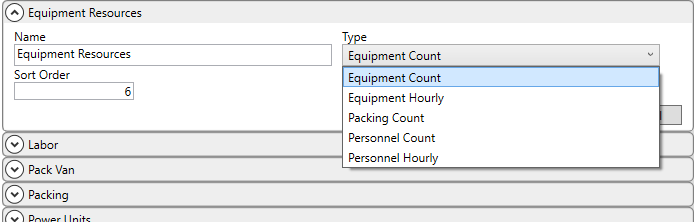
Figure 1: Capacity Bucket Setup
Assign this option to resources you wish included in Capacity Planning that you feel are better tracked as counted items than on an hourly basis. These assignments are made through the Capacity Bucket setting within Equipment Setup and Equipment Type Setup. The application references Hours Available Daily on Capacity Planning resources to compute time availability.
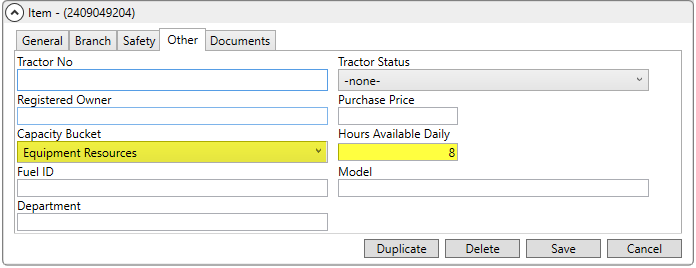
Figure 2: Other tab within Equipment Setup
Any bucket that links to a record with the Equipment Count option set for it displays as Equipment Count within the Bucket Type column on the Capacity Planning page.
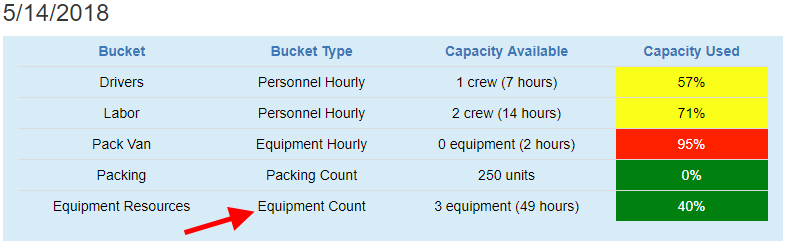
Figure 3: Capacity Planning example
Prior to assignments made to a service through dispatching, resource counts added through the Equipment Request screen within Add Local Service are used to determine availability for the service.
After assignments are made to a service, then items are counted individually based on actual assignments made through the Dispatch Center.
For either requested or assigned availability, the application references the service time to determine the hours available. The count and hours of availability for all supported resources list under the Capacity Available column within Capacity Planning.
The Capacity Used column within Capacity Planning displays the percentage of these items based on count. In the example above (Figure 3), two of a total of five (40%) equipment items associated to the Equipment Count type are considered in use.
Refer to the Capacity Planning topic for more information.
|
SUMMARY (5002) |
|
Equipment Count option added to Type selector within Capacity Bucket Setup. |
|
Equipment Count types show under the Bucket Type within Capacity Planning. |
|
The following areas have been affected by this change:
|
RELEASE FIXES
This section lists any fixes made to MoversSuite.
Electronic and Online Payments
Manually added payment link emails now work correctly with Outlook
When generating an email message with an online payment link through Outlook, the application produces an email without errors and containing a correctly formatted hyperlink. Prior to this release, errors occurred, such as “Unable to email document. Reason: Not supported (Error code 26)” and the hyperlink did not conform to what was set within System Email Setup when Outlook was used as the generating client (and not the MoversSuite Email Service). (5078)
Invoicing
Combined Service Codes correctly list on invoice
When Service Codes are combined on the same invoice line item, the correct amount shows for the combined item. Prior to this release, the application did not combine the codes if the Rate As was not set on one or more Service Codes included (managed through the Rate As option within Add Revenue Item screen). (5005)
Job Costing
Redundant processes removed from Calculate function
The Calculate function within Job Costing now provides accurate results for quote-based and rating based items due to removal of duplicate, non-updated processes. (5039)
Revenue Entry
Service Code length set to four digits
The Service Code associated to imported revenue has been shortened to four digits to align with codes referenced for generated accounting transactions. All Service Code values that existed prior to this release are stored within a new database column. If you are unable to locate a code through the Service Code Setup, then you can reference the new ServiceCode.OldServiceCode column within your MoversSuite database through SQL Server Management Studio. (4897)
Effective Dates now working for Point to Point Rating
A constraint was added to the MoversSuite database that forces unique rates within Rate Plan Setup, alleviating the issue of not allowing multiple Point to Point Rating references for the same Item Code when effective dates were in use.
This issue was also apparent when attempting to reference Point to Point Rating on multiple flight legs (Airport transport) on International Orders. (5066, 5067)
Tasks
Postponing a task no longer removes its dependencies
If you postpone a task that links to other tasks that are dependent on the original task, then the dependency is no longer lost when the original task is postponed. For example, if you have a Packing task that is tied to the Pack Date on the order and there is a Follow-up Packing task dependent on the completion of the Packing task, then the dependency remains even if the Packing task is postponed. On prior releases, postponing the original task removed all dependencies. (4941)
SCHEMA CHANGES
Database changes for this release are visible through the following topic:
Schema Changes Version 2018R12
The following links allows you to navigate through all MoversSuite tables and data views and allows you to view field properties, such as type and maximum value size, etc.
MoversSuite Database Tables (2018R12)
MoversSuite Document Database Tables (2018R12)
MoversSuite Data Views (2018R12)
|
Version 2018 R11 |
|
RELEASE DATE: 5/21/2018
NOTICE: Are you aware of what triggers a sales tax audit?
Read through the information in the following link to learn more: What Triggers a Sales Tax Audit. Please reach out to our Sales Team if you wish to learn more about Avalara.
RELEASE SUMMARY
The following is a table contains counts of the items affecting this release.
|
# |
Change Summary |
|
3 |
New Product Features |
|
|
Release Enhancements |
|
7 |
Release Fixes |
|
6 |
Schema Changes (# of database tables affected) |
|
4 |
Admin Changes |
|
1 |
Standard Reports Affected |
RELEASE LINKS
This section provides quick links to commonly referenced release subjects.
|
Link |
Description |
|
Watch a short video highlighting the changes we have made to MoversSuite at this version. | |
|
View current release information through a PDF document. | |
|
Read up on the requirements for this version of MoversSuite. | |
|
Check out our Support page to read about the latest MoversSuite release and find links to other useful information. | |
|
See what other MoversSuite customers are requesting for changes to the MoversSuite application and submit your own suggestions. | |
|
Past Versions Information |
Look through a list of changes made to all other versions of MoversSuite. |
|
This page provides a quick rundown of changes made at each version. | |
|
Access a list of overview videos for each release. | |
|
Pull up the database changes we made at various releases. |
RELEASE REQUIREMENTS
Please refer to the following information regarding the hardware and software required to support MoversSuite and related systems.
View the MoversSuite System Compatibility topic for a list of products that are compatible with MoversSuite.
Refer to the System Requirements section for a complete list of hardware and software requirements.
Browser Security Requirements for Credit Card Payments
With recent changes to support TLS 1.2 encryption protocol enforced by the credit card and banking industries, your internet browser must support TSL 1.2 encryption to process Electronic and Online Payments. Refer to the Browser Security Settings topic for more information on this requirement on how to test your browser.
MSCrew 2.0 Requires MoversSuite 2018 R10 or Higher
The MSCrew Version 2.0 requires that MoversSuite be on Version 2018 R10 or higher to support the changes included with the latest mobile application. More information will come in future updates of MoversSuite as the rollout date for MSCrew Version 2.0 nears.
New MoversSuite WebApiService
An additional web service will run after you upgrade to Version 2018 R09 of MoversSuite or later version. The new service is titled “WebApiService –“ followed by your company name. If you have issues connecting to the API service after you upgrade, verify that this, and other MoversSuite services, are running on your application server.
Microsoft SQL Server 2008 and SQL Server 2008 R2 Compatibility
With version 2017 R11 of MoversSuite, the development environment of MoversSuite is no longer compatible with Microsoft SQL Server 2008 or SQL Server 2008 R2.
As of May 22, 2017, the lowest compatible database server hosting MoversSuite will be Microsoft SQL Server 2012. IMPORTANT: If you wish to upgrade to MoversSuite 2017 R11 or a later version of MoversSuite, your company must, at minimum, have Microsoft SQL Server 2012 or higher (see the Microsoft SQL Server 2016 Compatibility announcement).
Of note, being current on the latest versions of the hardware and software for our development environment allows us to provide better security, better support, and a better MoversSuite user experience. Please refer to our System Requirements for more information on the hardware and software compatible with MoversSuite.
Contact our EWS Support team to discuss migration options.
Windows Domain Authentication to log into MoversSuite
With the release of MoversSuite Version 2017 R08 is the ability to open MoversSuite by using the credentials you enter when logging into your Windows environment. MoversSuite references the user identity associated to your Windows account to retrieve your MoversSuite login information. Then, when you launch MoversSuite or MoversSuite Administration, it opens without you having to enter your MoversSuite username and password.
IMPORTANT: If your company is not utilizing Windows Domain Authentication, then you will be unable to upgrade to version 2017 R08 or later. (8638)
IBM MQ Client 8.0.0.5
For all UniGroup agents, UniGroup requires IBM MQ Client 8.0.0.5. If you upgrade on your own and want to download this latest version of IBM MQ Client, then you can do so through this link: http://www-01.ibm.com/support/docview.wss?uid=swg24037500#1.
Microsoft SQL Server 2016 Compatibility
As of MoversSuite 2017 R04, the MoversSuite development environment is compatible with Microsoft SQL Server 2016.
Refer to our System Requirements for more information on the hardware and software compatible with MoversSuite.
Please contact our EWS Sales team to discuss upgrade options.
Microsoft Windows Server 2016 Compatibility
As of MoversSuite 2017 R04, MoversSuite is compatible with Microsoft Windows Server 2016.
Refer to our System Requirements for more information on the hardware and software compatible with MoversSuite.
Please contact our EWS Sales team to discuss upgrade options.
Dynamics GP Requirements
MoversSuite is compatible with the following:
Microsoft Dynamics GP 2016 R2 (with ATIP Build 16.0.2)
Microsoft Dynamics GP 2015 R2 (with ATIP Build 14.0.1)
Microsoft Dynamics GP 2013 R2 (with ATIP Build 12.0.23)
Refer to the following for information regarding additional requirements you may need to support Microsoft Dynamics GP:
System Requirements for Microsoft Dynamics GP 2016
System Requirements for Microsoft Dynamics GP 2015
KNOWN ISSUES
The following issues are problems that may affect your decision to upgrade to this version of MoversSuite. The following issue is not resolved for this release.
Screen scaling not available with MoversSuite
With the advances in screen size and resolution, many underlying applications are not able to deal with all the variations in configurations available to the variety of high definition (HD) screens. Due to this limitation, MoversSuite cannot scale as desired in all situations. Many of you may have purchased HD monitors and have seen issues such as not being able to read field labels, etc.
Until there is a better solution to scaling, EWS Group recommends that if you experience scaling problems with the MoversSuite application keep the size of your application to 100% and change the resolution as desired.
On Windows machines, you can verify and/or update the display settings as follows:
57. Right-click somewhere on your desktop and select Display Settings
58. Set the Change the size of text, apps, and other items to 100%.
59. Click on Apply to save the changes.
60. Click on Advanced display settings.
61. Make changes to the Resolution as needed.
62. Click on Apply to save the changes.
63. Close the screen by pressing the X in the upper right-hand corner of the screen.
Citrix issue with phone number control
An issue that cannot be replicated is causing the phone numbers within the Shipper Contact Information section (Name, Address, Phone tab) to disappear and then reappear when you click on that section, however, the user cannot edit them until they press Cancel (on the order) and then attempt to Edit again. (6409)
RELEASE FEATURES
This section lists new functionality added to MoversSuite.
Minimum and Maximum Charges
Added to Rate Matrix
Added the Rate Matrix is the ability to specify a Minimum Charge and/or Maximum Charge. This applies to the X Range tiers only.
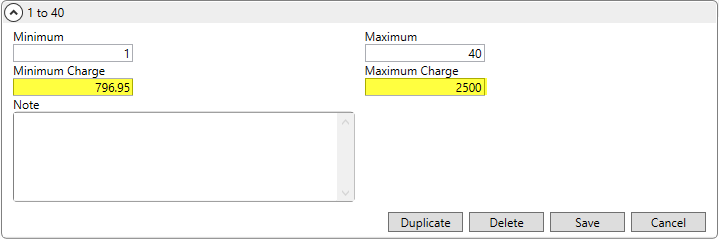
Figure 1: Range X sample Rate Matrix record
In the following example (Figure 2), the Invoice Amount (line item total) defaults to the Minimum Charge pulled from the Rate Matrix that was retrieved based on order values (Miles and Weight).
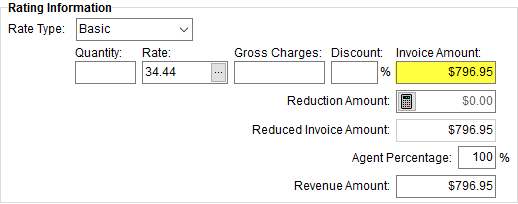
Figure 2: Rating Information from Add Revenue Item
If the line item calculated added up to an amount that exceeded the Maximum Charge, then the Maximum Charge is set as the total. In the example below (Figure 3), the calculated line item amount of $2,755.20 exceeds the Maximum Charge of $2,500.00, so the Invoice Amount is updated to reflect the maximum.
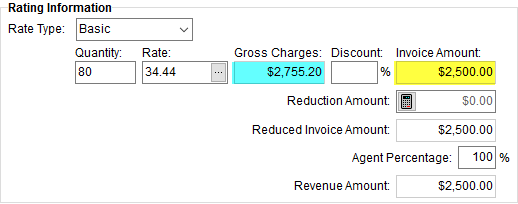
Figure 3: Rating Information from Add Revenue Item
Available to both the Range X and Range Y records of a Rate Matrix, is a Note entry. This field was designed to store information on imported rates from third-parties, however you can utilize this setting to add information regarding the record (up to 128 characters).
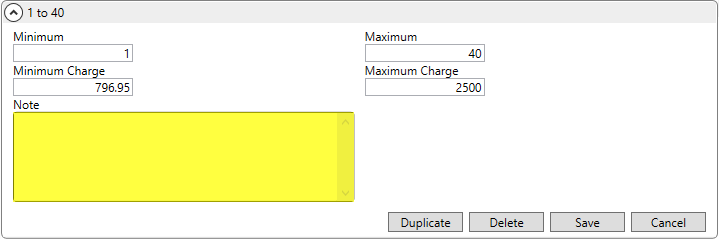
Figure 4: Rate Matrix Range X example
Refer to the Rate Matrix topic for more information.
|
SUMMARY (4943) |
|
Added fields to the Rate Matrix. |
|
The following areas have been affected by this change: Schema Changes Version 2018R11
|
Effective Date Basis Added
to Rates
You now have the option to determine which date evaluated to determine the date eligibility of rated items on a Rate Plan. The Effective Date Basis setting is now available within Rate Plan Setup.
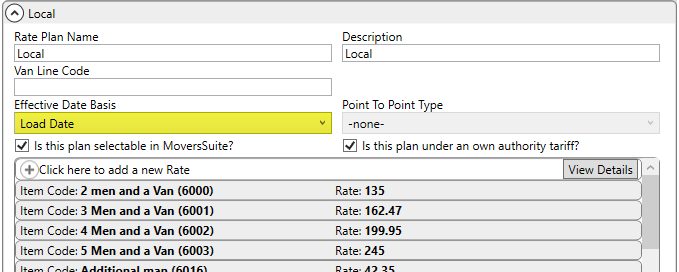
Figure 5: Rate Plan Setup
You can now set the basis to one of the following to determine the effective date of a rated item.
|
Date Basis |
Description |
|
Delivery Date |
Move Information > Range > Delivery Dates (first date in spread) |
|
Job End Date |
Job Information > Job End Date (on an Office & Industrial order) |
|
Job Start Date |
Job Information > Job Start Date (on an Office & Industrial order) |
|
Load Date |
Move Information > Range > Load Dates (first date in spread) |
|
Tendered Date |
Billing Information > Other Information > Tendered Date (NEW) |
The application compares the Effective Start and Effective Date values set for the rates to the what is set on the order based on what is set on the Rate Plan as a whole.
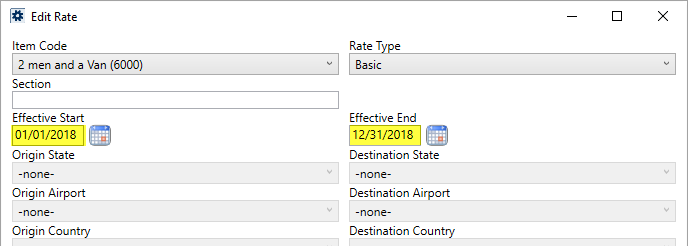
Figure 6: Add Rate
If the Effective Date Basis on the plan is Load Date, then the application references the first Load Date within the Range tab within Move Information to determine if the rate qualifies.
All new and existing Rate Plan records default to a Load Date basis. The Load Date is what the application based the effective date qualification on prior to this release.
The Tendered Date basis references a new field found within the Billing Information tab. This date is considered the date the account assigned the order to the moving company.
 Figure 7: Other Information section from the
Billing Information tab
Figure 7: Other Information section from the
Billing Information tab
Figure 8: Other Information section from the Billing Information tab in Revenue Entry
Refer to the Rating Systems and Rate Plan Setup topics for more information.
|
SUMMARY (4946, 5037) |
|
Added Effective Date Basis to Rate Plan Setup. |
|
Added Tendered Date to Billing Information and Billing Information (Revenue Entry). |
|
The following areas have been affected by this change: Schema Changes Version 2018R11
|
MSCrew 2.0 Available
MSCrew iOS 2.0 is now available. This version includes many improvements. View the MSCrew iOS 2.0 topic for a complete list.
MSCrew iOS 2.0 is compatible with MoversSuite 2018 R10 and higher. Therefore, to run MSCrew, you must be on a 2018 R10 or later release of MoversSuite.
MSCrew iOS 2.0 is not backwards compatible, i.e. it cannot run on old versions of MoversSuite, and older versions of MSCrew will not run on MoversSuite 2018 R10 or later version. If you wish to update your hand-held device or tablet to MSCrew iOS 2.0, contact your system administrator to find out when MoversSuite 2018 or later version will be available to you.
Find out more information by viewing the MSCrew and MoversSuiteCrew Mobile Application topics.
See screenshots for the iPhone and iPad and download the application through the iTunes store by clicking on the following link:
https://itunes.apple.com/us/app/mscrew/id1185186146?mt=8
RELEASE FIXES
This section lists any fixes made to MoversSuite.
Commission Statements
Other Transactions no longer duplicated
In the rare occurrence that commissions statements were run and reference orders with the Orders.OrderNo blank (not NULL), then duplicate transactions were showing up as commission details. The Commission Statement Report no longer generates duplicate details when the Orders.OrderNo is blank or NULL. (5069)
General Application
No default Vendor ID for Vendor Find
The Vendor Find no longer prep-populates the Vendor ID search field to what may already be set on an item. (5041)
International Orders
Shipping dates correctly update dates set within the Vessel/Voyage and Flight Information
The ETD, Departure, ETA, and Arrival dates within Vessel/Voyage and Flight Information are correctly referenced when ordering information is updated manually or through an import. (4992)
Invoicing
Subtotal flag included on invoice copy
When you copy an invoice, the application includes a flag on each group to indicate that the group includes a subtotal or not. Prior to this release, if the group on the original invoice included a subtotal, it did not show on the copied invoice. (5076)
Office & Industrial
Sales Numbers Report updated for O&I
The value set for the Estimated Linehaul for orders that shows on the Sales Numbers Report now pulls from the Estimate Amount set within the Billing Information tab. For all other orders, the Estimated Linehaul continues to reference the Discounted Linehaul set for the order (either through the Move Information tab or through the Billing Information (Revenue Entry) tab). (4937)
Quote
Quote details no longer round up
The calculated line totals for Quote Details no longer round to the nearest dollar. This issue appeared in Version 2018 R10. (5087)
UniGroup International
National Account information included in quote upload
When uploading Quote data included with an UniGroup International Upload, National Account information from the Billing Information tab is now included when the Service Provider on the quote references a Bill To type of National Account. (5060)
SCHEMA CHANGES
Database changes for this release are visible through the following topic:
Schema Changes Version 2018R11
The following links allows you to navigate through all MoversSuite tables and data views and allows you to view field properties, such as type and maximum value size, etc.
MoversSuite Database Tables (2018R11)
MoversSuite Document Database Tables (2018R11)
MoversSuite Data Views (2018R11)
|
Version 2018 R10 |
|
RELEASE DATE: 5/7/2018
NOTICE: Requirements listing updated for this release.
NOTICE: Are you aware of what triggers a sales tax audit?
Read through the information in the following link to learn more: What Triggers a Sales Tax Audit. Please reach out to our Sales Team if you wish to learn more about Avalara.
RELEASE SUMMARY
The following is a table contains counts of the items affecting this release.
|
# |
Change Summary |
|
3 |
New Product Features |
|
2 |
Release Enhancements |
|
6 |
Release Fixes |
|
10 |
Schema Changes (# of database tables affected) |
|
11 |
Admin Changes |
|
|
Standard Reports Affected |
RELEASE LINKS
This section provides quick links to commonly referenced release subjects.
|
Link |
Description |
|
Watch a short video highlighting the changes we have made to MoversSuite at this version. | |
|
View current release information through a PDF document. | |
|
Read up on the requirements for this version of MoversSuite. | |
|
Check out our Support page to read about the latest MoversSuite release and find links to other useful information. | |
|
See what other MoversSuite customers are requesting for changes to the MoversSuite application and submit your own suggestions. | |
|
Past Versions Information |
Look through a list of changes made to all other versions of MoversSuite. |
|
This page provides a quick rundown of changes made at each version. | |
|
Access a list of overview videos for each release. | |
|
Pull up the database changes we made at various releases. |
RELEASE REQUIREMENTS
Please refer to the following information regarding the hardware and software required to support MoversSuite and related systems.
View the MoversSuite System Compatibility topic for a list of products that are compatible with MoversSuite.
Refer to the System Requirements section for a complete list of hardware and software requirements.
Browser Security Requirements for Credit Card Payments
With recent changes to support TLS 1.2 encryption protocol enforced by the credit card and banking industries, your internet browser must support TSL 1.2 encryption to process Electronic and Online Payments. Refer to the Browser Security Settings topic for more information on this requirement on how to test your browser.
MSCrew 2.0 Requires MoversSuite 2018 R10 or Higher
The MSCrew Version 2.0 requires that MoversSuite be on Version 2018 R10 or higher to support the changes included with the latest mobile application. More information will come in future updates of MoversSuite as the rollout date for MSCrew Version 2.0 nears.
New MoversSuite WebApiService
An additional web service will run after you upgrade to Version 2018 R09 of MoversSuite or later version. The new service is titled “WebApiService –“ followed by your company name. If you have issues connecting to the API service after you upgrade, verify that this, and other MoversSuite services, are running on your application server.
Microsoft SQL Server 2008 and SQL Server 2008 R2 Compatibility
With version 2017 R11 of MoversSuite, the development environment of MoversSuite is no longer compatible with Microsoft SQL Server 2008 or SQL Server 2008 R2.
As of May 22, 2017, the lowest compatible database server hosting MoversSuite will be Microsoft SQL Server 2012. IMPORTANT: If you wish to upgrade to MoversSuite 2017 R11 or a later version of MoversSuite, your company must, at minimum, have Microsoft SQL Server 2012 or higher (see the Microsoft SQL Server 2016 Compatibility announcement).
Of note, being current on the latest versions of the hardware and software for our development environment allows us to provide better security, better support, and a better MoversSuite user experience. Please refer to our System Requirements for more information on the hardware and software compatible with MoversSuite.
Contact our EWS Support team to discuss migration options.
Windows Domain Authentication to log into MoversSuite
With the release of MoversSuite Version 2017 R08 is the ability to open MoversSuite by using the credentials you enter when logging into your Windows environment. MoversSuite references the user identity associated to your Windows account to retrieve your MoversSuite login information. Then, when you launch MoversSuite or MoversSuite Administration, it opens without you having to enter your MoversSuite username and password.
IMPORTANT: If your company is not utilizing Windows Domain Authentication, then you will be unable to upgrade to version 2017 R08 or later. (8638)
IBM MQ Client 8.0.0.5
For all UniGroup agents, UniGroup requires IBM MQ Client 8.0.0.5. If you upgrade on your own and want to download this latest version of IBM MQ Client, then you can do so through this link: http://www-01.ibm.com/support/docview.wss?uid=swg24037500#1.
Microsoft SQL Server 2016 Compatibility
As of MoversSuite 2017 R04, the MoversSuite development environment is compatible with Microsoft SQL Server 2016.
Refer to our System Requirements for more information on the hardware and software compatible with MoversSuite.
Please contact our EWS Sales team to discuss upgrade options.
Microsoft Windows Server 2016 Compatibility
As of MoversSuite 2017 R04, MoversSuite is compatible with Microsoft Windows Server 2016.
Refer to our System Requirements for more information on the hardware and software compatible with MoversSuite.
Please contact our EWS Sales team to discuss upgrade options.
Dynamics GP Requirements
MoversSuite is compatible with the following:
Microsoft Dynamics GP 2016 R2 (with ATIP Build 16.0.2)
Microsoft Dynamics GP 2015 R2 (with ATIP Build 14.0.1)
Microsoft Dynamics GP 2013 R2 (with ATIP Build 12.0.23)
Refer to the following for information regarding additional requirements you may need to support Microsoft Dynamics GP:
System Requirements for Microsoft Dynamics GP 2016
System Requirements for Microsoft Dynamics GP 2015
KNOWN ISSUES
The following issues are problems that may affect your decision to upgrade to this version of MoversSuite. The following issue is not resolved for this release.
Screen scaling not available with MoversSuite
With the advances in screen size and resolution, many underlying applications are not able to deal with all the variations in configurations available to the variety of high definition (HD) screens. Due to this limitation, MoversSuite cannot scale as desired in all situations. Many of you may have purchased HD monitors and have seen issues such as not being able to read field labels, etc.
Until there is a better solution to scaling, EWS Group recommends that if you experience scaling problems with the MoversSuite application keep the size of your application to 100% and change the resolution as desired.
On Windows machines, you can verify and/or update the display settings as follows:
64. Right-click somewhere on your desktop and select Display Settings
65. Set the Change the size of text, apps, and other items to 100%.
66. Click on Apply to save the changes.
67. Click on Advanced display settings.
68. Make changes to the Resolution as needed.
69. Click on Apply to save the changes.
70. Close the screen by pressing the X in the upper right-hand corner of the screen.
Citrix issue with phone number control
An issue that cannot be replicated is causing the phone numbers within the Shipper Contact Information section (Name, Address, Phone tab) to disappear and then reappear when you click on that section, however, the user cannot edit them until they press Cancel (on the order) and then attempt to Edit again. (6409)
RELEASE FEATURES
This section lists new functionality added to MoversSuite.
Vendor Find Improvement
Similar changes have been made to the Vendor selector that were done to the Customer select several releases in the past. This includes removal of caching the vendor list as MoversSuite starts up. This will improve application load times, especially for those of you with a large list of vendors.
The other change includes adding Quick Find ability to the Vendor selectors available throughout the application.
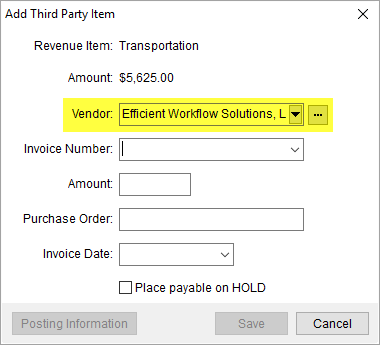
Figure 1: Add Third Party Item dialog
Vendor Quick Find
The Quick Find provides the ability to enter three or more characters of the name or number associated to the record you wish to locate. Once matches are found, a list of qualified records displays in the drop-down menu.
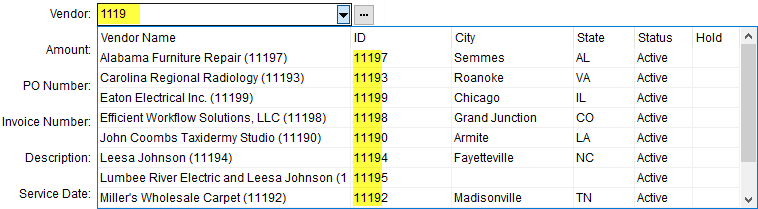
Figure 2: Vendor selector with Quick Find menu options
You also have access to the last 50 vendor records by
pressing the  button.
Vendor Find
The Vendor Find has been improved to allow you to search for partial entries within the City and/or State associated to a vendor as well. A new Search button replaces the Refresh Vendors button.
Figure 3: Vendor Find
Vendor selectors within the following MoversSuite areas were affected by this change:
Add Handling Expense (in Claims)
Add Third Party Item (in Order Information)
Add Third Party Item (Revenue Entry)
Quote (Service Provider section)
Settlement Entry (in Claims)
Vendor Quick Find in MoversSuite Administration
The Vendor Quick Find is also available within MoversSuite Administration. Load time will also improve in this application as well.
The Vendor Quick Find allows you to enter three or more characters and the application produces a list of matches within the name or number of the vendor record.
Figure 4: Vendor Quick Find in Agents Setup
Vendor selectors within the following administrative areas were affected by this change:
Advance Banking Provider Setup
Carrier Setup (International Orders)
Personnel Setup (Accounting tab)
Vendor Setup (when not connect to Microsoft Dynamics GP)
Refer to the Vendor Quick Find topic for more information.
|
SUMMARY (4932, 5040, 5041) |
|
Vendor Quick Find added. |
|
Vendor Find updated to process more efficiently. |
|
List of vendors no longer loaded at runtime. |
|
The following areas have been affected by this change: Add Third Party Item (Revenue Entry) Advance Banking Provider Setup Carrier Setup (International Orders)
|
Point to Point Rating
Support
A new feature available allows you to assign rates based on where the order originates and its destination. The point to point rating can be applied based on one of the following:
Airport to Airport
Country to Country
State to State
Postal Code to Postal Code
This rating is often referred to Final Mile Pricing and applies to all types of MoversSuite orders, including household goods and O&I.
When establishing a Rate Plan, you can decide whether to link it to one of the four Point to Point types.
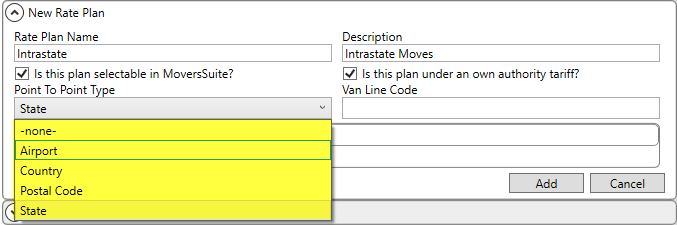
Figure 5: Rate Plan Setup
All the rate details associated to the plan with Point to Point Rating must be of the same type. For example, if the Point to Point Type is set to State for the plan, you can only choose an Origin State and Destination State for the rate to apply (see example below).
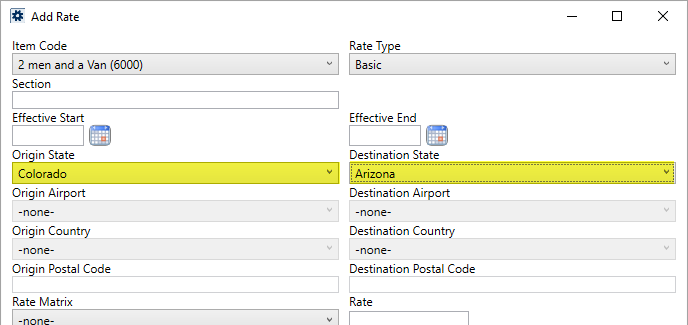
Figure 6: Add Rate screen
The application references the Moving From and Moving To addresses set within Name, Address, Phone for household goods orders and references the Locations marked as Origin and Destination set within Contacts and Locations for an Office & Industrial order to determine the rate to apply.
The details of a plan include additional changes that you can utilize with or without the Point to Point Rating functionality.
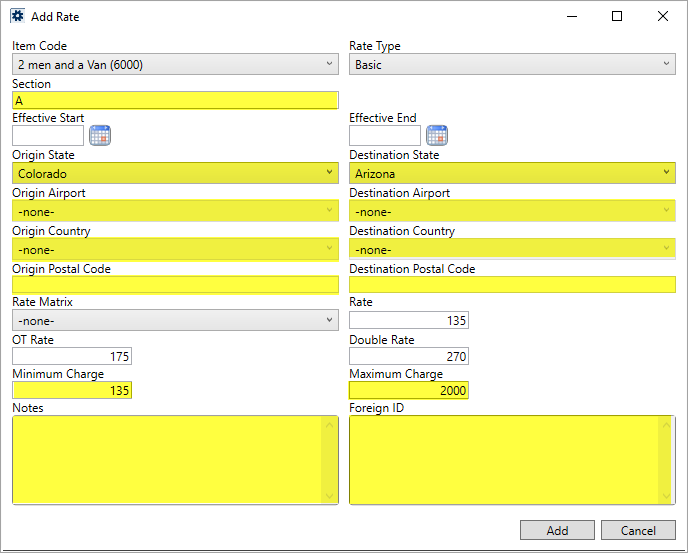
Figure 7: Add Rate screen
You can specify a Section. If you do so, the order must have a matching Section for the rate to be in effect. The application compares what is set for the Section to what is set on the order or claim record in the following locations to determine rate eligibility:
Billing Information (Revenue Entry)
There are also Minimum Charge and Maximum Charge settings. The application references these, if set, to apply the charge to any calculated amount based on the specific item. This feature applies to calculated invoice, quote, and revenue items. For example, if you are adding revenue under the above rate item and the calculated total is less than the Minimum Charge of $135, then application automatically applies the minimum to that quote item.
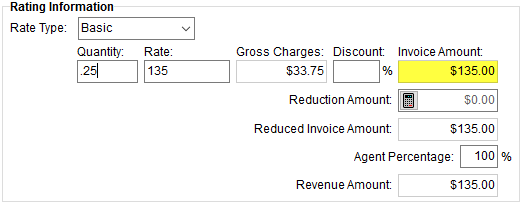
Figure 8: Rating Information from Add Revenue Group sample of Minimum Charge
Likewise, if the calculated amount is greater than the Maximum Charge, then the line item applies the Maximum Charge defined within the plan.
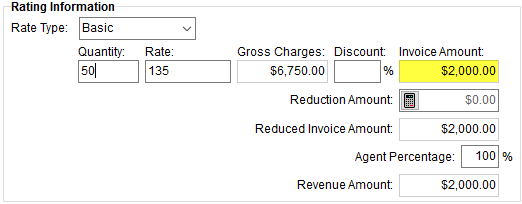
Figure 9: Rating Information from Add Revenue Group sample of Maximum Charge
NOTE: Minimum Charge and Maximum Charge options do not apply to Job Costing or to Billing Items for Recurring Billing.
A Notes section has also been added to the Add Rate dialog. You can add a memo up to 128 characters for each rate detail record.
Additionally, a Foreign ID section displays any read-only values associated to the record from an external application. One usage example for this field is if rates were imported from a third-party, then this field would display the identifiers to the specific rate imported.
Refer to the Point to Point Rating and Rate Plan Setup topics for additional information.
|
SUMMARY (4942) |
|
Point to Point Rating added. |
|
Section, Minimum Charge, Maximum Charge, Notes, and Foreign ID added to Add Rate. |
|
The following areas have been affected by this change: Schema Changes Version 2018R10
|
Credit Card Improvements
that include Email Notifications
Some improvements have been made to Electronic and Online Payments products. The following is a summary of these changes followed by details on each change:
•You can now capture payment information without charging the card or account
•You can link a captured payment method to the customer assigned to the payment
•You can setup to receive a customizable email when the payment is received or captured
•You can set a nickname for the payment method when creating a payment
Miscellaneous changes:
•An incomplete payment no longer creates an open cash receipt. When the application cannot complete a payment due to bad setup credentials or CSI Pay being offline, then a cash receipt is not created. For other errors that may occur during processing, then a temporarily voided, zero-amount cash receipt is managed until the payment is successful. Once the payment is successful, then the cash receipt is update with the processed amount and the status changed to Open.
•Email Address(es) field label changed to Email Online Link To within Setup Credit Card/Bank Online Payment.
•The correct information displays within the top section of the Setup Credit Card/Bank Online Payment screen when switching between modules.
•An order note is created for any manual credit card payment, void, or refund
Browser Security Requirements for Credit Card Payments
With recent changes to support TLS 1.2 encryption protocol enforced by the credit card and banking industries, your internet browser must support TSL 1.2 encryption to process Electronic and Online Payments. Refer to the Browser Security Settings topic for more information on this requirement on how to test your browser.
Capture Credit Card without Charging Account
The Setup Credit Card/Bank Online Payment screen now provides you an Online Link Type option. By default, this option is set to Electronic Payment to indicate that you wish to make payment and provide a maximum payment amount.
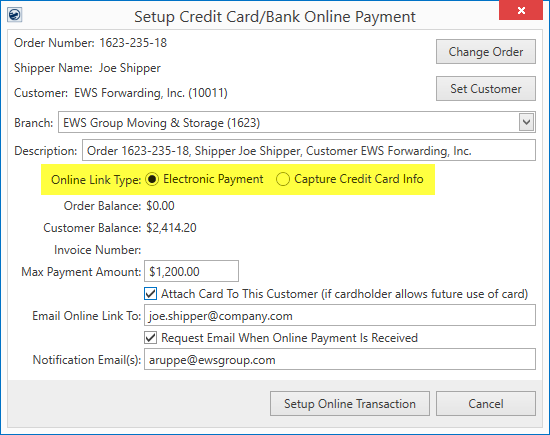
Figure 10: Setup Credit Card/Bank Online Payment screen
You can also set the Online Link Type option to Capture Credit Card Info. When you choose this option, the balance and payment information is removed from the screen.
Figure 11: Setup Credit Card/Bank Online Payment screen
Once you process the request by pressing Setup Online Transaction, the application generates an email message to the address set for the Email Online Link To option containing a hyperlink to the Online Payment site. From this site, the person can select the Payment Method only (no amount fields) and press Next to process the request.
Figure 12: Main section of the Online Payment site
Once they successfully enter their card or account information through the Secure Payment Form, they receive confirmation of the capture within a Payment Capture Summary page.
Figure 13: Main section of the Payment Capture Summary screen
Attach Card to Customer
Another option available through the Setup Credit Card/Bank Online Payment screen allows you to Attach Card to this Customer. Checking this option instructs the application to retain the payment information for the selected Customer, provided that the card or account holder chooses to retain the payment method for future use the next time the payment is processed (the Keep this account information on file for your future invoices option is checked when the payment is processed through the Online Payment site).
Figure 14: Setup Credit Card/Bank Online Payment screen
Email Notifications upon Payment
When adding a payment or capturing payment information within the Setup Credit Card/Bank Online Payment screen, you now have the option to Request Email When Online Payment is Received. Checking this option sends a customizable email with payment information to the email address or addresses specified within the Notification Email(s) setting.
Figure 15: Setup Credit Card/Bank Online Payment screen
The email address defaults to that set as the Email Address on your Personnel Setup record.
You can add additional email addresses by separating them with a comma or semi-colon.
There are two additional System Email Setup options that control what displays in the email sent from the Setup Credit Card/Bank Online Payment screen. The Online Payment Received option allows you to customize the body and subject of an email sent through the notification system when the actual payment is made, i.e. customer shipper processed the payment through the Online Payment site.
Figure 16: Online Payment Received option with System Email Setup
The second option of Online Card Info Received controls what displays in the email message sent when the Capture Credit Card Info option is set within the Setup Credit Card/Bank Online Payment screen and the shipper or customer completes the request through the Online Payment site.
Figure 17: Online Card Info Received option with System Email Setup
Refer to System Email Setup for field details and to Electronic and Online Payments Setup for more instructions related to this setup.
IMPORTANT: Emails are generated using the Database Mail (DBMAIL) utility accessible through the Microsoft SQL Server Management Studio. This utility must be setup and running to utilize the email notifications through the Setup Credit Card/Bank Online Payment screen. Refer to the Database Mail Setup topic for additional information.
Assign Account Nickname
When making a manual payment through the Credit Card/Bank Payment screen, you now have the option to set the Account Nickname. This is helpful if you wish to retain the card for future payments and reference when processing payments for the same shipper and/or customer.
Figure 18: Credit Card/Bank Payment screen
You can specify an Account Nickname of up to 40 characters in length. Reference this name in future payments associated to the shipper and/or customer through the Credit Card/Bank Payment screen through the Payment Information On Hand setting or through the Payment Setup for a Recurring Billing and Storage item.
|
SUMMARY (4955, 5053) |
|
Electronic and Online Payments updates made. |
|
The following areas have been affected by this change: Electronic and Online Payments Electronic and Online Payments Setup Setup Credit Card/Bank Online Payment Schema Changes Version 2018R10
|
RELEASE ENHANCEMENTS
This section lists the improvements made to MoversSuite.
First Sort field in the
Dispatch Center expanded
The size of the Sort1 column has been expanded to 64 characters. This column is available within the Dispatch Center grid and it, along with the Sort2 column, allow you to create custom data to assist in organizing grid.
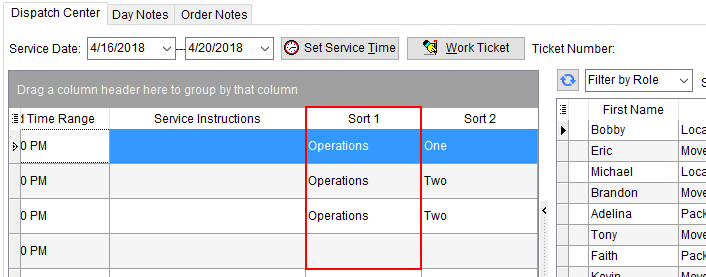
Figure 19: Dispatch Center
Refer to Sort1 and Sort2 field descriptions within the Dispatch Center topic for more information.
|
SUMMARY (4964) |
|
Sort1 field expanded within the Dispatch Center grid. |
|
The following areas have been affected by this change: Schema Changes Version 2018R10
|
MSCrew 2.0 Available
The MoversSuite API Service has been updated for changes related to support Version 2.0 of the MSCrew mobile application.
MSCrew Version 2.0 is not yet available, but the changes made to the MoversSuite API Service allow MoversSuite to work within either Version 1.2 (current release) and 2.0.
Once MSCrew Version 2.0 is available, automatic updates on your devices will load this version. Further, Version 2.0 does not work with releases prior to MoversSuite Version 2018 R10. Therefore, your system must be upgraded to 2018 R10 or later version prior to the MSCrew Version 2.0 rollout.
Continue to check the MoversSuite release notes as well as the MSCrew app page for Version 2.0 information as it becomes available. Here is a link to the MSCrew page within the iTunes App Store: https://itunes.apple.com/us/app/mscrew/id1185186146?mt=8
|
SUMMARY (4947, 5052) |
|
MoversSuite API Service updated for MSCrew Version 2.0 improvements |
|
The following areas have been affected by this change:
|
RELEASE FIXES
This section lists any fixes made to MoversSuite.
Claims
Access to Manage Liability and Chargebacks screen is available
Adding a Claims record, then a Claim Item, and then immediately clicking on Manage Liabilities and Chargebacks within the Liabilities/Chargebacks tab longer causes an error. This issue affected a very small number of users. (5065)
Email Service
No error when sending an email with no order attached
The MoversSuite Email Service no longer produces an error when opening an MoversSuite Email message when no order is attached. (4986)
Local Dispatch
Source expanded in Enter Actuals
Source name expanded within the Enter Actuals screen to accommodate for the entire name of the employee set within their Personnel Setup record. (4991)
UniGroup International
All flight legs included in UniGroup International download
The UniGroup International Download now includes all flight legs associated to an air transport. Prior to this release, the application was including only the first leg of the flight. (5051)
BOL Consign with no address no longer generates error
The UniGroup International Upload no longer produces an error when attempting to include a Shipper or Vendor that have no address (set within Bill of Lading Consignee). (5056)
SCHEMA CHANGES
Database changes for this release are visible through the following topic:
Schema Changes Version 2018R10
The following links allows you to navigate through all MoversSuite tables and data views and allows you to view field properties, such as type and maximum value size, etc.
MoversSuite Database Tables (2018R10)
MoversSuite Document Database Tables (2018R10)
MoversSuite Data Views (2018R10)
|
Version 2018 R09 |
|
RELEASE DATE: 4/23/2018
NOTICE: Requirements listing updated for this release.
NOTICE: Are you aware of what triggers a sales tax audit?
Read through the information in the following link to learn more: What Triggers a Sales Tax Audit. Please reach out to our Sales Team if you wish to learn more about Avalara.
RELEASE SUMMARY
The following is a table contains counts of the items affecting this release.
|
# |
Change Summary |
|
1 |
New Product Features |
|
|
Release Enhancements |
|
2 |
Release Fixes |
|
9 |
Schema Changes (# of database tables affected) |
|
8 |
Admin Changes |
|
|
Standard Reports Affected |
RELEASE LINKS
This section provides quick links to commonly referenced release subjects.
|
Link |
Description |
|
Watch a short video highlighting the changes we have made to MoversSuite at this version. | |
|
View current release information through a PDF document. | |
|
Read up on the requirements for this version of MoversSuite. | |
|
Check out our Support page to read about the latest MoversSuite release and find links to other useful information. | |
|
See what other MoversSuite customers are requesting for changes to the MoversSuite application and submit your own suggestions. | |
|
Past Versions Information |
Look through a list of changes made to all other versions of MoversSuite. |
|
This page provides a quick rundown of changes made at each version. | |
|
Access a list of overview videos for each release. | |
|
Pull up the database changes we made at various releases. |
RELEASE REQUIREMENTS
Please refer to the following information regarding the hardware and software required to support MoversSuite and related systems.
View the MoversSuite System Compatibility topic for a list of products that are compatible with MoversSuite.
Refer to the System Requirements section for a complete list of hardware and software requirements.
New MoversSuite WebApiService
An additional web service will run after you upgrade to Version 2018 R09 of MoversSuite or later version. The new service is titled “WebApiService –“ followed by your company name. If you have issues connecting to the API service after you upgrade, verify that this, and other MoversSuite services, are running on your application server.
Microsoft SQL Server 2008 and SQL Server 2008 R2 Compatibility
With version 2017 R11 of MoversSuite, the development environment of MoversSuite is no longer compatible with Microsoft SQL Server 2008 or SQL Server 2008 R2.
As of May 22, 2017, the lowest compatible database server hosting MoversSuite will be Microsoft SQL Server 2012. IMPORTANT: If you wish to upgrade to MoversSuite 2017 R11 or a later version of MoversSuite, your company must, at minimum, have Microsoft SQL Server 2012 or higher (see the Microsoft SQL Server 2016 Compatibility announcement).
Of note, being current on the latest versions of the hardware and software for our development environment allows us to provide better security, better support, and a better MoversSuite user experience. Please refer to our System Requirements for more information on the hardware and software compatible with MoversSuite.
Contact our EWS Support team to discuss migration options.
Windows Domain Authentication to log into MoversSuite
With the release of MoversSuite Version 2017 R08 is the ability to open MoversSuite by using the credentials you enter when logging into your Windows environment. MoversSuite references the user identity associated to your Windows account to retrieve your MoversSuite login information. Then, when you launch MoversSuite or MoversSuite Administration, it opens without you having to enter your MoversSuite username and password.
IMPORTANT: If your company is not utilizing Windows Domain Authentication, then you will be unable to upgrade to version 2017 R08 or later. (8638)
IBM MQ Client 8.0.0.5
For all UniGroup agents, UniGroup requires IBM MQ Client 8.0.0.5. If you upgrade on your own and want to download this latest version of IBM MQ Client, then you can do so through this link: http://www-01.ibm.com/support/docview.wss?uid=swg24037500#1.
Microsoft SQL Server 2016 Compatibility
As of MoversSuite 2017 R04, the MoversSuite development environment is compatible with Microsoft SQL Server 2016.
Refer to our System Requirements for more information on the hardware and software compatible with MoversSuite.
Please contact our EWS Sales team to discuss upgrade options.
Microsoft Windows Server 2016 Compatibility
As of MoversSuite 2017 R04, MoversSuite is compatible with Microsoft Windows Server 2016.
Refer to our System Requirements for more information on the hardware and software compatible with MoversSuite.
Please contact our EWS Sales team to discuss upgrade options.
Dynamics GP Requirements
MoversSuite is compatible with the following:
Microsoft Dynamics GP 2016 R2 (with ATIP Build 16.0.2)
Microsoft Dynamics GP 2015 R2 (with ATIP Build 14.0.1)
Microsoft Dynamics GP 2013 R2 (with ATIP Build 12.0.23)
Refer to the following for information regarding additional requirements you may need to support Microsoft Dynamics GP:
System Requirements for Microsoft Dynamics GP 2016
System Requirements for Microsoft Dynamics GP 2015
KNOWN ISSUES
The following issues are problems that may affect your decision to upgrade to this version of MoversSuite. The following issue is not resolved for this release.
Screen scaling not available with MoversSuite
With the advances in screen size and resolution, many underlying applications are not able to deal with all the variations in configurations available to the variety of high definition (HD) screens. Due to this limitation, MoversSuite cannot scale as desired in all situations. Many of you may have purchased HD monitors and have seen issues such as not being able to read field labels, etc.
Until there is a better solution to scaling, EWS Group recommends that if you experience scaling problems with the MoversSuite application keep the size of your application to 100% and change the resolution as desired.
On Windows machines, you can verify and/or update the display settings as follows:
71. Right-click somewhere on your desktop and select Display Settings
72. Set the Change the size of text, apps, and other items to 100%.
73. Click on Apply to save the changes.
74. Click on Advanced display settings.
75. Make changes to the Resolution as needed.
76. Click on Apply to save the changes.
77. Close the screen by pressing the X in the upper right-hand corner of the screen.
Citrix issue with phone number control
An issue that cannot be replicated is causing the phone numbers within the Shipper Contact Information section (Name, Address, Phone tab) to disappear and then reappear when you click on that section, however, the user cannot edit them until they press Cancel (on the order) and then attempt to Edit again. (6409)
RELEASE FEATURES
This section lists new functionality added to MoversSuite.
Capacity Planning
A new Capacity Planning tool is available that your sales and surveying personnel can utilize to monitor the availability of equipment, labor, and packing for specified date or date range to assist in service creation and pricing.
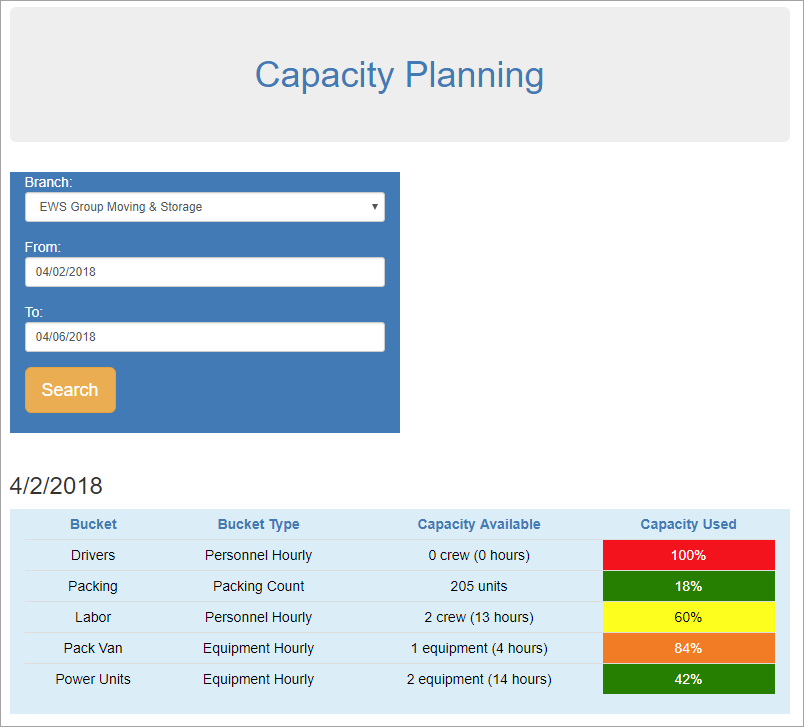
Figure 1: Capacity Planning
The Capacity Planning tool is web-based page that personnel can access through a URL that references your internal application server. In other words, personnel that can log into your application server can pull up the planning tool. Once logged into the application server, use the following URL to access Capacity Planning from your default web browser:
http://[YOUR APPLICATION SERVER]:[PORT]/capacity
Where [YOUR APPLICATION SERVER] is the server hosting MoversSuite and [PORT] is the available port number. This is also referred to as your External IP Address and Forwarding Port. Refer to Capacity Planning Setup for more information.
No special user privileges are needed to access this page at this time. In future releases of MoversSuite, we anticipate modifications that can restrict those that can access Capacity Planning as well as allowing personnel to access the page through MoversSuite and from beyond the application server.
Capacity Planning Details
Once the Capacity Planning page loads, you are prompted to select a Branch and date range as From and To dates.
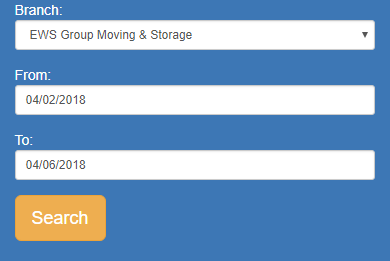
Figure 2: Capacity Planning report parameters
Once this information is provided, press Search and the application displays your customized planning data by each date specified in the date range entered.
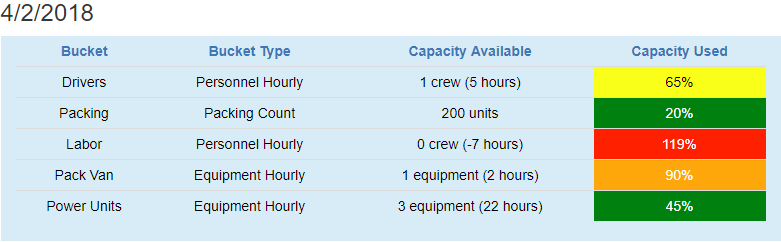
Figure 3: Capacity Planning detail record sample
Buckets are the categories that you define based on one of four Bucket Types:
•Equipment Hourly
•Packing Count
•Personnel Count
•Personnel Hourly
The Capacity Available is the number currently available of the specified type. In the example above (Figure 3), the Packing count available for the branch is 200 units. The Capacity Used indicates what percentage of the total available amount is currently allocated. For the April 2, 2018 example, of the 250 packing units available, 50 have been allocated and 200 are still available (50/250 equals 20% used).
Capacity Planning is completely customizable to suit your needs. You control what buckets are available and what data they represent. You can also customize the color and tiers that display. Refer to the Capacity Planning Setup topic for information on the details that you can build into your new planning tool.
The application considers both the requested and assigned amounts when determining availability of an item. The requested amounts are pulled from CPU, Labor Request, and Equipment Request options managed within Add Local Service. All services are included for the given Service Date.
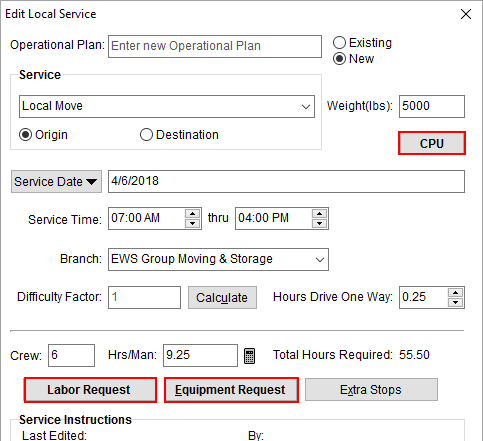
Figure 4: Add Local Service screen
See the Capacity Planning Data topic for more information on the data included.
Setup Information
New setup areas and capacity tie-ins to existing setup are available. The following tables describes the new setup areas as well as those that changed within the Admin Tool. Refer to the Capacity Planning Setup topic for a complete explanation of the setup needed to support Capacity Planning.
New Setup Areas
|
New Setup Areas | |
|
Operations > Capacity Bucket Use this new setup to define the buckets you wish to show within Capacity Planning. Link each bucket to one of the four available types and specify the order in which you wish the bucket to display. | |
|
Operations > Capacity Used Threshold Establish tiers and assign colors within this setup area. The tiers are based on percentages that range from 0 to 100. There are four default thresholds available to you, however, you can create as many as you need. | |
|
Operations > Daily Packing Capacity New Operations setup area allowing you to define the pack count for each branch. |
Updated Setup Areas
|
Setup |
Change |
|
Operations > Equipment Assign a Capacity Bucket along with Hours Available Daily within the Other tab to equipment you wish to include in Capacity Planning. The Capacity Bucket associate to the resource is evaluated when the item is assigned to the service through Local Dispatch. Resources must be active (Status of Active within the General tab) to be counted in Capacity Planning. | |
|
Administration > Equipment Type Setup Assign a Capacity Bucket along with Hours Available Daily to resource types you wish to include in Capacity Planning. The Capacity Bucket associate to the resource is evaluated prior to the item being dispatched through Local Dispatch. | |
|
Administration > Labor Type Setup Set the appropriate Capacity Bucket to count personnel of this labor area within Capacity Planning. The Labor Type must be Available in Local Dispatch to be counted in Capacity Planning. | |
|
Customer Service > Material Type Setup Set the appropriate Packing Capacity Bucket to count this item as Packing counts within Capacity Planning. | |
|
Personnel > Personnel Setup A Capacity Bucket option is available within the Dispatch tab that allows you to assign an employee to one of the Capacity Bucket Setup records. The daily available hours within this tab may also be referenced depending on the what type the Capacity Bucket links to. The Capacity Bucket associated to the employee is evaluated when the person is assigned to the service through Local Dispatch. The application includes the person based on the Default Branch assigned within the Branch tab. Personnel must be active (Status of ACTIVE within the General tab) to be counted in Capacity Planning. |
Requirements
An additional web service will run after you upgrade to this version of MoversSuite. The new service is titled “WebApiService –“ followed by your company name. If you have issues connecting to the API service after you upgrade, verify that this, and other MoversSuite services, are running on your application server.
The installation process also inserts a new option into the GlobalSystemOption table to accommodate preexisting API services. Verify that the following option exists within this table and that the port set as the Value is available and does not conflict with another setting or usage.
Table: GlobalSystemOption
Name: WcfLocalHostPort
Value: 4999
Refer to the Capacity Planning and Capacity Planning Setup topics for more information.
|
SUMMARY (4912, 4928, 5003, 5006) |
|
Capacity Planning added. |
|
The following areas have been affected by this change: Schema Changes Version 2018R09
|
RELEASE FIXES
This section lists any fixes made to MoversSuite.
General Application
Cancel from Login prompt no longer causes error
The Login prompt no longer produces an error when you cancel out of the dialog. Prior to this release, the prompt attempted to verify the database prior to closing, which is no longer necessary. (4978)
Commissions
Sister orders with different plans commission correctly
Sister orders (same order segment, different POS segment) that link to different commission plans, now auto commission correctly. Prior to this release, if different commission plans linked to the same salesperson on sister orders, then one of the orders commissioned from the wrong plan. (4982)
SCHEMA CHANGES
Database changes for this release are visible through the following topic:
Schema Changes Version 2018R09
The following links allows you to navigate through all MoversSuite tables and data views and allows you to view field properties, such as type and maximum value size, etc.
MoversSuite Database Tables (2018R09)
MoversSuite Document Database Tables (2018R09)
MoversSuite Data Views (2018R09)
|
Version 2018 R08 |
|
RELEASE DATE: 4/9/2018
NOTICE: Are you aware of what triggers a sales tax audit?
Read through the information in the following link to learn more: What Triggers a Sales Tax Audit. Please reach out to our Sales Team if you wish to learn more about Avalara.
RELEASE SUMMARY
The following is a table contains counts of the items affecting this release.
|
# |
Change Summary |
|
1 |
New Product Features |
|
1 |
Release Enhancements |
|
1 |
Release Fixes |
|
3 |
Schema Changes (# of database tables affected) |
|
4 |
Admin Changes |
|
|
Standard Reports Affected |
RELEASE LINKS
This section provides quick links to commonly referenced release subjects.
|
Link |
Description |
|
Watch a short video highlighting the changes we have made to MoversSuite at this version. | |
|
View current release information through a PDF document. | |
|
Read up on the requirements for this version of MoversSuite. | |
|
Check out our Support page to read about the latest MoversSuite release and find links to other useful information. | |
|
See what other MoversSuite customers are requesting for changes to the MoversSuite application and submit your own suggestions. | |
|
Past Versions Information |
Look through a list of changes made to all other versions of MoversSuite. |
|
This page provides a quick rundown of changes made at each version. | |
|
Access a list of overview videos for each release. | |
|
Pull up the database changes we made at various releases. |
RELEASE REQUIREMENTS
Please refer to the following information regarding the hardware and software required to support MoversSuite and related systems.
View the MoversSuite System Compatibility topic for a list of products that are compatible with MoversSuite.
Refer to the System Requirements section for a complete list of hardware and software requirements.
Microsoft SQL Server 2008 and SQL Server 2008 R2 Compatibility
With version 2017 R11 of MoversSuite, the development environment of MoversSuite is no longer compatible with Microsoft SQL Server 2008 or SQL Server 2008 R2.
As of May 22, 2017, the lowest compatible database server hosting MoversSuite will be Microsoft SQL Server 2012. IMPORTANT: If you wish to upgrade to MoversSuite 2017 R11 or a later version of MoversSuite, your company must, at minimum, have Microsoft SQL Server 2012 or higher (see the Microsoft SQL Server 2016 Compatibility announcement).
Of note, being current on the latest versions of the hardware and software for our development environment allows us to provide better security, better support, and a better MoversSuite user experience. Please refer to our System Requirements for more information on the hardware and software compatible with MoversSuite.
Contact our EWS Support team to discuss migration options.
Windows Domain Authentication to log into MoversSuite
With the release of MoversSuite Version 2017 R08 is the ability to open MoversSuite by using the credentials you enter when logging into your Windows environment. MoversSuite references the user identity associated to your Windows account to retrieve your MoversSuite login information. Then, when you launch MoversSuite or MoversSuite Administration, it opens without you having to enter your MoversSuite username and password.
IMPORTANT: If your company is not utilizing Windows Domain Authentication, then you will be unable to upgrade to version 2017 R08 or later. (8638)
IBM MQ Client 8.0.0.5
For all UniGroup agents, UniGroup requires IBM MQ Client 8.0.0.5. If you upgrade on your own and want to download this latest version of IBM MQ Client, then you can do so through this link: http://www-01.ibm.com/support/docview.wss?uid=swg24037500#1.
Microsoft SQL Server 2016 Compatibility
As of MoversSuite 2017 R04, the MoversSuite development environment is compatible with Microsoft SQL Server 2016.
Refer to our System Requirements for more information on the hardware and software compatible with MoversSuite.
Please contact our EWS Sales team to discuss upgrade options.
Microsoft Windows Server 2016 Compatibility
As of MoversSuite 2017 R04, MoversSuite is compatible with Microsoft Windows Server 2016.
Refer to our System Requirements for more information on the hardware and software compatible with MoversSuite.
Please contact our EWS Sales team to discuss upgrade options.
Dynamics GP Requirements
MoversSuite is compatible with the following:
Microsoft Dynamics GP 2016 R2 (with ATIP Build 16.0.2)
Microsoft Dynamics GP 2015 R2 (with ATIP Build 14.0.1)
Microsoft Dynamics GP 2013 R2 (with ATIP Build 12.0.23)
Refer to the following for information regarding additional requirements you may need to support Microsoft Dynamics GP:
System Requirements for Microsoft Dynamics GP 2016
System Requirements for Microsoft Dynamics GP 2015
KNOWN ISSUES
The following issues are problems that may affect your decision to upgrade to this version of MoversSuite. The following issue is not resolved for this release.
Screen scaling not available with MoversSuite
With the advances in screen size and resolution, many underlying applications are not able to deal with all the variations in configurations available to the variety of high definition (HD) screens. Due to this limitation, MoversSuite cannot scale as desired in all situations. Many of you may have purchased HD monitors and have seen issues such as not being able to read field labels, etc.
Until there is a better solution to scaling, EWS Group recommends that if you experience scaling problems with the MoversSuite application keep the size of your application to 100% and change the resolution as desired.
On Windows machines, you can verify and/or update the display settings as follows:
78. Right-click somewhere on your desktop and select Display Settings
79. Set the Change the size of text, apps, and other items to 100%.
80. Click on Apply to save the changes.
81. Click on Advanced display settings.
82. Make changes to the Resolution as needed.
83. Click on Apply to save the changes.
84. Close the screen by pressing the X in the upper right-hand corner of the screen.
Citrix issue with phone number control
An issue that cannot be replicated is causing the phone numbers within the Shipper Contact Information section (Name, Address, Phone tab) to disappear and then reappear when you click on that section, however, the user cannot edit them until they press Cancel (on the order) and then attempt to Edit again. (6409)
RELEASE FEATURES
This section lists new functionality added to MoversSuite.
Set Reporting Time and
Location of Local Crew
You can set the location and time where a crew reports to when setting the service time and when assigning crew. The Set Service Time function allows you to set a Crew Reports time and location as one of the following options:
•Warehouse
•Job Site Origin
•Job Site Destination
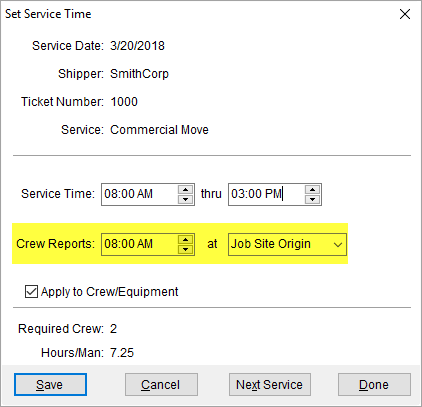
Figure 1: Set Service Time screen
The Apply to Crew/Equipment option also applies crew reporting information to other employees along with the Service Time setting.
When adding or editing the crew assignments through the Assign Crew screen, you have new options allowing you to update the crew reporting time and location through the Report and Report To fields.
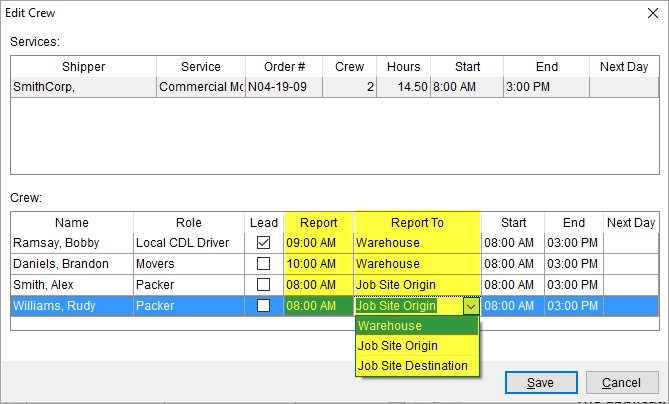
Figure 2: Assign Crew screen
The application assigns the initial reporting information to the service. So, if the initial reporting time and location is 8:00 AM at the Warehouse, then it remains such unless changed through the Set Service Time.
Individual crew reporting information is managed separately for each individual. For example, you can have the loaders report to the warehouse at 9:00 AM and the driver report at 10:00 AM. Such assignments are made through the Assign Crew screen.
The addition of the crew reporting fields is a step towards implementation of crew text messaging feature to be available in a future release of MoversSuite.
Refer to the Assign Crew and Set Service Time topics for more information.
|
SUMMARY (4728, 4989) |
|
Crew Reports added to Set Service Time. |
|
Report and Report To added to Assign Crew. |
|
The following areas have been affected by this change: Schema Changes Version 2018R08
|
RELEASE ENHANCEMENTS
This section lists changes to improve the MoversSuite application.
Lift
Van Label Bookmark Modifications 
A few changes have been made to the Lift Van Labels bookmark which lists under the International Bookmarks.
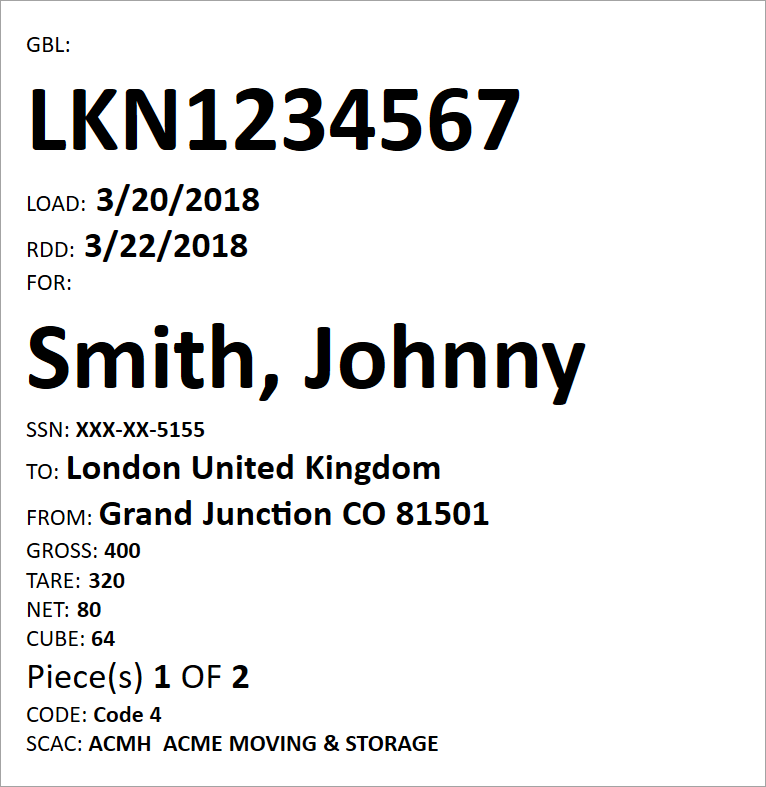
Figure 3: Lift Van Labels bookmark example
The changes made to this bookmark include the following:
•The first date in the Delivery Date spread is referenced for the RDD (previously the second date was referenced).
•GBL and For labels display on their own line above the actual GBL Number and Shipper Name, respectively.
•The GBL Number and Shipper Name now displays in bold, 72-point font
•A comma separates the last name from the first name within the Shipper Name
•Extra spaces are truncated if no country is specified
•Label changed to Piece(s) from Lift Van
Refer to the Forms Designer Bookmarks topic for more information.
|
SUMMARY (4979, 4967) |
|
Modifications made to the Lift Van Labels available through the International Bookmarks. |
|
The following areas have been affected by this change:
|
RELEASE FIXES
This section lists any fixes made to MoversSuite.
General Application
Changing modules no longer causes program termination error
MoversSuite now stores Quick Find data internally to avoid read and write permission errors that were causing “Abnormal Program Termination” errors at random intervals when a user switched from Order Information to Revenue Entry. (4952)
Job Costing
Revenue from accepted quotes includes all grouped items
When you compare revenue From Accepted Quotes within Job Costing, the application includes the total of all line items within each group for all accepted quotes. Prior to this release, only the amount set for the group was included in costing. (4977)
Integrations
Additional error handling for Crew Punch export
The export function through Export Punches to Payroll now accounts for incorrect message returned from Crew Punch and correctly registers each record stored in search prior to exporting to avoid a duplicate record error. (4976, 4988, 4990)
SCHEMA CHANGES
Database changes for this release are visible through the following topic:
Schema Changes Version 2018R08
The following links allows you to navigate through all MoversSuite tables and data views and allows you to view field properties, such as type and maximum value size, etc.
MoversSuite Database Tables (2018R08)
MoversSuite Document Database Tables (2018R08)
MoversSuite Data Views (2018R08)
|
Version 2018 R07 |
|
RELEASE DATE: 3/26/2018
NOTICE: Are you aware of what triggers a sales tax audit?
Read through the information in the following link to learn more: What Triggers a Sales Tax Audit. Please reach out to our Sales Team if you wish to learn more about Avalara.
RELEASE SUMMARY
The following is a table contains counts of the items affecting this release.
|
# |
Change Summary |
|
2 |
New Product Features |
|
1 |
Release Enhancements |
|
5 |
Release Fixes |
|
1 |
Schema Changes (# of database tables affected) |
|
|
Admin Changes |
|
2 |
Standard Reports Affected |
RELEASE LINKS
This section provides quick links to commonly referenced release subjects.
|
Link |
Description |
|
Watch a short video highlighting the changes we have made to MoversSuite at this version. | |
|
View current release information through a PDF document. | |
|
Read up on the requirements for this version of MoversSuite. | |
|
Check out our Support page to read about the latest MoversSuite release and find links to other useful information. | |
|
See what other MoversSuite customers are requesting for changes to the MoversSuite application and submit your own suggestions. | |
|
Past Versions Information |
Look through a list of changes made to all other versions of MoversSuite. |
|
This page provides a quick rundown of changes made at each version. | |
|
Access a list of overview videos for each release. | |
|
Pull up the database changes we made at various releases. |
RELEASE REQUIREMENTS
Please refer to the following information regarding the hardware and software required to support MoversSuite and related systems.
View the MoversSuite System Compatibility topic for a list of products that are compatible with MoversSuite.
Refer to the System Requirements section for a complete list of hardware and software requirements.
Microsoft SQL Server 2008 and SQL Server 2008 R2 Compatibility
With version 2017 R11 of MoversSuite, the development environment of MoversSuite is no longer compatible with Microsoft SQL Server 2008 or SQL Server 2008 R2.
As of May 22, 2017, the lowest compatible database server hosting MoversSuite will be Microsoft SQL Server 2012. IMPORTANT: If you wish to upgrade to MoversSuite 2017 R11 or a later version of MoversSuite, your company must, at minimum, have Microsoft SQL Server 2012 or higher (see the Microsoft SQL Server 2016 Compatibility announcement).
Of note, being current on the latest versions of the hardware and software for our development environment allows us to provide better security, better support, and a better MoversSuite user experience. Please refer to our System Requirements for more information on the hardware and software compatible with MoversSuite.
Contact our EWS Support team to discuss migration options.
Windows Domain Authentication to log into MoversSuite
With the release of MoversSuite Version 2017 R08 is the ability to open MoversSuite by using the credentials you enter when logging into your Windows environment. MoversSuite references the user identity associated to your Windows account to retrieve your MoversSuite login information. Then, when you launch MoversSuite or MoversSuite Administration, it opens without you having to enter your MoversSuite username and password.
IMPORTANT: If your company is not utilizing Windows Domain Authentication, then you will be unable to upgrade to version 2017 R08 or later. (8638)
IBM MQ Client 8.0.0.5
For all UniGroup agents, UniGroup requires IBM MQ Client 8.0.0.5. If you upgrade on your own and want to download this latest version of IBM MQ Client, then you can do so through this link: http://www-01.ibm.com/support/docview.wss?uid=swg24037500#1.
Microsoft SQL Server 2016 Compatibility
As of MoversSuite 2017 R04, the MoversSuite development environment is compatible with Microsoft SQL Server 2016.
Refer to our System Requirements for more information on the hardware and software compatible with MoversSuite.
Please contact our EWS Sales team to discuss upgrade options.
Microsoft Windows Server 2016 Compatibility
As of MoversSuite 2017 R04, MoversSuite is compatible with Microsoft Windows Server 2016.
Refer to our System Requirements for more information on the hardware and software compatible with MoversSuite.
Please contact our EWS Sales team to discuss upgrade options.
Dynamics GP Requirements
MoversSuite is compatible with the following:
Microsoft Dynamics GP 2016 R2 (with ATIP Build 16.0.2)
Microsoft Dynamics GP 2015 R2 (with ATIP Build 14.0.1)
Microsoft Dynamics GP 2013 R2 (with ATIP Build 12.0.23)
Refer to the following for information regarding additional requirements you may need to support Microsoft Dynamics GP:
System Requirements for Microsoft Dynamics GP 2016
System Requirements for Microsoft Dynamics GP 2015
KNOWN ISSUES
The following issues are problems that may affect your decision to upgrade to this version of MoversSuite. The following issue is not resolved for this release.
Screen scaling not available with MoversSuite
With the advances in screen size and resolution, many underlying applications are not able to deal with all the variations in configurations available to the variety of high definition (HD) screens. Due to this limitation, MoversSuite cannot scale as desired in all situations. Many of you may have purchased HD monitors and have seen issues such as not being able to read field labels, etc.
Until there is a better solution to scaling, EWS Group recommends that if you experience scaling problems with the MoversSuite application keep the size of your application to 100% and change the resolution as desired.
On Windows machines, you can verify and/or update the display settings as follows:
85. Right-click somewhere on your desktop and select Display Settings
86. Set the Change the size of text, apps, and other items to 100%.
87. Click on Apply to save the changes.
88. Click on Advanced display settings.
89. Make changes to the Resolution as needed.
90. Click on Apply to save the changes.
91. Close the screen by pressing the X in the upper right-hand corner of the screen.
Citrix issue with phone number control
An issue that cannot be replicated is causing the phone numbers within the Shipper Contact Information section (Name, Address, Phone tab) to disappear and then reappear when you click on that section, however, the user cannot edit them until they press Cancel (on the order) and then attempt to Edit again. (6409)
RELEASE FEATURES
This section lists new functionality added to MoversSuite.
Commission Type Based on
Miles is Available
The option to base commissions on the order miles is available to you. You can now set the Commission Type on details records within a Commission Plan to a type of Miles (refer to Add Commission Plan Detail).
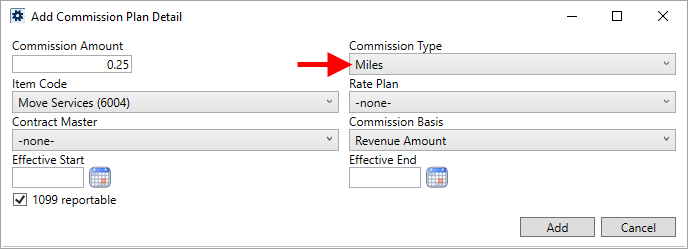
Figure 1: Add Commission Plan Detail
When a plan links to Miles, the application calculates the commission for this item as the Commission Amount within the plan multiplied by the Miles set within the Move Information tab or the Billing Information (Revenue Entry) tab.
The Add Revenue Commission screen now includes Order Miles for your reference along with the Miles Factor, which is the Commission Amount established within the Commission Plan Setup record. In the example below (Figure 2), a commission amount computes as $125 (500 (Order Miles) times .25 (Commission Amount).
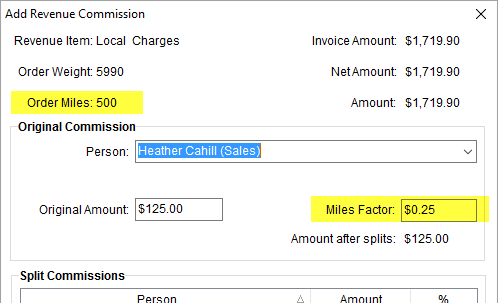
Figure 2: Add Revenue Commission
You can manually update the Miles Factor within Add Revenue Commission. If you do so, you receive a warning and a prompt to provide an Accounting Note.
Figure 3: Warning when changing the Miles Factor.
Auto Commissions and split commission based on Miles works as they do for other Commission Types (FlatRate, Percentage, Weight).
All output that displays commissions, including all reports, have been updated to also display commissions based on Miles.
|
SUMMARY (4933) |
|
Order Miles and Miles Factor added to Add Revenue Commission. |
|
Commission Type of Miles available within Add Commission Plan Detail. |
|
The following areas have been affected by this change: Schema Changes Version 2018R07
|
Work Ticket Report Updates
A new option is available through the System Wide Options allows you to control whether Special Instructions appear on the report or not. When the Include Special Instructions On Work Ticket option is checked (its default setting), then Special Instructions set within the Move Information tab and within the Add Local Service screen appear on the Work Ticket Report and Work Ticket (O&I) Report.
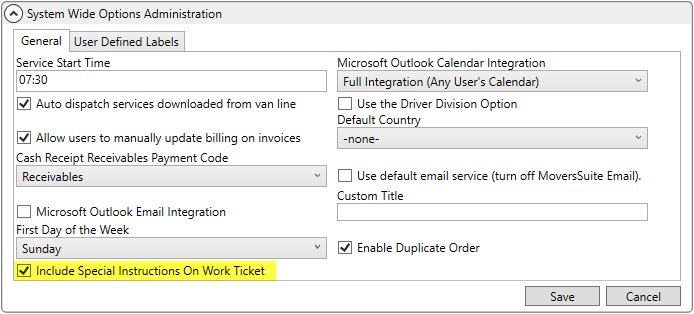
Figure 4: System Wide Options
Office & Industrial Work Ticket Updates
The following specific changes were made to the Work Ticket (O&I) Report:
REMOVED: Section containing Payment Type, Tariff/Rate, Valuation, etc.
REMOVED: Section with Est Pack Range, Est. Load Range, etc.
UPDATED: Equipment listed updated to include equipment number, description, and count
ADDED: Additional Locations listing
ADDED: Signature section added to last page
The equipment section displays as depicted below.

Figure 5: Equipment listing on a Work Ticket (O&I) Report
Any Additional Locations added to the order through the Select Locations screen appear as follows.

Figure 6: Location listing on a Work Ticket (O&I) Report
The following signature section appears on the last page of the Work Ticket (O&I) Report.

Figure 7: Signature section on a Work Ticket (O&I) Report
|
SUMMARY (4950) |
|
Include Special Instructions On Work Ticket option added to System Wide Options. |
|
Work Ticket (O&I) Report updated. |
|
The following areas have been affected by this change: Schema Changes Version 2018R07
|
RELEASE ENHANCEMENTS
This section lists changes to improve the MoversSuite application.
CSI Pay Requirements Changes
MoversSuite has been updated to meet several changes made by CSI Pay that go into effect April 30, 2018. These changes are summarized as follows:
•New URL for CSI Pay processing https://www.portal.csipay.com/gates/xurl. This URL is set within the Payment Service Url for supported CSI Pay records within Electronic Merchant Setup.
•Response codes returned by CSI Pay are now five (5) characters in length. However, they may expand this in the future, therefore the column storing this information in the database has been extended to ten (10) characters (PlasticDeal.ResponseCode).
•In void and refund calls to CSI Pay:
o referenceNumber setting is set to the transactionId
o transactionCode parameter removed
o Necessary credit card refund information is now available
•Transport Layer Security (TLS) 1.2 is required for HTTPS calls to strengthen encryption (see note below).
•Error message when a branch does not have necessary cash receipt numbering in place is available.
Transport Layer Security (TLS) 1.2 is a requirement based on the Payment Card Industry (PCI) standards that as of June 1, 2018 all credit card transaction must use TLS 1.2. TLS 1.2 can only work if the workstation running MoversSuite has TLS 1.2 installed and available. This means that user workstations that process credit card transactions need to have TLS 1.2 installed. Standard Windows updates include TLS 1.2.
You can test if TLS 1.2 is installed and working by utilizing the Verify Electronic Merchant Credentials option within Electronic Merchant Setup. After April 1, 2018, if TLS 1.2 is not installed or working on a specific workstation, then you will receive a message indicating such. If you attempt to verify before April 1, 2018, then you may not receive a response, which is indicates that the TLS 1.2 is not installed or not available.
If you are having issues regarding the TLS 1.2 installation, please read the following information:
|
SUMMARY (4969) |
|
Updates made to support new CSI Pay and industry requirements. |
|
The following areas have been affected by this change: Schema Changes Version 2018R07
|
RELEASE FIXES
This section lists any fixes made to MoversSuite.
External Interfaces
Crew Punch export works without exception error
The export function works without an exception when sending through the Export Punches to Payroll feature. (4966, 4976)
Invalid personnel mapping not halting Atlas download process
During an Atlas SUDS Order Download, if a personnel mapping is invalid for some reason, then the process continues to update other, valid personnel. So, if a driver is not mapped correctly, but the salesperson is, then the salesperson is updated. Errors found are logged within Third Party Application Error Management. (4965)
Valuation included in a UniGroup download
Valuation type, per pound amount, and rate are included in the UniGroup Download Content. The following valuation types are now supported for uploads and download through UniGroup (setup these as Interface Items within Valuation Setup):
|
External Code |
Description |
|
G |
No deductible |
|
A |
$250 deductible amount |
|
B |
$500 deductible amount |
|
C |
Full valuation for GSA shipments |
|
E |
$750 deductible amount |
|
F |
$1,000 deductible amount |
(4689)
Updates to ensure correct reporting of UniGroup International upload/download errors
Changes were made to ensure that errors are handled correctly and reported to the Third Party Application Error Management screen during UniGroup International uploads and downloads. One correction is verifying that the GPP Applies indicator is set to either true or false on an upload. Another change involves capturing and reporting the error when an order or user is not set on a download. (4981)
SCHEMA CHANGES
Database changes for this release are visible through the following topic:
Schema Changes Version 2018R07
The following links allows you to navigate through all MoversSuite tables and data views and allows you to view field properties, such as type and maximum value size, etc.
MoversSuite Database Tables (2018R07)
MoversSuite Document Database Tables (2018R07)
MoversSuite Data Views (2018R07)
|
Version 2018 R06 |
|
RELEASE DATE: 3/12/2018
NOTICE: Are you aware of what triggers a sales tax audit?
Read through the information in the following link to learn more: What Triggers a Sales Tax Audit. Please reach out to our Sales Team if you wish to learn more about Avalara.
RELEASE SUMMARY
The following is a table contains counts of the items affecting this release.
|
# |
Change Summary |
|
3 |
New Product Features |
|
1 |
Release Enhancements |
|
2 |
Release Fixes |
|
11 |
Schema Changes (# of database tables affected) |
|
2 |
Admin Changes |
|
|
Standard Reports Affected |
RELEASE LINKS
This section provides quick links to commonly referenced release subjects.
|
Link |
Description |
|
Watch a short video highlighting the changes we have made to MoversSuite at this version. | |
|
View current release information through a PDF document. | |
|
Read up on the requirements for this version of MoversSuite. | |
|
Check out our Support page to read about the latest MoversSuite release and find links to other useful information. | |
|
See what other MoversSuite customers are requesting for changes to the MoversSuite application and submit your own suggestions. | |
|
Past Versions Information |
Look through a list of changes made to all other versions of MoversSuite. |
|
This page provides a quick rundown of changes made at each version. | |
|
Access a list of overview videos for each release. | |
|
Pull up the database changes we made at various releases. |
RELEASE REQUIREMENTS
Please refer to the following information regarding the hardware and software required to support MoversSuite and related systems.
View the MoversSuite System Compatibility topic for a list of products that are compatible with MoversSuite.
Refer to the System Requirements section for a complete list of hardware and software requirements.
Microsoft SQL Server 2008 and SQL Server 2008 R2 Compatibility
With version 2017 R11 of MoversSuite, the development environment of MoversSuite is no longer compatible with Microsoft SQL Server 2008 or SQL Server 2008 R2.
As of May 22, 2017, the lowest compatible database server hosting MoversSuite will be Microsoft SQL Server 2012. IMPORTANT: If you wish to upgrade to MoversSuite 2017 R11 or a later version of MoversSuite, your company must, at minimum, have Microsoft SQL Server 2012 or higher (see the Microsoft SQL Server 2016 Compatibility announcement).
Of note, being current on the latest versions of the hardware and software for our development environment allows us to provide better security, better support, and a better MoversSuite user experience. Please refer to our System Requirements for more information on the hardware and software compatible with MoversSuite.
Contact our EWS Support team to discuss migration options.
Windows Domain Authentication to log into MoversSuite
With the release of MoversSuite Version 2017 R08 is the ability to open MoversSuite by using the credentials you enter when logging into your Windows environment. MoversSuite references the user identity associated to your Windows account to retrieve your MoversSuite login information. Then, when you launch MoversSuite or MoversSuite Administration, it opens without you having to enter your MoversSuite username and password.
IMPORTANT: If your company is not utilizing Windows Domain Authentication, then you will be unable to upgrade to version 2017 R08 or later. (8638)
IBM MQ Client 8.0.0.5
For all UniGroup agents, UniGroup requires IBM MQ Client 8.0.0.5. If you upgrade on your own and want to download this latest version of IBM MQ Client, then you can do so through this link: http://www-01.ibm.com/support/docview.wss?uid=swg24037500#1.
Microsoft SQL Server 2016 Compatibility
As of MoversSuite 2017 R04, the MoversSuite development environment is compatible with Microsoft SQL Server 2016.
Refer to our System Requirements for more information on the hardware and software compatible with MoversSuite.
Please contact our EWS Sales team to discuss upgrade options.
Microsoft Windows Server 2016 Compatibility
As of MoversSuite 2017 R04, MoversSuite is compatible with Microsoft Windows Server 2016.
Refer to our System Requirements for more information on the hardware and software compatible with MoversSuite.
Please contact our EWS Sales team to discuss upgrade options.
Dynamics GP Requirements
MoversSuite is compatible with the following:
Microsoft Dynamics GP 2016 R2 (with ATIP Build 16.0.2)
Microsoft Dynamics GP 2015 R2 (with ATIP Build 14.0.1)
Microsoft Dynamics GP 2013 R2 (with ATIP Build 12.0.23)
Refer to the following for information regarding additional requirements you may need to support Microsoft Dynamics GP:
System Requirements for Microsoft Dynamics GP 2016
System Requirements for Microsoft Dynamics GP 2015
KNOWN ISSUES
The following issues are problems that may affect your decision to upgrade to this version of MoversSuite. The following issue is not resolved for this release.
Screen scaling not available with MoversSuite
With the advances in screen size and resolution, many underlying applications are not able to deal with all the variations in configurations available to the variety of high definition (HD) screens. Due to this limitation, MoversSuite cannot scale as desired in all situations. Many of you may have purchased HD monitors and have seen issues such as not being able to read field labels, etc.
Until there is a better solution to scaling, EWS Group recommends that if you experience scaling problems with the MoversSuite application keep the size of your application to 100% and change the resolution as desired.
On Windows machines, you can verify and/or update the display settings as follows:
92. Right-click somewhere on your desktop and select Display Settings
93. Set the Change the size of text, apps, and other items to 100%.
94. Click on Apply to save the changes.
95. Click on Advanced display settings.
96. Make changes to the Resolution as needed.
97. Click on Apply to save the changes.
98. Close the screen by pressing the X in the upper right-hand corner of the screen.
Citrix issue with phone number control
An issue that cannot be replicated is causing the phone numbers within the Shipper Contact Information section (Name, Address, Phone tab) to disappear and then reappear when you click on that section, however, the user cannot edit them until they press Cancel (on the order) and then attempt to Edit again. (6409)
RELEASE FEATURES
This section lists new functionality added to MoversSuite.
Online Payments for
Recurring Billing and Storage
You can now offer the ability to have your customers pay online through a credit card or bank account for recurring billing and storage items. A new Use Online Payment option is available on the Payment Setup tab for Recurring Billing items.
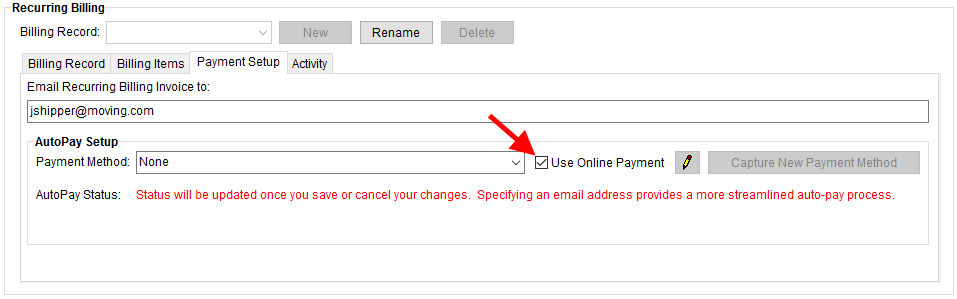
Figure 1: Payments Setup tab
Use Online Payment

When the Use Online Payment flag is checked, the application includes a formatted email with a hyperlink to the Online Payment screen as part of the billing run.
In addition to making a single online payment with credit card or bank account, a new Automatically use this payment method for your future recurring invoices option on the Online Payment screen allows your customers to sign up to use the payment automatically for future billing runs.
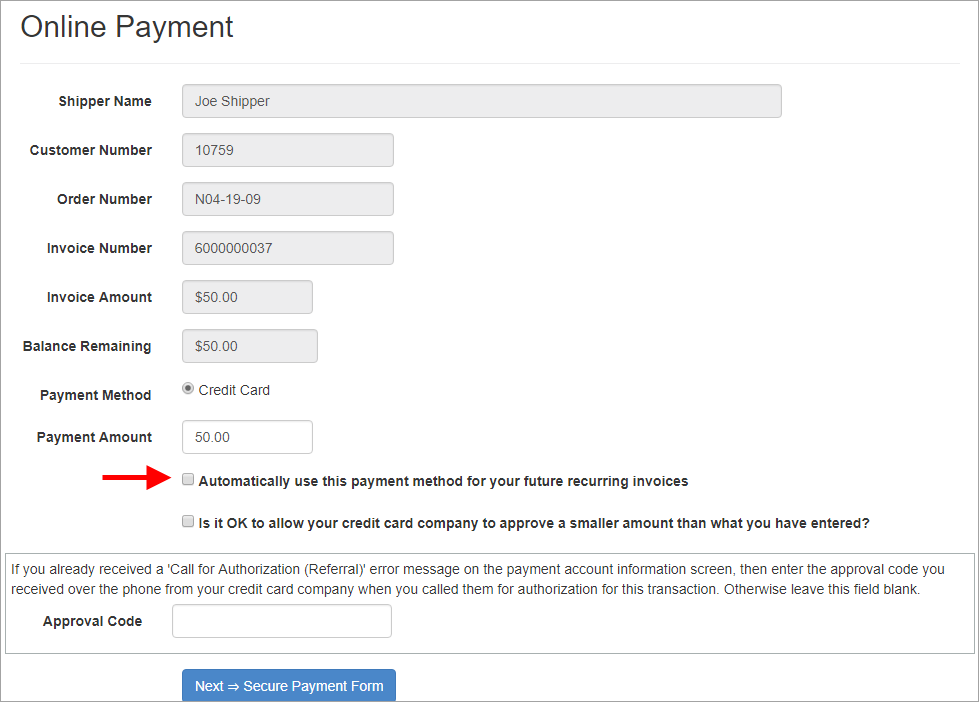
Figure 2: Online Payment screen
AutoPay Status
A new AutoPay Status is also available on the Payment Setup tab to provide you with additional information on the setup associated to the billing record. For example, when the account is not setup for online payments and there is no email address specified, the status indicates that “No online link will be generated and since there is no email address, invoices will be mailed out each time.”
Once an email is entered, a message indicating that, “a more streamlined auto-pay process” is currently available for the customer.
Further, once an email address is set and the Use Online Payment is checked, the message indicates that an, “online payment link is generated for each invoice and emailed to the customer…”
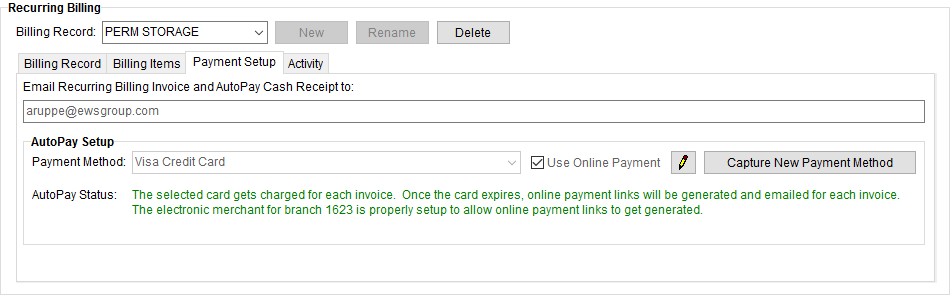
Figure 3: Payment Setup tab
Email Notification Changes
The number of possible email messages from recurring billing now includes additional messages and options for Online Payments as well. Prior to this release, there were two options available through the System Email Setup: Recurring Billing and Recurring Cash Receipts. Additional messages now include the following:
Credit Card Refund
Electronic Payment Problem
Expired Online Payment
Manual Cash Receipt
Online Payment Link
Recurring Online Payment Link
All System Email Setup records now include When This Email Gets Used and a Tags allowed on this email sections. The When This Email Gets Used section provides information on how the email is intended to be used. In the example below (Figure 4), the Online Payment Link record is inserted into the body of the email when the Use Online Payment flag is checked.
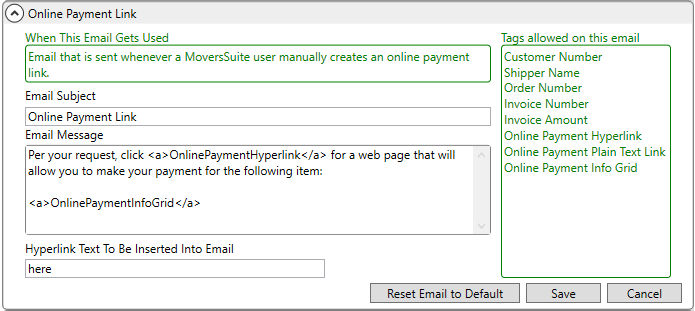
Figure 4: Online Payment Link record from System Email Setup
The Tags allowed on this email listing illustrates which anchor tags that you can specify within the Email Subject and Email Message sections. For example, if you wish to include the Order Number in the email, then add <a>OrderNumber</a> somewhere in the Email Message section. Note that you must place the tag within <a> and </a> and remove any spaces.
The Hyperlink Text To Be Inserted Into Email is the actual text that the customer sees. When the email is sent out, it replaces the <a>OnlinePaymentHyperlink</a> tag in the Email Message.
One suggestion is to include your invoice terms in the text of message.
The list of data that you can place inside the Email Subject and Email Message within System Email Setup records now includes nine additional values:
Customer Number
Shipper Name
Requested Amount
Approved Amount
Refund Reason
Payment Problem Grid
Online Payment Hyperlink
Online Payment Plain Text Link
Online Payment Info Grid
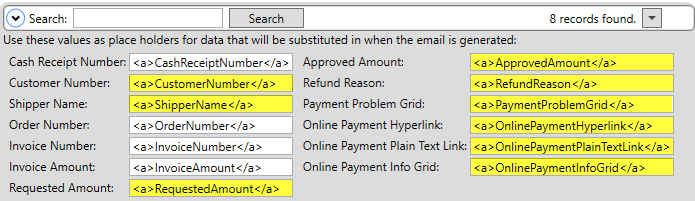
Figure 5: Available tags (placeholders) in System Email Setup
View the Electronic and Online Payments Setup and System Email Setup topics for more information on these messages.
Recurring Billing Management Changes
When processing a billing run that includes Online Payments, you can utilize several new features.
A new Online Payments column displays within the Recurring Billing Management screen to indicate what number of invoices include Online Payments. There is also a View Online Payments button to view the details associated to this type of payment.
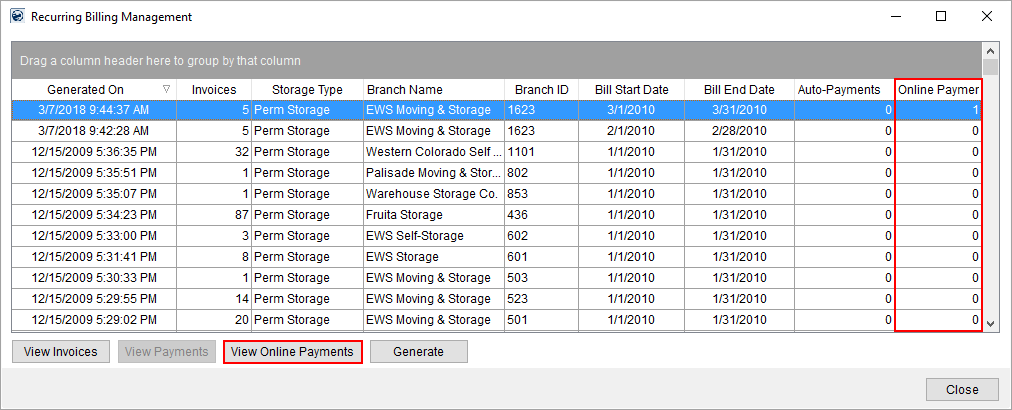
Figure 6: Recurring Billing Management screen
Pressing View Online Payments open a new Online Payment Links Summary screen. This screen provides you information invoices and emails associated to Online Payments.
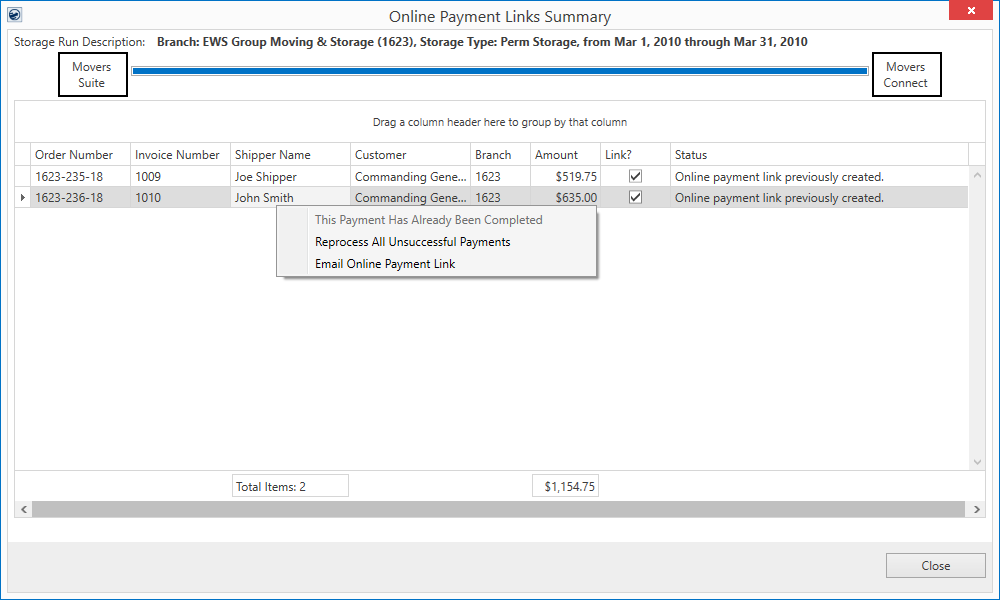
This screen also provides right-click options to mark the payment as completed, to reprocess any unsuccessful payments, and to open a new email message for the invoice with the Online Payments link, allowing you to manually send the email.
When a billing run includes email messages, the system now opens a new Email Progress dialog. This dialog opens in the lower righthand corner of your primary monitor. It informs you of the progress of email messages being sent out from your system.
Figure 7: Email Progress
Figure 8: Email Progress dialog
The Email Progress dialog can be moved. If it is closed, the email messages continue to generate and the dialog reappears a the completion of the email send.
If you encounter errors during the email send, then the last error appears in the Errors tab. Expand the dialog to view the entire text of the message. There is also a Reprocess Failed Emails button to allow you to retry the send for just those emails that did not go out; this assumes that the issue that caused the failure is remedied.
Of note, all recurring email messages are sent out to customers through the MoversSuite Email Service. A change related to this service is that the email now run as a background process. Therefore, if you close MoversSuite and/or close the Report Viewer, then the email service continues to run until all messages are sent.
If you do close out of MoversSuite and messages remain that were not sent, then when you re-open MoversSuite you receive a new screen to prompt you for which action you wish to take regarding these “lost” email messages.
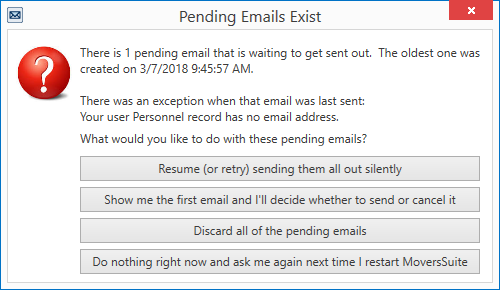
Figure 9: Pending Emails Exist screen
Please refer to the following topics for additional setup and usage instructions.
Overview
Electronic and Online Payments
Setup Information
Electronic and Online Payments Setup
|
SUMMARY (4893, 4951, 4962) |
|
Recurring Billing updated for Online Payments. |
|
The following areas have been affected by this change: Schema Changes Version 2018R06
|
Order Number as Subject of
New Email Messages
The subject line of new email messages generated within MoversSuite now defaults to include “Order Number:” followed by the Order Number of the open record.
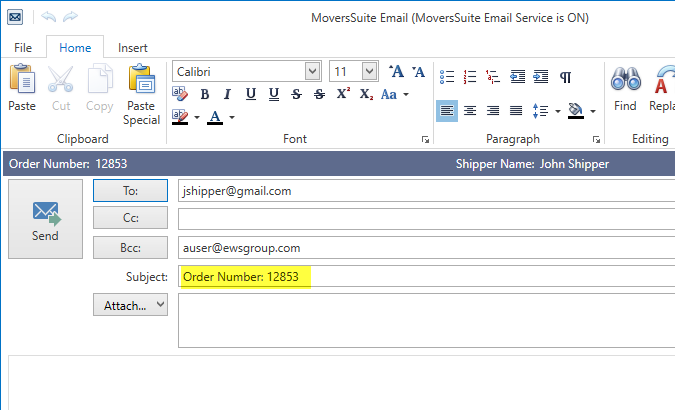
Figure 10: MoversSuite Email window
This change affects all mail services that MoversSuite utilizes, including Microsoft Outlook and MoversSuite Email Service.
Refer to the MoversSuite Email Service topic for a list of affected fields.
|
SUMMARY (4768, 4953) |
|
Order Number added to subject of new email messages generated within MoversSuite. |
|
The following areas have been affected by this change:
|
Crew Time Export to Crew
Punch for Payroll Processing
A new integration with Crew Punch is available that allows you to export MSCrew punch activity for processing by the third-party payroll provider. When configured, a new option available from the Accounting Tools Menu opens the Export Punches to Payroll screen.
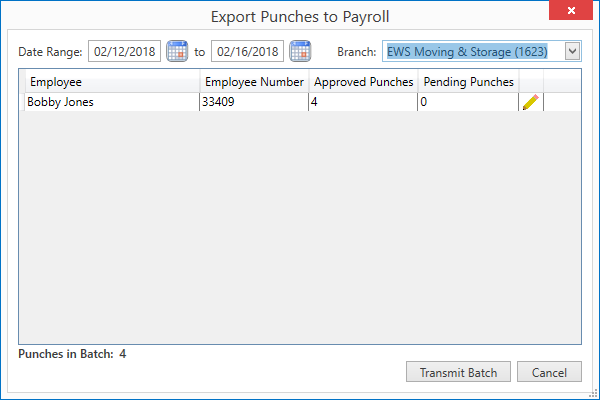
Figure 11: Export Punches to Payroll screen
This screen lists all punch activity for the specified
Date Range and selected Branch. Punch activity from the MoversSuiteCrew
Mobile Application displays within the grid for each employee. From this
screen you can quickly see the approved and pending punch activities and
transmit the information to Crew
Punch. If you also have access to the Mobile Crew Time screen, then you can click on
the  icon to open the Mobile Crew Time screen and view, edit, and
approve punch data for the employee.
icon to open the Mobile Crew Time screen and view, edit, and
approve punch data for the employee.

Pressing Transmit Batch instructs the application to send the punch data to Crew Punch directly through the MoversSuite API Service. The application verifies the punch data and the GL information sent to Crew Punch. Errors received before and during the transmission show within the Export Punches to Payroll screen.
Refer to the following links for more information on this new integration.
Overview
Setup Information
Content
Crew Punch Integration Export Content
|
SUMMARY (4839, 4960) |
|
Crew Punch Integration added. |
|
The following areas have been affected by this change: Crew Punch Integration Export Content Schema Changes Version 2018R06
|
RELEASE ENHANCEMENTS
This section lists improvements made to MoversSuite.
Atlas Download Data Mapping Updates
The Atlas SUDS Order Download has been updated as follows:
•The Actual Load Date of the order is set to what comes in from Atlas for the Actual Residential Pickup Date (RGI096: ActualResPkupDate).
•The Purchase Order is now included in the download update. It populates based on what value is set for the ReferenceNumbers record with a type of “PO#”.
•The application populates the GBL Number from a download by first checking to see if the GBLNumber is included in the Atlas data. If it not found, then it checks what is set for the ReferenceNumbers record with a type of “GBL”.
This information is documented within the Atlas Order Download Content topic.
Refer to Atlas Integration for more information.
|
SUMMARY (4927) |
|
Purchase Order Number updates from an Atlas SUDS Order Download. |
|
Field references for Actual Load Date and GBL Number updated. |
|
The following areas have been affected by this change:
|
RELEASE FIXES
This section lists any fixes made to MoversSuite.
General Application
Obsolete code and procedures removed
Unused code and procedures related to the Tools Menu has been removed. (4809)
External Interfaces
New trade show codes added without error on downloads
When a download occurs and includes new trade show codes, the application now creates a unique identifier for the show code based on the actual code and not its description. Prior to this release, the new code was inserted prior to verifying that it existed and therefore caused a “Violation of UNIQUE KEY constraint “IX_Shows_Code’. Cannot insert duplicate key in object ‘dbo.Shows’…” Trade show codes are managed through Shows Setup and referenced within Trade Show Information. (3136)
SCHEMA CHANGES
Database changes for this release are visible through the following topic:
Schema Changes Version 2018R06
The following links allows you to navigate through all MoversSuite tables and data views and allows you to view field properties, such as type and maximum value size, etc.
MoversSuite Database Tables (2018R06)
MoversSuite Document Database Tables (2018R06)
MoversSuite Data Views (2018R06)
|
Version 2018 R05 |
|
RELEASE DATE: 2/26/2018
RELEASE SUMMARY
The following is a table contains counts of the items affecting this release.
|
# |
Change Summary |
|
1 |
New Product Features |
|
0 |
Release Enhancements |
|
1 |
Release Fixes |
|
1 |
Schema Changes (# of database tables affected) |
|
0 |
Admin Changes |
|
0 |
Standard Reports Affected |
RELEASE LINKS
This section provides quick links to commonly referenced release subjects.
|
Link |
Description |
|
Watch a short video highlighting the changes we have made to MoversSuite at this version. | |
|
View current release information through a PDF document. | |
|
Read up on the requirements for this version of MoversSuite. | |
|
Check out our Support page to read about the latest MoversSuite release and find links to other useful information. | |
|
See what other MoversSuite customers are requesting for changes to the MoversSuite application and submit your own suggestions. | |
|
Past Versions Information |
Look through a list of changes made to all other versions of MoversSuite. |
|
This page provides a quick rundown of changes made at each version. | |
|
Access a list of overview videos for each release. | |
|
Pull up the database changes we made at various releases. |
RELEASE REQUIREMENTS
Please refer to the following information regarding the hardware and software required to support MoversSuite and related systems.
View the MoversSuite System Compatibility topic for a list of products that are compatible with MoversSuite.
Refer to the System Requirements section for a complete list of hardware and software requirements.
Microsoft SQL Server 2008 and SQL Server 2008 R2 Compatibility
With version 2017 R11 of MoversSuite, the development environment of MoversSuite is no longer compatible with Microsoft SQL Server 2008 or SQL Server 2008 R2.
As of May 22, 2017, the lowest compatible database server hosting MoversSuite will be Microsoft SQL Server 2012. IMPORTANT: If you wish to upgrade to MoversSuite 2017 R11 or a later version of MoversSuite, your company must, at minimum, have Microsoft SQL Server 2012 or higher (see the Microsoft SQL Server 2016 Compatibility announcement).
Of note, being current on the latest versions of the hardware and software for our development environment allows us to provide better security, better support, and a better MoversSuite user experience. Please refer to our System Requirements for more information on the hardware and software compatible with MoversSuite.
Contact our EWS Support team to discuss migration options.
Windows Domain Authentication to log into MoversSuite
With the release of MoversSuite Version 2017 R08 is the ability to open MoversSuite by using the credentials you enter when logging into your Windows environment. MoversSuite references the user identity associated to your Windows account to retrieve your MoversSuite login information. Then, when you launch MoversSuite or MoversSuite Administration, it opens without you having to enter your MoversSuite username and password.
IMPORTANT: If your company is not utilizing Windows Domain Authentication, then you will be unable to upgrade to version 2017 R08 or later. (8638)
IBM MQ Client 8.0.0.5
For all UniGroup agents, UniGroup requires IBM MQ Client 8.0.0.5. If you upgrade on your own and want to download this latest version of IBM MQ Client, then you can do so through this link: http://www-01.ibm.com/support/docview.wss?uid=swg24037500#1.
Microsoft SQL Server 2016 Compatibility
As of MoversSuite 2017 R04, the MoversSuite development environment is compatible with Microsoft SQL Server 2016.
Refer to our System Requirements for more information on the hardware and software compatible with MoversSuite.
Please contact our EWS Sales team to discuss upgrade options.
Microsoft Windows Server 2016 Compatibility
As of MoversSuite 2017 R04, MoversSuite is compatible with Microsoft Windows Server 2016.
Refer to our System Requirements for more information on the hardware and software compatible with MoversSuite.
Please contact our EWS Sales team to discuss upgrade options.
Dynamics GP Requirements
MoversSuite is compatible with the following:
Microsoft Dynamics GP 2016 R2 (with ATIP Build 16.0.2)
Microsoft Dynamics GP 2015 R2 (with ATIP Build 14.0.1)
Microsoft Dynamics GP 2013 R2 (with ATIP Build 12.0.23)
Refer to the following for information regarding additional requirements you may need to support Microsoft Dynamics GP:
System Requirements for Microsoft Dynamics GP 2016
System Requirements for Microsoft Dynamics GP 2015
KNOWN ISSUES
The following issues are problems that may affect your decision to upgrade to this version of MoversSuite. The following issue is not resolved for this release.
Screen scaling not available with MoversSuite
With the advances in screen size and resolution, many underlying applications are not able to deal with all the variations in configurations available to the variety of high definition (HD) screens. Due to this limitation, MoversSuite cannot scale as desired in all situations. Many of you may have purchased HD monitors and have seen issues such as not being able to read field labels, etc.
Until there is a better solution to scaling, EWS Group recommends that if you experience scaling problems with the MoversSuite application keep the size of your application to 100% and change the resolution as desired.
On Windows machines, you can verify and/or update the display settings as follows:
99. Right-click somewhere on your desktop and select Display Settings
100. Set the Change the size of text, apps, and other items to 100%.
101. Click on Apply to save the changes.
102. Click on Advanced display settings.
103. Make changes to the Resolution as needed.
104. Click on Apply to save the changes.
105. Close the screen by pressing the X in the upper right-hand corner of the screen.
Citrix issue with phone number control
An issue that cannot be replicated is causing the phone numbers within the Shipper Contact Information section (Name, Address, Phone tab) to disappear and then reappear when you click on that section, however, the user cannot edit them until they press Cancel (on the order) and then attempt to Edit again. (6409)
RELEASE FEATURES
This section lists new functionality added to MoversSuite.
International Orders
Improvements
Several improvements to the International Orders module are now available. Most of these changes are a result of work to support third-party integrations, specifically UniGroup International.
UI Changes
The changes include the ability to specify the date the shipment cleared customs at the origin and destination locations. The Origin Cleared Customs and Dest Cleared Customs dates are available from within the Shipping Dates section of the Shipping Information tab. NOTE: Dest Cleared Customs replaces the date previously labeled Cleared Customs.
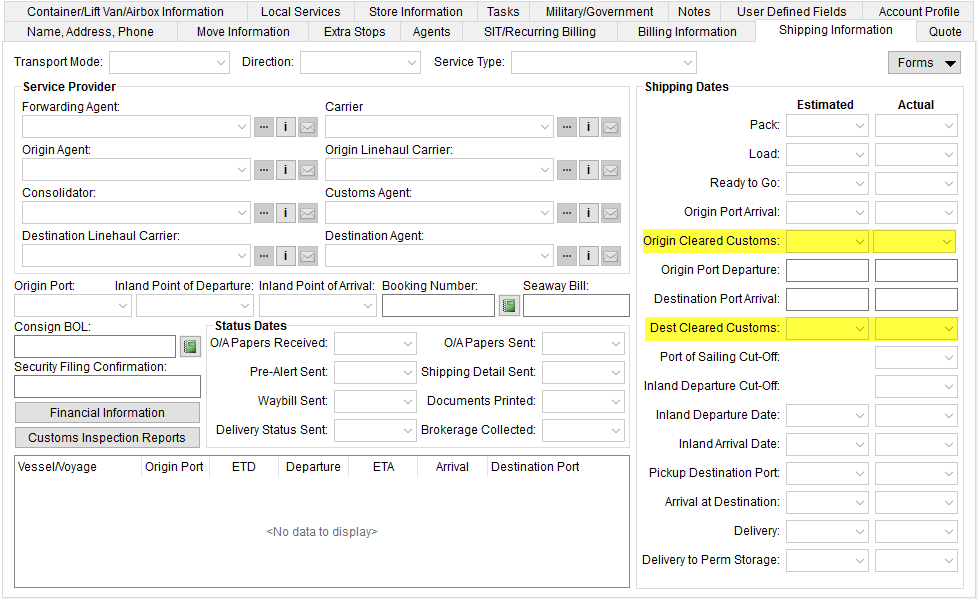
Figure 1: Shipping Information tab
Setting the Origin Port on the first leg of a segment (vessel/voyage or flight leg) updates the Origin Port for the shipment.
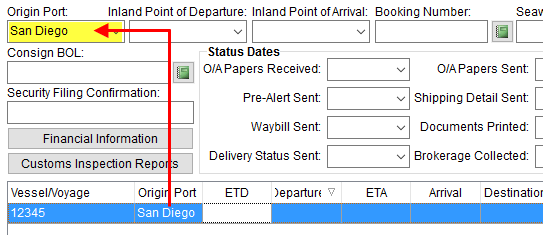
Figure 2: Shipping Information tab
NOTE: Currently, if the Origin Port is set prior to adding the first leg, then application populates the Origin Port automatically when adding the first leg.
Further, if a segment leg is specified, the Origin Port must be set otherwise you now receive the following error.
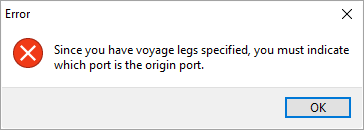
Figure 3: Error dialog
Two label changes were made to containers. Fields originally labeled Required and Positioned are now labeled Estimated Positioned and Actual Positioned, respectively. These changes are visible within the Containers section of the Container/Lift Van/Airbox Information tab and from within the Add Container dialog.
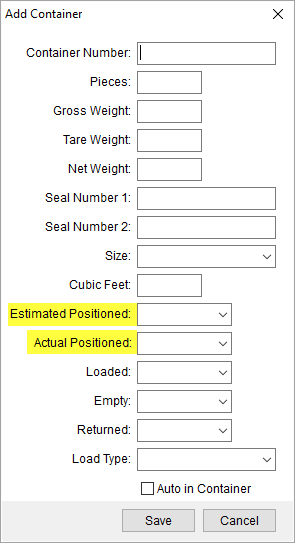
Figure 4: Add Container dialog
Tasks Dependency Dates
The following Task Dependency Dates are now available for fields added or updated in this release.
|
Task Dependency Date |
Field Location |
|
Cleared Customs at Destination Actual Date |
Dest Cleared Customs (Actual) in Shipping Information |
|
Cleared Customs at Destination Estimated Date |
Dest Cleared Customs (Estimated) in Shipping Information |
|
Cleared Customs at Origin Actual Date |
Origin Cleared Customs (Actual) in Shipping Information |
|
Cleared Customs at Origin Estimated Date |
Origin Cleared Customs (Estimated) in Shipping Information |
|
Container Positioned Actual Date |
Actual Positioned in Add Container |
|
Container Positioned Estimated Date |
Estimated Positioned in Add Container |
Changes affecting UniGroup International downloads and uploads
The following data is now included in both the UniGroup International Download and the UniGroup International Upload:
•The Origin Cleared Customs and Dest Cleared Customs dates from within the Shipping Dates section of the Shipping Information tab.
•The Estimated Positioned and Actual Positioned set for each item listed within the Containers section of the Container/Lift Van/Airbox Information tab.
The following changes have been made that affect the UniGroup International Download:
•Data set for the Loaded, Empty, and Returned dates within Add Container are no longer cleared when a download occurs. This data is not sent by UniGroup and therefore is no longer updated in MoversSuite.
•If the Gross Weight minus the Tare Weight match the Net Weight for a container (set within Add Container), then the field values remain for each field. Otherwise if the weight field do not net correctly, then these weight fields are cleared. This information is not supported by UniGroup and not included in a download.
•Auto in Container flag (in Add Container) is now being set correctly on container information included in the download.
The following changes have been made that affect the UniGroup International Upload:
•MoversSuite verifies that the sequencing of vessel/voyage or flight segment data is in order prior to generating the upload. One of the segments must have an Origin Port that matches that set on the order, i.e. the Origin Port set on the Shipping Information tab above the segment data. Additionally, a sequence of segments must be established where the Destination Port of one leg matches the Origin Port of another and so on through each of the segments. This allows the application to produce a shipment flow expected by UniGroup International. Some of these conditions are handled within the Shipping Information tab and some are only encountered when attempting to generate the upload, which are reported to the Third Party Application Error Management screen.
•If multiple containers exist for an order, then the Estimated Positioned and Actual Positioned dates are verified to confirm that they are the same dates for each container.
|
SUMMARY (4923, 4934) |
|
Fields added to the Shipping Information tab. |
|
Fields relabeled in Add Container. |
|
Task Dependency Dates updated. |
|
Several changes made that affect the data included in UniGroup International uploads and downloads. |
|
The following areas have been affected by this change: UniGroup International Upload and Download Content Schema Changes Version 2018R05
|
RELEASE FIXES
This section lists any fixes made to MoversSuite.
General Application
Information Bar updates upon a new order entry
The Information Bar updates accordingly to the selected module, i.e. Local Dispatch or Revenue Entry, even when you are in the process of creating a new order or lead within Order Information. Prior to this release, under certain circumstances the data in the Information Bar did not update to reflect the selected module. (4922)
SCHEMA CHANGES
Database changes for this release are visible through the following topic:
Schema Changes Version 2018R05
The following links allows you to navigate through all MoversSuite tables and data views and allows you to view field properties, such as type and maximum value size, etc.
MoversSuite Database Tables (2018R05)
MoversSuite Document Database Tables (2018R05)
MoversSuite Data Views (2018R05)
|
Version 2018 R04 |
|
RELEASE DATE: 2/12/2018
RELEASE SUMMARY
The following is a table contains counts of the items affecting this release.
|
# |
Change Summary |
|
1 |
New Product Features |
|
0 |
Release Enhancements |
|
5 |
Release Fixes |
|
3 |
Schema Changes (# of database tables affected) |
|
0 |
Admin Changes |
|
0 |
Standard Reports Affected |
RELEASE LINKS
This section provides quick links to commonly referenced release subjects.
|
Link |
Description |
|
View current release information through a PDF document. | |
|
Read up on the requirements for this version of MoversSuite. | |
|
Check out our Support page to read about the latest MoversSuite release and find links to other useful information. | |
|
See what other MoversSuite customers are requesting for changes to the MoversSuite application and submit your own suggestions. | |
|
Past Versions Information |
Look through a list of changes made to all other versions of MoversSuite. |
|
This page provides a quick rundown of changes made at each version. | |
|
Access a list of overview videos for each release. | |
|
Pull up the database changes we made at various releases. |
RELEASE REQUIREMENTS
Please refer to the following information regarding the hardware and software required to support MoversSuite and related systems.
View the MoversSuite System Compatibility topic for a list of products that are compatible with MoversSuite.
Refer to the System Requirements section for a complete list of hardware and software requirements.
Microsoft SQL Server 2008 and SQL Server 2008 R2 Compatibility
With version 2017 R11 of MoversSuite, the development environment of MoversSuite is no longer compatible with Microsoft SQL Server 2008 or SQL Server 2008 R2.
As of May 22, 2017, the lowest compatible database server hosting MoversSuite will be Microsoft SQL Server 2012. IMPORTANT: If you wish to upgrade to MoversSuite 2017 R11 or a later version of MoversSuite, your company must, at minimum, have Microsoft SQL Server 2012 or higher (see the Microsoft SQL Server 2016 Compatibility announcement).
Of note, being current on the latest versions of the hardware and software for our development environment allows us to provide better security, better support, and a better MoversSuite user experience. Please refer to our System Requirements for more information on the hardware and software compatible with MoversSuite.
Contact our EWS Support team to discuss migration options.
Windows Domain Authentication to log into MoversSuite
With the release of MoversSuite Version 2017 R08 is the ability to open MoversSuite by using the credentials you enter when logging into your Windows environment. MoversSuite references the user identity associated to your Windows account to retrieve your MoversSuite login information. Then, when you launch MoversSuite or MoversSuite Administration, it opens without you having to enter your MoversSuite username and password.
IMPORTANT: If your company is not utilizing Windows Domain Authentication, then you will be unable to upgrade to version 2017 R08 or later. (8638)
IBM MQ Client 8.0.0.5
For all UniGroup agents, UniGroup requires IBM MQ Client 8.0.0.5. If you upgrade on your own and want to download this latest version of IBM MQ Client, then you can do so through this link: http://www-01.ibm.com/support/docview.wss?uid=swg24037500#1.
Microsoft SQL Server 2016 Compatibility
As of MoversSuite 2017 R04, the MoversSuite development environment is compatible with Microsoft SQL Server 2016.
Refer to our System Requirements for more information on the hardware and software compatible with MoversSuite.
Please contact our EWS Sales team to discuss upgrade options.
Microsoft Windows Server 2016 Compatibility
As of MoversSuite 2017 R04, MoversSuite is compatible with Microsoft Windows Server 2016.
Refer to our System Requirements for more information on the hardware and software compatible with MoversSuite.
Please contact our EWS Sales team to discuss upgrade options.
Dynamics GP Requirements
MoversSuite is compatible with the following:
Microsoft Dynamics GP 2016 R2 (with ATIP Build 16.0.2)
Microsoft Dynamics GP 2015 R2 (with ATIP Build 14.0.1)
Microsoft Dynamics GP 2013 R2 (with ATIP Build 12.0.23)
Refer to the following for information regarding additional requirements you may need to support Microsoft Dynamics GP:
System Requirements for Microsoft Dynamics GP 2016
System Requirements for Microsoft Dynamics GP 2015
KNOWN ISSUES
The following issues are problems that may affect your decision to upgrade to this version of MoversSuite. The following issue is not resolved for this release.
Screen scaling not available with MoversSuite
With the advances in screen size and resolution, many underlying applications are not able to deal with all the variations in configurations available to the variety of high definition (HD) screens. Due to this limitation, MoversSuite cannot scale as desired in all situations. Many of you may have purchased HD monitors and have seen issues such as not being able to read field labels, etc.
Until there is a better solution to scaling, EWS Group recommends that if you experience scaling problems with the MoversSuite application keep the size of your application to 100% and change the resolution as desired.
On Windows machines, you can verify and/or update the display settings as follows:
106. Right-click somewhere on your desktop and select Display Settings
107. Set the Change the size of text, apps, and other items to 100%.
108. Click on Apply to save the changes.
109. Click on Advanced display settings.
110. Make changes to the Resolution as needed.
111. Click on Apply to save the changes.
112. Close the screen by pressing the X in the upper right-hand corner of the screen.
Citrix issue with phone number control
An issue that cannot be replicated is causing the phone numbers within the Shipper Contact Information section (Name, Address, Phone tab) to disappear and then reappear when you click on that section, however, the user cannot edit them until they press Cancel (on the order) and then attempt to Edit again. (6409)
RELEASE FEATURES
This section lists new functionality added to MoversSuite.
New Local Service Information API Endpoint
A new Local Service Information API endpoint is available allowing for third-party integration to retrieve order and job information for Local Services requests. Specifically, this endpoint allows you set or return data associated to the MoversSuiteCrew Mobile Application through RESTful service requests through MoversConnect.
Refer to the Local Service Information API topic for links to setup, request information, and data content (including sample JSON output).
|
SUMMARY (4909) |
|
Added Local Service Information API endpoint. |
|
The following areas have been affected by this change: MoversSuiteCrew Mobile Application Schema Changes Version 2018R04
|
RELEASE FIXES
This section lists any fixes made to MoversSuite.
Account Profiles
Clear account when not set on the Account Profile
If you set or switch the Account Profile to one that does not have the Account set for the default (in Account Profile Setup), then the National Account is also not set on the order. Prior to this release, if there was no default set on the profile, then the National Account setting was not updated (or blanked out), i.e. the old account remained set on the order. (4859)
Agents
Contact label aligned within Agent Information
The Contacts label within the Agent Information dialog is now aligned to the top of the contact listing. (4864)
Job Costing
Null items no longer cause error
When values cannot be calculated for certain Job Costing items, the application sets these values to 0 instead of null. This allows underlying processes to function without error. Prior to this release, when a null was encountered in the data, the following error returned, “An error was encountered while updating job costing data. Cannot insert the value NULL into column …” (4930)
Local Dispatch
Advance hold removed when person is removed
The hold placed on an advance is now removed when a person is removed from the Local Services request. (4763)
ETA Time and Assigned On Time display the time value only
The ETA Time and Assigned On Time fields only display the time. The date value for each of these fields reports within the ETA and Assigned On fields, respectively. Prior to this change, a date value of 12/30/1899 also appeared in within these time fields. (4907)
SCHEMA CHANGES
Database changes for this release are visible through the following topic:
Schema Changes Version 2018R04
The following links allows you to navigate through all MoversSuite tables and data views and allows you to view field properties, such as type and maximum value size, etc.
MoversSuite Database Tables (2018R04)
MoversSuite Document Database Tables (2018R04)
MoversSuite Data Views (2018R04)
|
Version 2018 R03 |
|
RELEASE DATE: 1/29/2018
RELEASE SUMMARY
The following is a table contains counts of the items affecting this release.
|
# |
Change Summary |
|
2 |
New Product Features |
|
0 |
Release Enhancements |
|
5 |
Release Fixes |
|
0 |
Schema Changes (# of database tables affected) |
|
0 |
Admin Changes |
|
0 |
Standard Reports Affected |
RELEASE LINKS
This section provides quick links to commonly referenced release subjects.
|
Link |
Description |
|
Watch a short video highlighting the changes we have made to MoversSuite at this version. | |
|
View current release information through a PDF document. | |
|
Read up on the requirements for this version of MoversSuite. | |
|
Check out our Support page to read about the latest MoversSuite release and find links to other useful information. | |
|
See what other MoversSuite customers are requesting for changes to the MoversSuite application and submit your own suggestions. | |
|
Past Versions Information |
Look through a list of changes made to all other versions of MoversSuite. |
|
This page provides a quick rundown of changes made at each version. | |
|
Access a list of overview videos for each release. | |
|
Pull up the database changes we made at various releases. |
RELEASE REQUIREMENTS
Please refer to the following information regarding the hardware and software required to support MoversSuite and related systems.
View the MoversSuite System Compatibility topic for a list of products that are compatible with MoversSuite.
Refer to the System Requirements section for a complete list of hardware and software requirements.
Microsoft SQL Server 2008 and SQL Server 2008 R2 Compatibility
With version 2017 R11 of MoversSuite, the development environment of MoversSuite is no longer compatible with Microsoft SQL Server 2008 or SQL Server 2008 R2.
As of May 22, 2017, the lowest compatible database server hosting MoversSuite will be Microsoft SQL Server 2012. IMPORTANT: If you wish to upgrade to MoversSuite 2017 R11 or a later version of MoversSuite, your company must, at minimum, have Microsoft SQL Server 2012 or higher (see the Microsoft SQL Server 2016 Compatibility announcement).
Of note, being current on the latest versions of the hardware and software for our development environment allows us to provide better security, better support, and a better MoversSuite user experience. Please refer to our System Requirements for more information on the hardware and software compatible with MoversSuite.
Contact our EWS Support team to discuss migration options.
Windows Domain Authentication to log into MoversSuite
With the release of MoversSuite Version 2017 R08 is the ability to open MoversSuite by using the credentials you enter when logging into your Windows environment. MoversSuite references the user identity associated to your Windows account to retrieve your MoversSuite login information. Then, when you launch MoversSuite or MoversSuite Administration, it opens without you having to enter your MoversSuite username and password.
IMPORTANT: If your company is not utilizing Windows Domain Authentication, then you will be unable to upgrade to version 2017 R08 or later. (8638)
IBM MQ Client 8.0.0.5
For all UniGroup agents, UniGroup requires IBM MQ Client 8.0.0.5. If you upgrade on your own and want to download this latest version of IBM MQ Client, then you can do so through this link: http://www-01.ibm.com/support/docview.wss?uid=swg24037500#1.
Microsoft SQL Server 2016 Compatibility
As of MoversSuite 2017 R04, the MoversSuite development environment is compatible with Microsoft SQL Server 2016.
Refer to our System Requirements for more information on the hardware and software compatible with MoversSuite.
Please contact our EWS Sales team to discuss upgrade options.
Microsoft Windows Server 2016 Compatibility
As of MoversSuite 2017 R04, MoversSuite is compatible with Microsoft Windows Server 2016.
Refer to our System Requirements for more information on the hardware and software compatible with MoversSuite.
Please contact our EWS Sales team to discuss upgrade options.
Dynamics GP Requirements
MoversSuite is compatible with the following:
Microsoft Dynamics GP 2016 R2 (with ATIP Build 16.0.2)
Microsoft Dynamics GP 2015 R2 (with ATIP Build 14.0.1)
Microsoft Dynamics GP 2013 R2 (with ATIP Build 12.0.23)
Refer to the following for information regarding additional requirements you may need to support Microsoft Dynamics GP:
System Requirements for Microsoft Dynamics GP 2016
System Requirements for Microsoft Dynamics GP 2015
KNOWN ISSUES
The following issues are problems that may affect your decision to upgrade to this version of MoversSuite. The following issue is not resolved for this release.
Screen scaling not available with MoversSuite
With the advances in screen size and resolution, many underlying applications are not able to deal with all the variations in configurations available to the variety of high definition (HD) screens. Due to this limitation, MoversSuite cannot scale as desired in all situations. Many of you may have purchased HD monitors and have seen issues such as not being able to read field labels, etc.
Until there is a better solution to scaling, EWS Group recommends that if you experience scaling problems with the MoversSuite application keep the size of your application to 100% and change the resolution as desired.
On Windows machines, you can verify and/or update the display settings as follows:
113. Right-click somewhere on your desktop and select Display Settings
114. Set the Change the size of text, apps, and other items to 100%.
115. Click on Apply to save the changes.
116. Click on Advanced display settings.
117. Make changes to the Resolution as needed.
118. Click on Apply to save the changes.
119. Close the screen by pressing the X in the upper right-hand corner of the screen.
Citrix issue with phone number control
An issue that cannot be replicated is causing the phone numbers within the Shipper Contact Information section (Name, Address, Phone tab) to disappear and then reappear when you click on that section, however, the user cannot edit them until they press Cancel (on the order) and then attempt to Edit again. (6409)
RELEASE FEATURES
This section lists new functionality added to MoversSuite.
Full Page Label Bookmark for
Lift Van is Available 
The ability to print a full-page label for each lift van is available through the Forms Designer system.
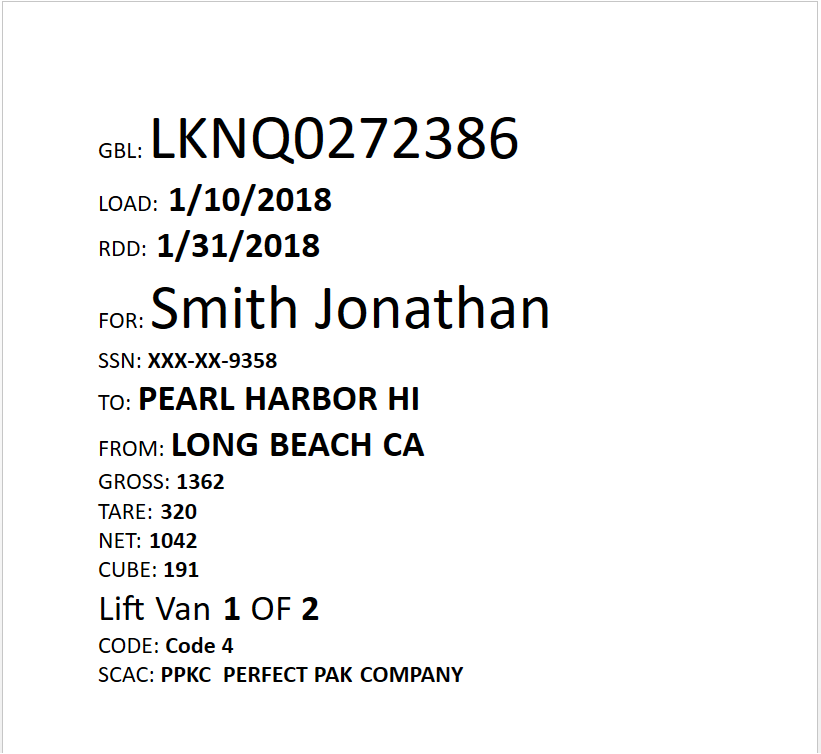
Figure 1: Sample Lift Van Labels bookmark
The new bookmark is titled Lift Van Labels and is available through the International group when adding bookmarks to templates through the Letter Designer.
This single bookmark within a template is all that is needed to produce the label.
Figure 2: Sample Letter Designer template with the Lift Van Labels bookmark
The Lift Van Labels bookmark displays the following information in a full-page display.
|
Label |
MoversSuite Data Displayed |
|
GBL: |
Military/Government > GBL Number |
|
LOAD: |
Move Information > Range > Load Dates (first date in spread) |
|
RDD: |
Move Information > Range > Delivery Dates (second date in spread) |
|
FOR: |
Name, Address, Phone > Last Name/Company Name, First Name/MI |
|
SSN: |
Military/Government > SSN (last four digits) |
|
TO: |
Name, Address, Phone > Moving To > City, State |
|
FROM: |
Name, Address, Phone > Moving From > City, State |
|
GROSS: |
Container/Lift Van/Airbox Information > Lift Vans > Gross (Add Lift Van) |
|
TARE: |
Container/Lift Van/Airbox Information > Lift Vans > Tare (Add Lift Van) |
|
NET: |
Container/Lift Van/Airbox Information > Lift Vans > Net (Add Lift Van) |
|
CUBE: |
Container/Lift Van/Airbox Information > Lift Vans > Cubic Feet (Add Lift Van) |
|
Lift Van # of # |
Count of the lift van in relation to others on the order, e.g. 1 or 4. |
|
CODE: |
Military/Government > Code of Service |
|
SCAC: |
Military/Government > Bases > Carrier (code) |
A duplicate page is also created for each label. In other words, two pages in the generated document contain the same label.
At least one lift van record must exist on the order for the Lift Van Labels bookmark to display in generated documents.
On a related change, there is a Lift Vans Total Cube bookmark available through the International group. This bookmark displays the total cubic feet of all lift vans on an order, as managed through the Container/Lift Van/Airbox Information tab.
Refer to the following topics for more information:
Container/Lift Van/Airbox Information
|
SUMMARY (4890, 4917, 4920) |
|
Added Lift Van Labels and Lift Vans Total Cube to International Bookmarks. |
|
The following areas have been affected by this change:
|
RELEASE FIXES
This section lists any fixes made to MoversSuite.
Claims
Receivables deleting correctly
If you delete a receivable item from a claim, the removal is instantaneous. Prior to this release, the receivable persisted and required multiple delete attempts to remove it. (4898)
Forms Designer
Lift Vans bookmarks include single order information
The recently added Lift Vans Forms Designer Bookmarks now include only the data related to the specific order being viewed. Prior to this release, total weight values displayed for all lift vans on a system. This affects the following bookmarks:
Lift Vans Density
Lift Vans Gross Weight
Lift Vans Net Weight
Lift Vans Tare Weight
(4918)
Local Services
Labor Request factor into Total Hours Required calculation
When additional labor is specified through the Labor Request function, the personnel added now affects the variables that compute the Totals Hours Required within Add Local Service. For example, if the application automatically calculates Crew count of 2, however 4 additional works are specified within the Labor Request, then the application updates the Crew to 4 and re-calculates the Hrs/Man and Total Hours Required. (4921)
Payment Management
Electronic payment batch items now match on created date
The cash receipt batches created for Electronic Payments now match on the date the items were created and placed in the batch for the corresponding processing. Prior to this release, items were placed in a batch according to the journal date associated to the transactions. (4913)
Revenue Entry
Quote import utilizes Rate Schedule for Labor
When importing rating information for a Quote Import, the application updates the labor rates based on the Rate Schedule for Labor. (4919)
SCHEMA CHANGES
Database changes for this release are visible through the following topic:
NO SCHEMA CHANGES
The following links allows you to navigate through all MoversSuite tables and data views and allows you to view field properties, such as type and maximum value size, etc.
MoversSuite Database Tables (2018R03)
MoversSuite Document Database Tables (2018R03)
MoversSuite Data Views (2018R03)
|
Version 2018 R02 |
|
RELEASE DATE: 1/15/2018
RELEASE SUMMARY
The following is a table contains counts of the items affecting this release.
|
# |
Change Summary |
|
3 |
New Product Features |
|
2 |
Release Enhancements |
|
6 |
Release Fixes |
|
2 |
Schema Changes (# of database tables affected) |
|
1 |
Admin Changes |
|
0 |
Standard Reports Affected |
RELEASE LINKS
This section provides quick links to commonly referenced release subjects.
|
Link |
Description |
|
Watch a short video highlighting the changes we have made to MoversSuite at this version. | |
|
View current release information through a PDF document. | |
|
Read up on the requirements for this version of MoversSuite. | |
|
Check out our Support page to read about the latest MoversSuite release and find links to other useful information. | |
|
See what other MoversSuite customers are requesting for changes to the MoversSuite application and submit your own suggestions. | |
|
Past Versions Information |
Look through a list of changes made to all other versions of MoversSuite. |
|
This page provides a quick rundown of changes made at each version. | |
|
Access a list of overview videos for each release. | |
|
Pull up the database changes we made at various releases. |
RELEASE REQUIREMENTS
Please refer to the following information regarding the hardware and software required to support MoversSuite and related systems.
View the MoversSuite System Compatibility topic for a list of products that are compatible with MoversSuite.
Refer to the System Requirements section for a complete list of hardware and software requirements.
Microsoft SQL Server 2008 and SQL Server 2008 R2 Compatibility
With version 2017 R11 of MoversSuite, the development environment of MoversSuite is no longer compatible with Microsoft SQL Server 2008 or SQL Server 2008 R2.
As of May 22, 2017, the lowest compatible database server hosting MoversSuite will be Microsoft SQL Server 2012. IMPORTANT: If you wish to upgrade to MoversSuite 2017 R11 or a later version of MoversSuite, your company must, at minimum, have Microsoft SQL Server 2012 or higher (see the Microsoft SQL Server 2016 Compatibility announcement).
Of note, being current on the latest versions of the hardware and software for our development environment allows us to provide better security, better support, and a better MoversSuite user experience. Please refer to our System Requirements for more information on the hardware and software compatible with MoversSuite.
Contact our EWS Support team to discuss migration options.
Windows Domain Authentication to log into MoversSuite
With the release of MoversSuite Version 2017 R08 is the ability to open MoversSuite by using the credentials you enter when logging into your Windows environment. MoversSuite references the user identity associated to your Windows account to retrieve your MoversSuite login information. Then, when you launch MoversSuite or MoversSuite Administration, it opens without you having to enter your MoversSuite username and password.
IMPORTANT: If your company is not utilizing Windows Domain Authentication, then you will be unable to upgrade to version 2017 R08 or later. (8638)
IBM MQ Client 8.0.0.5
For all UniGroup agents, UniGroup requires IBM MQ Client 8.0.0.5. If you upgrade on your own and want to download this latest version of IBM MQ Client, then you can do so through this link: http://www-01.ibm.com/support/docview.wss?uid=swg24037500#1.
Microsoft SQL Server 2016 Compatibility
As of MoversSuite 2017 R04, the MoversSuite development environment is compatible with Microsoft SQL Server 2016.
Refer to our System Requirements for more information on the hardware and software compatible with MoversSuite.
Please contact our EWS Sales team to discuss upgrade options.
Microsoft Windows Server 2016 Compatibility
As of MoversSuite 2017 R04, MoversSuite is compatible with Microsoft Windows Server 2016.
Refer to our System Requirements for more information on the hardware and software compatible with MoversSuite.
Please contact our EWS Sales team to discuss upgrade options.
Dynamics GP Requirements
MoversSuite is compatible with the following:
Microsoft Dynamics GP 2016 R2 (with ATIP Build 16.0.2)
Microsoft Dynamics GP 2015 R2 (with ATIP Build 14.0.1)
Microsoft Dynamics GP 2013 R2 (with ATIP Build 12.0.23)
Refer to the following for information regarding additional requirements you may need to support Microsoft Dynamics GP:
System Requirements for Microsoft Dynamics GP 2016
System Requirements for Microsoft Dynamics GP 2015
KNOWN ISSUES
The following issues are problems that may affect your decision to upgrade to this version of MoversSuite. The following issue is not resolved for this release.
Citrix issue with phone number control
An issue that cannot be replicated is causing the phone numbers within the Shipper Contact Information section (Name, Address, Phone tab) to disappear and then reappear when you click on that section, however, the user cannot edit them until they press Cancel (on the order) and then attempt to Edit again. (6409)
RELEASE FEATURES
This section lists new functionality added to MoversSuite.
Build Quote from Local
Service or Operational Plan
The option to build a quote from Local Services requests is now available. The Quote from Local Services option displays when creating a new Quote record.
Figure 1: Create menu from Quote tab
Choosing the Quote from Local Services option, you receive a prompt to select whether to import by an Operational Plan on the order or by services based on the service date.
Figure 2: Import from Local Services dialog
You can choose to import one or more items by plan or service date. The Quote column indicates the latest quote that a plan or service was imported into. In the example below (Figure 3), the Local Move service for January 5th has been previously imported into quote Q-2.
Figure 3: Import from Local Services dialog
You can import a service more than once. In fact, you can import plans or service items directly into an existing quote through the Items from Local Service option available through to the Insert menu, which is now available when you are editing a quote.
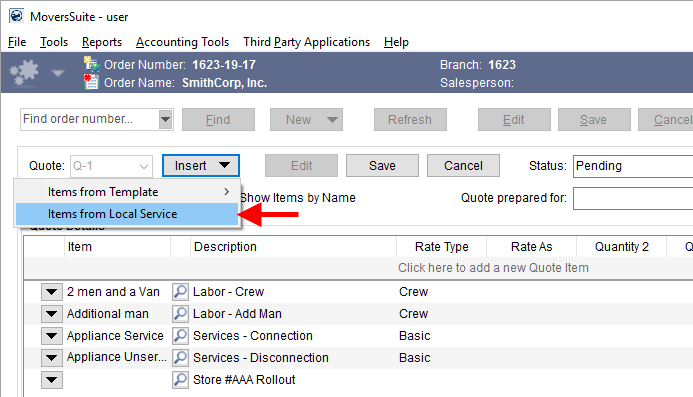
Figure 4: Insert menu from Quote tab
The Import from Local Services dialog appears when importing items into an existing quote and prompts to you to select one or more plan or service to add to the quote you are editing.
Rating information associated to containers, labor requests, and equipment requests are pulled in based on the Rate Plan assigned to the order. Rates associated to Item Codes linked to Containers within Material Type Setup, Labor Type Setup, and to Equipment Type Setup records, respectively, are referenced within the Quote tab for Local Services requests.
No additional security is needed to import quote items from Local Services.
In a related change, you also have the option to insert items from a template as well. The Items from Template option is available through the new Insert button, which is available when editing a quote.
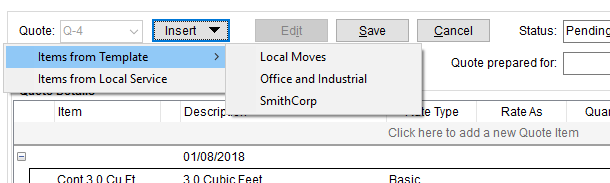
Figure 5: Insert menu from within the Quote tab
Refer to the Quote and Local Services topics for more information.
|
SUMMARY (3606, 4904, 4906) |
|
Import from Local Services option added to Quote functionality. |
|
The following areas have been affected by this change: Schema Changes Version 2018R02
|
Generate Transactions based
on Revenue Group
On the Transactions tab in Revenue Entry, you now have the option to Generate Transactions on a selected group.
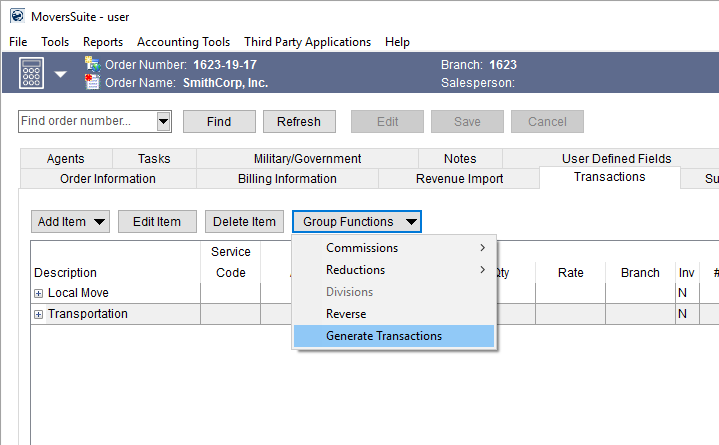
Figure 6: Transactions tab
This option opens the Generating Transactions dialog allowing you to enter the Journal Date and Document Date for the accounting transactions generated for the group. This includes all revenue items, commissions, and third-party items that list within the group.
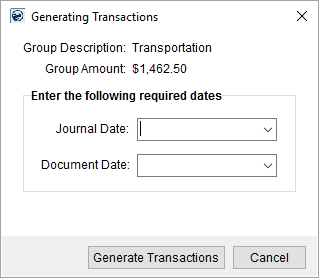
Figure 7: Generating Transactions dialog
Accounting transactions are generated only for items associated to the selected Revenue Group.
Prior to this feature, you only had the option to generate transactions for the entire order through the Summary tab.
All items posted for generated groups are skipped if you subsequently generate transactions again at either the group level or for the entire order. However, any items associated to a generated group that do not have accounting transactions, will be included any subsequent transaction generations.
There is no special security needed to access this feature. If you can access functionality of the Group Functions within the Transactions tab, you can perform the Generate Transactions function.
Refer to the Generating Transactions and Transactions topics for more information.
|
SUMMARY (4813) |
|
Generate Transactions option added to the Group Functions. |
|
Group Description and Group Amount added to Generating Transactions. |
|
The following areas have been affected by this change:
|
New Lift Van bookmarks allow
for cube sheets 
New Forms Designer Bookmarks are available for use in templates for custom document generation through the Forms Designer system. The following new bookmarks list under the International group and provide you with enough information to create a cube sheet of lift van records set on the shipment through the Container/Lift Van/Airbox Information tab. We foresee these bookmarks being utilized for military reporting on international shipments.
|
Bookmark |
Description |
|
Lift Van Count |
The number of lift van detail records established for shipment. |
|
Lift Van Grid |
Data for each lift van detail record displays in a grid of columns featuring the following information (see example below this table): Box Seal Number Type Gross Weight Tare Weight Net Weight Height Width Length Cube
|
|
Lift Van Density |
Calculated density of all lift vans on the shipment, computed as Lift Vans Net Weight divided Total Cube (total taken from all detail items). |
|
Lift Vans Gross Weight |
Total gross weight for all lift vans on the shipment |
|
Lift Vans Net Weight |
Total net weight for all lift vans on the shipment |
|
Lift Vans Tare Weight |
Total tare weight for all lift vans on the shipment |
The Lift Van Grid bookmark displays a grid similar to what displays below including column headings.

Figure 8: Data example for the Lift Van Grid bookmark
The following table lists and describes each column within the Lift Van Grid bookmark. This information is taken from the Add Lift Van dialog, except where noted.
|
Column |
Description |
|
Box |
Row count for each lift van in the listing. |
|
Seal Number |
Seal Number set within Add Lift Van. |
|
Type |
Lift Van Number set within Add Lift Van. |
|
Gross Weight |
Gross Weight set within Add Lift Van. |
|
Tare Weight |
Tare Weight set within Add Lift Van. |
|
Net Weight |
Net Height set within Add Lift Van. |
|
Height |
Height set within Add Lift Van. |
|
Weight |
Weight set within Add Lift Van. |
|
Cube |
Cubic Feet set within Add Lift Van. |
Refer to the following topics for more information:
Container/Lift Van/Airbox Information
|
SUMMARY (4889) |
|
International Bookmarks added. |
|
The following areas have been affected by this change:
|
RELEASE ENHANCEMENTS
This section lists the improvements made to MoversSuite.
Consolidator Selector
includes Street Address
When selecting a Consolidator from within the Shipping Information tab of an International Orders record, you can now see the address associated to the record. This to assist you in making the correct selection.
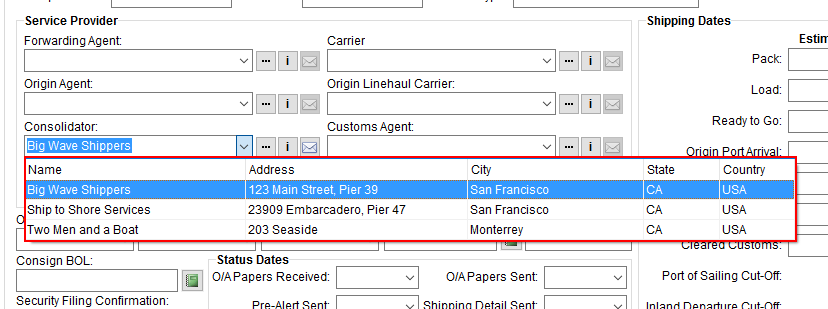
Figure 9: Consolidator selector within the Shipping Information tab
This data is also visible within the Consolidator Find and the Consolidator Information dialog.
|
SUMMARY (4792) |
|
Physical address added to the Consolidator selector menu within the Shipping Information tab. |
|
The following areas have been affected by this change:
|
CrewActuals view available for Enterprise BI
A new view is available for Enterprise BI. It provides details of crew times by service and lists the following information:
Order Number
Work Ticket Number
Service Date
Crew First Name
Crew Last Name
Employee Number
Labor Type (dispatched)
Start Time
End Time
Activity Type
Move Type
OrderID
LocalServiceID
CrewID
More information on Enterprise BI coming to you in a future release of MoversSuite.
|
SUMMARY (4883) |
|
CrewActuals view added to Enterprise BI. |
|
The following areas have been affected by this change:
|
RELEASE FIXES
This section lists any fixes made to MoversSuite.
Electronic Payments
On hand payment selector lists only valid options
The application only displays valid payment options for the shipper and/or customer within the Credit Card/Bank Payment screen. Prior to this release, any new payment option retained when not associated to a customer was made available as a Payment Information On Hand option for all new records with no Customer selected; this made the list of options within Payment Information On Hand excessively large and inaccurate. (4901)
Local Dispatch
Job Start and Job Stop fields display time values only
The Job Start and Job Stop fields now only display set service times, e.g. 07:00 AM, within in the main Dispatch Center grid. Prior to this release, these two fields also displayed the service date as well. (4791)
MoversSuite Administration
Update to allow older version of Admin Tool to run
On some systems, an older version of MoversSuite Administration is needed to manage Item Code Generation. This change was made to allow the use of the older version without error. (4894)
Revenue Entry
Labor Rating Type is available to Invoice Group
The Rate As Option selected for a revenue item within Add Revenue Item is now associated to the invoice as well. Prior to this release, the rate type selected for an item was not copied to the invoice. (4871)
Rate for equipment dispatched by quantity is based on Rate Plan
The rate amount for equipment dispatched based on quantity is now pulled from the Rate Plan in effect on the order. Prior to this release, the rate was set to the cost amount (Average Cost set in Equipment Type Setup record) for the equipment items imported through Enter Actuals into Revenue Entry. (4880)
UniGroup International
Disable certain data from uploads
The uploads to UniGroup International no longer include Accessorials, Finance, or Transportation data. This is until new information on how this data is handled is provided. This information affects quotes, accessorials, and other financial data associated to the UniGroup International record. (4878)
SCHEMA CHANGES
Database changes for this release are visible through the following topic:
Schema Changes Version 2018R02
The following links allows you to navigate through all MoversSuite tables and data views and allows you to view field properties, such as type and maximum value size, etc.
MoversSuite Database Tables (2018R02)
MoversSuite Document Database Tables (2018R02)
MoversSuite Data Views (2018R02)
|
Version 2018 R01 |
|
RELEASE DATE: 1/2/2018
RELEASE SUMMARY
The following is a table contains counts of the items affecting this release.
|
# |
Change Summary |
|
2 |
New Product Features |
|
0 |
Release Enhancements |
|
1 |
Release Fixes |
|
6 |
Schema Changes (# of database tables affected) |
|
2 |
Admin Changes |
|
0 |
Standard Reports Affected |
RELEASE LINKS
This section provides quick links to commonly referenced release subjects.
|
Link |
Description |
|
View current release information through a PDF document. | |
|
Read up on the requirements for this version of MoversSuite. | |
|
Check out our Support page to read about the latest MoversSuite release and find links to other useful information. | |
|
See what other MoversSuite customers are requesting for changes to the MoversSuite application and submit your own suggestions. | |
|
Past Versions Information |
Look through a list of changes made to all other versions of MoversSuite. |
|
This page provides a quick rundown of changes made at each version. | |
|
Access a list of overview videos for each release. | |
|
Pull up the database changes we made at various releases. |
RELEASE REQUIREMENTS
Please refer to the following information regarding the hardware and software required to support MoversSuite and related systems.
View the MoversSuite System Compatibility topic for a list of products that are compatible with MoversSuite.
Refer to the System Requirements section for a complete list of hardware and software requirements.
Microsoft SQL Server 2008 and SQL Server 2008 R2 Compatibility
With version 2017 R11 of MoversSuite, the development environment of MoversSuite is no longer compatible with Microsoft SQL Server 2008 or SQL Server 2008 R2.
As of May 22, 2017, the lowest compatible database server hosting MoversSuite will be Microsoft SQL Server 2012. IMPORTANT: If you wish to upgrade to MoversSuite 2017 R11 or a later version of MoversSuite, your company must, at minimum, have Microsoft SQL Server 2012 or higher (see the Microsoft SQL Server 2016 Compatibility announcement).
Of note, being current on the latest versions of the hardware and software for our development environment allows us to provide better security, better support, and a better MoversSuite user experience. Please refer to our System Requirements for more information on the hardware and software compatible with MoversSuite.
Contact our EWS Support team to discuss migration options.
Windows Domain Authentication to log into MoversSuite
With the release of MoversSuite Version 2017 R08 is the ability to open MoversSuite by using the credentials you enter when logging into your Windows environment. MoversSuite references the user identity associated to your Windows account to retrieve your MoversSuite login information. Then, when you launch MoversSuite or MoversSuite Administration, it opens without you having to enter your MoversSuite username and password.
IMPORTANT: If your company is not utilizing Windows Domain Authentication, then you will be unable to upgrade to version 2017 R08 or later. (8638)
IBM MQ Client 8.0.0.5
For all UniGroup agents, UniGroup requires IBM MQ Client 8.0.0.5. If you upgrade on your own and want to download this latest version of IBM MQ Client, then you can do so through this link: http://www-01.ibm.com/support/docview.wss?uid=swg24037500#1.
Microsoft SQL Server 2016 Compatibility
As of MoversSuite 2017 R04, the MoversSuite development environment is compatible with Microsoft SQL Server 2016.
Refer to our System Requirements for more information on the hardware and software compatible with MoversSuite.
Please contact our EWS Sales team to discuss upgrade options.
Microsoft Windows Server 2016 Compatibility
As of MoversSuite 2017 R04, MoversSuite is compatible with Microsoft Windows Server 2016.
Refer to our System Requirements for more information on the hardware and software compatible with MoversSuite.
Please contact our EWS Sales team to discuss upgrade options.
Dynamics GP Requirements
MoversSuite is compatible with the following:
Microsoft Dynamics GP 2016 R2 (with ATIP Build 16.0.2)
Microsoft Dynamics GP 2015 R2 (with ATIP Build 14.0.1)
Microsoft Dynamics GP 2013 R2 (with ATIP Build 12.0.23)
Refer to the following for information regarding additional requirements you may need to support Microsoft Dynamics GP:
System Requirements for Microsoft Dynamics GP 2016
System Requirements for Microsoft Dynamics GP 2015
KNOWN ISSUES
The following issues are problems that may affect your decision to upgrade to this version of MoversSuite. The following issue is not resolved for this release.
Citrix issue with phone number control
An issue that cannot be replicated is causing the phone numbers within the Shipper Contact Information section (Name, Address, Phone tab) to disappear and then reappear when you click on that section, however, the user cannot edit them until they press Cancel (on the order) and then attempt to Edit again. (6409)
RELEASE FEATURES
This section lists new functionality added to MoversSuite.
Online Payment System is Now Available
Shippers and customers now have the option to pay for services through our new Online Payments system. The system works by sending a hyperlink in an email message to the customer or shipper. Once they click on this link, they are directed to the Online Payment site, where they can confirm the information and pay the item using a credit card or bank account.
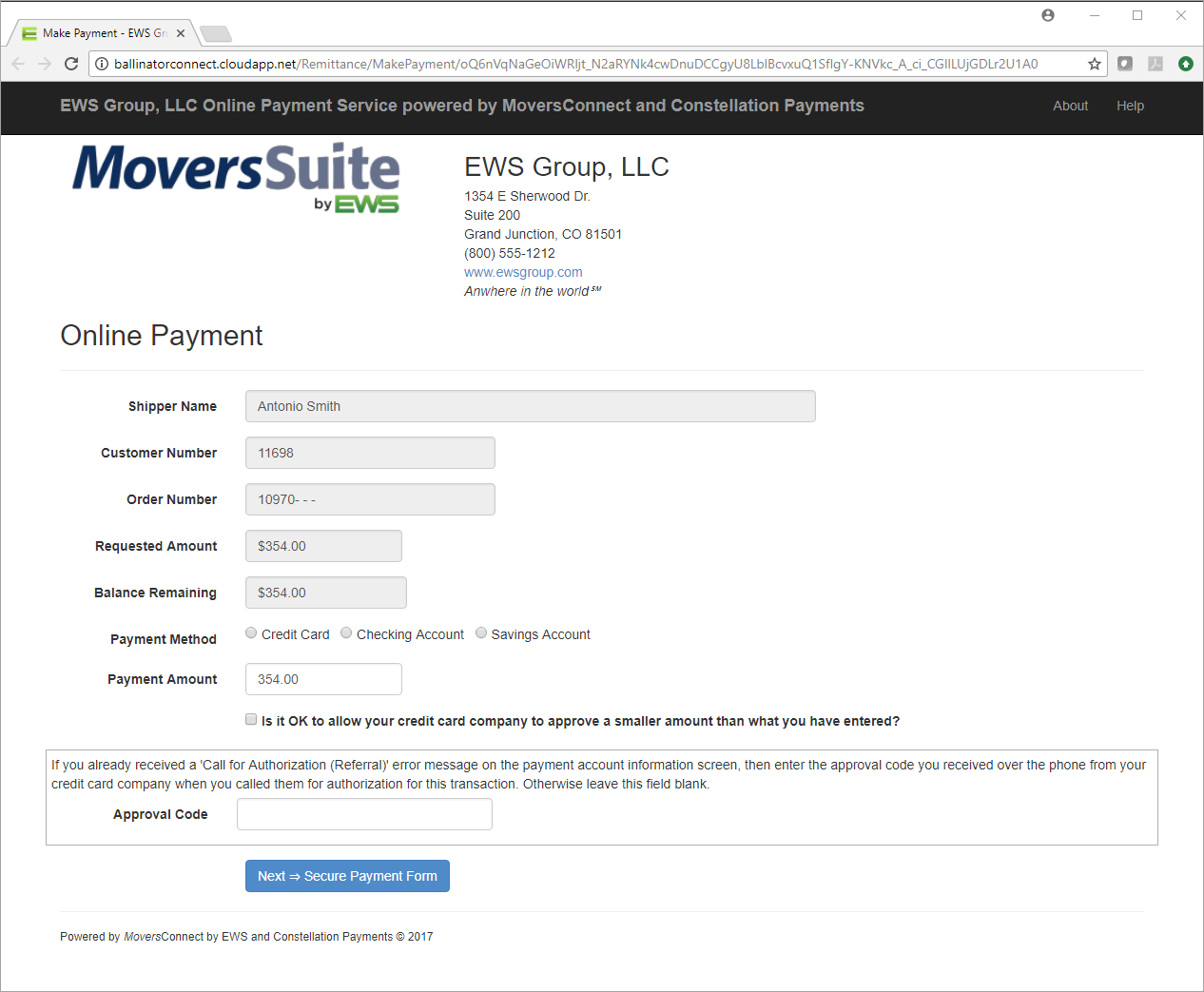
Figure 1: Online Payment site
You can set up the payment in MoversSuite through a new Accounting Tools Menu option of Setup Online Payment.
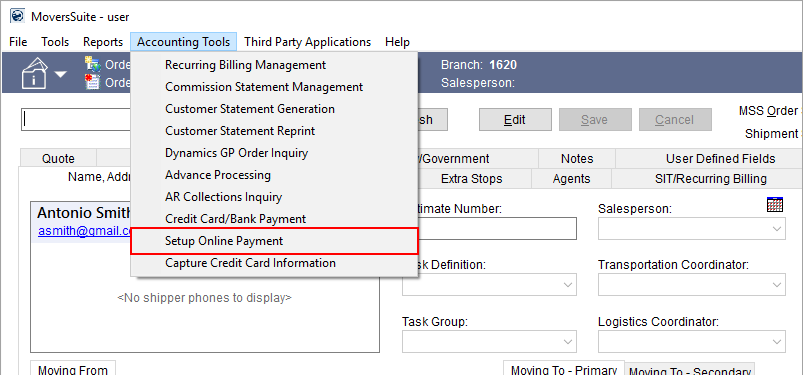
Figure 2: Accounting Tools menu
Selecting this option opens the Setup Credit Card/Bank Online Payment screen allowing you to enter credit card or bank account information for the online payment.
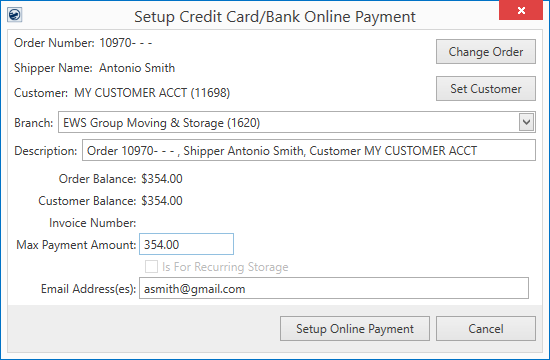
Figure 3: Setup Credit Card/Bank Online Payment screen
Data in the screen pre-populates based on which order is being viewed at the time and which module you are in. The Setup Online Payment feature is available through the Accounting Tools Menu in all modules, including Order Information and AR Credit & Collections.
Options from the Setup Credit Card/Bank Online Payment screen allow you to change the order, customer, select a different branch, update the transaction description, provide a maximum amount that can be entered for the payment, and verify the add email addresses.
The maximum payment amount can be any amount that you wish. The two balance fields available from this screen show you what is outstanding for AR on the order and customer.
Once you have entered the payment information, press the Setup Online Payment button and the application generates a unique transaction link between MoversSuite and the Online Payments system within MoversConnect. This link opens in a new email message window with the provided email address as the recipient.
Figure 4: Sample Online Payments email
When the person receives the email and opens the link, they are sent to the Online Payment site, which is located within the cloud-based MoversConnect.
Figure 5: Online Payment site
From this site, the person can confirm the payment information, select a payment method, enter the amount they wish to pay, and continue processing the payment through the Secure Payment Form.
Figure 6: Secure Payment Form
The Secure Payment Form is managed by the credit card payment processor Constellation Payments (CSI Pay). No credit card or bank account information is stored within MoversSuite. Payment information is returned from CSI Pay back to MoversSuite where a cash receipt is created and visible within the Cash Receipts module.
Figure 7: Cash Receipts
Online payment information is recorded to the Note of the cash receipt.
Status and payment information is also returned to the payee through the Online Payment site.
Figure 8: Payment receipt from an online payment
The Reference Number and other data is associated to the cash receipt in MoversSuite. The payee can process up to preset number of payments to the total amount of the payment set up in MoversSuite.
Once the cash receipt is established, you can print, void, and make full or partial refunds of the payment through the Cash Receipts module.
And you can process the electronic payments as you would other payments within Payment Management.
Refer to Electronic Payments for more information.
Electronic Payments Setup Information
In addition to establishing an account through Constellation Payments CSI Pay and setting up Electronic Payments, a new setup is available through the Online Payments tab within the existing Electronic Merchant Setup.
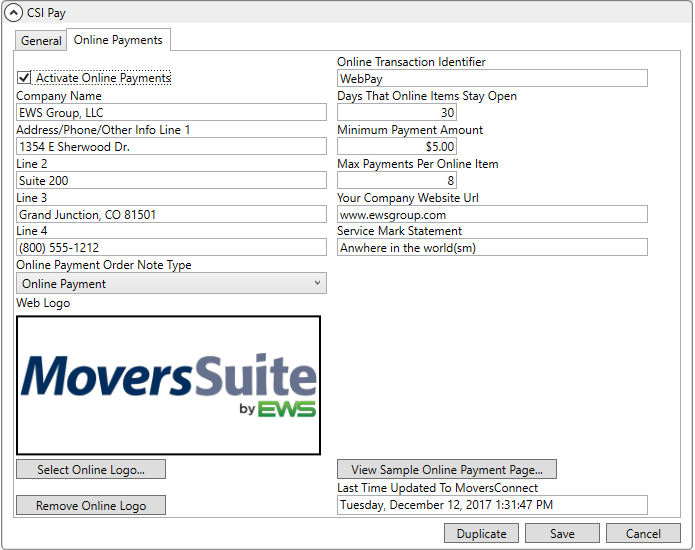
Figure 9: Online Payments tab within Electronic Merchant Setup
From this tab, you can control items that display on the Online Payment site and set a few payment parameters, such as determining what a minimum payment amount must be and the maximum number of payments a person can make for a single payment item.
MoversSuite users have access to the Setup Credit Card/Bank Online Payment screen (available through the Setup Online Payment option on the Accounting Tools Menu) once an active Electronic Merchant Setup record is established.
There is no branch security access tied to this functionality. However, a user can only process payments under branches linked to an active Electronic Merchant Setup record. In the example below, payments can only process under the four highlighted branches.
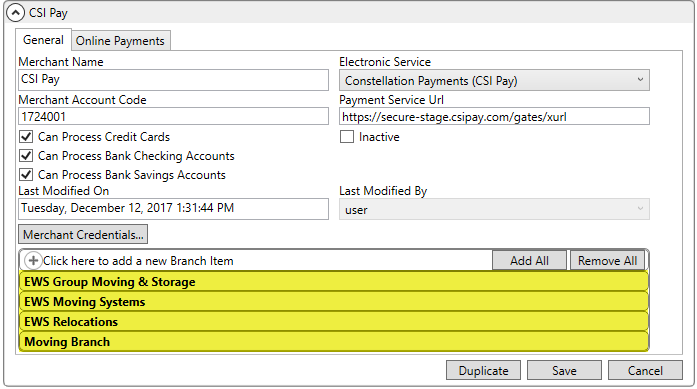
Figure 10: Electronic Merchant Setup
Refer to the following links for more information on processing Electronic Payments:
Electronic and Online Payments Setup
In an upcoming release, the ability to process Online Payments automatically as part of Recurring Billing will become available.
|
SUMMARY (4795, 4885, 4886, 4892) |
|
Online Payments added. |
|
The following areas have been affected by this change: Electronic and Online Payments Setup Schema Changes Version 2018R01
|
Mobile Crew Time Entry through MoversSuite
The MoversSuiteCrew Crew Time function for entering crew time for the mobile application is now available through MoversSuite. The Mobile Crew Time screen allows you to view, edit, and approve punch activity for mobile crew personnel directly from within the MoversSuite application.
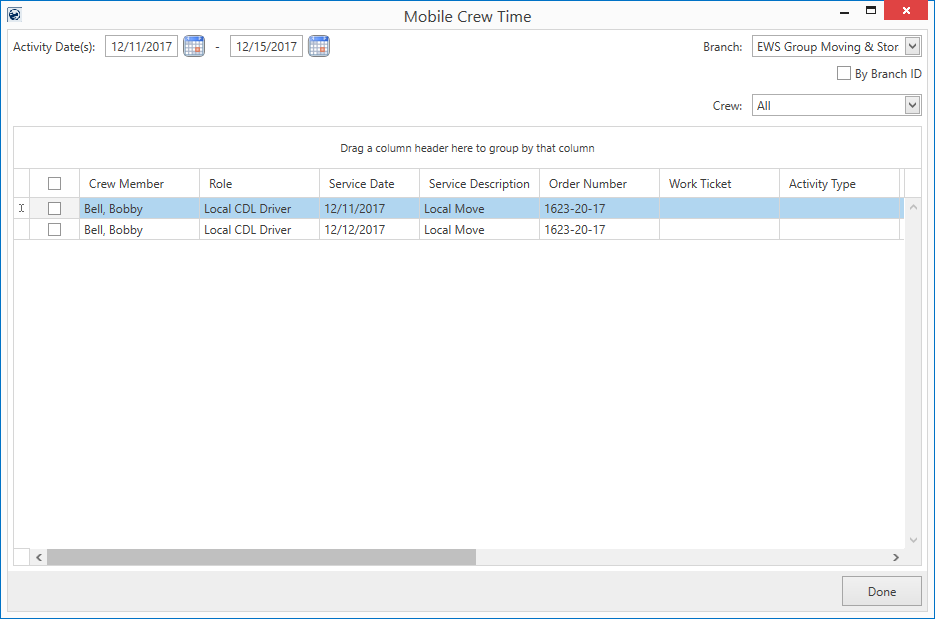
Figure 11: Mobile Crew Time screen
The Mobile Crew Time screen is available through the Mobile Crew Time button found within the Dispatch Center of Local Dispatch.
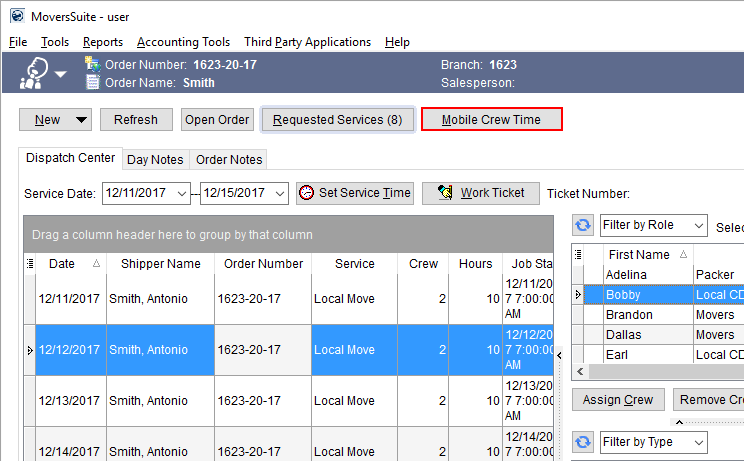
Figure 12: Dispatch Center in Local Dispatch
From the Dispatch Center tab, you can utilize the keyboard shortcut of ALT+M for quick access to the Mobile Crew Time screen.
For personnel without access to Local Dispatch, they can find the Mobile Crew Time option available through the Accounting Tools Menu.
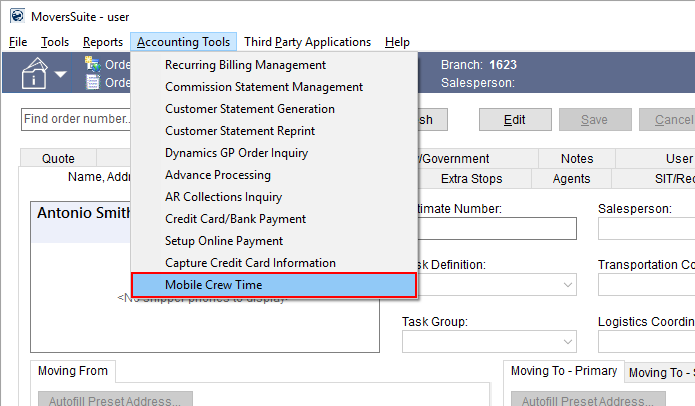
Figure 13: Accounting Tools menu
Options from the screen are improved over those available within MoversSuiteCrew Crew Time. This includes filtering data based on an activity date range, branch of service, and crew. You can also quickly access key functions through a right-click menu, allowing you to view punch information, approve time, edit the time entry, and export the grid data to Excel or to a browser window.
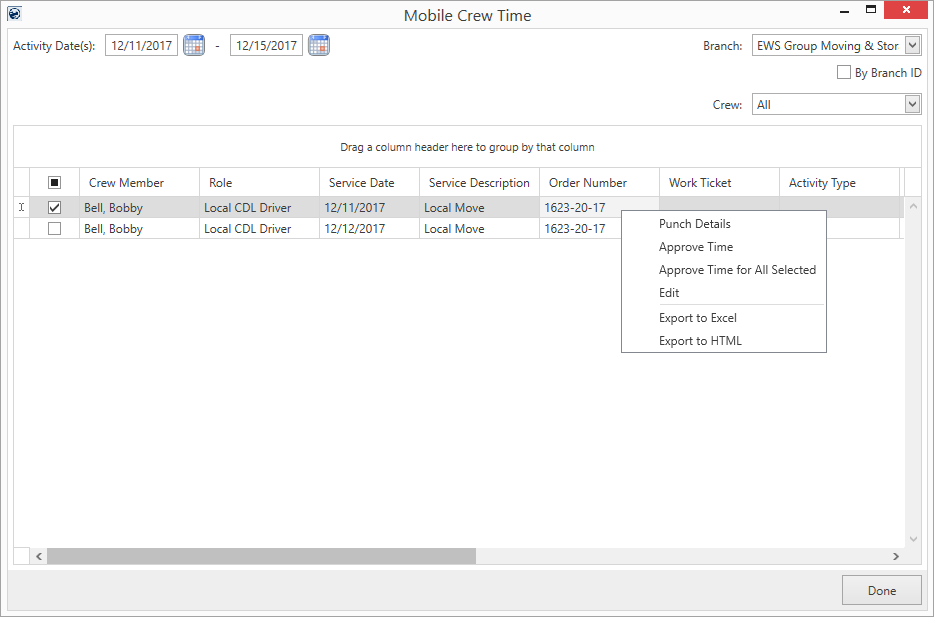
Figure 14: Mobile Crew Time screen
Security access to the Mobile Crew Time screen is based on branch access to the Mobile Crew Time security module.

Figure 15: Security Profile Setup detail record
If a user is assigned to the Mobile Crew Time module for any branch, then they can access the Mobile Crew Time screen. However, they can only access information associated to branches linked to the Branch set within their Security Profile Setup record for the Mobile Crew Time module. This includes any branch defined within the Dispatching Common View. For example, if you have branch 1623 associated to the Mobile Crew Time module, then you can access services for any branch that is also associated to the same Dispatching Common View as that of branch 1623.
Find out more about using this screen and the mobile application in general through the following topics:
MoversSuiteCrew Mobile Application
MoversSuiteCrew Mobile Application Setup and Administration
|
SUMMARY (4830, 4895, 4896) |
|
Mobile Crew Time added. |
|
The following areas have been affected by this change: MoversSuiteCrew Mobile Application MoversSuiteCrew Mobile Application Setup and Administration Schema Changes Version 2018R01
|
RELEASE FIXES
This section lists any fixes made to MoversSuite.
Claims
Adding Handling Revenue no longer errors when Divisions is enabled
You no longer receive an error when adding handling revenue to a claim when an existing handling revenue item associated to a division already exists on the claim. Prior to this release, adding a second item caused an access violation and the user was prevented from adding a second handling revenue item. (4899)
SCHEMA CHANGES
Database changes for this release are visible through the following topic:
Schema Changes Version 2018R01
The following links allows you to navigate through all MoversSuite tables and data views and allows you to view field properties, such as type and maximum value size, etc.
MoversSuite Database Tables (2018R01)
MoversSuite Document Database Tables (2018R01)
MoversSuite Data Views (2018R01)
Looking for information on releases prior to 2018?
The following are links to printable documentation for releases prior to 2018.
2015 and Prior Release Information
You can also find a quick listing of all releases within the Release Highlights topic and within the Online Help webpage.