 button adjacent to the
Consolidator field within the Service Provider section on the Shipping Information tab.
button adjacent to the
Consolidator field within the Service Provider section on the Shipping Information tab.
The Consolidator Information screen allows you to view name,
address, and contact information for a consolidator. Access to this screen is
through the button adjacent to the
Consolidator field within the Service Provider section on the Shipping Information tab.
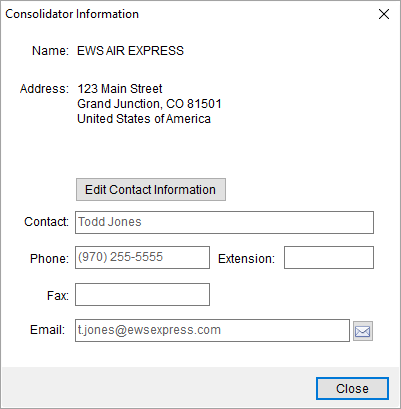
Figure 5: Consolidator Information screen
Pressing  allows you to update contact
information for the record. The screen provides the options to Save or
Cancel your changes.
allows you to update contact
information for the record. The screen provides the options to Save or
Cancel your changes.
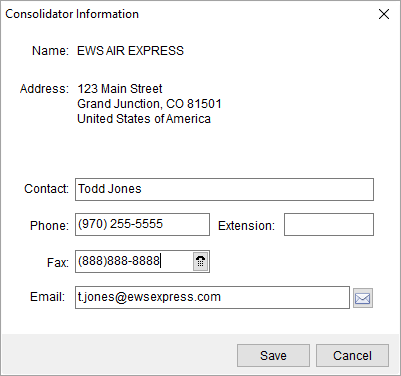
Figure 6: Consolidator Information screen when editing contact data
Pressing  opens a new mail window with the Email
address specified as the primary recipient.
opens a new mail window with the Email
address specified as the primary recipient.
Administrate records through Consolidator Setup.