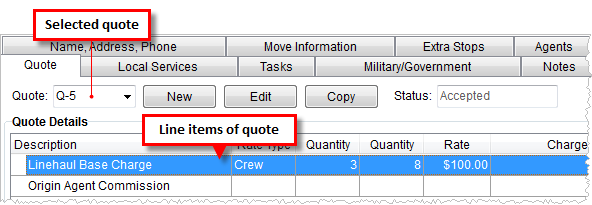
The Quote tab is available throughout MoversSuite including Order Information, Revenue Entry, and Claims. This tab allows a user to define quote items for one or more quotes per order. Users can copy, edit, and delete quote in addition to generating quote forms and letters.
Figure 2: Quote tab
The following table describes the functions available within this tab.
|
Function |
Description |
|
Quote |
Select from a list of existing quotes for the open order. The drop-down menu lists all quotes belonging to the order and include the following data columns that a user can sort the menu by: Number – MoversSuite quote number Created – Date that the quote was created on Created By – MoversSuite user that created the quote
|
|
|
New Open the Manage Quote screen allowing users to define new quote record. Hotkey: ALT + N |
|
|
Edit Open the Manage Quote screen in edit mode. Users can edit, delete, and set the status of non-imported quotes and adjust the groupings using this function. Hotkey: ALT + I |
|
|
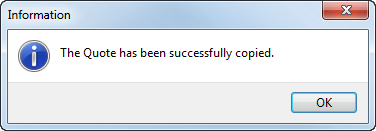
Copy This option will create a duplicate of the selected quote and automatically add it to the list of quotes for the open record. This option is useful when there are quite a number of similar quotes that differ only slightly among each other. The application will return a confirmation prompt upon creation of the new quote.
Figure 3: Successful copy confirmation The new quote will automatically display within the Quote Details data grid and the new number will be visible within the Quote selector. The Status of the quote will set to “Copy” which can be updated through the Edit function. Hotkey: ALT + P |
|
Status |
Status The status of the open quote displays in this field. Access the Manage Quote screen to update this setting. |
|
|
Reports/Letters This function displays a list of forms, letters, and reports available to generate quote-specific output within the Report Viewer. Documents set with a System ID of “QUOT” will display in this list. See System Report ID Setting and Report Setup for more information. The Quote Form is available as a default report within Report Setup. Quote data is available through Bookmarks, as well. See Quote Bookmark Fields for a specific listing. Hotkey: ALT + L |
|
Total Quoted |
The total dollar amount of all quote item charges displays in this field. |
Refer to Add Quote for information pertaining to each quote item field.