
Order Information > Move Information > New Section > Agents tile
If section has been added: Order Information > Move Information > Agents section
There are two ways to add an Agent to a transaction and each is detailed following this list:
•When this is the first Agent to be added to the order, use Order Information > Move Information > New Section.
•When on Agent is already on the order and another one needs to be added, use Order Information > Move Information > Agents.
To add the first Agent:
To add the first Agent, go to Order Information > Move Information > New Section and choose the AGENTS tile. (See MSWeb New Section for details, if needed.)
Figure 35: Agents Tile found within Move Information > New Section
Choose an agent type from the Agents screen.

Figure 36: Agents Screen
Use the dropdown selector to scroll through the Agents
(within the Destination Agent field within Figure 37)and click on the one you
choose. For more information on the chosen Agent, click the Information
 icon.
When an Agent is chosen, their address, Contact, and Phone Number auto-populate.
Click Save.
icon.
When an Agent is chosen, their address, Contact, and Phone Number auto-populate.
Click Save.
For help in locating an agent, click the ellipses (three blue dots) next to the Agent field to open the Find Agent screen. See MSWeb Find Agent for details.
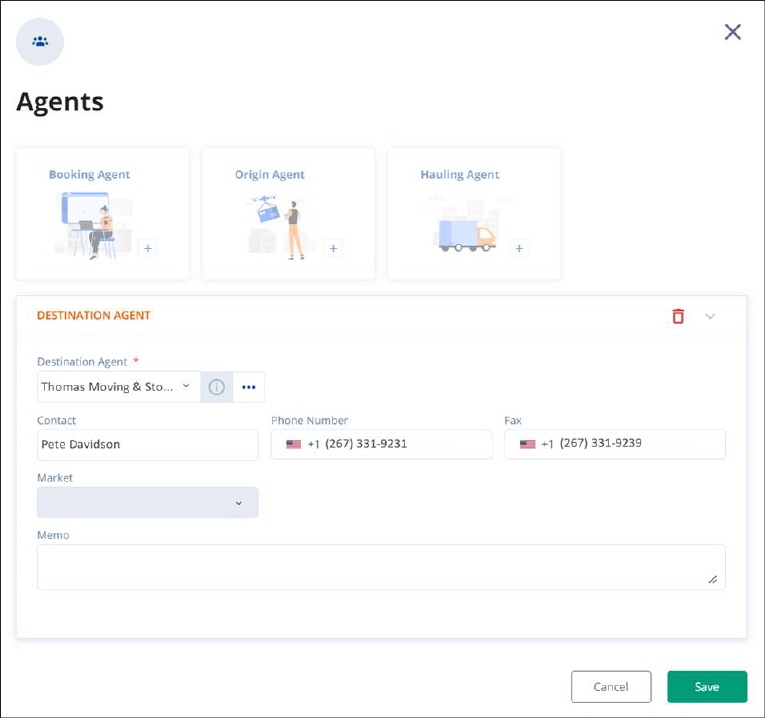
Figure 37: Agent Information Selector
To Add Agent when an Agent is already assigned to the order, go to the Order Story > Move Information > Agents section. Since there is an agent assigned, the Agents tile will not be available under NEW SECTION. It has its own card under AGENTS. Simply click Add Agent and follow the above instructions for the remainder of the steps.
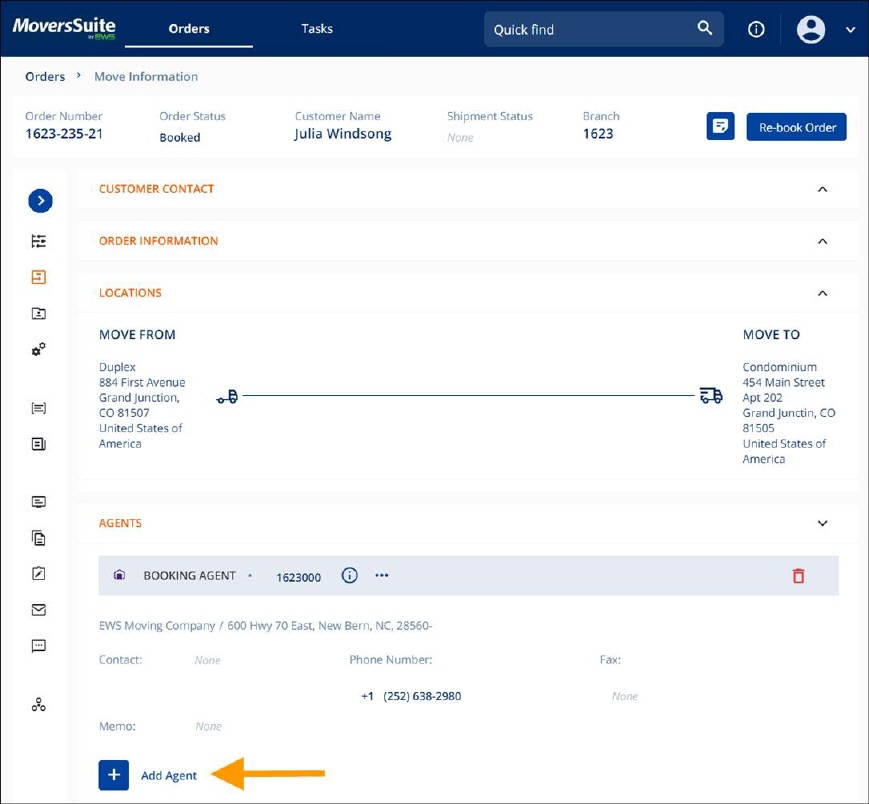
Figure 38: Add Agent
If you would like to change the Agent, click the Agent field to reveal the edit icon and click the field. A dropdown selector appears and scroll to find the new agent. Click the green check to save.
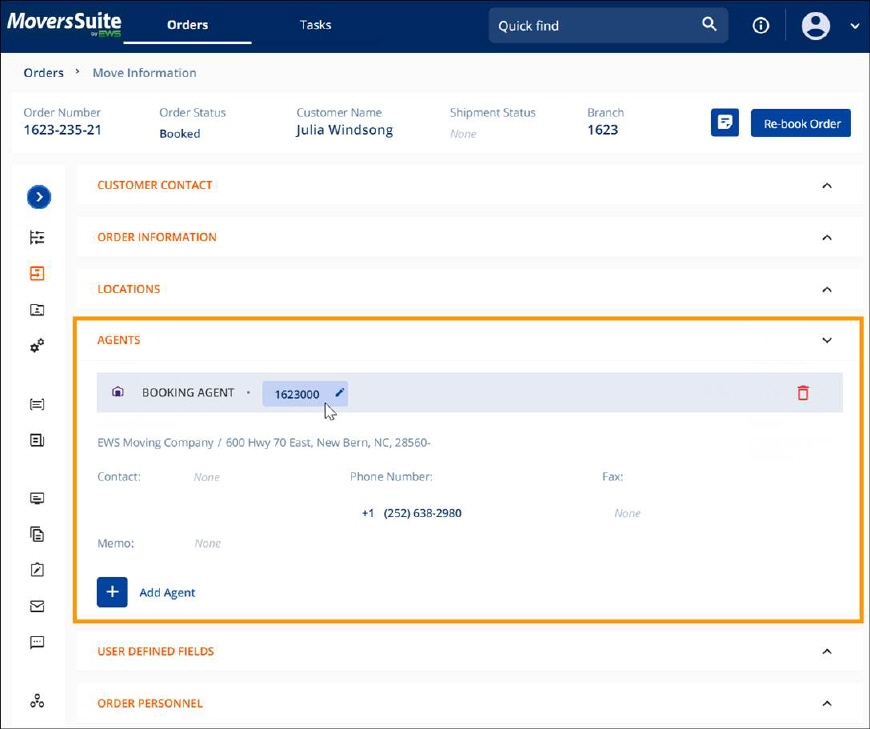
Figure 39: Changing the Agent
NOTE: For details on all the fields, see Agents. “Agents” has an image that refers to the desktop application of MoversSuite; however, the field functions are the same and still apply to the same fields within MSWeb.
RELATED INFORMATION