BI Tool > Settings > Administrator > Users > User
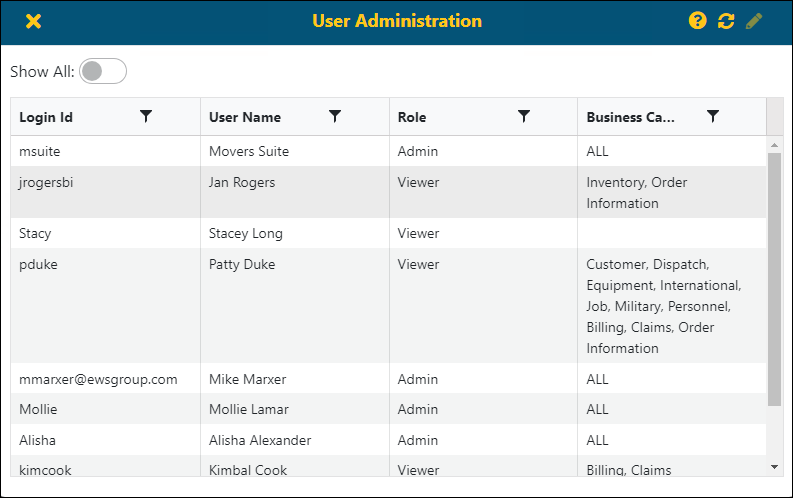
For information on setup area for all permissions, which is the User Administration screen (Figure 24), see BI Tool User Administration. The User Administration screen is found within .
To grant permission for a user to have access to all reports within a Business Category, see BI Tool Assigning Access to Business Categories.
To grant permission for a user to have access to only certain reports within a Business Category, see BI Tool Assigning Access to Reports.
To grant permission to a user to have Administrative privileges, see BI Tool Assigning Administrator.
To block a user from accessing the BI Tool, see BI Tool Disabled.
Figure 24: User Administration screen