BI Tool > Settings > Administrator > Users > User
The role of Administrator can only be assigned by another Administrator.
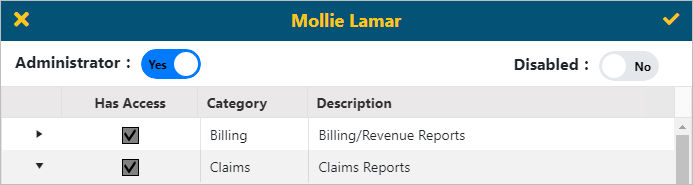
To grant a user Administrator functionality:
1. Go to the User’s profile.
2. Click the Administrator switch to Yes.
3. Confirm the Disabled switch is set to No.
Figure 33: Click Administrator switch to Yes for Administrator access
To assign View Only access to a user:
1. Go to the User’s profile.
2. Click the Administrator switch to No.
3. Confirm the Disabled switch is set to No.