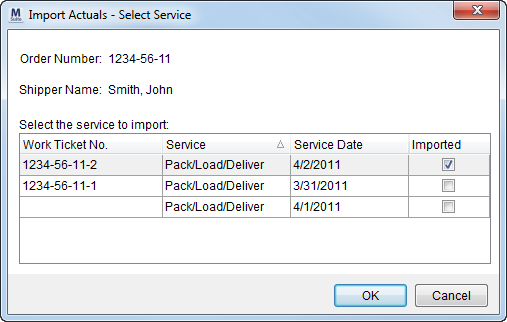
The Import Actuals screen allows a user to import revenue generated for services into Transactions.
This screen is available through the Import Revenue option in Transactions.
Figure 6: Import Actuals screen
The following table describes the fields and functions available within this screen.
|
Field/Function |
Description |
|
Order Number |
This field displays the unique identifier assigned to the accessed order. See Order Number for more information. |
|
Shipper Name |
The shipper name as set through the Last Name/Company Name and First Name/MI fields in Name, Address, Phone displays here. |
|
Select the service to import |
|
|
Work Ticket Number |
The Work Ticket number assigned to the service through Local Dispatch displays in this field. |
|
Service |
The description set for the service through Local Services displays in this field. |
|
Service Date |
The date of service assigned to the record through Local Services. |
|
Imported |
This column will display a flag when actual of the service are imported into Transactions. |
|
|
OK Imports revenue associated to the selected service into Transactions. |
|
|
Cancel This function closes the screen without importing. |

