MSWeb Navigation Menu >
Communications > Messages > Contacts tab
“Subscribe” means that the logged in user is a part of the
conversation. Within MSWeb
Messages and MSWeb
Global Messages, when subscribed to a conversation you will receive and can
send messages in that conversation. A conversation orginates by Order Number but
conversations are based on the contacts on an order. You can subscribe to one,
some, or all the conversations on a order. To “unsubscribe” means that you do
not want to get messages for that conversation and the conversation will be
deleted. (Of course, should you change your mind, you can always subscribe to
the conversation again.)
Contacts on the Contacts tab have icons to indicate
conversation status. If you are subscribed to a conversation, the icon will be
 . If the contact has
this icon
. If the contact has
this icon  , it means that
there is a conversation established on the order with that contact; however, you
are not subscribed to that conversation. Hovering over the Subscribe icon prompt
the message shown in black in Figure 231. Click
that icon to subscribe to that conversation.
, it means that
there is a conversation established on the order with that contact; however, you
are not subscribed to that conversation. Hovering over the Subscribe icon prompt
the message shown in black in Figure 231. Click
that icon to subscribe to that conversation.
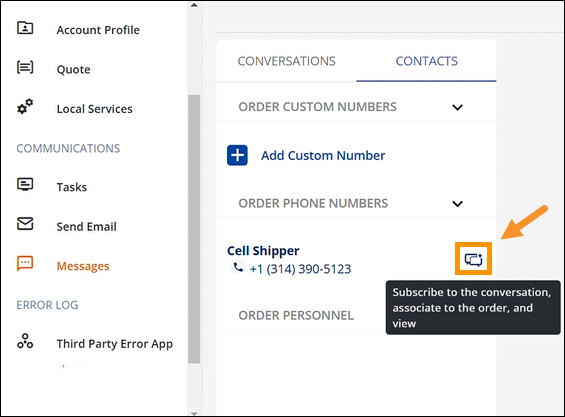
Figure 231: Subscribe icon
and message
When the icon is clicked, a confirmation message will appear.
Click Yes to subscribe or Cancel to exit without subscribing.
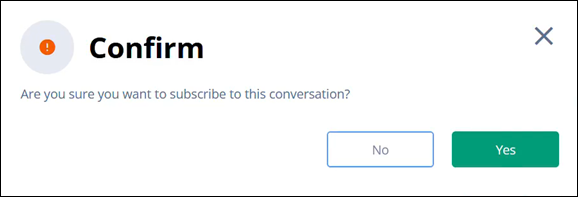
Figure 232: Confirmation
screen
Clicking the Subscibe icon will now list the conversation
with that contact within Conversations within MSWeb Messages and MSWeb Global Messages.
RELATED INFORMATION:
MSWeb
Contacts (Messages)