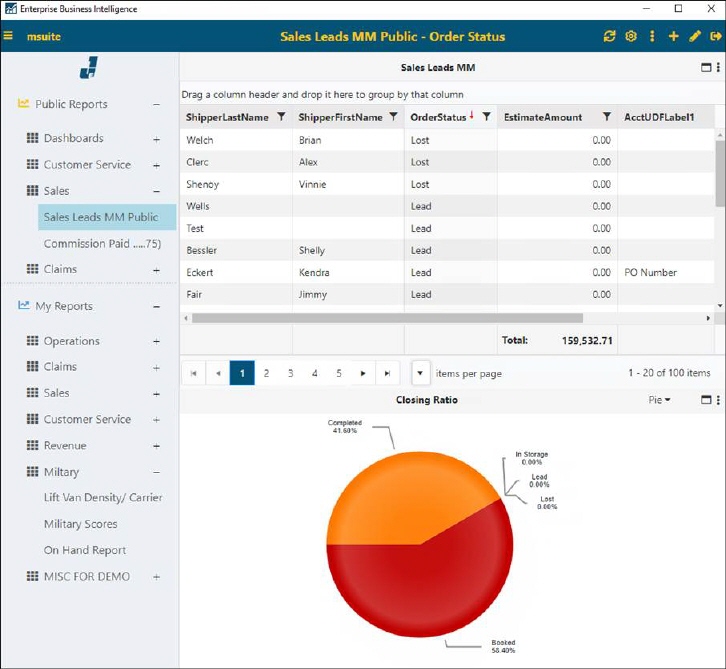
Each user’s Homepage > Report Listing will look different according to what Reports that have access to as set in BI Tool Administration, what reports they have created in their My Reports section, and the report that the user has set to be the “Default” report
The homepage of the BI Tool consists of:
•Header. Hover over an icon to see it’s description or go to BI Tool Header Icons for more details.
•Report Listing. This is detailed within BI Tool Report Listing.
•The report that was designated the “Default” report appears on the screen at login. If a report has not been designated as the default, the last report viewed will show. See BI Tool Configuration/Data Sources for more details on how to set a report as the Default report.
Figure 13: BI Tool Homepage for this user