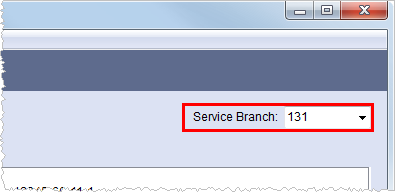
The Dispatching Common View function works by grouping branches in the same service or geographic area together when being viewed through Local Dispatch allowing a dispatcher to work a given area without having to switch between branches. The Service Branch field allows the user to select a branch to work and includes all branches associated to the same common view.
Figure 16: Service Branch field
To configure a common view among service branches, set the Dispatching Common View field to the same value across all appropriate branches through Branch Setup. This value can be up to four characters in length. Services for all branches defined with the same Dispatching Common View value will appear in the Dispatch Center when a user selects any common branch through the Service Branch field.
To work all services of a particular order, users can customize the Dispatch Center data grid by sorting and/or filtering the data by the Branch ID.
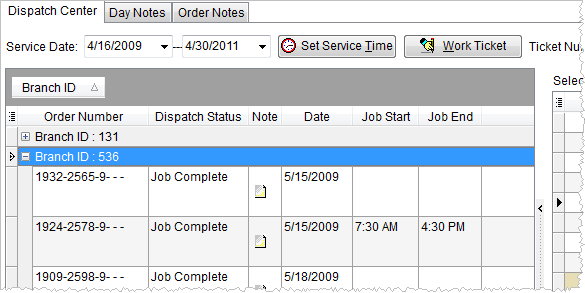
Figure 17: Grouping data by Branch ID
See Grouping for more information.
|
Tip |
|
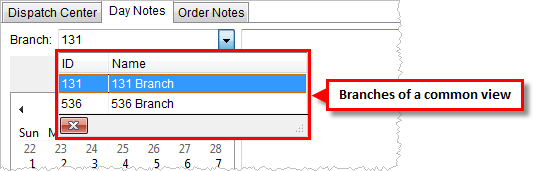
To see a list of all branches belonging to the same
common view, select a Service Branch and navigate to the Day
Notes tab and view the list of branches within the Branch field
drop-down menu (
Figure 18: Branch field on Day Notes tab
The Dispatching Work Tickets report uses the Dispatching Common View when generating its display.
|
 ). All
branches listed in this menu have the same Dispatching Common View value
(
). All
branches listed in this menu have the same Dispatching Common View value
(