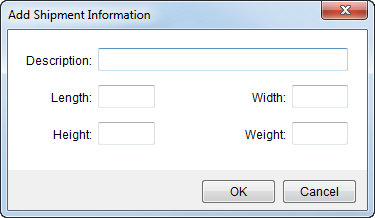
Use the Add Shipment Information dialog to add and edit specifics of a shipment. Each shipment record will display within the Shipment Information data grid. This shipment data is used primarily in data exchanges with third party applications such as UniGroup (see UniGroup Special Services Upload Contents). Access to this dialog is through the Add and Edit buttons within Shipment Information.
Figure 36: Add Shipment Information dialog
Fields available within the Add Shipment Screen are described in the table below.
|
Field |
Description | ||||||||
|
Description |
Enter a text description (up to 80 characters) for the detailed shipment item.
| ||||||||
|
Length |
Enter the item length.
| ||||||||
|
Height |
Enter the item height.
| ||||||||
|
Width |
Enter the item width.
| ||||||||
|
Weight |
Enter the item weight.
| ||||||||
|
|
OK Press OK to create the shipment record. | ||||||||
|
|
Cancel Pressing Cancel will close the dialog without creating a record. |

