To edit a report:
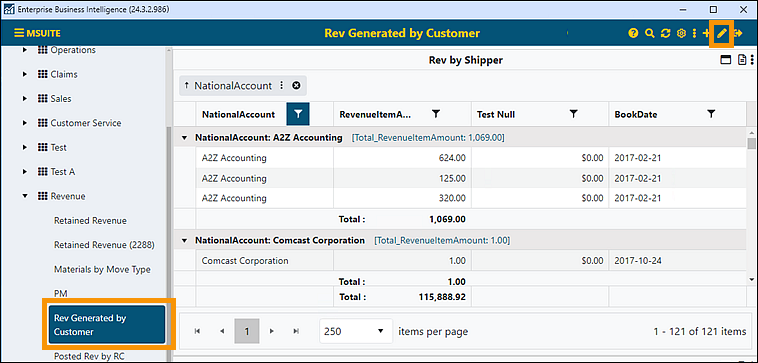
1. Click on the report to be edited from the Report Listing.
2. Click the Edit Report icon in the header. Both Steps 1 and 2 are shown in Figure 65.
Figure 65: Click edit icon to edit a report
3. From the Dashboard/Report Edit screen prompted, any information can be edited. To edit the Configuration/Data Source tab on the Report, to go to the Configuration/Data Sources screen. See BI Tool Configuration/Data Sources for details.
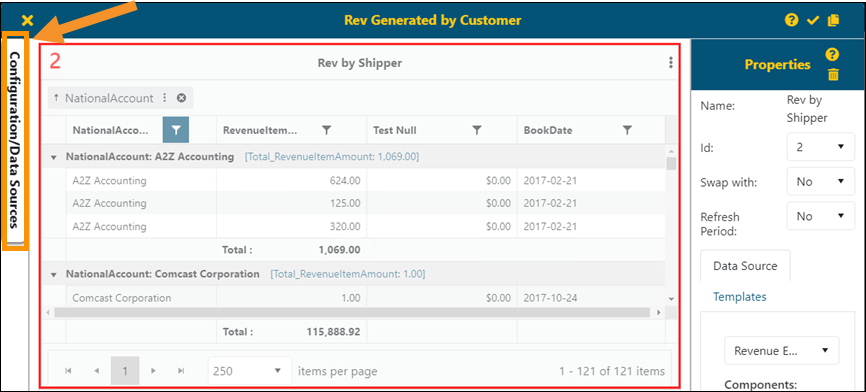
Figure 66: Access Configuration/Data Sources by clicking the tab indicated.
4. To save any edits, click the checkmark on the Dashboard/Report Edit header. Otherwise, click the X in that header to exit without changing the edits.
To reorganize a report, see BI Tool Dashboard/Report Placement.