Claims > click Handling
Revenue/Expenses button
Use the Handling Revenue/Expenses section in Claims to record the amounts received
(Revenue) or paid (Expenses) to cover part or all of a claim. Transactions that use
Handling Revenue/Expenses do not go through the Claims Clearing Account:
Entries here are not related to Claim Items and are the only ones that in claims
that do not go through AP. Additionally, anything entered here are not related
to the Claims Form submitted by the customer. Entries will not show in the
Summary, as the Summary only includes claim items related to the customer’s
Claim Form. See Claims
Process Overview for a definition of specific
usage.
Example of use: The Handling Revenue/Expenses section
is used when the van line will pay the agent to handle the claim - or when the
van line will charge you for handling the claim.
|

|
To charge a fee between commonly owned branches, offset
costs by assigning a receivable to a particular branch within Handling
Revenue. Doing so requires the other branch(es) to cut and remit
checks to the other internal branches. Avoid recording these costs as part
of the Settlement portion of the claim. |
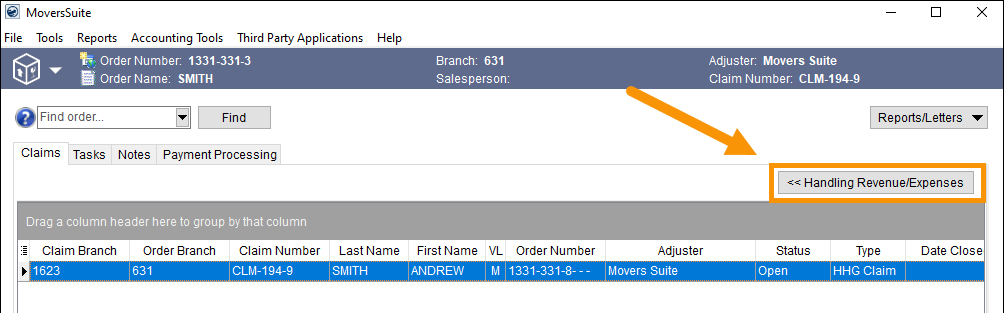
When the Handling Revenue/Expenses button is clicked, the
section indicated in Figure 18 is prompted.
Manage Handling Revenue and Expenses within this section. Entries are added here
on either the Revenue tab or the Expenses tab. Instructions are detailed within
Add Handling Revenue and
Add Handling Expense. See
Claims Process
Overview for an illustration that shows this step in the claims process.
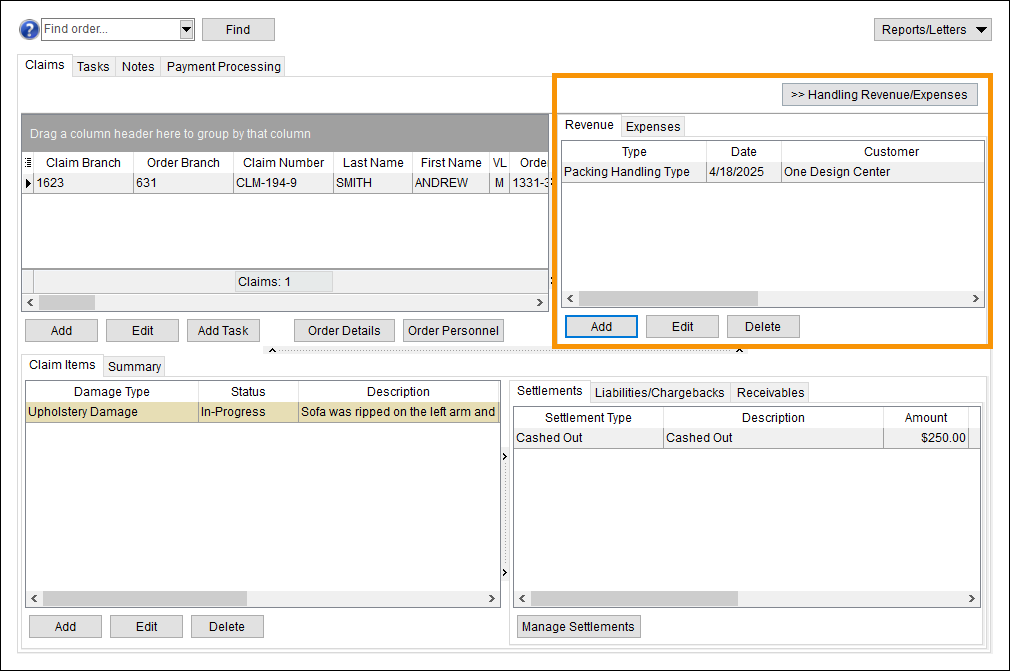
Figure
18: Handling Revenue/Expense pane
To exit out of the opened Handling Revenue/Expenses section
(Figure
18), click the Handling Revenue/Expenses button to collapse that pane and go
back to being able to view the Claims grid.
The following table lists the fields and functions within
this section.
|
|
|
|
|
|
|
Type |
The record type of the handling revenue items
displays. |
|
Date |
The date selected for transaction processing of the item
displays. |
|
Customer |
The customer selected to record the transactions under
displays. |
|

|
Add
This function opens the Add Handling Revenue screen allowing a
user to define a new item. |
|

|
Edit
This function opens the Add Handling Revenue screen in edit
mode allowing a user update an existing record. |
|

|
Delete
This function removes the selected record after
prompting the user to confirm the request. |
|
|
|
|
Type |
The record type of the handling expense items
displays. |
|
Date |
The date selected for transaction processing of the item
displays. |
|
Vendor
|
The vendor selected to record the transactions under
displays. |
|
|
Add
This function opens the Add Handling Expense screen allowing a
user to define a new item. |
|
|
Edit
This function opens the Add Handling Expense screen in edit
mode allowing a user update an existing record. |
|
|
Delete
This function removes the selected record after
prompting the user to confirm the request. |