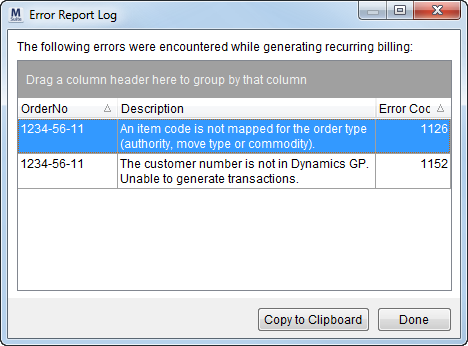
When a billing run contains errors, users will receive an Error Report Log listing the error or errors encountered.
Figure 12: Error Report Log dialog
When a billing run is in an error state, the Recurring Billing Generation screen will list the run at the top of the screen by Branch and Billing Type. Users will be required to finish the billing run for the particular branch and billing type or choose a different run based on a different combination of Branch and Billing Type.
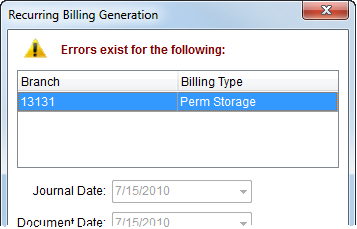
Figure 13: Recurring Billing Generation error
A user will need to correct errors and complete the billing runs that are in this state. The application will prevent users from generating the same type of billing run (by Branch Selection and Billing Type Selection) and the application will offer the user an option to Continue the billing run in error.
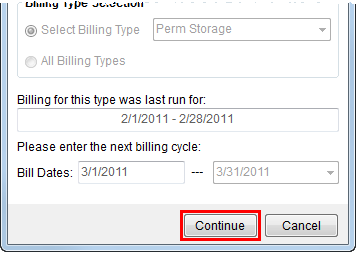
Figure 14: Continue button
Users can generate a separate billing run. If a user selects a billing run listed within the error section, then they can use the keyboard shortcut of Ctrl + Click to deselect a record.
A message will appear in the Recurring Billing section of each affected billing record.
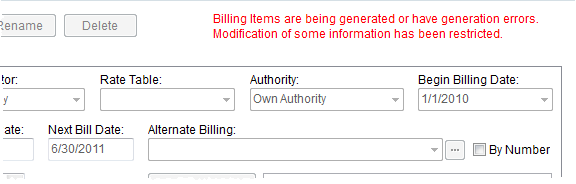
Figure 15: Recurring Billing error message
Important:
MoversSuite suggest that minimal changes to affected orders occur until the source of the error is fixed. Specifically, clerks should only modify the following fields when an order is part of billing run in error: Type of Move, Commodity, and Authority.