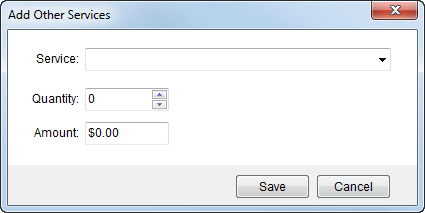
Add other items associated to the service that will count towards revenue generation through the Other Services screen available through the Release Work Ticket screen.
Figure 23: Add Other Services screen
Additional services can be added, deleted, and edited. Use the following information when adding and updating Other Services records.
|
Field |
Description | |
|
Service |
Select an item code to associate revenue to the service request. These records will be available to be imported into Revenue Entry. | |
|
Quantity |
Enter the item count that will be used to compute the total line item charge for the service (multiple Quantity by Amount). | |
|
Amount |
Enter the dollar amount used to compute the charge for the service. The total line item charge is computed by multiplying the Quantity by the Amount. For example, if another service is needed for wait time for three employees at $100, then the Quantity and Amount entered would be 3 and $100.00, respectively. | |
|
|
Save Press Save to keep the changes made and close the screen. |
|
|
|
Cancel This function closes the dialog without saving the changes. |
|

