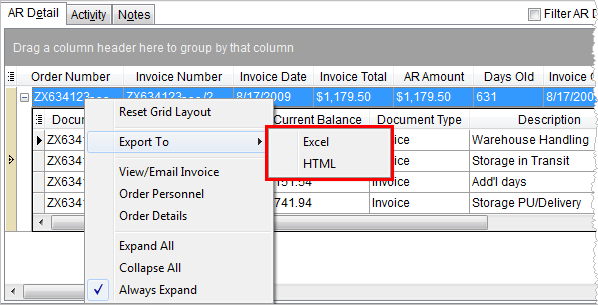
The Export To option allows a user to view grid data through Microsoft Excel or through a browser window. Alternately, several MoversSuite grids, such as the grid in Order History, provide an Export Selection To option which exports only the selected records to Microsoft Excel or to a browser window.
The export process takes all the data as it displays in the grid or for the selected records (using the Export Selection To option) and sends it to one of the following output formats:
Excel
Selecting this Export To option causes the application to open Microsoft Excel to display the data.
HTML
Selecting this Export To option allows the user to view the data within a web browser window.
The application automatically saves the data to a local file beginning with “mss” along with appropriate file extension, such as “.html” for the HTML option files.
The application arranges the data in the export format as it displays within the data grid, including displaying selected visible columns, column arrangement, and expanded data.
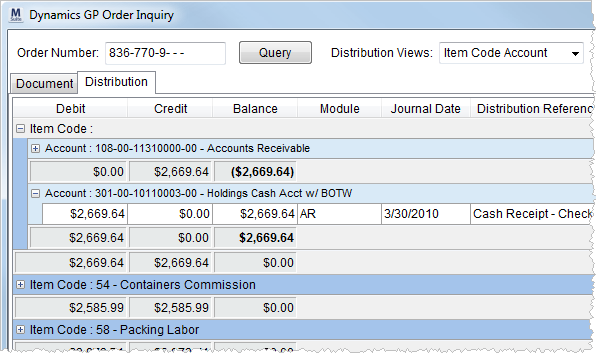
Figure 18: Dynamics GP Order Inquiry screen
The above data will export as illustrated below.
Sample data exported to Excel:
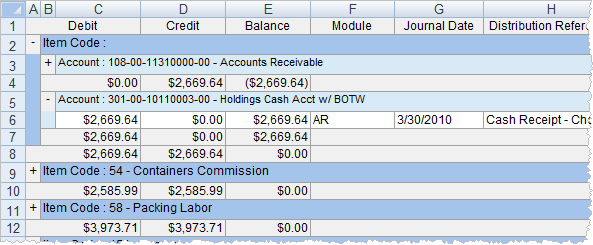
Figure 19: Dynamics GP Order Inquiry data exported to Excel
Sample data exported to HTML:
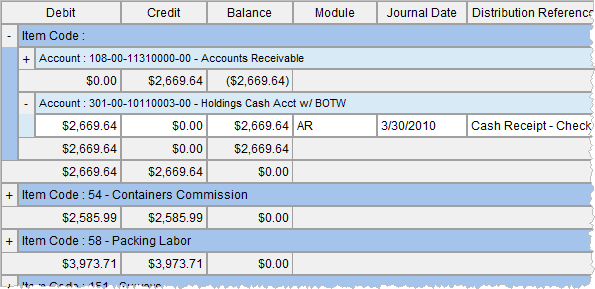
Figure 20: Dynamics GP Order Inquiry data exported to HTML
RELATED TOPIC: