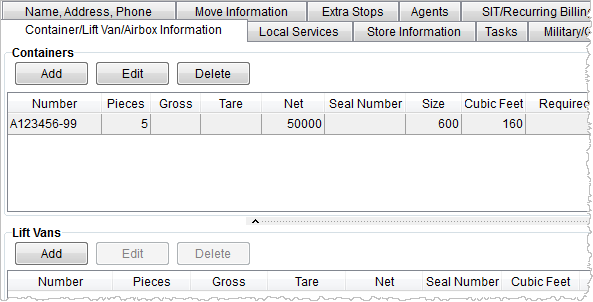
The Container/Lift Van/Airbox Information tab is available through the International Orders module and provides a means of tracking particular shipment containers and related lift vans/airboxes. Users can establish Containers record and Lift Vans records and track their status using this screen.
Figure 10: Container/Lift Van/Airbox Information tab
Described in the following table are the functions available within the Container/Lift Van/Airbox Information tab.
|
Function |
Description |
|
Containers |
|
|
|
Add This option opens the Add Container dialog allowing users to add a new record to the Containers section. |
|
|
Edit This option opens the Add Container dialog in edit mode allowing users to update an existing record. |
|
|
Delete This option will remove the selected container record after confirmation. |
|
Lift Vans |
|
|
|
Add This option opens the Add Lift Van dialog allowing users to add a new record to the Lift Vans section. |
|
|
Edit This option opens the Add Lift Van dialog in edit mode allowing users to update an existing record. |
|
|
Delete This option will remove the selected lift van record after confirmation. |


