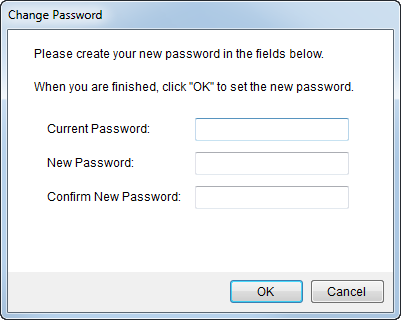
Evoked through the Login dialog when MoversSuite is launched, the Change Password dialog allows a user to change the password associated to their login Username.
Additionally, system administrators can force users to change their password at login. Refer to the “Force password change on next login” option in Personnel Setup for details.
Figure 5: Change Password dialog
Contact your system administrator if assistance is needed logging in to MoversSuite.
The following table describes the fields and functions of this dialog.
|
Field |
Description |
|
Current Password |
Enter the existing password used to login to MoversSuite for the Username provided on the Login dialog (up to 64 characters). |
|
New Password |
Provide a new user password that is different than the Current Password (up to 64 characters). |
|
Confirm New Password |
Re-enter the New Password for the user. |
|
|
OK Press OK to login to process the password change request. |
|
|
Cancel This function cancels the login request and returns the user to the Login dialog. |
RELATED TOPICS:

