
MSWeb Navigation Menu > Communications > Messages > Conversations tab
MSWeb Header > Messages (Global Level) > select order number
Use “Unsubscribe from Conversation” if you wish to unsubscribe to an ongoing conversation.
From Messages > Contact tab, click the three dots to open the menu. Click “Unsubscribe from Conversation.” This will remove the conversation from the MSWeb Messages window; however, there is the ability to re-subscribe.
Figure 233: Unsubscribe from conversation
To re-subscribe to a conversation, from Messages >
Contacts, click the click on the Subscribe icon . This will bring back the conversation to
the Conversations tab, as before.
. This will bring back the conversation to
the Conversations tab, as before.
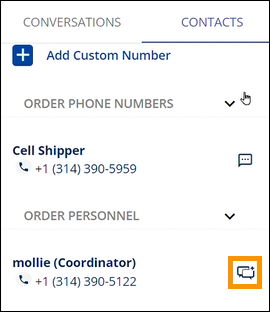
Figure 234: Subscribe icon
This will bring back the conversation to Text Messaging Conversations window as before.
RELATED INFORMATION: