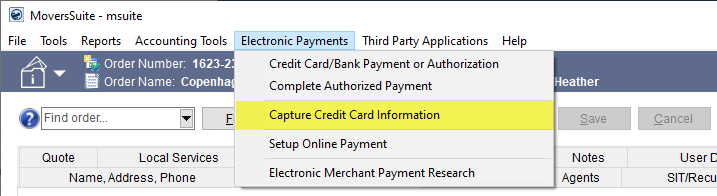
Capture Credit Card Information is located on the Electronic Payments Menu and, when chosen, it prompts the Capture New Payment Method screen. Use this option to create:
•A Payment Method within Autopay Setup (Recurring Billing)
•A Payment Method on Hand within Credit Card/Bank Payment or Authorization.
Though the option is named “Capture Credit Card Information,” bank account information can be used if your Merchant Account payment processors allows this option. Credit Card information is allowed for all processors. See Capture New Payment Method for details on the process.
Figure 23: This option can offer the ability to use bank account information, if your Merchant Account payment processor allows.