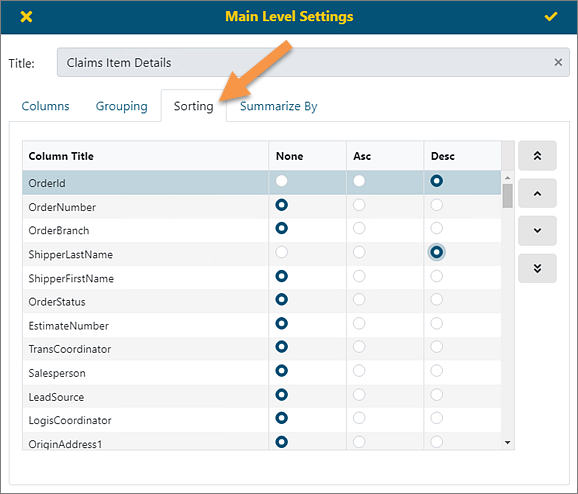
Properties > Main Level Settings > Sorting tab
Properties > Details Setting > Sorting tab
The Sorting option allows for the selection of fields to sort in ascending or descending order by default. Within the report, it is still possible to change the order by clicking on the Column Title. If needed, click on several columns to perform multiple sortings.
The functionality is available through several screens: Main Level Settings, Second Level Settings, Third Level Settings (See BI Tool Main Level Settings) and Details Settings (see BI Tool Details Settings.)
Figure 151: Sorting tab
When the Sort field is applied, the sort direction and order will display on top the report, as indicated in Figure 152. Further, notice Salesperson and ShipperLastName have been clicked to sort those fields and their sort order and direction are also shown.

Figure 152: Sort is direction is indicated.