MoversSuite Administration > Claims > Claim Item Status
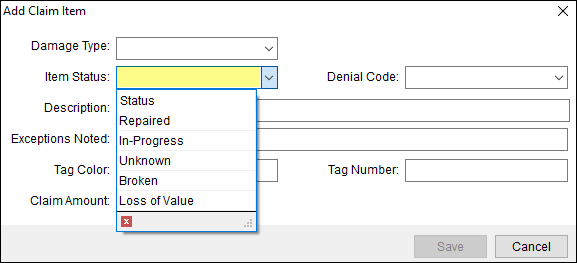
Use this setup to define the options available within the Item Status field’s dropdown within Add Claim Item. This status enables the ability to apply status to Claim Items to further tract the progress of the claim. This is not Claim Status, which is the status set within the Claim Detail.
This is an example of a Claim Item Status Setup record. This record will list the option “In-Progress” within the Item Status dropdown, as shown in the image above.

To add a new Item Status option:
1. At the top of the Claim Item Status Setup screen, use Click here to add new Claim Item Status.
2. Enter the name of the Status.
3. Click Add to save.
The technical table lists details for the field.
|
Field |
Description |
|
Claim Item Status |
Enter the name of insurance providers available within the Item Status field in Add Claim Item (up to 128 characters). Examples: Repaired In Progress Unknown Found Denied |