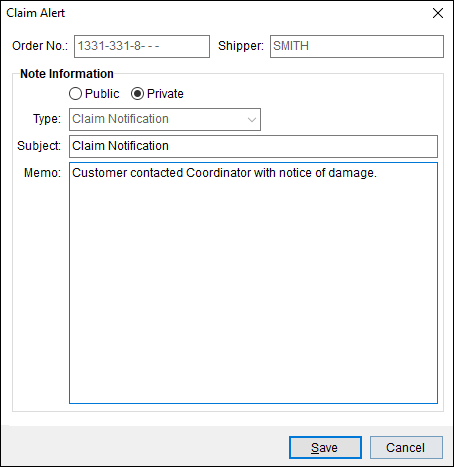
The Claim Alert is a notification that alerts key personnel of an upcoming claim action on an order. The application sends an email out based on Email Options Setup. Additionally, the alert process attaches a note to the order. Subsequent Claim Alerts will offer the user an option to append to the alert. An email notification will ensue upon each append.
Figure 4: Claim Alert screen
Access the Claim Alert through the Tools Menu (Figure 5). Make sure the order for the claim is opened on the screen when the Claim Alert tool is selected. When selected, the Claim Alert screen is prompted and the Order Number and Shipper will auto-populate the Claim Alert screen (Figure 4). See Add Note for field descriptions. Click Save.
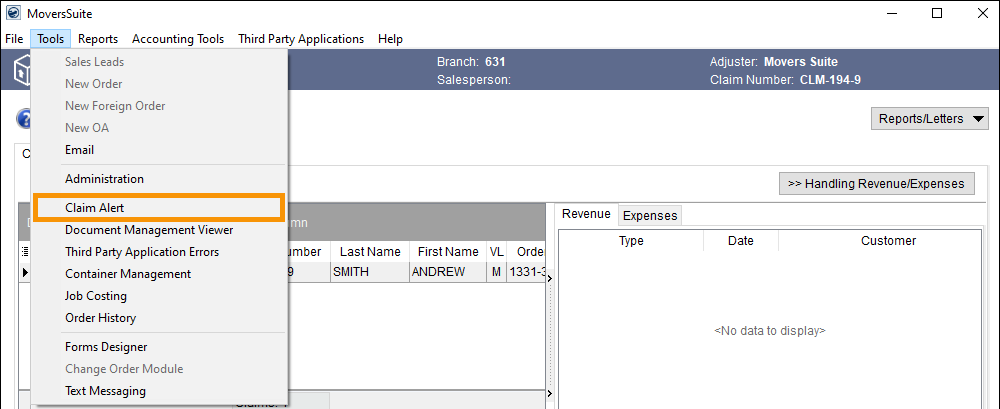
Figure 5: Tools Menu > Claim Alert
The Claim Alert note type will default to “Claim Notification.”
