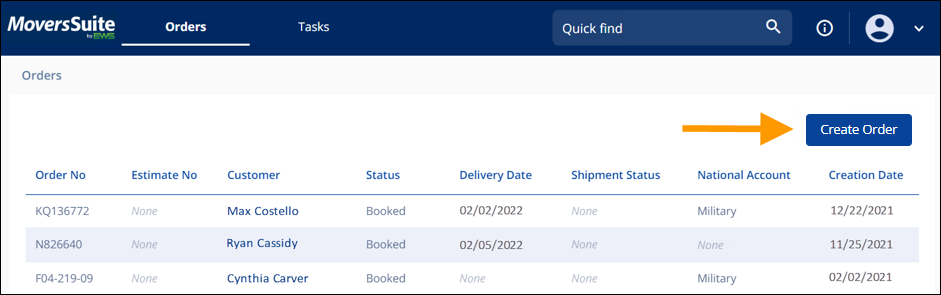
This process details an order being entered directly into MSWeb without the order first having been entered as a lead. These instructions follow the Quick Start method.
1. From Homepage, click Create Order button (Figure 125).
2. From Create Order page, enter a name in the Last Name / Company Field (Figure 126).
3. Enter a Phone Number.
4. Enter a Branch.
5. Click Save. This will take you to the Order Story.
6. From Order Story, click Book Order button (Figure 127).
Figure 125: Step 1 of Quick Start a New Order
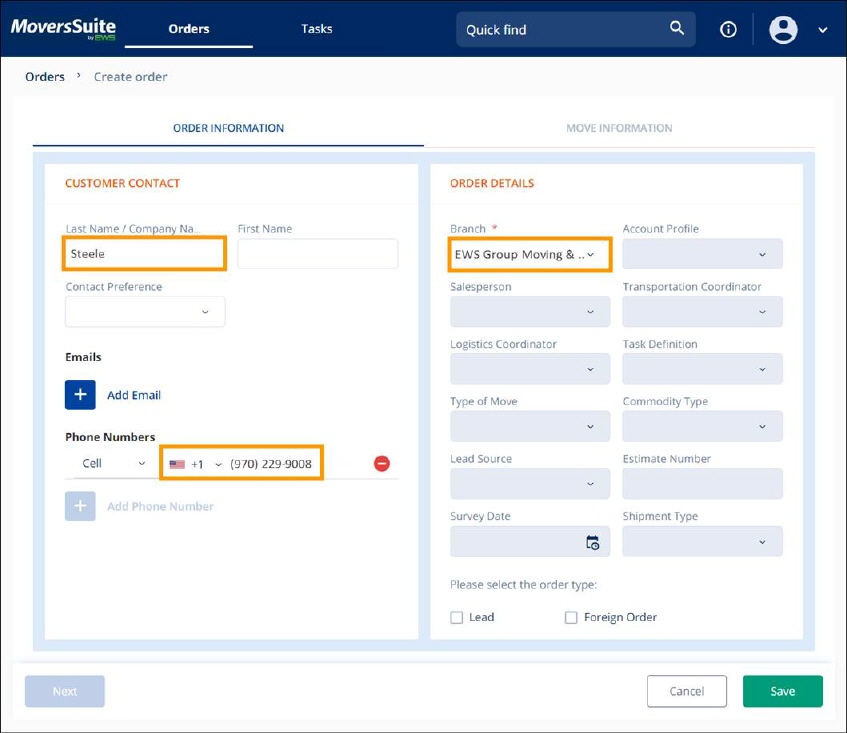
Figure 126: Quick Start a New Order Steps 2-4
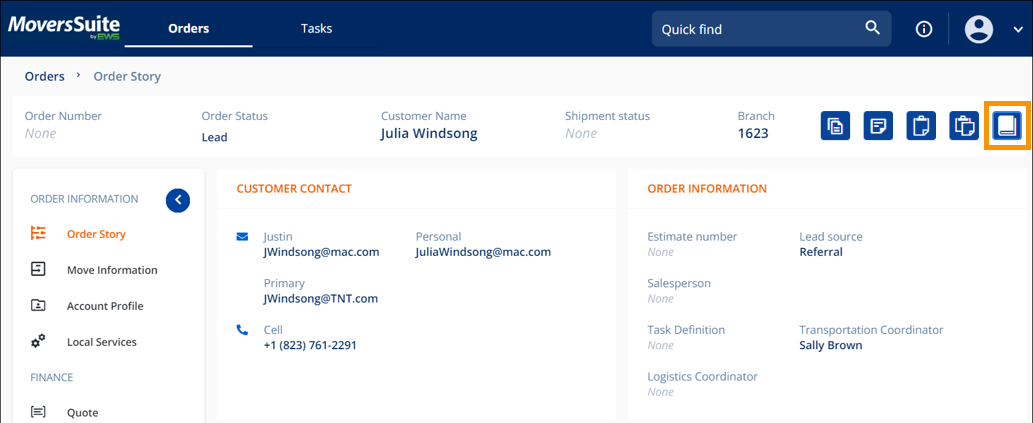
Figure 127: Navigation Menu > Order Information > Order Story and Book Order icon
For additional details on entering a new order, see MSWeb Order Best Practice. For on creating an order, along with other MSWeb videos, are located within the Training Center.