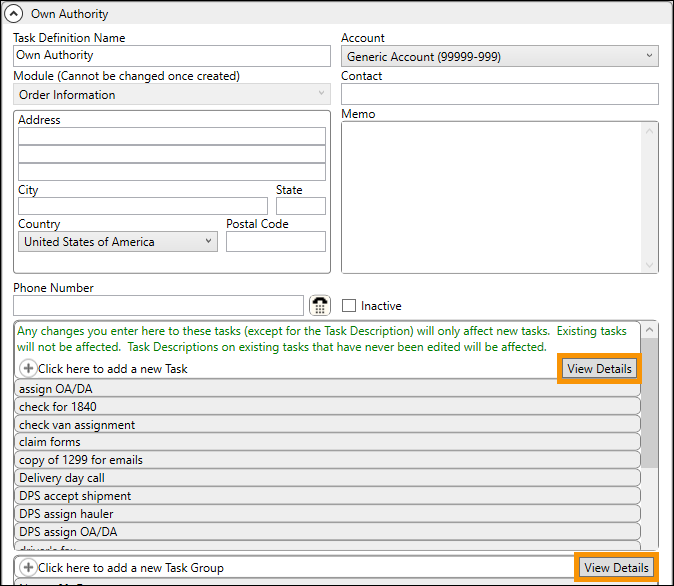
Within several setup areas within the Admin Tool, the View Details button is available to help manage the detail records of that setup area through a separate screen. In Tasks Setup, the record in Figure 37 shows the View Details button is available within two sections: Adding a new Task and Adding a new Task Group.
Figure 37: View Details button within a Task Setup record.
Though each record within each section can be opened and edited individually by clicking on the title, using the View Details buttons opens a list with additional options to help manage the items. The Search and Advanced Search utilities are available. The Mass Record Selection Options menu in the upper right corner of the list. Tasks can be added here as well by clicking “Click here to add a new XXX.” (The “XX” will be whatever corresponds to where this was used.)
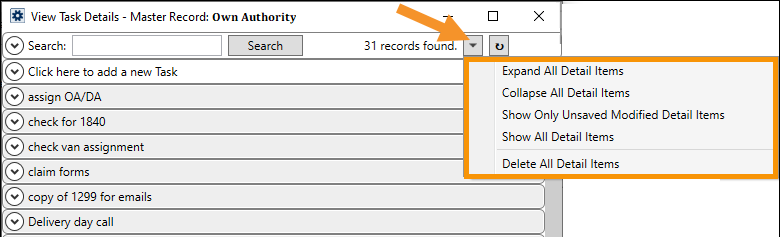
Click open an item to view or edit the item. Be sure to Save any changes, if needed.