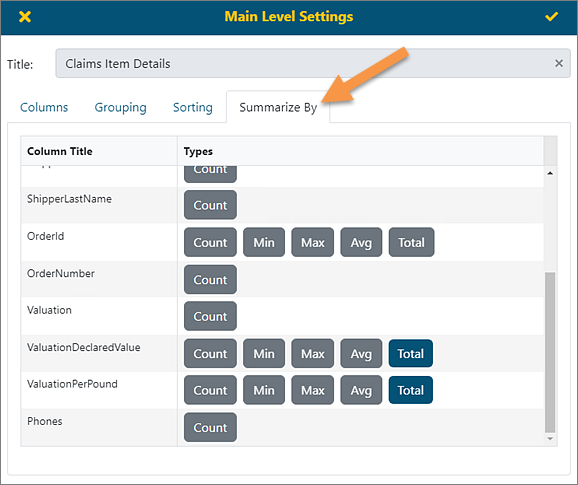
The Summarize By option will allow you to set up various total calculations. The options available to Summarize By are called “Buttons” and show as grey rectangles. When clicked, the buttons will turn blue. The type of calculation used is dependent on field type.
§ Count - Available in all types of fields
§ Min and Max - Used in numeric and date fields
§ Avg - Only available for numeric fields
§ Total - Only available for numeric fields
Be sure to click the checkmark in the upper right corner to save the settings.
Figure 132: Summarize By tab
In the example shown in Figure 133, the options selected in Figure 132 are indicated. By contrast, in Figure 129, no Summarize By options were selected for this report.

Figure 133: Summarize By option selected.