MoversSuite Admin > Administration > System Wide Options > Other Options
This is a System Wide Options flag associated to Commissioning Restrictions that allows your organization to restrict access to commission information and features within MoversSuite. Setting this flag instructs MoversSuite to only make commission information and features available to Revenue Entry managers.
Setup and Admin Information
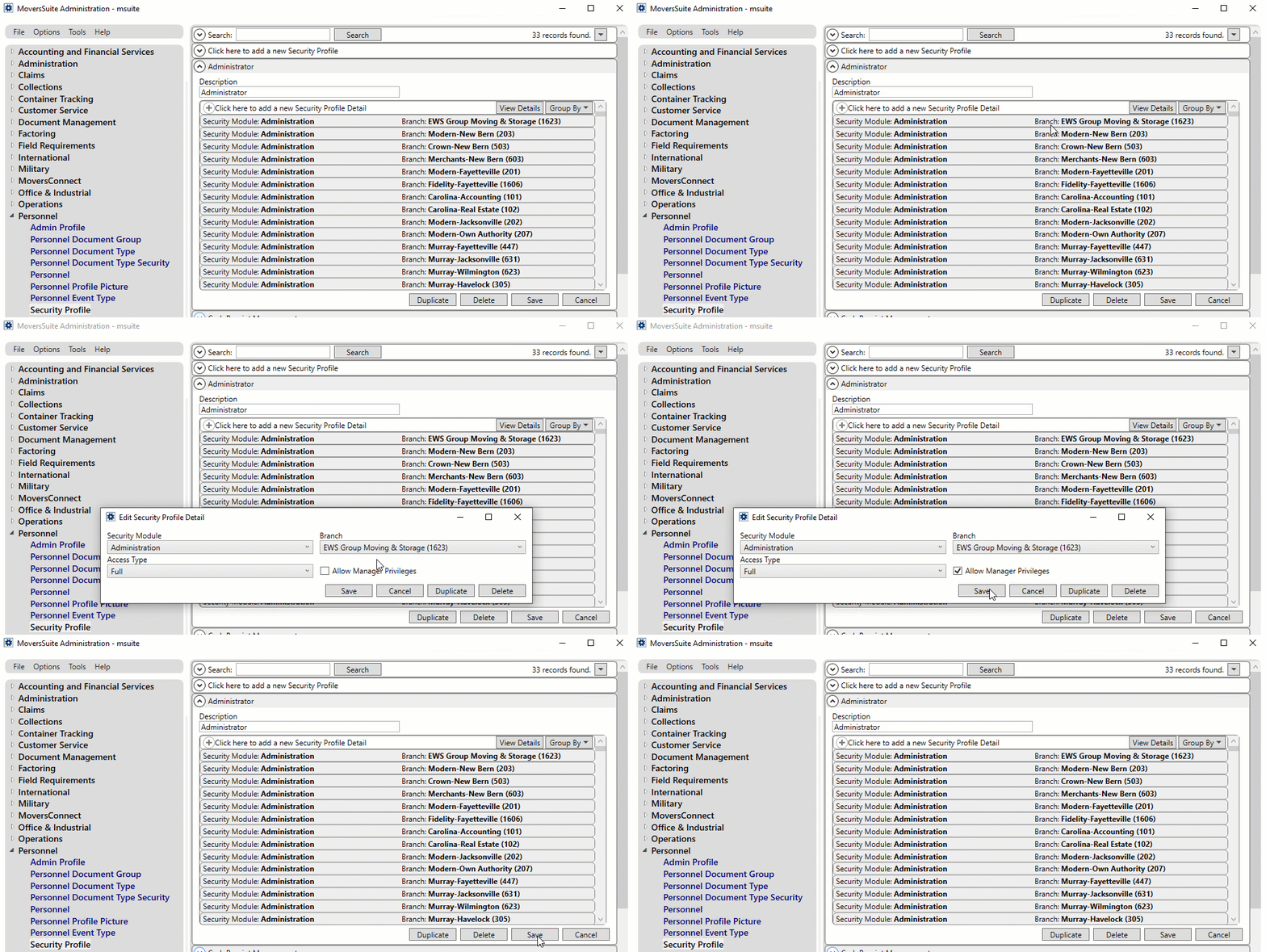
To set this flag, head to the Admin tool and under the Administration group, open the System Wide Options screen. To set or remove a manager from the Revenue Entry security module per branch, you need to check mark the “Allow Manager Privileges” flag under the Security Profile Detail screen of Security Profile Setup.
Figure 39: Security Profile Setup
Function Restrictions with “Hide Commissions From Non Revenue Entry Managers” Flag
Following are the default restrictions applied in different tabs of the Revenue Entry module when the Hide Commissions From Non Revenue Entry Managers Flag is checked.
•Transactions > No commissions show in the grid
•Transactions > Add Item dropdown > Commissions option is hidden
•Transactions > Group Functions dropdown > Commissions menu is hidden
•Transactions > Group Functions dropdown > Divisions menu is hidden (if Divisions are disabled)
•Transactions > Group Functions dropdown > Generate Transactions option is hidden
•Summary > Order Overview section > Generate Transactions button is disabled
•Summary > Order Overview section > Open/Posted section only shows Company Revenue. The Total Commissions Paid, Third Party Expenses, or Retained Revenue buckets are hidden
•Summary > Commissions/Payables section > The entire section is hidden
•Summary > Invoicing section > While adding/editing a Revenue Group or Revenue Item, the “Save & New Group”, “Save & Add Item”, and “Save & Close” options are hidden
•Add Revenue Item > The Save & Add Commission menu item is hidden
•Auto Commissions option is disabled for these users while creating revenue
Other than these functions, each company can choose whether to disable any of the following to further hide commission-related information:
•Disable the Dynamics GP Order Inquiry module
•Disable the Commission Statement Management module
•Remove any reports from their Report Profile Setup
For applying these additional restrictions, users can reach out to the EWS Professional Services by opening a Help Desk case.
|
NOTE |
|
The Recurring Billing and Generic Revenue Import features are exempted from these restrictions. |