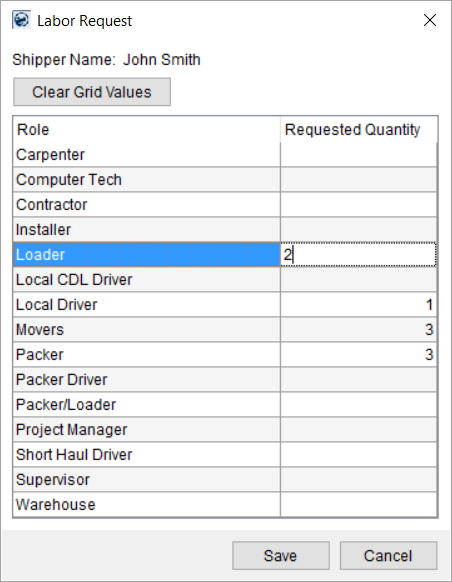
Available through the Labor Request button from within the Add Local Service screen, this dialog allows you to specify the anticipated number of personnel needed, by role, for a particular service. This information assists a dispatcher in making the correct crew assignments. This data is informational only.
Figure 73: Labor Request dialog
To enter values for the corresponding role, simply click in the column and enter a number.
The following table describes the fields and functions available within this dialog.
|
Field/Function |
Description |
|
Shipper Name |
The name of the shipper displays. The application retrieves this information from the Last Name/Company Name and First Name/MI field set within the Name, Address, Phone tab.
Office & Industrial For Office & Industrial orders, the Last Name/Company Name and First Name fields set within the Contacts and Locations tab displays. |
|
|
Clear Grid Values Press this button to remove values for all quantity fields. |
|
Role |
The application displays the name of the role available to the Local Dispatch module (Labor Type Setup records with the Available in Local Dispatch flag set). For each anticipated role, enter the number of personnel requested. |
|
Requested Quantity |
Provide the desired number of personnel for a particular role. |
|
|
Save Press Save keeps all changes made and closes the dialog. |
|
|
Cancel Pressing Cancel reverts any changes made and closes the dialog. |
RELATED TOPICS:


