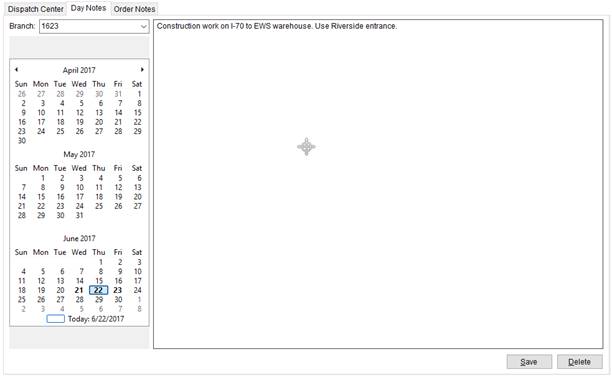
Use the Day Notes tab view and update a Day Note for a service date that are visible to dispatchers within the module.
Figure 47: Day Notes tab
The features available within this tab are the same available within the Day Note section, except for Delete. The Delete option allows you to remove the note altogether. You can also utilize the Branch feature to view notes for a specific branch associated to the Dispatching Common View.
The Day Note
viewed in the right pane corresponds to the date highlighted in blue (refer to
 in Figure 47) in the date selector pane.
Selecting a date within this section automatically opens the Day Note for that date. Any date that is in bold
contains a Day Note. Refer to Calendar Control for information
on selecting dates.
in Figure 47) in the date selector pane.
Selecting a date within this section automatically opens the Day Note for that date. Any date that is in bold
contains a Day Note. Refer to Calendar Control for information
on selecting dates.