 ). “PW Inbound” is also a folder, as shown in
Figure 1.
). “PW Inbound” is also a folder, as shown in
Figure 1.
To locate all the topics unique to the Partner Warehouse program within the MSWhse
Online Help, click on “Partner Warehouse” under the Contents tab.
“Partner Warehouse” is a folder as noted by the folder icon ( ). “PW Inbound” is also a folder, as shown in
Figure 1.
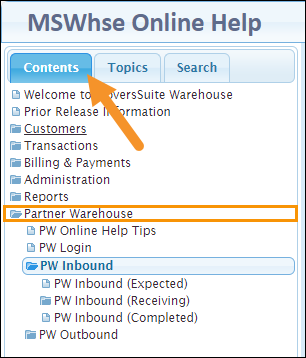
Figure 1: MSWhse Online Help > Contents > Partner Warehouse
Another option is to type “pw” under the Topics tab (Figure 2). Notice that entering “pw” under Topics creates an alphabetized list of all the topics currently available.
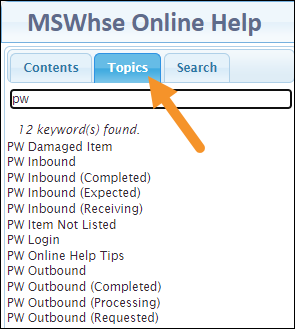
Figure 2: Search "PW" within the Topics tab to find related topics.