Navigation Menu > Reports
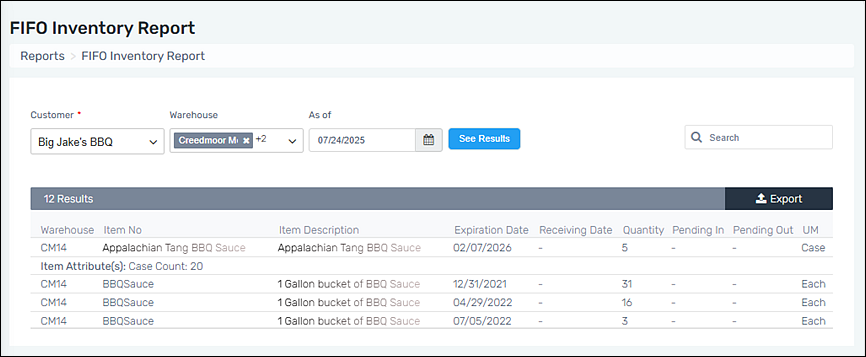
“FIFO” means “First In First Out.” This report will list the inventory of a Customer based on Item Numbers with their Expiration Dates as based on the “As of” date.
To create a FIFO Inventory Report, follow these steps:
1. Go to Navigation Menu > Reports > FIFO Inventory Report.
2. Select a Customer.
3. Choosing a Warehouse is optional.
4. Set the date for the report to use as a basis for the report. The inventory that lists will be based on stock as of that date.
5. Use the Search feature to further sort the report.
If an Item Number has Attributes, they do list within the FIFO Inventory Report, as shown under the first line of the report for “Appalachian Tang BBQ Sauce.”
Figure 4: FIFO Inventory Report
For a master list of all reports, go to Reports.