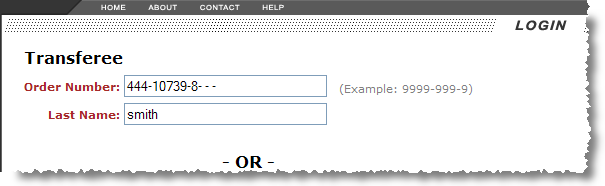
Transferees will have access to a Move Information page detailing the single household goods move entered for login. Users will be required to enter a particular Order Number and Last Name. Pressing the Go button will initiate the search and retrieval of the record.
Figure 6: Transferee login
The values must match exactly to an existing MoversSuite in order to view the Move Information page.
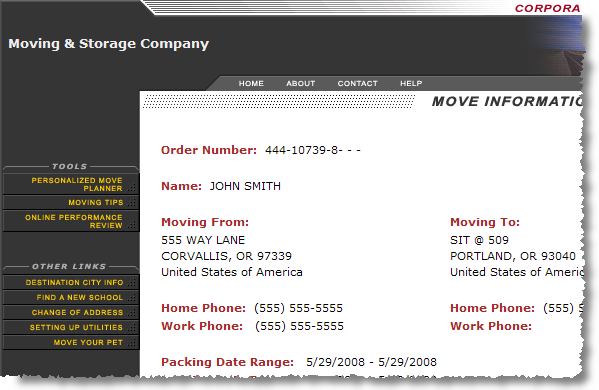
Figure 7: Move Information page for Transferee
The default Move Information screen also provides the following Tools available to Transferees.
|
Transferee Tools |
Description |
|
Personalized Move Planner |
Opens the Move Planner screen to displaying planning suggestions in a timeline based on the delivery date of the order. Refer to the Personalized Move Planner section for more information. |
|
Moving Tips |
Opens the Moving Tips screen display a checklist of tasks to consider when moving. Refer to the Moving Tips section for more information. |
|
Online Performance Review |
Transferees can fill out a questionnaire regarding their move which becomes a permanent record in MoversSuite and is reported through the Performance Review (Web Survey) Report. Refer to the Online Performance Review section for more information. |
Refer to the Customer Web Portal Data section for a complete list of data fields displayed on the Move Information page.