 ) next
to the invoices you want to modify and press Change Invoice. From Change Invoice, you will be able to modify the
invoice number, purchase order, date, and instruct the application to put the
item(s) on hold.
) next
to the invoices you want to modify and press Change Invoice. From Change Invoice, you will be able to modify the
invoice number, purchase order, date, and instruct the application to put the
item(s) on hold.
This dialog allows you to view and modify invoices for third party items not yet posted. Access this dialog through the Change Third Party Invoice option available through the Transactions tab.
Check the box () next
to the invoices you want to modify and press Change Invoice. From Change Invoice, you will be able to modify the
invoice number, purchase order, date, and instruct the application to put the
item(s) on hold.
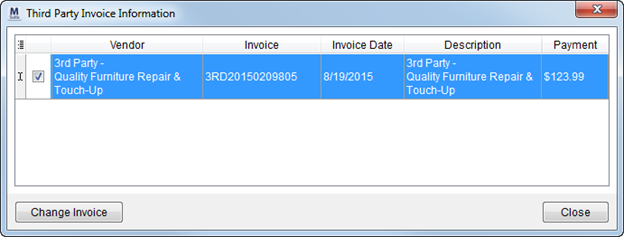
Figure 38: Third Party Invoice Information
RELATED TOPICS:
Add Third Party Item (Revenue Entry)