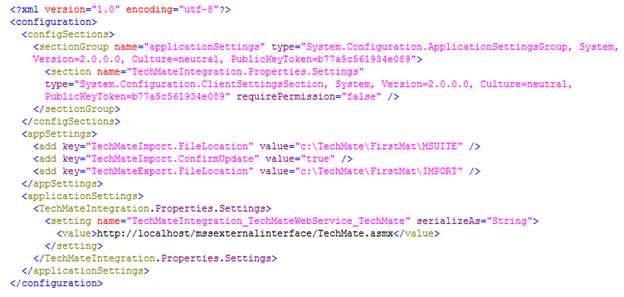
A TechMateIntegration.exe.config must exist in the ThirdParty folder under the MoversSuite application folder, e.g. “C:\Program Files (x86)\Movers Suite\ThirdParty.” This file sets the location of the import and export file locations along with the location of the properties file for TechMate web service.
The following table explains the application settings needed for TechMate Integration.
|
Element |
Description | ||||||||
|
appSettings |
Create elements for the following keys:
| ||||||||
|
applicationSettings |
Set the name of the web service processing the requests and set the value of the element to the location of the web service application (see sample below). |
Sample TechMateIntegration.exe.config file: