Use the Generic Import option in to pull payment data directly into Payment Management. Payment data can include any transaction data, such as checks for lock box and non-temp storage, contained within a comma-delimited file (.CSV).
The benefits of the Generic Import process include reducing chance of errors by eliminating double-entry of data. Additionally, each item is assigned its own cash receipt number when imported for a lock box, for example, making it easy to verify and reconcile with deposits.
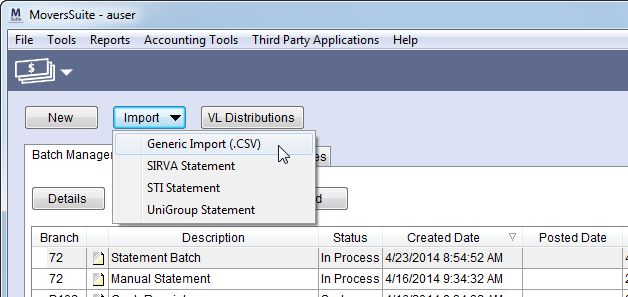
The Generic Import (.CSV) option is available through the Import button in Payment Management.
Figure 27: Generic Import option
When selected, this option prompts the user to locate the .CSV file to import. The .CSV file must be formatted according to what is described within the Generic Import topic. Refer to Generic Import Setup topic to define .CSV files to suit your company needs.
The following table lists the suggested uses of the Generic Import.
|
Import Type |
Description |
|
Lock Box |
Import a list of checks directly into Payment Management. Each line item is its own cash receipt number making it visible within Cash Receipts and easy to reconcile. |
|
Comdata |
Advances can be charged-back to a driver for Comdata imports. |
|
Non-Temp Storage |
A check is treated as a single deposit and all orders underneath it are treated as their own cash receipt. |