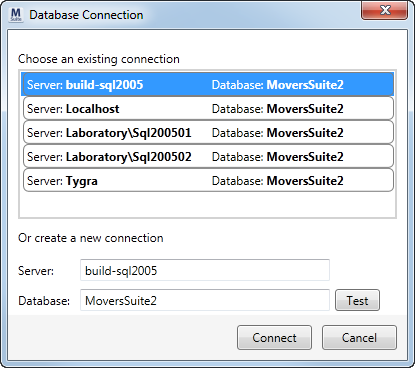
Opened through the File Menu, this screen allows a user to create a connection to a database that will be updated by MoversSuite Administration. Additionally, existing connections are stored for quick access.
Figure 20: Database Connection dialog
The following table describes the fields and functions available within this dialog.
|
Field/Function |
Description |
|
Choose an existing connection |
Select from the list of those recent connection to MoversSuite Administration. Selected records populate the Server and Database settings where they can be modified and tested. |
|
Or create a new connection |
|
|
Server |
Enter the name of the server that stores the database to be updated. |
|
Database |
Enter the name of the database on the server that MoversSuite Administration will access. |
|
|
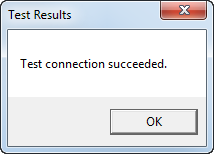
Test Press this button to test whether the Server and Database combination is successful or not.
If the connection is not successful, an error message will appear at the bottom of this dialog. |
|
|
Connect Use this button to connect MoversSuite Administration to the Server and Database combination. The dialog closes upon a successful connection. |
|
|
Close Close the dialog by pressing this button. |