 ) associated to
all agent fields within the following areas:
) associated to
all agent fields within the following areas:
The Agent Find allows a user to quickly locate and set
an agent field by Agent ID or Agent Name. It is available
through the find icon () associated to
all agent fields within the following areas:
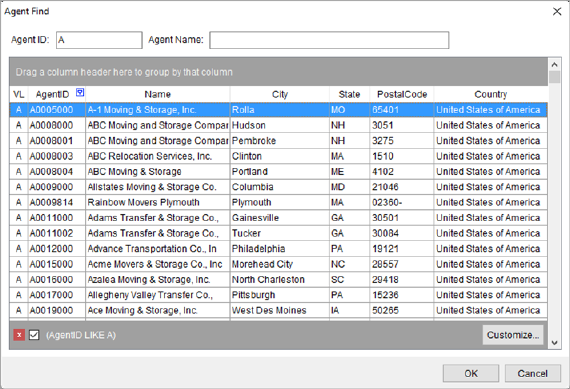
Figure 22: Agent Find
Described in the table below are the columns of data that display within an Agent Find. Refer to Agent Setup for more information.
|
Field |
Description |
|
VL |
This field displays the van line association to the agent. |
|
Agent ID |
This field displays the agent identification number. |
|
Name |
This field displays the agent name. |
|
City |
This field displays the agent city. |
|
State |
This field displays the agent state. |
|
Postal Code |
This field displays the agent postal code. |
|
Country |
This field displays the agent country name. |
Refer to Advanced Finds for usage information.