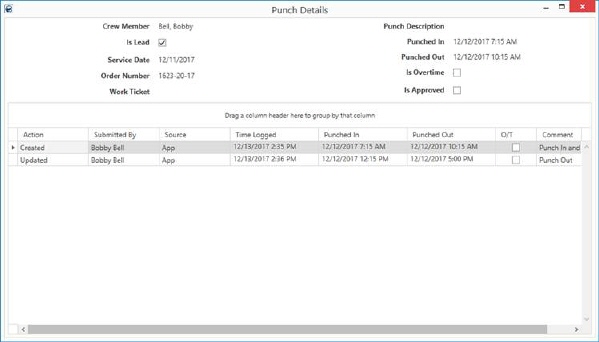
This screen is available by selecting the Punch Details option from the right-click menu on activities listed within the Mobile Crew Time data grid. It lists specific information on punch items associated to crew activity within MSCrew.
Figure 119: Punch Details
The top section displays the service information on the current state of the punch activity, i.e. current Punched In time. The detail line items provide a history of the activity leading up to the current state.
This screen displays read-only data and contains no functions.
Technical Field Information
|
Field |
Description |
|
Crew Member |
Name of the person logging time for the service displays. |
|
Is Lead |
A checkmark indicates that the person is the crew lead on the activity. |
|
Service Date |
Date of the service displays. |
|
Order Number |
The Order Number displays. |
|
Work Ticket |
The number associated to the Work Ticket displays. |
|
Punch Description |
Title of the activity performed. |
|
Punch In |
Date and time of when the person began logging time for the specific activity associated to the service. |
|
Punch out |
Date and time of when the person stopped logging time for the specific activity associated to the service. |
|
Is Overtime |
This column is checked if the current punch time is overtime. |
|
Is Approved |
This column is checked if the current punch time is approved. |
|
Punch Details |
|
|
Action |
This column provides information on what action occurred that updated the activity, e.g. Created, Updated, etc. |
|
Submitted By |
The name of the person that made the change displays. |
|
Source |
This is the source location of the change, such as App for the mobile application. |
|
Time Logged |
The date and time that the entry was made displays. |
|
Punched In |
Date and time of when the person began logging time for the specific activity associated to the service. |
|
Punched Out |
Date and time of when the person stopped logging time for the specific activity associated to the service. |
|
O/T |
A checkmark in this column indicates that the punch time was marked as overtime. |
|
Comment |
Any message attached to the time entry displays. |
RELATED TOPICS: